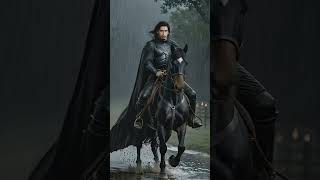
Juntae Kai Delane shows how to make AI videos with a consistent character for free. Upload a character image, generate clips with prompts, use text-to-video for scenes without the character, then edit everything on a timeline with free sound effects.
So I took a picture and created AI videos with consistent characters for free.
It was in 1764 that the Beast appeared on our lands.
God have mercy.
And we began to think that no mortal will ever overcome it. Do we talk a lot about the Beast in Paris? We even make songs about it
when we should be saying prayers. Step one all you need is a protagonist image and a story worth telling. Step 2 Create a character right here, then click Create and add a prompt. Select the character to use used, select the aspect ratio and just generate a video. It's super simple and you can use the text to video tool for scenes without the main character's face. STEP 3 Now add all your final videos into your timeline if you're preferred editing so for 60 so in case you want to add sounds you can add free sound effects with 11 laps and free this out. You guys ask for free AI tools so fix for Study Eye and all the other links below.