1:18

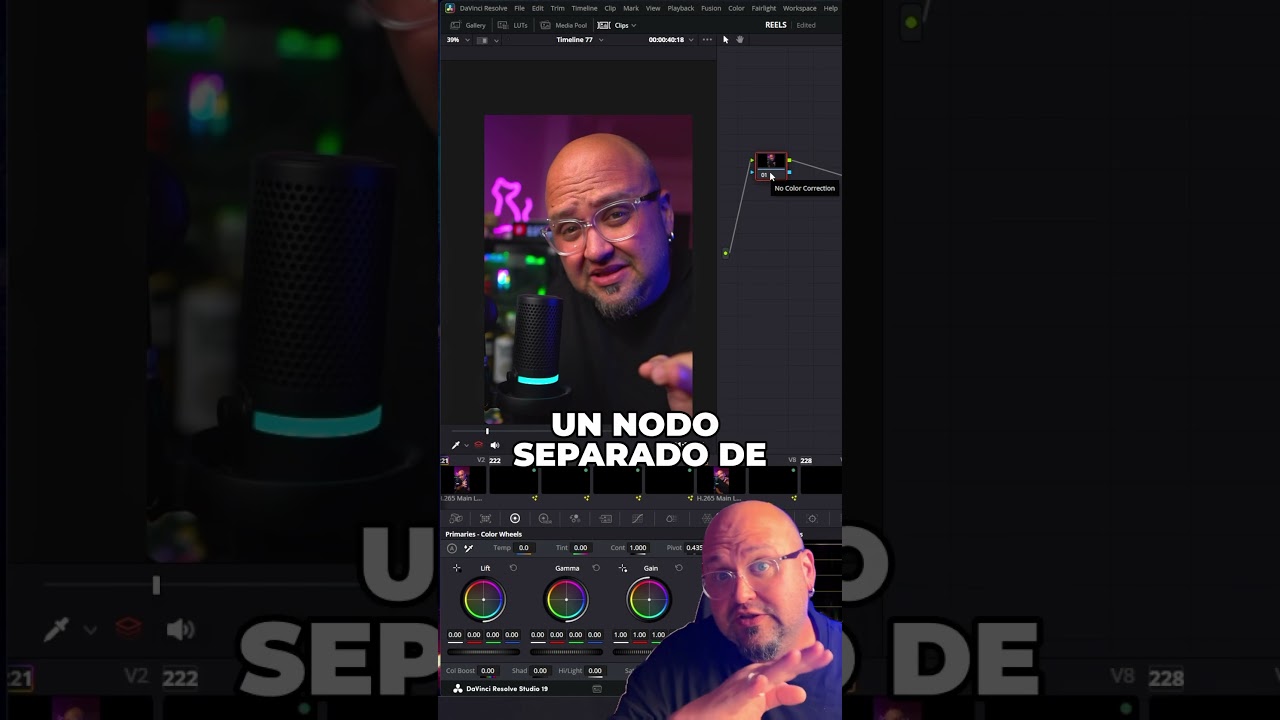
In this short Spanish tutorial, the presenter demonstrates a simple method to achieve a more cinematic saturation in DaVinci Resolve. The workflow consists of selecting a clip, opening the Color page, adding a separate node (Alt+S), setting the node’s Color Space to HSV, disabling the Hue (channel 1) and Lightness (channel 3) so that only the Saturation channel (channel 2) remains active, and then adjusting the Gain and Gamma controls. This isolates the saturation adjustment, preventing the overall image from “breaking” as it does when using the standard saturation slider, and yields a richer, film‑like color boost. The video ends with a call for viewer comments and suggestions for future DaVinci Resolve tutorials.

Chapters

More from Pablo

13:45
youtube.com

MiniMax H3: Seedance 2.5 tiene un nuevo rival Chino GRATIS

1mo ago
0:31
youtube.com

No culpes a la IA por tus malos resultados 🚩 #crecimiento #ia

1mo ago
0:31
youtube.com

Seedance 2.0 vs 2.5: ¿Realmente mejoró? #seedance #aiart

1mo ago
0:31
youtube.com

Crea escenas imposibles con IA en segundos #ia #edicion #shorts

1mo ago
0:32
youtube.com

El truco definitivo para prompts de vídeo con IA #ai #shorts #tutorial

1mo ago
0:35
youtube.com

Control total del audio en Seedance 2.5 #seedance #ai

1mo ago
2:01
youtube.com

Seedance 2.5 (tráiler del tutorial)

1mo ago
20:56
youtube.com

Seedance 2.5: un plano de 30s con la MISMA cara de principio a fin

2mo ago
17:45
youtube.com

Flick.Art + Seedance 2.5: Mi proceso para crear un corto con IA

2mo ago
18:48
youtube.com

Typeless y Seedance 2.0: Creo contenido 4 veces más rápido ⌨️❌

2mo ago
0:31
youtube.com

No mires directo al eclipse! 😱 #inteligenciaartificial

2mo ago
See all content