Inside The NML App | A Behind-The-Scenes Tour for YouTube Members
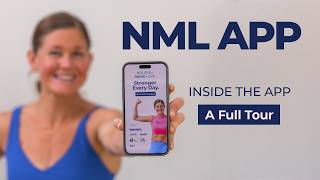
Lindsey Bomgren walks you through the Nourish Move Love app: how to set up your profile, use Lindsey AI for personalized fitness advice, access the monthly workout plan with a daily push-up challenge, filter thousands of on-demand workouts by time or body part, and join live events and community chat.
Chapters
Welcome to the Nourish Move Love app platform tour. You are currently logged into the Nourish Move Love app and you are on the Start Here page. You're watching the platform tour with me, and as you'll notice right here on your screen, it is gonna pop up and say download the app if you have not already, and it'll show you how to do that. So you can download the app if you haven't yet so you can have it on your mobile device as well as desktop access. You're also gonna see fill out your profile. If you click here, it's gonna show you, otherwise I can also show you. You're just gonna come up to your little icon right here. You're gonna hit your personal settings and you're gonna edit your profile. We want you to add a picture of yourself, tell us who you are, whatever you wanna share about yourself. And then you can also add any additional personal information. What's really important though is right here, this main fitness goal. I want you to select one of these goals 'cause I want to know why you're here and what you're training for. Personally, I am going to attend the Nourish, Move, Love Games, which we'll get to, and I wanna hit 4 of the 6 standards at level 3, I believe. Is it level 3 or level 1? The highest level, that's my goal. Okay, so I would save this. There we go. Keep updating that. Once you do those things, you can exit out of this bad boy. It's gonna keep popping up until you do that. All right, so you are currently in the platform tour, which is right here, and I gave you 4 quick steps. I also wanna go over one more time that are gonna help improve your experience. One is download the app in case you missed that and exited out of it, right? You can do it right here. You can edit your profile right here. If you wanna adjust your notifications, the pings and buzzes you get from here, you can do that here. And if you have any questions, we get a lot of questions since you guys are used to watching us on the big screen about how to cast the workouts in the app from your mobile device or from your laptop to your big screen TV. You can just click right here It's gonna take you to a page that shows you how to do it from an iPhone AirPlay style. There's a video here, tutorial, as well as the steps. And then from Chromecast or Google Chrome, and you could do that from an Android, and your steps are right here. And then we also have Samsung. We're continuing to build this out, so feel free. The best way to submit any type of feedback at any point in time, this left navigation bar is your main nav. If you scroll all the way down to the bottom of that left nav, You're gonna see support FAQs here. This is gonna show you exactly how to do those casting. Any other questions you might have, hopefully we answer them here. Otherwise, you can hit Casting Support there for easy access. One other really cool feature we have right down here at the very bottom is Share Your Feedback. That's gonna take you to a Google Form. So if you have any feedback as you're working through the app, you can submit it there. All right, let's go back to where we are on Start Here. You're watching the platform tour. Right here. Okay, it's gonna give you your next step after this video, but let's go through the quick navigation you're seeing here. So like I mentioned, the main navigation is all right here on the left side of the app. This is gonna be how you get to everything. We built in this awesome feature from feedback from our community. It's called Quick Links. Okay, this is gonna be your quick links to the most popular spaces on the platform. So when in doubt, hit Quick Links. If you close your app and swipe it out to completely close it, when you log back into the app, you are going to land right here on quick links, easy access for you. If you do not close out of the app, it will bring you right back to where you started. So if I'm doing a workout and this is where I just close the app from, it's going to bring me right back here when I open it. I know you guys are here for the workouts, we're about to get into them. Before we get there, I want to mention a really cool feature we built into this app just for you guys. It is called Lindsey AI. It is all of my content over the past decade plus into Lindsey AI. Like, it is totally trained like me. You can call me or you can have a chat with me. So you can call me or you can chat with me. All right. And when you start your chat with me, when you ask me a question, let's just go, what's your favorite workout? The first question you ask, it is going to prompt you to give it an email address, the email address that you logged in or created an account with. The reason we're asking you for that is so that Lindsey AI can remember your personal settings. So if you're asking about an injury, maybe you're in a pregnancy of trimester, a trimester of pregnancy. So maybe you're pregnant, anything you want to share. Maybe you work out 3 days a week, 4 days a week, anything you want it to know about you, it's going to remember that. So every time you come back, you don't have to give it that same information. It will automatically know that about you. So if you have an injury you're working around, if you have modifications you need, anything like that, it's gonna remember it for you. So that's why we're asking for your email address. Lindsey AI is me in your back pocket 24/7. Come here, ask questions, get your workout plans customized, anything you need, ask here first. And then we just went over the quick links. That's gonna be easy access to the main spaces. And what you came here for is the workout plans. A full month of workout plans. You actually see a full rolling view of 3 months here, all planned out for you. So you just log in, pick whatever day it is, and you do that workout. Here's a really cool feature we added as some of your feedback as well, is we are dropping new workouts on the YouTube channel. We're dropping them to you guys first in here. And when a new workout drops, you'll see it right here. So you have the option to do this as your scheduled workout of the day, or you could try this new 7-minute ab workout that just dropped. So that'll be linked for you here. Once you finish your workout, you come here, you can mark complete. You can also comment on every workout and let us know what you thought of the workout. You can mark it complete. Alright, so that's how you mark your workouts complete. We have everything loaded for the next 3 months. We'll try to keep a 3-month rolling calendar for you. For my Type A people who like a calendar PDF and like to print it off, that's loaded at the top of every month for you so you can see that calendar view in full. You can print it if you want to. We are naming 2026 the year of the push-up, so we have a daily push-up challenge for you to complete 10 push-ups every single day. You will see that for you here. It loads a month at a time. Okay, uh-oh, we're having a slow load. There we go, sorry about that. And you can mark your daily push-ups as complete, so you just mark complete each day of push-ups. You can mark that complete. Okay, so that is your monthly workout plan. Now, these aren't the only workouts that are on the app, I'm going to scroll all the way down to our on-demand and signature workout programs. Okay, so we want you following the monthly workout plan that is designed to get you the best results. But if you log in and you're like, I got 10 minutes today, or my legs are still sore, I need something else, you can find the workouts, just our workout library, via the on-demand workout library. We have workouts listed by time. Okay, you can see they're listed by time here. We have workouts listed by body part. So you can choose a workout by time or body part. We specifically sectioned off our mobility workouts. We believe mobility is really, really important for you. And then we also have some Holy Bananas, because you guys asked for this, a Holy Bananas playlist of our hardest workouts, as well as some quick cardio burnouts you can add on to any strength workout if you're looking for a little extra cardio challenge, or if you only have 10 minutes and you want to pop in and just get your heart rate up, you can go right to cardio conditioning workouts. Okay, another way to search is you can just come to the On Demand Workout Library and you can just type right up top here in the search. I have 10 minutes today, let's do— see what we got for 10 minutes. And since our 10-minute workouts are going to populate for you, you might see a couple of duplicates in here. That's because the workouts live in multiple spaces, but this is going to give you all of our 10-minute workouts by simply— oh, by simply just typing that in. So you can come in here and easy access that way, or you can just type it in. Alright, so there you go for that. And then all of our signature workout programs are listed in order for you, starting with our beginner plan. And actually, the beginner plan is segmented out into 3 days, or you can do the 4-day or 5-day plan. You just drop this down and it gives you all the workouts. So beginner, they're in our suggested order. Beginner Strong 20, all the way down. You'll see all of our programs, including our new program we just dropped. And then we added some bonus programs per your feedback at the bottom. Our Pilates challenge is in here, 7-day members-only challenge, strength and run plan, ab challenge, 30-day and 5-day, as well as our deload week. Again, if there's anything you don't see in here that you like, please let us know by submitting this feedback form right there. If you're in a season of pregnancy or postpartum, we have those plans listed for you too. You can see our pregnancy plans and they are outlined by trimester, first trimester, or all the way down to second and third trimester. We have our postpartum plan and our diastasis recti core repair program. So that is all of the comprehensive workouts. Again, you can always just search via the search bar up here as well if you're looking for something. And then what I want you guys to really be aware of is our live events, our live workouts, and our replays, okay? So when you click in here, you're gonna find all of the live workouts listed for you right here. All you do is click into this one, You can RSVP to a workout, say I want to go to that, and you can add it to your calendar. I operate by my calendar, so you can add it to your calendar— Google, Apple, whatever that is. I just made a contribution. You're going to get these fun pop-up videos for me whenever you complete a program. That's really fun, but you can add it to your calendar there. And also, for the people who like to see their life in a full calendar view, let's click to where we have a couple more events here. You can see what's happening in a month's glance. So you see we've got a live Live workout here, we've got a live, a live here. And again, if you wanted, you could add all this to your calendar by just hitting sync to my calendar and it will sync all of our events to your calendar monthly, or you can do them individually. So that is the fun tour of the live events. And then the replays are gonna live right here. So replays are gonna live here. We brought some over for you guys, some of our live Q&As. Replays are gonna live right here. So that's how you're gonna access the replay library. And then the community chat, we want you to be involved. This is the coolest feature. We have the best community chat. We have the best community, I think, as well. But this is where you guys can chat. I literally just posted in here my current favorite seed crackers I'm loving with cottage cheese. You can comment in here. You'll see our community is showing up here. We're posting in here daily, like when a new video drops, all right? The team is posting in here. So you can introduce yourself right when you jump in. Introductions are right here. You can introduce yourself, your name, where you're from. Go ahead, drop in the chat. We got a lot of people in this community who want to say hello to you. And then in the feed is where we're going to be sharing and posting daily. And this is where you can post too. You can post pictures of yourself, you can post videos of yourself. We love seeing our community show up in here. All right, and then we have chat pods. This is coming soon, you guys. We are going to be launching chat pods, okay? This is coming soon. We wanna launch like a 5:00 AM club, a run club, but before we roll those out, we wanna hear your guys' feedback. So this is where you could connect with a more smaller intimate group, excuse me, of our community, a more small intimate group. So people that are working out in the same season of you, maybe it's a 50+ club, or maybe it's a stay-at-home mom club. We have lots of ideas here, but we're just holding on this until we get a lot of members in and we can start dividing it out. The NML Games is something really fun. As you saw when I did my main fitness goal, I selected the NML Games. You can watch the full video here to learn what it is, but it is our first in-person fitness event coming to Phoenix, Arizona, December 4th through the 6th. You can buy your tickets here if you're interested. These are the 3 levels. Okay, I'm training for level 3. These are the fitness requirements. The goal is to complete 4 of these 6 standards at your level. So you get to self-select a level. This is an in-person fitness event exclusive to app members. If you wanna buy a ticket, you can do so right there. All right, we went through our on-demand library and our signature programs already. We did load some bonus content in here for you guys, including our podcast episodes. We also have PDF resources for you, our fitness assessment, pull-up program, push-up program. If there's anything else you wanna see in here, please do let us know. And then this support and FAQ is really important section here. If you have any questions, you can check the FAQs first. We hopefully have your question answered somewhere in here. If you need to manage your subscription for any reason, credit card expires, things like that, you can find all that information right here. And then again, if you need help with that casting support, casting from your T— or from your phone to your TV, you're gonna find that information right here. Quick pro tip, remember to rotate your phone horizontally. That's gonna give you the big screen experience on the TV. A couple other quick links down here is visiting our website, our YouTube channel, and sharing your feedback. A couple other really important features I want to point out while we're here. Let's go to workouts. Say you find a workout that you love. We all know we like to customize and favorite our workouts. I want to show you how to bookmark and favorite a workout. Uh, let me see. I love— I was just looking, I'm like, I love legs and back, so this is what I'm gonna bookmark. I love legs and back. This workout is one of my favorites. So I come up here to the 3 dots, I click on that and I hit bookmark workout. I love this workout, I want to bookmark it and save it to my favorites. So then down here I can click— oh, it's not letting me because I'm filming this Loom. I'll show you how you can do it right here. You can just click your little icon, you can go to your bookmarks, and then you're going to find all of your favorite workouts saved right here. So if you want to save your favorite workouts, do it by bookmarking them. That's how you're going to save your favorite workouts so you can build your own custom favorites playlist right here inside the Nourish, Move, Love app. All right, I think that gives us everything from a quick app perspective. I'm gonna go back to the start here. This is where you're leaving off. Make sure you do these 4 quick things to get yourself in here, and then, um, your next thing is going to be check out this month's workout plan, keep working through this checklist, ask Lindsey AI your first question, RSVP to our next live event. I'm so glad you're here. I know this is a lot of information and I kind of talked fast. You can always rewatch the video, but the goal is, is that you are in here several times a week. So the more you're in here, the more, um, accustomed with the platform you're going to get. And of course, if you have any questions, let us know how we can support you. You can always drop it in the chat. You can DM me right on here. You can shoot me a personal DM right on here. Okay. Otherwise you can always contact our team at info@nourishmovelove.com. Thanks so much for being here. I'm so glad you're here. Now drop into that community chat, get yourself connected, and, um, let us know if there's any way we can support you.
More from Lindsey

Here's my winter arc 👇 #shorts #winterarcchallenge #strengthtraining #workoutplan

The only lunchbox snack that always comes back empty 🥨 #shorts #kindlingpretzels #proteinpretzels
Strength training is the foundation. #shorts #winterarc #strengthtraining #workoutplan

I’m not waiting until January to reset ... Are you? #shorts #winterarc #12weekplan


LOCK IN your Winter Arc: our 12-week program starts MONDAY ❄️ #shorts #winterarc #workoutplan