Backstage, video 3: creating & selling an online course
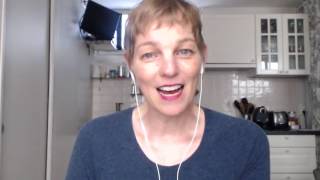
Mary Schiller made her online course "Let's Make Money, Honey" by filming herself on camera with a Logitech webcam and USB microphone, using ScreenFlow to edit. She schedules 2-3 hour blocks to record multiple lessons at once, prioritizes sound quality over video, and adds polished titles with Animoto.
Chapters
Hello there. It's Mary Schiller of MarySchiller.com and PriceLikeAGirl.com. I am recording this video for you to continue our series in the case study about how I created the online course called Let's Make Money, Honey. And my goal with these videos is to kind of give you a behind-the-scenes look at what it takes to put an online course together and ultimately to show you that it can be a lot simpler than you think. And so far we've covered a fair bit of ground in the first couple of videos. And in this one, I want to talk about the delivery of the course and why I made the decision that I did and give you some ideas of how you can make this simple for yourself. So after I had created the outline for the course and I knew that I wanted to have 5 videos a week, I had thought about maybe doing a voiceover. So having like slides that I would make in Keynote or in some other tool and just doing a voiceover, which is a pretty easy way to create video. I decided instead to be on camera mostly because I feel like people relate to me well on camera and also because of the topic that we were talking about, which is money, I wanted people to be able to have some humanity and realize that a real person was talking to them because money can seem sort of scary and out there and impersonal. And I really wanted to bring something more personal into the conversation. So I decided to record myself on video for all of the lessons. And that really is an important thing for you to consider because it's not just about what is most comfortable for you, although I definitely want you to consider that. You know, if you're really, really uncomfortable seeing yourself on video, then maybe you won't be able to convey what you need to convey that way. But if it's something that your audience would really appreciate, if you think that that's the best way for them to hear what you're trying to teach them, then you might want to try to get get over any fears you have and just go for it. But really, it's about looking at the message you're delivering and considering how your audience can best appreciate it, best hear it, best learn from your online course. Just as a little aside, as I'm recording this, I am putting together another online course and I'm right at that point of deciding how I'm going to deliver it. And as yet, I haven't made a decision, but I'm really considering, you know, what is the best way for my audience to take what I'm giving to them and use it for themselves? So for me, I decided for Let's Make Money, Honey, that I would be on camera. I thought about different ways I could film it, but in the end, I decided to use my trusty ScreenFlow application, and the PC version of that is called Camtasia. I have not used Camtasia because I haven't had a PC in a long time, but I understand it's a very good program. ScreenFlow allows you to both record and edit within the same program, which is why I really like it. And I used an external webcam, which is what I'm using to film this right now. Although ScreenFlow records in HD, And for this series, I'm using a free tool called Loom at useloom.com. And it's not as high definition as ScreenFlow. So I don't want you to confuse anything there in terms of quality. But my Logitech external webcam works really well. And I also used an external microphone that I plug into a USB port in my Mac as well. And I do that because Well, really it's because the sound quality is the most important thing when you're recording video. Now I know that sounds a little bit weird, but when you're recording video, people respond first to the sound quality and then they look at the picture. So if the sound quality isn't good, you will lose people. So I've experimented with a lot of different things, and for me, using an external microphone plugged into my Mac, and I set it on a sort of a mini tripod, and it's out of the view of the camera, so you can't see it unless I goof something up, and maybe you can see a little bit of it from time to time. But that gives me the best and most consistent sound quality. Now, it is not perfect. If you happen to be in that course, you can see and hear times when, you know, the P's might pop and things like that. And I could get more elaborate. I could get a fancier mic with a, what they call a pop screen, you know, those little things that sit in front of the microphone so the P's won't make that sound. But I haven't done that yet. I probably will in the future. But for now, this setup works quite well for me. And then in terms of actually filming the videos, since we're currently living in a studio apartment, I don't have a separate space. To do this in. So basically, I found times during the day when my husband could go out and run errands, or he could go work at a coworking space or go ride his bike or something so that I had the apartment to myself. I also had to time it around things like, uh, babies crying and construction work that's going on in one of the apartments in the building. Uh, and I tried to set aside 2 to 3 hours of time where I was going to be uninterrupted so I could shoot one of the videos, see if I liked what I said, and then if I didn't, I could redo it. And I could do several of them in one go. So I tried as much as possible to do all 5 in one sitting, one 2 to 3 hour period. Uh, sometimes I was successful, sometimes not. Sometimes I would record something and then I'd watch it the next day and go, oh no, that's not what I meant to say at all. So I'd redo it. But I still tried to generally work that way. And I really feel like it just comes from practice. You know, the more that you are practicing being on camera and talking and just feeling comfortable with the subject matter, it gets pretty easy to do things in such a way that you don't have to edit them extensively for them to sound good. So after I recorded them in ScreenFlow, they appear there right in an editor. I can go back and edit out any little blips. If I, you know, made a goof and I just kind of paused and then started again, I could just cut those out really easily. And then I wanted the videos to look a little spiffy. So I have a a subscription to Animoto.com. And so I put the videos in there and added some fancy looking little titles and, and some little bells and whistles that just made things look a little more pro. And that was really how I created all of the videos for the program. It's not as complicated as you might think. I am so grateful to all of these incredible software developers who've made things so much simpler for us in terms of creating video. And so if you have any questions about the equipment, I will put all the information along with this video. But if you have any questions about anything, please feel free to ask because I really want to help you. If you want to create your own online course and reach more people, have a bigger impact and make a bigger income, that's really what I want to help you with. So, you know, know that I'm here to support you and ask questions of me anytime. All right, thanks so much for watching. I'll talk to you again soon.