How To Get More Views On YouTube (New Strategy)
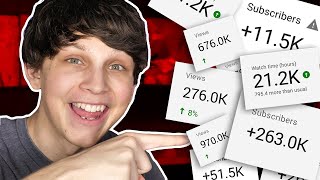
Matt Parr shares the consecutive content technique: find a popular video in your niche, make two longer, higher-quality videos linked together, and optimize metadata and thumbnails. He got over 600,000 views on one video and 300,000 on another using this method.
Chapters
I'm gonna show you how to get more views on YouTube fast. What's the secret? Well, it's a new strategy called the consecutive content technique. I recently used the consecutive content technique to get over 600,000 views on one of my videos in just 6 months. And not only did it bring in 600,000 views for this video right here, but it also brought in another 300,000 views for another video. And I only had to do this technique once to get those kind of results. But the amazing thing is that you can do this over and over. In this video, I'm gonna reveal what the consecutive content technique is, and I'm gonna walk you through how to do it step by step. So as you might already know, YouTube is the second biggest search engine in the world. But guess what? Most of my views on my 9 different YouTube channels don't actually even come from search. They come from suggested videos. And real quick, just to recap, suggested video is a section below every single YouTube video on a mobile device, or to the right-hand side of a video if you're watching on a desktop. If you can get your video to appear in this suggested video section, then your video has the potential of getting millions of views and absolutely blowing up. And guess what the best way of doing this is? It's the consecutive content technique. When I did this method, I got 600,000 views in just a few months, and even though the video is 6 months old, views still continue to roll in every single day. And another one of my videos got an extra 300,000 views doing this, all thanks to the consecutive content technique. So here's how to do it. Step 1: Find a popular video in your niche. And why do you wanna do this? Because remember, if you can get into the suggested video feed of an already popular video, tons of people will click over to watch your video. But how do you find a good popular video in your niche? Here's how to do it. Search your channel's niche on YouTube and sort by the highest viewed videos uploaded in the past month. Now what this is going to do is allow you to see videos that are working right now. When I searched "make money on YouTube," I found this video right here with over 7 million views. Step 2 is to create 2 better videos. So now that you have your popular video, now it's time to make something better. Actually, 2 better videos. And why 2? Well, YouTube prioritizes something called watch time when it comes to recommending videos. That's how long on average people spend watching your videos. And the longer that is, the better. So I was thinking about this and trying to think about how I could use this to my advantage, and then it hit me. Why not make two videos instead of just one? But these can't just be any random videos. These two videos that we're gonna be making have to hit three different criteria. One, they need to be related to that popular video that we found. Two, they need to be longer than that popular video. And And 3, they need to be better. Now what does better mean? Well, better in the YouTube algorithm simply means that it keeps people watching the video for longer. So you know what I did with that video? I made sure there was a bunch of fast cuts throughout the video and I did things to keep people's attention. So how do you keep people's attention in videos? Well, you do something called opening and closing loops. And what that simply means is that you hint about what you're gonna show early in the video and then you finally reveal it later in the video. And this keeps people watching the video for longer. And on top of that, we made the actual video longer as well, and what this does is it keeps people watching the video for longer. This in turn brought in a longer average watch time, but then I made that second video which revealed a specific niche to do it in, and it went a lot more in depth, and that second video was actually longer than the first video. But make sure that your two videos are at least 10 minutes long. In order to get as much watch time as possible. And to keep people's attention in that second video, I made sure to show a bunch of examples of channels that were actually doing this, and I also showed alternative ways to monetize and make money from YouTube as well. So it was an extension of the first video. Step number 3 is to link the video. So now that we have our 2 videos, it's time to upload them and link them together. On YouTube, there's something known as end screens, which are basically links that you can put at the last 20 seconds of your video that gives viewers an opportunity to watch another video. And guess which video that I put as the end screen for the first video about how to make money on YouTube? You guessed it, the end screen to the second video. And since the videos are related, this helps link them together within the YouTube algorithm. And now let me show you 3 additional ways that you can also link the videos together. Number 1, in the description of the first video, make sure to put the link to your second video. Number 2, make sure to put a link to the second video in the pinned comment section of your first video. And a pinned comment is essentially a comment that you can make sticky and stick to the top of your comment section. So anybody who goes down to look at your comment section will see the link to that second video. And number 3, make sure to link the videos together by putting a card on the first video. And a card essentially is a link that pops up in the corner of the video as they're watching. Make sure to put a card in the first video that also links to the second video. That way you're linking to that second video in 3 ways. And now here's the secret that makes this work. See, there's something called session time on YouTube, and not many people actually know about this. A lot of people know about watch time, which is very important, but session time is even more important. And at this point you're probably asking, Matt, what is session time? Well, session time is how long people spend on YouTube after watching your video. See, YouTube is a company, and if you can keep people on their platform, YouTube's gonna make the most amount of money, and in turn, YouTube will reward you with all the views that you could ever want. So here's where this all comes into play. If your first people keeps people on YouTube and it has a really long watch time, and then you link to your second video, and that also keeps people on YouTube and also has a really high watch time, those two watch times together are going to be combined into a super high session time. And not only that, but all of this watch time is going to you. And these two videos will essentially link together within the YouTube algorithm so that your second sequential video is always near the top of the suggested video feed of your first video. And guess what? That's exactly what happened with my video. And once people watch the first video, a big percentage of them went on to watch the second video. But that's not it. Here's where things can go absolutely crazy. What YouTube then did was put both of these videos, both video number 1 and video 2, in the suggested video feeds of other popular videos about making money on YouTube. And they did that because both of these videos kept people on YouTube for a long session time. And both of the videos skyrocketed, with both of them getting hundreds of thousands of views each. And I've used this on multiple other of my 9 different YouTube channels to get over 10 million views each on multiple videos. But wait, that's not it. There's a few more key things that you need to make sure that you do to make sure to implement this to the absolute fullest because if you don't do these things, it's no guarantee that your videos are going to get more views. But the good thing is that these aren't that hard to do. All we simply have to do is make sure that our videos are optimized, but probably not in the way that you think. And that brings us into step number 4, which is the secret to video optimization. So you want to make sure that both of your videos' metadata is similar to each other, and I'm going to be going over this in just a second. But we also wanna make sure that both of the videos' metadata is also similar to that popular video that we found earlier. So what is metadata? Well, it's simply what YouTube uses to know what your video is about. Now here's the big way of doing that that hardly anybody knows about. Saying your keywords in your video. Have you ever seen captions on YouTube videos? Well, YouTube actually writes some of those captions itself. YouTube can actually understand what you're saying in your videos. Now it's not perfect, but I've noticed that YouTube can understand around 90% of the words that you say. And when you say your target keywords in your video, it helps YouTube know that that's what your video is about. But Matt, how do you know what keywords to say? Well, in order to know what keywords to say, Let me first show you a secret to find the keywords of any video on YouTube. So first you need to install a Chrome extension called Social Blade, and then when you open up any video on YouTube, on the right-hand side of that video you'll see all of the different keywords and tags that, that video uses. Make sure to use some of those same keywords in your title and in your description, written in a natural way, and also in your own tags. But here's the secret. You need to actually say those keywords in your video. So the popular video that I found used keywords like how to earn money on YouTube and make money fast. So I made sure to actually say those keywords in my video in a natural way throughout my video. And I know what you're thinking at this point. What if my video shows up in the suggested video feed, but people don't actually click to watch my video? And that's a great question and brings me into step number 5, which is making sure that people click to watch your video. On YouTube, there's something called click-through rate. Now click-through rate is the percentage of people who click to watch your video after seeing it somewhere on YouTube. And the higher your click-through rate, or CTR, the better. Let's say that your video shows up in the suggested video feed of a popular video, and let's say that only 2% of people click to watch your video. I mean, that's great, right? We'll take it. But if we can increase that click-through rate to 10%, then you'll be getting 5 times the views without having to do anything extra. And here's exactly how to increase your CTR as much as possible the real way. First, open up an incognito tab in your browser. This will make sure that your search history doesn't have any effect on the suggested video tab. Then go to the popular video and see what videos show up in the suggested video feed. And now you wanna make sure that your thumbnail is different from the ones that are currently there. I noticed that none of the videos in the suggested video feed of the popular video that I found used money. So guess what I did? I held money in the thumbnail. And also, a lot of the text in the thumbnails was very hard to read, so I made sure to have big and bold text to make sure you can read it easily. And in turn, that also showed potential viewers exactly what the video was about. And in the end, I had a thumbnail that stood out, and because of that, it had a super high CTR. And the same went for the thumbnail on my second video as well. So now that you're gonna get a ton of views, you better make money from those views as well. And before I show you how to do that, make sure to subscribe to the channel and leave a like on this video if you feel like I've given you value so far. And now that brings me into step number 6, which is making money from YouTube. And to discover how to do that, check out this video right here, which will show you how to make money on YouTube without even making videos. This is actually the video, by the way, that I showed you as an example in this video, but it's also gonna show you how you can make money from the views that you're getting, and this video's gonna help you a ton. My name is Matt Parr. Thanks for watching, everybody, and I'll see you in the next video.
More from Matt

I Let GPT-6 Astra Run My Faceless YouTube Channel For 60 Minutes and THIS Happened

Stop Waiting for 1,000 Subscribers to Make Money on YouTube (Do THIS Tonight)




I Tested Letting Claude Fable 5 Create a YouTube Channel for 1 Hour and THIS Happened

