How to Redeem a YouTube Play Button - Silver and Gold Play Buttons
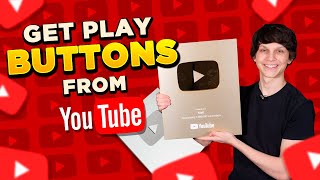
Matt Parr, who runs nine YouTube channels and has earned three Play Buttons, shows how to redeem Silver and Gold awards. Silver starts at 100K subscribers, Gold at 1M. The redemption process takes 2 weeks to a few months, and you can customize the name on the plaque.
Chapters
In this video, I'm gonna be showing you how you can redeem YouTube Play Buttons just like this. My name's Matt Parr, and I run 9 different YouTube channels, and I've been lucky enough to get 3 different Play Buttons from YouTube. This is the Silver Play Button that YouTube gives out when creators reach 100,000 subscribers, and this is the Gold Play Button that you can get when you hit 1 million subscribers on the platform. Now, I've seen a lot of people saying that my Play Buttons are fake. Now, just to prove to you guys that this is legit, Here are the actual boxes that my Play Buttons came in directly from YouTube. And here's the letters that come with the Play Buttons when you get Play Buttons from YouTube. As you can see, this one right here is for hitting 1 million subscribers, I think. Yep, 1 million subscribers right there. And as you can see, there's this pre-filled signature from the YouTube CEO as well. Um, but I also kept the ones for, uh, both 100,000 subscriber Play Buttons. I also have an old version of the silver YouTube Play Button. But since then, YouTube has actually updated their play buttons, and these two right here are the newer kinds. Now, a lot of people have been saying that the play buttons are fake because, as you can see, they say Matt on them, and when people search up Matt on YouTube, they can't find any channels with over a million subscribers. Now, that's simply because when you hit over a million subscribers on YouTube, or if you hit 100,000 subscribers and you get a silver play button, you can actually make the play button text say whatever you want. You don't have to actually make it say your actual channel's names. And in this video today, I'm gonna be showing you guys exactly how you can customize your YouTube Play Buttons when you hit that milestone so you can make it say whatever you want on the actual Play Buttons. Alright, so first of all, let's take a look at a guide to YouTube Play Buttons. So I recently posted this on my Instagram showing the different Play Buttons that you can get for hitting certain milestones on YouTube. And these Play Buttons are provided complimentary from YouTube when you actually hit these milestones, which is super cool, and I'm super glad that YouTube does this. So taking a look at this guide right here, as you can see, when you hit 100,000 subscribers, you get what's called the Silver Play Button, and that's that silver one right there. And then when you hit 1 million subscribers, you get that Gold Play Button, which is that really big one. And then when you hit 10 million subscribers, you can actually get a Diamond Play Button. When you hit 50 million, you can get a Ruby Play Button. And when you hit 100 million subscribers, you can get a red diamond play button. And I think once you start hitting 50 and 100 million subscribers, you actually get custom awards. And I think there's only been a couple channels that have actually hit those milestones, like T-Series and PewDiePie. But when you hit those milestones, I think they actually make a custom award in the shape of your channel logo, which is super cool. And I personally am a long way from getting 100 million subscribers, but I have been lucky enough to get over a million subscribers and get a Gold Play Button from YouTube, as well as two Silver Play Buttons, and hopefully a new Silver Play Button very soon when this channel, Make Money Matt, hits 100,000 subscribers. At the time of filming this, this channel has 50,000 subscribers, but I'm hoping to hit 100,000 very, very soon. And YouTube actually has a page that goes over this information as well. So if we go to this page right here, as you can see They talk about the different milestones, 100,000 subscribers, 1 million subscribers, and then there's that diamond play button for 10 million subscribers. That's what it looks like. It's actually shaped in the play button, and whereas these two play buttons are shaped in a square with the play button symbol embedded in them. So YouTube kind of lays out the process right here, showing you that you have to meet the eligibility requirements, which I'm gonna be going over on this video, exactly how you can apply to get these play buttons, and then you have to claim your award, and then finally they'll ship your award out to you. And it says it takes around 2 to 3 weeks on this page right here. I personally have noticed that it's taken as long as 2 months to get a Play Button, or as short as a week. So depending on where you are, where you're located and everything like that, it can depend on how soon you'll actually get your Play Buttons. But on average, a couple weeks to a couple months. So now let's talk about the eligibility requirements to actually get a Play Button. So as you can see right here on this YouTube page, It says that first of all, you have to have the amount of subscribers required to get that given award, and then you have to have an active Google account, no unresolved community guidelines or copyright strikes on your channel, you have to be in compliance with YouTube's terms of service, you must follow advertiser-friendly content guidelines for monetized content, your main content must be original, channels that focus on compilations, mixes, curation, or heavy use of someone else's copyright content may be ineligible, and you can't be linked to an account that's been cancelled, and you cannot have any content that is deceptive, spammy, or a scam. Now there's a lot of YouTube gurus out there teaching you how to make money on YouTube, but some of the tactics that they're showing you are very spammy, deceptive practices that are only going to get you banned from YouTube. So when people promote softwares to artificially increase your views on YouTube, or when people say that you can just take other people's videos and re-upload it on YouTube without making the content transformative at all, they're not gonna be able to get things like YouTube play buttons, and some of them aren't even gonna be able to get monetized on their channel. So I'm just saying this so you guys can be wary about anybody claiming that you can make money on YouTube or that they make money on YouTube, but they don't have any evidence to back it up. Now, that's not to say that it's not possible to make money on YouTube without showing your face or recording any videos or anything like that, and that's exactly what I do. I get other people to make the videos for me, and I simply upload and optimize those videos and come up with video ideas. And if you want to discover exactly how I do that, I actually have a completely free training that you can attend at the link in the description of this video showing you the right way of going about doing this so you can build a real long-term business on YouTube and not have to worry about getting banned from YouTube or not being able to redeem a play button, which is such a cool part of running a YouTube channel. When you actually finally reach those milestones, it's awesome to be able to get play buttons and stuff like that without breaking YouTube's rules, so you can build a long-term sustainable business and be proud of what you're doing. So anybody out there who's saying that you can just steal other people's videos, re-upload them, be very wary of them if they don't have any play buttons or anything like that to back it up. Now, there are fake play buttons out there, but you guys can look into my play buttons as much as you want. They're 100% authentic from YouTube itself. I showed you guys the boxes, and I showed you the notes that actually came with the play buttons. But still be wary if people are showing different play buttons and stuff. Make sure they show the actual boxes that the play buttons came in. As well as the note that came along with the play buttons. It's printed on like a special kind of paper as well, and I even have further evidence that these play buttons are legit that I'm going to be showing you. So now I'm going to be showing you how you can actually redeem your YouTube play buttons once you've actually reached the milestone to be able to redeem these given awards. So once you actually hit that milestone, hit 100,000 subscribers or a million subscribers on your channel, you should get a notification within your YouTube Creator Studio. So if we go into YouTube right here, to get to your Creator Studio, you simply click your profile picture and you select YouTube Studio right there. And this is what your YouTube Studio will look like. It'll look something like this. And once you hit 100,000 subscribers, a million subscribers, whatever the milestone might be, 10 million subscribers on your YouTube channel, you'll see a notification at the top right here. So as you can see, here's a notification saying that the classic uploader is going to be going away soon, but you'll see a different notification there instead. And here's what the notification will actually look like once you hit that milestone. It'll say something along the lines of, congratulations on reaching 1 million subscribers, please use this code to redeem your award. Now, as you can see, you'll see that code, and all you have to do is click claim now, and then you can actually put in your code, put in your shipping address, and put in the information that you want to actually put on the play button. I'll show you guys exactly what that actually looks like when you redeem those awards. So this is what the notification you will get. Now on some of my older channels, I redeemed it with the old version of the YouTube Studio, so they had different types of notifications in the old Creator Studio. But in the new one, you'll see a little bar on top just like this that you'll be able to claim your award. Alright, so here's the website that you'll actually go to once you get this notification. It'll look something like this, and it is reward redemption.appspot.com. If you just go to that URL right here, and as you can see, it's also on this YouTube help page right here, you can just simply click that right there. It'll bring you to this, and then you'll be prompted to actually sign in with your Google account to connect your Google account to this service. And then once you connect your Google account right here, as you can see, you'll be signed in to your Google account associated with this. And as you can see, you can see my actual play buttons right here directly in here. YouTube channel name Matt. It actually lets you put in whatever your YouTube channel name is. And this was for a Silver Play Button right here. Here's another one for my Gold Play Button right here. Um, and you guys can see when I actually got those Play Buttons and everything like that. And here's the first Silver Play Button that I got right here. And this one was for hitting 100,000 subscribers. And this was actually the old version of the YouTube Play Button. So this is what'll show up if you've actually redeemed previous awards on your channel. But if you haven't, this will be blank. And you can simply click Redeem Code. So once you click that button right there, it'll bring you to a screen that looks like this, and all you have to do is put in your redemption code, whatever that might be, um, select I'm not a robot, agree to the terms and conditions, and then finally you'll be prompted to put in the name of your YouTube channel. Now it doesn't actually have to be the same name as your YouTube channel. If you want to put your name on it, you can. If you want to put a team member's name on it, you can. If you wanna do like a little variation of your YouTube name, you can do that as well. If you're planning on changing your YouTube name in the future and you wanna put that channel name on there as well, you can actually do that. So for everybody who's confused about why it says Matt on my play buttons even though there's no channel called Matt that has over a million subscribers, that is why. You can put whatever you want on the play buttons. You could literally make it say anything. And just a quick recommendation for when your YouTube play buttons actually come in the mail, I highly recommend when you're handling the YouTube Play Buttons that you handle them within these little boxings that come with the Play Buttons. And as you can see, there's this little foam thing in here as well to keep your Play Button safe. But the reason I recommend actually having your Play Buttons within this little box thing right there, as you can see, this is what it looks like with the Silver Play Button. And let me actually get the Gold Play Button one right here, as you can see. And then we can just simply put it in here like this. Now the reason I recommend doing this is because the edges of these YouTube Play Buttons are actually extremely sharp, and I've actually cut myself a few times on the edge of this gold Play Button right here. And if you take a look at the gold Play Button right here, there's actually some dried blood on the side right there when I was holding the Play Button and it cut my arm right there a little bit. So be careful about that because these— the edges on these things are pretty sharp, and that's why I recommend keeping it within these little box things right there, as you can see. And it kind of looks cool too to have a black border around the play button. So I do recommend keeping it in that if you're going to be handling it and everything like that. And also, when you're handling your YouTube play buttons, they do smudge very easily. So if you do touch them, as you can see, there's some fingerprints right there. So just something to be aware about. Now, what I like to do to get rid of those smudges right there is to just use a simple microfiber cloth like this. As you can see, you can just wipe it down and that will keep it looking good. So So those were just a couple of quick recommendations when it comes to actually taking care of your Play Buttons and keeping them in good condition. I also recommend keeping the boxes for your Play Buttons if anybody ever calls you out in the future and says that they're fake. And because the boxes are great to actually transport them if you ever move in the future or anything like that, you can keep your Play Buttons in those boxes while you're moving, or if you want to take them somewhere as well, I highly recommend keeping the boxes as well. That way you can keep your Play Buttons, which you've worked so hard for, in good condition. So I hope you got a ton of value from this video today. If you did, make sure to hit that subscribe button and leave a comment below as to which play button you're aiming to get. Do you want to get the 100,000 subscriber silver play button, the gold play button for hitting a million subscribers, the diamond play button for hitting 10 million subscribers, or the ruby play button, or the red diamond play button? Leave a comment below as to which play button that you're aiming to get, and I'll try to put a card up in the polls right here as well so you can vote as to which play button you want to get, or which one you're aiming for, which one you think is most realistic to get. I'd love to hear down in the comments below. For instance, when I was starting out on YouTube, my goal at first was to just get 1,000 subscribers. And once I did that, then I saw the play buttons that YouTube actually has and gives to creators. So I'm like, oh my gosh, that would be so epic to get one of those. That was my number one goal. I was like, if I could get a silver play button, I would be happy for life. And I've been lucky enough to be able to do that. And once I got the Silver Play Button, I was like, wait, 100,000 subscribers, that's already 1/10 of a million subscribers. So it's really not that much further to get a million subscribers. So if you think about it like that and break it down into chunks, whether you only have 100 subscribers right now, whether you only have 10— 10 subscribers is 1/10 of 100, 100 subscribers is 1/10 of 1,000, 1,000 is 1/10 of 10,000, and then once you get 10,000, you're at 1/10 of 100,000. Once you get 100,000, you're at one-tenth of a million subscribers. So keep it in perspective, things can change a lot faster than you think, and a lot of growth on YouTube is exponential as well. So you can upload a ton of videos, they don't get any traction, and you could just be one video away from your entire channel blowing up and hitting that exponential trajectory for blowing up your YouTube channel. It's happened in my channel so many different times, and I cannot urge you guys enough to stick with it and stick with YouTube and at least upload a minimum of 33 different videos. Because that's the average amount of videos that I've noticed until one of them actually starts to take off on YouTube. Now, it could be more, it could be less, but that's just what I've noticed, and I call that the 33 rule. So YouTube Play Buttons are awesome, but what's even more awesome than YouTube Play Buttons is making money from YouTube. And if you wanna discover exactly how I make money on YouTube by running 9 different YouTube channels where I don't even show my face or record any videos whatsoever, then check out the completely free training at the link in the description of this video right here. Check it out, you're gonna get a ton of value from this free training. It's gonna show you the best niches to do this in, how to generate tons of videos super quickly, and how to potentially make a ton of money from those videos. So check out the free training below. And if you watch this video, you probably also wanna discover how to grow your subscriber count on YouTube. Even if you already have 100,000 subscribers, these secrets truly work for boosting your subscriber count on YouTube. And if you wanna discover the secrets, check out this video right here. You'll get a ton of value from this video right here. It's gonna show you exactly my exact tactics and secrets for blowing up channels on YouTube, for blowing up the subscriber counts on brand new channels. And even if you already have a ton of subscribers, this is gonna help you 10x whatever amount that you have, hopefully. So I hope you got a ton of value from this. Check out this video if you wanna boost your subscribers on YouTube. My name is Matt Parr, and I'll see you in the next video.
More from Matt

I Let GPT-6 Astra Run My Faceless YouTube Channel For 60 Minutes and THIS Happened

Stop Waiting for 1,000 Subscribers to Make Money on YouTube (Do THIS Tonight)




I Tested Letting Claude Fable 5 Create a YouTube Channel for 1 Hour and THIS Happened

