How YouTubers Make Thumbnails Just Changed Forever
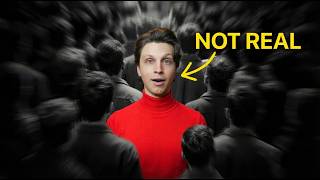
Matt Parr, a YouTuber, walks through Tailsy, an AI thumbnail generator with three modes that use inspiration links and character images to create variants. It searches the web for recent events, renders high-realism Pro versions, and costs less than hiring designers.
Chapters
So last year we kind of entered a brand new age when it comes to doing YouTube. I've been doing YouTube for the past 10 years and AI tools have gotten to a point now that they are an integral part of running YouTube channels because they've gotten so good so fast. And that's opened the door to two different things, one good and one not so good. The good thing is that us as creators, we have an insane amount of leverage now. What in the past would have cost us thousands of dollars or hundreds of hours can now be generated in a few seconds. However, on the flip side, it's also produced a lot of AI slop. And look, I get it, everybody hates bad AI content. But if AI is so bad, then why is every one of the biggest creators on the planet using it? And that's because there are two types of people who use AI. Group one are the people who just mass produce garbage, spam the platform, and then wonder why nothing works. But group two uses AI the way it's supposed to be used. As the tool that it's meant to be to give even more value to viewers, whether it's entertainment or educational value. And that's why you see tons of channels going viral with AI-assisted content. So many channels, whether you know it or not, use AI in their thumbnails for helping them ideate for scripts, for finding video ideas themselves. And creators like MrBeast even use AI for their thumbnails. And one of the most important parts of your entire creator journey is your thumbnails. Even if you have one of the best videos in the world, if people don't click to watch your videos, you're not going to get any views. Now, in the past, I've had to pay upwards of $120 for individual thumbnails because I'm not a pro designer myself. And even if I was, I wouldn't want to spend all my time just making thumbnails. So the natural thing is to look to AI tools to do this for us. And there's tons of different image generators out there on the market right now. But you still run into two major issues. Number one, I'm not a prompt engineer. I don't know exactly how to prompt thumbnails to get the exact desired result for what's going to get the most amount of views for my videos. And I don't want to spend hours of trial and error just to find something usable. And that is exactly why we've built Tailsy. And over the majority of the past year, we've been developing Tailsy to be the best thumbnail generator on the entire market for creators who want to compete with the biggest channels on YouTube. And it doesn't matter if you need a thumbnail like this one or this one or even this one. Tillsy's got you covered and let me show you what I mean. So I've mentioned this channel right here called Yellow Dude several times before. They're basically this faceless channel that teaches workout tips and tricks and they get millions of views per month and they have this animated character who's basically the face of their channel. So let's say that I'm running a similar type of channel and I have a character and I wanna make a video about the best 30-day keto diet plan. And now let's use Tailsy Normal for this one. As you can see, we have Fast, Normal, and Pro. The Fast will generate literally just in a couple of seconds. The Normal will take a little bit longer, but it's going to run it through a lot of the best thumbnails out there, and it's going to really design your thumbnail to get the highest click-through rate possible. And the Pro uses a bit more credits. However, the result is going to be the absolute best, but it is going to take the longest as well. So let's use Normal for this one right here. And then what I'm gonna do is I'm gonna copy the link to this video right here because we really like the style of this thumbnail. Go back to Tailsy and then click Inspiration. Then we can actually paste the link for this thumbnail right here and then click Use as Inspiration. Now we have that active right there and now we need our character. And I actually have an image of a character right here. So I'm just going to upload that image here on the Tailsy and then I'm going to put a ridiculously simple prompt of 30-day keto diet plan. Use the attached image as character. From there, then we can select multiple different variants if we want to see them. So I'm going to do 3 at a time right there. And then generate. And just like that, we have 3 amazing thumbnails that we could go ahead and use. And all 3 of these honestly look incredibly good. And we've gotten a thumbnail with our own character, clearly inspired by the original video that we're modeling, the inspiration video. But it's not a 1-to-1 copy. That's the difference between AI slop, where you're just copying somebody else versus using AI the way it's supposed to be used. Now, maybe you're doing a totally different niche. Let's say, for example, you have a history channel and you're doing a video about the history of the United States. And you see a thumbnail concept that you like from somewhere else. For example, let's say you found this video right here, The Complete History of Rome, but it's about Rome. It's not about the United States and the stuff in it has Roman sculptures. We want it to be something more related to the United States. And so we're going to do the same exact process. Copy this link, go to Tailsy, add it in as an inspiration link, use it. And then we're going to put a prompt, just the complete history of the United States. Do a couple variants and click generate. Now notice here I'm not writing 400-word prompts for this. I'm not going into super in-depth of exactly what to do. I literally just said the history of the United States. Tailzee understands that it's a YouTube thumbnail. It understands what it's about and it understands the context for doing this. The amount of time you're going to save as opposed to having to write out super long complex prompts by itself, generating image after image after image. Not knowing if it'll look good or not. You don't have to describe in depth the lighting, the mood, the camera angles, the color grading. But the cool thing is that if I wanted to do that stuff, I could, and Tailsy will follow it. But even if I just type a few words, Tailsy's thumbnail engine figures out the best clickable concept, and it generates a really strong thumbnail in just a couple seconds to a minute. And just like that, our thumbnails are done. These look incredibly good, and it knew it's about the United States, so it put some historical figures, George Washington and Abraham Lincoln, The text looks great. It's all big. It uses bright colors. It uses all of the best practices that I recommend for making incredible thumbnails. So you don't have to be hiring a designer. You don't have to be this prompt engineer or anything like that. You can do this in just a few seconds. Now, at this point, you might be saying, okay, Matt, but is that all Tailzee does? I mean, it's cool, but how am I going to know that it's going to work for my channel specifically or for the type of stuff I want to do? Or what if I'm like you? What if I run a bunch of different channels in different niches and I want to make sure that it will work for me. What we'll do is we'll go to a new chat right here. And by the way, all of your thumbnails will be saved down below right here. And for this one, let's say we ran a car channel and the topic that we're going to be doing is why the '67 Impala is a timeless classic. We literally just put the title of the video right there. And I'm going to actually use Tailsy Fast for this because I want to show you how fast it generates thumbnails. And also, this is just incredibly nice for ideating and getting incredible ideas. Super quickly. So that's literally all we're going to type. Click Generate right there and give this a few seconds right here. It should not take more than 30 seconds to generate this thumbnail. So we'll just let it load right here. As you can see, we have a loading bar, literally 16 seconds, and it should be done right here. And boom, our thumbnail is ready. As you can see, it got the look of the car perfectly and it says The King. It's perfect. And we can go ahead and keep generating this again and again to get tons of different variations as well. Let's say we want to do another one right here. We can easily do that. Let that load. And now we have another variation that honestly I like even better. Just timeless. It's got the picture of the car. The text is big, straight to the point. Incredible thumbnail. And now what if you wanted even higher quality or you wanted very specific celebrities to be within your thumbnail, or you wanted a thumbnail on an incredibly specific topic that you do not want it to mess up no matter what? That is where Tailseal Pro comes in. Tailsy Pro will always use the absolute best image generation model in the backend, and it's specifically better if you want, for example, higher realism, better composition, and better celebrity likeness. So let's do a quick example with some famous people. Let's go to Tailsy Pro and then type in Sam Altman and Elon Musk sitting in a dark room arguing with big bold text that says debate in the background. And let's do a couple variations right here. And click Generate. Now this is going to take the absolute longest out of any of the models due to the fact that it's getting all of the best, most recent information. It's going to use the best image generation model and you are going to have the best thumbnail that you can possibly get. So while the other tools are amazing for getting thumbnails fast, maybe you just want to ideate something super quickly as well. The Pro model will make your channel and your videos stand out, which will get you more views. And in turn allow you to build a business on YouTube easier. Now, it doesn't take that long. As you can see, it had a timer there, a certain like a minute. Now it's at 45 seconds. We'll let this fully load right here. That's another thing I really love about Tailsy is that you can actually see how long it'll take for each of these to generate. And as you can see, we already have some right here that look really good. And these look exactly like Sam Altman and Elon Musk. This is what they actually look like instead of some weird almost version of them. But here's what's crazy about this, and this is what makes this different than anything else out there. Let's say you're making a thumbnail on some recent news that's happened. If you use any other image generator on earth, they're all trained on past images. So if there's something that happened yesterday in the news, a normal image generator is not going to cut it. But with Tailsy Normal and Tailsy Pro, they don't just generate the image. They also search the web for context. Before they generate it. And as far as I personally know, there are zero other thumbnail generators on the planet that do that, which is what makes Tailsy incredibly good for thumbnails that are tied to recent events. Now let's switch niches again. Let's say for example that you do tech reviews and you have a specific product that you want to use. We'll go to Tailsy, we'll click this button to add an attachment. From there then we'll type in keyboard review, keyboard on a stand with studio lighting and dark blurred gaming room background right there. Do a couple variants, and click Generate. And just like that, our thumbnails are done, and these look incredibly good. And it uses the actual keyboard that you gave it to place into the image in a perfect way, and it'll build a thumbnail-style scene around it. Now, I do want to be completely honest with you. If your goal is to create thumbnails in the fastest, most cost-efficient way without tracking every single new AI model that comes out, without having to learn how to do super in-depth prompting, without dealing with random errors or policy flags, then Tailzee is the best tool for you and for 90% of creators. That being said, there are some edge cases where you may prefer a professional designer or manually editing some stuff yourself, but we are building tools within Tailzee for those edge cases and even templates that you can go ahead and use. So for example, if you like the style of my thumbnails here on the Make Money Matt channel, we're working on a template that you can use for that, as well as for things like documentary style channels and others. So then you don't even have to potentially find an inspiration thumbnail. To put into Tailsy. However, if you want to do that, you can go ahead and do that right away, right now, and start using Tailsy. And if you're within any of the best high CPM niches that I recommend, whether it's health, wealth, business, travel, psychology, or technology, Tailsy works perfectly. Now you might be saying, okay, Matt, this is all great. I'd love to start using this. However, now that I just thought of it, why would I use Tailsy when I could just use something like ChatGPT or Nanobanana Pro? And you've already seen the answer. Look at how simple that my prompts were. Look at how high quality that the outputs were. This does not happen by accident. It's because there's an AI thumbnail engine in the background that combines your idea with proven best viral thumbnail practices and some of the best thumbnails on YouTube in your given niche. So you don't have to fight the model to get something that's incredibly clickable that will do amazing for your niche. Plus there's more tools as well, like inspiration, attachments, and even characters where you can train it on a character that you can reuse in multiple thumbnails. For example, for the Make Money Matt channel, I have a character trained off of images of me in Tailzee that I can go ahead and use. All of these things makes Tailzee incredibly powerful. And there's another huge thing as well, which is that Tailzee isn't just a thumbnail generator. You can actually switch to the ideate feature in Tailzee, and you can ask it, for instance, how can I make this thumbnail better? And it'll tell you literally exactly what to do. Or let's say you don't know which concept would work best for your video. You can ask it, and it'll give you multiple different thumbnail angles that you can then go ahead and generate instantly. So when you combine generating with inspiration, with attachments, with characters and ideation, you end up with one of the most powerful creator tools that you could ever have. And I'm confident in saying that this is the best AI thumbnail generator for YouTube that's ever been made. And I'm not just saying that because we built it. You know, I run a bunch of different YouTube channels myself as well. So I want a tool that's actually going to help me. So I made it. If you want to use it as well, you can get a ton of value from it. I'm absolutely absolutely certain of that. It's worth every cent when you compare to spending hours doing this yourself or learning prompts or hiring someone to do it for you. And we've spent countless hours comparing this against every single other thumbnail generator on the market, and we made Tailzee the best. So if you want to try Tailzee, you can actually use our fast model for completely free just by logging in. I'll leave a link down to it down below. And if you want the full thing including inspiration, attachments, ideation, and everything else, feel free to check out our paid plans as well. My name is Matt Parr, and I'll see you within Tailzee.
More from Matt

I Let GPT-6 Astra Run My Faceless YouTube Channel For 60 Minutes and THIS Happened

Stop Waiting for 1,000 Subscribers to Make Money on YouTube (Do THIS Tonight)




I Tested Letting Claude Fable 5 Create a YouTube Channel for 1 Hour and THIS Happened

