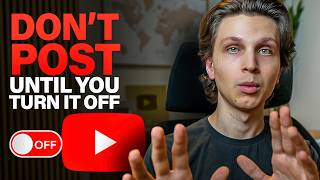
YouTube's Automatic Dubbing feature creates AI-dubbed versions in dozens of languages, but it's tanking views and CPM for many creators by showing videos to the wrong audiences. Turn it off in YouTube Studio under Settings > Upload defaults > Advanced settings > Automatic dubbing. Creators report view recovery and higher ad rates after disabling it.
Chapters
YouTube recently turned on a setting that's been killing channels behind the scenes, and 99% of creators have no idea it's even there. I've been seeing so many Reddit threads about this and hearing about creators within my community who saw their views mysteriously drop from getting thousands or tens of thousands, or in some cases 100,000+ views a video, that dropped mysteriously. But the moment they found out about this hidden feature that I'm about to share with you right now, a lot of them have been able to actually revive their channels. And not only that, by turning off this setting, it can allow you to potentially make a lot more money from your channel if you're monetizing your channel correctly. So the pattern that a lot of people have been seeing is that their content has been getting suggested next to random videos in different languages, videos in foreign countries, and completely unrelated niches. And obviously this is going to result in reduced performance for your videos because YouTube's showing your videos to people who have zero interest in your content. And this was not isolated as well. I found multiple threads on Reddit of people talking about having similar experience. I saw people in my community talking about it, and I saw the issue myself on some of my channels as well. And this all started happening around the same time when this became an automatic setting. And by default, it's turned on for almost every single channel on YouTube. So there's a good chance that this setting is on, on your channel, and you can actually turn it off. Luckily, there is a solution. So the hidden setting that was turned on for everybody is something called automatic dubbing. This is YouTube's AI translation feature that can take you from speaking one language and then automatically dub you into every single language so people from anywhere in the world can watch and enjoy your videos. And at its surface, this might sound like it's great, and this was actually turned on automatically in May unless you go in and you manually disable this. So this creates 20+ versions of your video translated into different languages using AI and voice cloning. And you might think this is great. I mean, it distributes your content globally But the issue is that it distributes your content to audiences who do not necessarily match your niche, number one. And number two, these are audiences who are never going to buy something from you unless the thing you're selling is also translated into tons of different languages. So luckily, there's a very easy solution for fixing this, which I'm going to show you right now. All you have to do is go to YouTube, go to your YouTube Studio right here, and then from here you're going to go to upload defaults. And to get there, you go to the bottom left-hand corner to settings, and then you go to upload defaults right here. From here then, we go to the advanced settings, and if we scroll down, you'll notice that automatic dubbing is turned on by default. And that's probably the case for your channel actually right now. So then we can just check this to turn that off, click save, and now automatic dubbing will be off. And I've seen some anecdotal reports within my community of people saying that they turn this setting off and their views went back to normal. Plus a lot of them have seen that CPMs have also increased due to the fact that targeted advertisers who are targeting specific countries want to put their ads on more targeted content. But I saw a couple of people in my community who said that their views actually reduced after doing this. You might be saying, why are you telling me to potentially go in here and change this setting? Well, the thing is that it's a trade-off. First of all, you lose international global distribution if you turn this off due to the fact that your content is not going to be showing up in search and suggested feeds in French, for example. However, you gain targeted reach, and when your reach is very targeted and people know it's not just like an AI version of you speaking and they can see that the video is actually made for them in their given language, then somebody is way more likely to watch through the entire video. Number one, which is going to help your audience retention. Number two, they're more likely to actually buy something from you if you sell either an affiliate product or your own product at the link in the description. Likely that's going to be in your own language and that's not applicable to anybody if you're within a different language. And number three, your content is going to be being surfaced through all these different languages and the algorithm has to learn for all those different languages and it might opinion, it's probably pretty hard for that to happen, so it could potentially hurt the performance of your channel. Now, there is one circumstance where I might recommend keeping this setting on, and that is if you run an entertainment-based channel that produces like top 5 videos or top 10 videos whose purpose is to entertain people. And that's the case on all of my biggest channels that have millions of subscribers. So I am keeping that setting on for those channels due to the fact that content can be enjoyed in multiple different languages, and I'm not selling anything from the channel. However, if you run an educational-based channel like this channel right here, this is a setting that I personally am turning off at this point. Now, quick disclaimer as well, that this will not fix your old videos. This will only apply to new videos that you upload going forward. It will not impact your past videos. But in my opinion, most creators, especially educational ones, should turn this setting off because it's better to dominate your niche in one language than to get it scattered globally. Now, if this doesn't fix your views, there are more factors that come into play. Making sure that you have a good title and thumbnail, making sure your content actually provides value to people, and then linking to a super long video on your channel to keep people on YouTube. Kind of like what I'm going to do right here. If you want to check out this video right here, it's a completely free training which will show you how I'm building completely faceless YouTube businesses without ever even showing my face in a new strategy for 2025. Check it out right here. My name is Matt Parr. Thanks for watching. Hope this helps and I'll see you next time.