Cool AI Text Tool Makes AWESOME Logos!
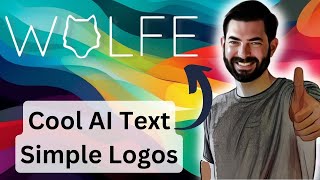
Matt Wolfe demos AI tools that turn text into images and animations. A Hugging Face tool replaces letters with matching pictures: bunny becomes Y, lion becomes O. Revel.xyz generates free animations from photos, while another tool creates 3D room meshes from text prompts.
Chapters
In this super quick video, I'm gonna show you a handful of really cool, exciting things that I came across this week. The first one is a hugging face space which you can find over at this URL here. I'll make sure to link it up in the comments below where you can type in a word and it will actually try to change the letters around to make it look similar to the word you're typing. So for example, they gave this word bunny here and they put a little bunny in the Y here. They have an example for lion. You can see they spelled the word lion and they turn the O into a lion. Outline here'. Frog. The G they turned into a little frog image. You've got cat. They turned the C into a cat. And it's real simple to use. You could use it for free right now if it's really bogged down and you're not able to use it. You can duplicate the space if you want. And if you duplicate it, you can actually pay hugging face a little bit. It'd probably cost you a few cents and you can actually pay for the processing. So first it asks for the semantic concept. This is what you want the image to be inside of the word. So let's go ahead and use the word wolf. And then for the word, let's go ahead and put wolf with an E, because my last name is wolf with an E. And then let's say we want it to change the letter O. And then we have a bunch of different font options down here that we can choose from. And I kind of like these. I kind of like a less bold kind of simple font like this. So let's go ahead and use this Stellius Unicase font here. And then we'll click generate. Now, it does take some time to generate here. So it says 459 seconds. And there is a bit of a queue. But again, if you were to duplicate this space yourself, you could generate these without the queue. So if you're trying to create logos for people or something, you would probably want to duplicate the space. Use a nice strong GPU instead of hugging face, and then you can generate a bunch of these images quickly and use them as logos. So while we're waiting for this to generate, let me show off some of the other cool stuff that I've come across this week. So here's another one that's not quite ready yet. We can't play with it ourselves yet. It says the code is coming soon, which means the demo in like a hugging face or something. Like that is also coming soon. But this one's called DS Artistic Typography via discriminated and Stylized diffusion. And it's a similar concept, but as you can see, it actually adds, you know, color and a little bit more artistic design to it. It looks like it works in the same way where you would give it a word, a context, and then pick a letter that you want it to choose. And here's some examples that turn the C into a unicorn, the I from wine into a wine glass, the C from cafe into, you know, kind of like a coffee cup, I guess. The I from island into a palm tree, the R from mermaid into a mermaid itself. Sn, lamp, vase, peacock. You get the idea. They do have a bit of an explanation of how this works down here. So if you want to check out DS Fusion, GitHub IO, you could come check out their little explanation. Here's another one where they did actually more letters in it. So it'll be interesting to see how the actual user interface works if you can actually choose multiple letters. So you've got astronaut, dragon, where every single letter is changed. Socks, cat, unicorn. So it looks like you'll be able to change multiple letters with this version. Yeah, it says multi letter stylization. So we'll actually get a little bit more than what you've seen from this word as image. For semantic topography. 1. Lots of great examples here. 3D pixelated silhouette. So this one will be really cool to make logos and really colorful imagery when it's out. Let's go ahead and take a peek at their demo video here. So you got a butterfly flying across the letters. Butterfly. I don't know if this animation is actually part of what this does or not. I don't believe it is.
You've got plant where the A grew into a bunch of plants here. That would be really cool if this tool actually does these like little animations as well. I'm actually not 100% sure if it does that as well. You've got the word cactus here, octopus. And as the water goes across, it turns all the letters into octopus lettering. Umbrella.
Very cool. Mermaid. Look at this. They got the water background. So what they've got on this GitHub sort of sample page doesn't say if it actually generates all these sor animations for you. I'm guessing it probably doesn't. Doing a quick search of research paper here. It doesn't actually say anything about animation or video, so I believe it just draws the image. But this is almost like a whole other level from what we're getting out of something like this word as image. For semantic typography, here's another cool thing that I came across. Text to room. Extracting textured 3D meshes from 2D text to image models. This is basically a tool where you type in exactly what you want a room to look like. And it actually makes a room that you can walk around and move around in and creates a 3D mesh of that room. So you've got an example here. A living room with a lit furnace, couch and cozy curtains. Bright lamps that make the room look well lit. Here you've got editorial style photo. Rustic farmhouse living room, stone fireplace. Wood, leather, wool. You can see they actually can like move around the room, even move outside of the room. It creates a whole 3D texture that I'd imagine you'd be able to pull into something like Unreal Engine and actually walk around inside of it, inside of a game or something. Editorial style photo. Eye level, Coastal bathroom. Claw foot tub. Seashell, wicker, blue and white. A library with tall bookshelves, tables, chairs and reading lamps. Editorial style photo. Wide shot. Modern nursery. A small office with chair, desk and monitors. So taking a peek at their demo video, here you can see some more samples.
Here's a video of them moving around inside of the bathroom.
And then you can see how it creates sort of a depth map to understand where everything should be placed.
Here's the nursery video.
I mean, everything is not perfect yet. It still looks like a sort of wonky, stable diffusion image. But again, like I say in a lot of my videos, this is as bad as it's ever going to be. It only gets better from here. So what we're seeing now is sort of this first stage of this sort of text to environment, text to 3D Mesh World that we're going to see. It only gets better from here. So next iterations of this are going to only look more and more realistic. So you could learn more about this one over at this URL. Again, I'll make sure it's linked down below in the comments. But anybody who's excited about making game designs or mocking up rooms or mocking up how a remodel can look or things like that, I mean, this is pretty exciting technology for you. In fact, there's. It looks like there's even a 3D model here that we can experiment with ourselves. So it gives me this mesh that I can move around on the outside, but I don't really seem to be able to do anything inside of it. This just kind of gives me a 3D image that I can kind of rotate and look around at. Again, some really, really interesting stuff coming out. Still very, very early technology. I'm excited to see how this kind of stuff progresses. All right, let's take a peek back at our word is image here. Here's the final result that it created. Interestingly, it didn't actually respect the font choice that I picked. It used a different font. I don't know why, but you can see it made a woof inside of the O If you look over on my Twitter, I actually did post a tweet where I show it using a simpler font choice. I actually like the clean lines of this version a little bit better here. But here's the new version I just created. I feel like the O doesn't look quite as much like a wolf in this version as it does in the version that I put up on Twitter, but something to play around with and could be a really, really good option to make make some really clean fonts for people where it's just a word and you change one of the letters to something that represents that word a little bit better. All right, so the last thing I want to show you is this free tool that I came across called Revel xyz. It says create your animal. It basically creates an animation from a starting photo. It's real, real simple. You come up here, you upload a photo, you basically click next, and then it spits out an animation for you. Here's the animations that it created with my initial headshot, where you can see it starts with my face and then kind of blends into all of these crazy images. I think it might be using something like Deforum in the background. Something built on top of stable diffusion. Not 100% sure, but it's just a fun little free animation tool. Come in here, upload a photo, click submit, and they'll actually send you an email when the video is ready. And you get a little interesting video animation from your original video here. So here's the original image. You can see it sort of morphs into all of this kind of funky stuff, robots and tattoos and Post Malone and what have you. Here's another variation. It actually created three variations of the video off of just one image that I started with. So that's over at Revel xyz, just another free little tool that I thought was kind of fun to play with. I wanted to leave you with something that you can go use right now. You can use that initial text to image tool right now you can use this Revel tool right now. The text to 3D sort of space isn't quite ready yet, but looks really cool. And then that other text where it kind of makes more colorful, vivid text images. That's not quite ready for us to use yet either. But just wanted to show some cool tools that I came across this weekend and share them with you. And if you're into cool Tools, check out FutureTools IO. This is where I share all of the cool tools that I come across. I'm adding new ones every day. If it's a little too overwhelming and you just want to stay at the high level, click to join the free newsletter. Every Friday, I'll send you just the five coolest tools that I came across. I'll send you a few articles from the news and AI this week, a few cool YouTube videos, and one way to make money with AI. It's kind of the TLDR of the week in AI. I really think you'll dig it, so check it out. You can find it over at FutureTools IE and if you want to stay in the loop with cool videos about AI, I try to make videos almost every single day on this YouTube channel. So give this video a like to make sure you see more of them and if you haven't already, subscribe to this channel and I'll make sure more cool AI YouTube videos show up in your YouTube feed. All right, thanks so much for tuning in. I really appreciate you. See you in the next one. Bye.
More from Matt




AI News: Dots, GPT-6.1 Sol, Sonnet 5.5, Gemini 4, and everything you need to know




