Crazy AI Tech Allows ANYONE To Build 3D Games
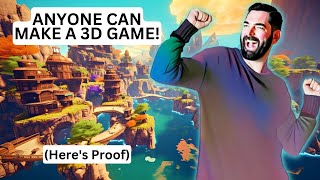
Matt Wolfe shows how AI tools like Blockade Labs, Luma Labs, and engine-embedded AI let anyone build 3D games without coding skills. He demos text-to-skybox generation, scanning real objects into 3D assets, and editing scanned environments by typing prompts. Roblox now converts natural language directly to Lua code.
Chapters
In the very near future, anybody is going to be able to create insanely good video games. And I'm not really talking about silly little video games where you have a person that could run around and jump and collect coins either. I'm Talking about realistic 3D, insanely good graphics, state of the art games. Anybody can create games like this, and I'm going to prove it to you right now. So if you remember from past videos, I've talked about this tool called Blockade Labs where you can create these skybox images that look like 3D fully panoramic 360 images with by just typing a prompt. So for example, if I want a sci fi cyberpunk futuristic world on an alien planet, I can click generate and have a futuristic sci fi world on an alien planet just like that, that I could look around and it looks amazing. However, this is just the beginning of what Blockade Labs has in mind for their technology. In fact, last month on Twitter they revealed that they're going to combine their Blockade Labs with with Control Net so that you can actually draw things in. Here's a demo video that they revealed where they're actually drawing. On this area here, you can see it's a 3D world that they're looking around, they're drawing doors, they're drawing a ceiling on it. You can see down on the left, this sort of panoramic view of what they're trying to draw here. And then they convert it and you can see it's a 3D world with their actual drawings worked into the scene. I mean, just look at this scene that Ethan Mullock shared on Twitter of this awesome looking control room. Blockade Labs even has an API where you can use these scenes inside of Unity and inside of Unreal Engine. Now they're not in these tools by default, but if you request API access, you should be able to put these right inside of the two most popular game engines right now and use this tool as part of your game creation process. Pretty, pretty cool. Now if you're not familiar with nerfs or neural radiance fields, a nerf is essentially when you find something in the real world and you take a whole bunch of pictures of it from a whole bunch of different angles, and then the AI essentially stitches it all together to make it into a 3D object. Now that's a real oversimplification, but that's the best way I can describe it. There's a company called Luma Labs that's pioneering this technology. And you can kind of see on the screen here an idea of what it does. You take a whole bunch of pictures around the object and then once you scan it in, that Object becomes a 3D object. Now, nerfs aren't just for scanning objects. They can also be used to scan locations. Like this Reddit post here, where this Reddit user used it to scan the Hill Garden and Pergola in Hampstead Heath, London. Using this technology, you can actually scan in entire environments. Now, what makes that really cool is you get stuff like my friend Coffee Vectors did here, where he actually scanned in a table in his house with actual objects on it, imported it into Unreal Engine, and then had the character run around inside of that scene inside of Unreal Engine. So this is a real table with a real Rubik's Cube in his house that he scanned in. And the character that's running around there is the default character that you can use when you first play around with Unreal Engine. But what about the characters? So far, all we've seen is how to create really cool scenes, either from AI tools like blockade labs or or using things like neural radiance fields to scan in real world environments. You can actually use Nerfs and scan yourself in. That's what Ian Curtis did here last year on Twitter. He actually scanned himself using the same Nerf technology and then created videos of himself as a character. You can see this is him actually walking around in a game world using his phone as a joystick. That's the character of himself that he scanned into the game. Here's his character standing as a giant in a parking lot. He used that same Nerf technology and was able to turn himself into a game character. In this Twitter thread here, he actually shows the process. You can see here he is getting scanned. He had to hold real steel as somebody walked around him and scanned him into the Nerf here. After a little bit of cleanup, he had this 3D character that he was able to pose and model and do what he wanted with use the free Adobe tool mixamo to rig up the arms and the legs so everything bends where it's supposed to bend. And he had a 3D character of himself that he can use in a game environment. But now I hear you saying, what if I don't want myself to be the game character? I mean, I think it'd be pretty cool to be the game character, but what if I want something other than that? Well, here's some technology called Instruct Nerf to Nerf. This is from a research paper from March of 2023 here. And this Essentially allows you to take these Nerfs that you generated and, and give prompts to change them. So here's the original Nerf. They write, give him a mustache, and a mustache is on the Nerf. Now they type as a bronze statue. Converts this Nerf into a bronze statue. Turn him into Albert Einstein. Now the Nerf is Albert Einstein. Turn him into a clown. Now the Nerf is a clown. Make him bald. Now you have a bald character Nerf. Give him a cowboy hat. Now it's a Nerf with a cowboy hat. Turn him into Batman. Now you've got a Batman Nerf. Turn his face into a skull. Now you have a character that's a skull that you could run around. As you can see example characters down here. Here's the original Nerf that they scanned in of a person. They put the person in a suit, made him into a marble statue, turned them into a firefighter with a hat, turned them into a clown, turned them into a bronze statue. So you just scan one person, turn it into whatever you want to turn it into, rig it up, and you have now a custom game character. Here's another Nerf environment where they're scanning this area with a tree in the center. And with this instruct Nerf to Nerf. They're able to turn that same scene into an autumn scene. They're able to turn it into a desert scene, turn it into a midnight scene, a scene with sn, a scene in the storm, or a scene in a sunset. So with this instruct Nerf to Nerf, not only can you change the appearance of a character that you scanned in with a Nerf, you can also change the appearance of an environment that you scanned in with a Nerf. Pull in all these assets that you created through tools like Blockade Labs or Scanning Nurse into a tool like Unreal Engine or Unity, and you can easily bring them together to create the environment of a game. But now I imagine you saying, but I don't know how to code. Sure I could bring the graphics into Unreal Engine or Unity, but then I don't know what to do with them. Well, guess what? Both Unity and Unreal Engine are starting to build AI into their platforms. So right here you can see that Unity has an AI beta program. Unity is building an open and unique AI ecosystem that will put AI powered game development tools in the hands of millions of creators. Soon they'll be able to more quickly create and deliver amazing real time 3D content and experiences for billions of users around the world. Now they have a little teaser Video, which quite honestly is a little underwhelming. It doesn't show anything, it just more teases. It says create a 3D female character. Give me a large scale terrain with a moody sky. Add a dozen NPCs, make them aliens, mushrooms, flying alien mushrooms. Slowly punch in with camera and add some lighting, add some dramatic lighting, add two seconds of thunder, Give me a synthwave look, give me a cyberpunk look. That's really the whole video. That's all they give us. There's not actually any pictures of what this is going to look like yet, but. But they are building AI directly into Unity to make all of that stuff easier. Remember that tool I showed you a minute ago called Luma AI where you can scan these nerfs in. Well, they're one of the leading companies with this Nerf technology and Unreal Engine just announced that they have a direct integration with Luma Labs now. So you can actually create Nerfs and easily bring them straight into Unreal Engine. And on top of that, I recently made a video showing you that you can use GPT4 to, to write game code for you. So now you know how to make the background graphics, make the environments, make the characters, scan your own characters in. Change what the characters look like. Change what the environments look like. Use AI to create the code. Use GPT4 to help you create the code. And if all of that still feels way too complicated, I want to point you over to this other thread from my good friend Billowal here where he breaks down how Roblox is now adding AI into their environment as a full blown game creator where you can type what you want into Roblox and it will create games. In fact, remember that game that I showed you at the very beginning of this video? That shooter game, this game that you're watching right now was created inside of Roblox. Yes, Roblox, the game that kind of looks like a cross between Legos, Duplo Blocks and Minecraft. Yeah, that Roblox. This game was created with that tool. And check out some of the AI demos that have recently been released. You can see a car here on the screen. There's a prompt, brushed metal diamond plate pattern. The car changes to a brushed metal diamond plate pattern. Inside of Roblox, purple foil crumpled pattern, reflective boom. There's your purple foil crumpled pattern. That's really hard to say. Red paint, reflective glossy finish. There you go. So here's another video that Billowal shared from row builder on YouTube where he's actually creating wall Patterns inside of Roblox using AI.
Rainbow, brick, road. There we go. So if we just grab this, throw it on here, let it load. Look at that, guys.
So he just typed into this little box here, rainbow, brick, road. And it created these rainbow bricks on the wall here.
This is so cool, dude.
You can see he then tried a different pattern for that same prompt.
Rainbow, brick, road, this, even that, man. Let's let it load.
Boom.
You can see when it's like the base map and then it's just like boom. There's like everything else that goes on with it, right? That's so, so cool.
He's so excited about it and I love it because I'm so excited about it and I've never even used Roblox before. In Billowal's thread here he says coding is hard and coding for 3D is even harder. Conveniently, Roblox now has AI based Code Assist type natural prompts and have it automatically converted into lua, the language of choice for Roblox. So check this out. Up at the top you see the prompt toggle the headlights when the user presses H. So that was coded based on this prompt here. You can see it wrote the code here on the side. Blink the headlights. When the user presses B, it wrote the code and you can see the headlights blink. Blink the headlights every X seconds. When the user presses X, it writes all the code for them. Now that is just crazy. All of the coding is happening through just prompting inside of Roblox. Here's another example. Make it rain. You can see it starts raining. Make it float. The car starts floating. You'll even be able to generate 3D assets with AI and search for existing 3D assets that were made with AI. You can see here they prompted brick house with smoke coming out of the chimney. It searched for a bunch of models and found brick houses with smoke coming out of the chimney. Now I'm not totally clear if those were generated right in the moment or if these were already pre generated and it found it. Either way, pretty cool. It's going to make game development very, very easy. All that to say I truly believe in anybody that wants to create a video game. Regardless of having knowledge of game development, regardless of having knowledge of visual effects or 3D design or blender or any of the tools that used to be required to create really, really good looking polished games, AI is sort of making it so anybody could do any of that stuff now. Now, are we there yet? Not quite. I think there's a little bit of a ways to go with some of the Nerf technology, getting it a little bit more realistic, a little polished. Some of the scans are still a little rough around the edges and a lot of the examples I showed you, they went back into Blender and cleaned them up a little bit. But I think that's only going to get better over time. Same with the 3D generated images with things like Blockade Labs. I think that stuff's going to get better over time and improve. But right now, with the tools that are available to us today, you can probably go and pretty easily create a really killer game. In fact, I want to just jump back to copy vectors here with this little dude jumping around. And I don't believe they had experience with game development. They watched a handful of YouTube tutorials and managed to create what you see here with a combination of scanning their Nerfs, importing them into Unreal Engine, and creating a little 2D side scroller game in Unreal Engine. This was created by somebody who's a non game developer. They're able to create this little character running around inside of this little mini world here on their table. How cool is that? Now? Are you as nerdy as me? Do you love all of this future technology and all of these cool tools that are rolling out all the time? If you do, check out FutureTools IO. This is the site where I curate all of the coolest tools that I come across. I add new tools every single day to it. I'm really only adding the best of the best tools that I come across now. I really think you'll dig a lot of them, but if there's just too many tools and you don't want to sort and sift through them and find just what you're looking for, Join the free newsletter every single Friday. I'll send you the TLDR of the Week in AI. I'll send you my five favorite tools. I'll send you a handful of news articles, a handful of YouTube videos, and one cool way to make money with AI. It goes out every single Friday. Again, it's the TLDR of the week in AI. You'll be joining almost 70,000 people who receive this newsletter every Friday to stay in the loop with AI. And if you like videos like this and you like nerding out and you want to see the latest technology and all of the latest AI, AR VR, all the news of all that kind of cool, nerdy futuristic stuff, give this video a thumbs up and maybe subscribe to this channel because I'm going to keep making videos like this if you keep on coming back to watch them. And I really appreciate you. Thank you so much for tuning in. I'll see you in the next one. Bye.
More from Matt




AI News: Dots, GPT-6.1 Sol, Sonnet 5.5, Gemini 4, and everything you need to know




