GPT-4 is Now in Bing (The Next ChatGPT)
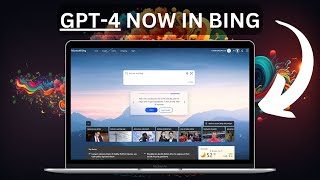
Microsoft integrated GPT-4 into Bing following a surprise announcement in early February 2023. The new chat feature generates stories, blog posts, and trip plans while citing web sources, giving it fresher information than ChatGPT. Access is limited to a waitlist as Microsoft positions Bing against Google's AI search efforts.
Chapters
Microsoft and OpenAI just rolled out Bing with ChatGPT functionality and maybe this is going to make Bing worth it. Let's go check it out. So yesterday we shared the news that Google is putting on a big event to announce what they're doing with AI on Wednesday, February 8th. We don't know exactly what they're going to talk about in this live event, but we do know it's most likely going to be about Bard, their competitor to ChatGPT. So what happens the very next day after that announcement happens when? Well, Microsoft announces a surprise event for Tuesday, the day before on February 7th. Well, I'm sure you can imagine where this is going. What do you think came out in this surprise meeting? Microsoft launches the new Bing with ChatGPT built in. That's right. The day after Google announced Bard. And the day before their Wednesday live event, Microsoft announces that Bing now is going to have ChatGPT built in. Now we already knew that this was coming but, but nobody really expected it to be like now. This article on TechCrunch says today at a press event in Redmond, Washington, Microsoft announced its long rumored integration of OpenAI's GPT4 model into Bing, providing a chatgpt like experience directly within the search engine. They're also launching a new version of their Edge browser with new AI features built into the sidebar. I almost forgot that the Edge browser was a thing. One major thing to note about Bing is is that while OpenAI's ChatGPT bot was trained on data that only covers 2021, Bing's new version is far more up to date and can handle queries related to far more recent events. This article from Insider points out that the search engine will also include a chat extension that Microsoft said can come in handy for things like trip planning and shopping. Users can talk to the search engine by asking it to Recommend the cheapest TV when shopping or to create an itinerary for a 5 day trip with the family. The new Bing can translate text into more than 100 languages and generate things like trivia quizzes. Ooh, fun. So the AI wars truly have begun. Microsoft versus Google are at it in the arena and it's gonna be fun to watch because us as the users, we're gonna benefit as they both try to one up each other with the coolest tech. Now the new Bing is available right now and let's go play with it. If you go to bing.com you may or may not see the brand new Bing. I actually had to do something real quick to get the new Bing to show up. And what I did was I came up to this little hamburger menu up in the top, right? I clicked on this and and then under this Labs tab here I open this up and it says chat responses on result page. Choose how often do you want to see chat responses on the search page? I set this to more frequent and when I did that and came back to Bing, I saw the new page. I don't know if everybody has to do that. You may just see the new page right when you show up. Now, for the most part, this just seems to be a new look so far because if I do any sort of search query like let's just go learn to play guitar and do a search, I'm not seeing any chat pop up here. I'm just seeing ads and offers and things for sale. There's no real chat functionality. However, you'll notice up at the top there is a button for chat and if you click on this, it's going to ask you to join the wait list. So right now they've only rolled out limited functionality of this new chat. We can't use the full scope of it yet, but we can see some examples of what the things will look like and you can get on the wait list if you want and be one of the first people to use it when the new version rolls out. Now if I click over here on Learn More, they actually give you some examples here. Things like create a three course menu, help plan my special anniversary trip. What art ideas can I do with my kids? I need a big fast car. Can you help me write a story? So let's try some of these. Let's do can you help me write a story? Write a story for children about a dog who lives on the moon. Right? So it's actually giving us the prompt. It's not letting us actually input our own prompt. And this is what it looks like. All right, so here's what it came up with. Okay, here's a story for children about a dog who lives on the moon. And it wrote us a pretty hefty story here. And it's actually still writing as I speak right now. There's some other prompts over here we can try. Let's click on blog post and it says, hello, this is Bing I and write a blog post for you. But please note that this is not a professional service and the content may not be accurate or reliable. You should always do your own research and verification before publishing anything online. Here's a sample blog post I wrote for you how to choose the best Noise canceling earphones for sleeping what are noise canceling earphones? So it wrote a blog post about noise canceling earphones, but at the moment still not letting us have our own prompts. Now let's take a peek at what this looks like side by side with the search engine. So I'm going to go back to this Learn More page and let's click on what art ideas can I do with my kids? And you can see this is actually a search results page with arts and crafts images up here. Regular search results here on the left, but then a chat box over here on the right. Now if I click See more you can see this is actually the results from GPT4. I suppose it says I found some arts and craft ideas for a toddler using only cardboard boxes, plastic bottles, paper and string. Here are some examples. You can make a cardboard box guitar. You can make a plastic bottle bird feeder. You can make plastic bottle flowers. And then it gives you some example prompts to continue.
Once again, still not letting us enter our own prompts yet. One interesting thing to note about the response that it gave us is that it's actually citing the sources as well. You can see Learn more and it shows the sources that it's actually pulling this information from, showing us that it's actually searching the web as part of its chat response, something that the previous GPT3 was not able to do. Let's go back to our Learn More page and let's try something else. Help me plan for my fishing trip. Let's try this one once again. We get our search results over here on the left and then we get our chat box over here on the right. Sounds like you had a great fishing trip in Bighorn, Montana. Fishing in the Florida Keys will be a different experience, but also very enjoyable. Now I don't know where this is pulling it from. I don't know if it's using past data or some other information that is collecting on you to know that you had a past fishing trip. But it looks like it may actually have some sort of memory of previous chats in here as well. Can't confirm just from what I can see on the screen right now. And then of course we've got it setting our sources here. It gives us some additional prompts that we can give it here. But when I click on one, can you tell me more about flats fishing? It tells us basically to get on the wait list and won't let us go any further. So what we're essentially getting right now is a demonstration of what it's going to look like, but it's not super useful yet. It's really just more of a demo of here's what to expect, here's what it's going to look like. But with Google right on their heels about to roll out Bard, I could only imagine that the full functionality is going to be coming and available to us very, very soon because both these two companies are in this huge race to be the leader in search AI chat on the web and I for one am here for it and excited to see how it all plays out. I'm curious about your thoughts about the new Bing experience. Maybe leave a comment below, let me know. Do you think this might make you use Bing over Google? If you can have both your search engine and your chat engine both in the same place, would you rather use this curious on people's thoughts and if you enjoy nerding out about cool AI tech with me, head over to FutureTools IO. FutureTools IO is where I curate all of the cool tools that I come across. I've come across 685 so far and by the time you see this it's probably actually more and I put them on this website and I organize them in an easy way and then my favorite tools that I come across I put under the Mat's Picks tabs here and you can see the 125 tools that I've come across that I'm like, ooh, this one's really exciting. So that's at FutureTools IO I've got a cool weekly newsletter that's pretty much the TLD VR of the week. Highly recommend that as well. And thank you so much for tuning in and hopefully you enjoy this video. If you want more videos like this to show up in your feed about cool AI tech and AI tech tutorials, make sure you press the little like button on this video and subscribe to this channel if you haven't already. I really appreciate it. Thanks so much for tuning in. See you guys in the next one. Bye.
Sam.
More from Matt




AI News: Dots, GPT-6.1 Sol, Sonnet 5.5, Gemini 4, and everything you need to know




