How To Use DALL-E 3 Completely For Free! (2024)
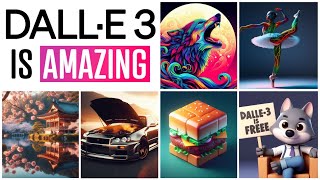
Matt Wolfe shows how to use DALL-E 3 for free through Microsoft Bing's Image Creator and Bing Chat. He tests it with prompts from OpenAI's blog, compares it to DALL-E 2, and shows why it's better at rendering text and multiple characters in images.
Chapters
DALL E3 is here and we finally have access to it. And it's going to give a lot of other tools like Mid Journey and Stable Diffusion and all of the other platforms that are out there a run for their money. Now, before I get into this, hat tip to Matt Vid Pro, one of my other YouTube buddies who makes videos about AI. He was actually the first person that I came across that showed us that we have access to Dall E3. So if you're not subscribed to his YouTube channel, make sure you do, because he shares some really, really cool AI stuff as well. Now, if you go to bing.com create you might need to log into your Microsoft account, but after you do, you'll get access to Microsoft Bing's image creator. And from everything I can tell what we're getting out of this, Bing image creator is using Dall E3. Now, it doesn't say anywhere on the page that it's definitely Dall E3, but we'll compare it to Dall E2 here in a second and you can be the judge. Now, according to Matt Vid Pro's video, not everybody has access to it yet, but he was able to sort of hack his way around it by trying different brands, browsers, clearing cache, clearing cookies, and eventually he got it to work on the Firefox browser. Now, for me, it worked the first time I tried it directly inside of Chrome. So I think they're sort of rolling it out slowly. And by the time you're seeing this video, you probably have access. Now, you do have a limited amount of free credits that you can use today, but once your free credits are up, then the generations just happen slower. You can still use it, it's just slower to generate images after that. Now, in order to figure out if this actually is Dall E3 or not, the first thing I tested was to jump over to this Dall E3 blog post over here. OpenAI they shared a whole bunch of example images that they generated. And if you click on any of these images, it actually gives you the prompt that they used. So I figure, cool, let's go ahead and use some of these prompts and see if we get an image similar to the one that it shows on their demo page. Let's start with this heart one here, an illustration of a human heart made of translucent glass, et cetera. I'm going to go ahead and select the text here. Let's go ahead and copy it, and let's toss it into this image creator here. I'll just Paste it in and click Create and then check out these images. So let's take a peek here at this image, find the universe within you, and let's compare it to the one on their page. Now, this one looks like it's a little bit more detailed, a little bit more contrasty, and it's also got that wider aspect ratio inside of the image creator. It doesn't appear that we have the ability to change the aspect ratio, but it looks like we're getting a pretty dang similar image other than that sort of depth of contrast. But here's the real test. Let's take this exact same prompt and see what we get when we plug it into Dall E2. If we go to labs.OpenAI.com this is still running on the Dall E2 model here. So we'll paste this in here, click Generate. And that's quite a difference. It's not doing anything with the text. It's. Yeah, you can tell that it's not the same caliber as what we're getting right here. So let's jump back to this page and let's test another one. Let's use this one. A Papercraft art depicting a girl giving her cat a gentle hug. Let's go ahead and select this. We'll copy it, log it over into what I assume is DALL E3, and click Create. And this is what we get out of it. Here's our first image. If we compare it to this image once again, I'm getting a little more contrast on the ones that they're showing on their homepage, but the style is definitely there. Here's another example from that same prompt. But if we toss this Same one into Dall E2 here, I mean, it's actually not too bad, but it's not in the same realm as what we're getting here. And one thing that's really making Dall E3 stand out right now is that it's free to use inside of the Microsoft Bing image creator. And I believe if we go to more creative here and we actually use it inside of Bing Chat, this is Also using Dall E3. Let's grab one of our prompts over here just so we have something to compare it to. Let's use this little hedgehog eating a watermelon. Jump over to Bing here and say, create this image. Then I'll just go ahead and paste that in. And here's what it generated. Let's compare it again to this generation. I would say they're pretty much on par with each other plug it into Dall E2. And yeah, this almost looks like a child's drawing of a hedgehog eating a watermelon. So here's what Bing Chat's version gave us. Here's what Dall E2 gave us. Here was the original version we saw over on the blog post. I would say that if this is Dall E3, this is probably also Dall E3. It's free to use within the Bing Chat. It's free to use within the Bing image creator and right here on the OpenAI webpage. As with Dall E2, the images you create with Dall E3 are yours to use and you don't need our permission to reprint, sell or merchandise them. Which is the perfect segue into telling you about today's sponsor, Wirestock IO. Wirestock gives you a single location where you can upload your images or AI generated images, and they will distribute them for you to all of the stock photo websites that allow AI generated images. Sites like Adobe stock 123RF, Freepik, Dreamtime, Imago and others. Wirestock actually told me that the amount of sales that are happening of AI generated images is actually picking up and that September actually outperformed August in the amount of AI generated sales. And if you don't know what images to generate to sell on stock photo websites, well, Wirestock has a weekly newsletter for all of its members called the wirepix Newsletter. And they'll tell you exactly which images are selling the best right now so you can generate more images in that style. In fact, check out this blog post that they published here on September 15th called Exploring in Demand Trends in the World of AI Generated Imagery. And this blog post actually walks you through some of the best selling AI generated visuals that sold through wirestync stock Images like these astronauts playing basketball, this spooky graveyard scene, this woman's face, this space station, this cheeseburger, and so many other examples. And not only do they show you what images do well, they actually explain the reasons why these images do well and what you can do to generate similar images. So let's go ahead and jump over to Dall E3 here and let's do a prompt. Two astronauts playing basketball on the moon. And check that out. We got some amazing images of astronauts playing basketball on the moon. I could submit these images to my Wirestock account, they'll submit them to all the platforms for me and I can start earning from my AI generated art. Now, Wirestock does have a premium membership as well, and if you use the code MATT100. The first 100 people that go to Wirestock and sign up for a premium account will get 30% off. After the first 100, you're still going to get 20% off. So head over to Wirestock IO and use the code MATT100. And thank you once again to Wirestock for sponsoring this video. Now, jumping back over to Dall E3 here. Another thing that Dall E3 is really, really good, actually adding text into images. You can see over on the right sidebar. Here's some of the various images I've generated throughout the day. Here's one of somebody wearing a horse head, and it says, subscribe to Matt Wolf. Here's another one wearing a horse head of somebody in front of a house with an American flag that says, subscribe to Matt Wolf. And three out of four of these nailed the text perfectly. This one, it did pretty dang good, but the C and the R kind of blended together there. But still not too bad. I mean, this person has gibberish on their shirt, but the signs, they're holding up pretty much nailed it. I also did this prompt, spongebob hanging out with Super. I stole this prompt from Matt Vid Pro. He did a similar one in his video, and I thought it looked cool. And I was super impressed by the fact that you can get two different characters in an image together. That's something that Mid Journey still to this day really struggles with. I did another prompt here of spongebob saying, hold my buns. Another one that I also saw Matvet Pro do. But when you Compare this to GPT2 here, you can see it's not even in the same league. Hodboards Hond Boss Board, Ony Sandbor Bod and boondsorli Blondend Bong. So if we've proved anything, we know for a fact that what we're getting out of Bing Image Generator is much better than what we're getting out of Dall E2. So it's either Dall E3 or a much, much, much improved version of Dall E2. I'm gonna go with. They've already rolled out Dall E3 into Bing Image Creator and Bing Chat, and pretty soon we're gonna have it in chat GPT directly as well. I'm gonna try some of my own concepts here since everything I've showed you so far I. E the Dall E website or stole from matvid Pro. So let's go ahead and type a photograph of a man with a beard taking a picture. I kind of want to test for realism. So I'm using a photograph to see if it gives me that super realistic photograph look. And there we go. It still looks a little like painterly to me. If you look closely, you would definitely think that this was not a real photo. It looks very similar to what you might get out of mid Journey, but it's pretty dang good. Let's try CCTV footage of Anna from Frozen stealing some eggs from a supermarket. And there we go. There's Ana stealing some eg. We also got a bonus Olaf wearing Anna's clothes stealing some eggs. Or maybe that's Anna wearing an Olaf mask to trick the cameras. Smart. Let's try Larry David playing tennis against Serena Williams, see if it does. Celebrity faces. These are pretty good. I like this cartoon one. Pretty, pretty, pretty good. This one's a little bit cursed here. Serena's like jumping face first into his racket. This one looks like they're playing doubles on the same team and she just decided, I'm too good. I just, I'll just go without a racket. Same with this one. She's just playing by screaming at the ball. But I actually like this cartoon version quite a bit. That looks pretty cool. I don't know why they decided to randomly add a helicopter flying over in the background, but I dig it. Mr. Beast dropping chocolate bars from a helicopter. Well, it didn't quite nail the Mr. Beast, but it got the chocolate chopping from a helicopter part. Let's see if I drop the space between Mr. Beast. Nope. Still didn't know who MrBeast was. Although kind of looks like Jake Paul. Maybe right here. Anyway, just wanted to make a real quick video for you, show you that the wait is over for Dalle 3. You can go play with it right now. Now inside of Bing Chat, inside of Bing image creator. And pretty soon we're going to have it directly inside of chat GPT. Once it's inside of chat GPT, the combination of image generation and GPT4's vision model, that's going to be really interesting because we're going to be able to have it sort of go back and forth and alter images. So I'm excited to get it into GPT4. Once we get both Vision and Dall E3 combined, we're going to have some real fun with that one. But for now, go play with Dolly 3 over on Bing. Thanks again to Matvid Pro for pointing me in this direction. Thank you so much to Wirestock for sponsoring this video. Once again, use the Coupon code. Matt 100 to get 30 off a premium account of wirestock for the first hundred people, then 20% off for the rest. Thanks again for sponsoring and thank you so much for tuning in this video. I really, really appreciate you. Hopefully you enjoyed this video. You don't have to go pay for Mid Journey if you don't want. Dall E3 looks like it's catching up pretty dang quick. If you like videos like this, give this one a thumbs up and maybe consider subscribing to this channel. And if you haven't Already, check out FutureTools IE where I curate all the latest AI tools and AI news. It's your one stop shop hub for everything AI related. Again, check it out at FutureTools IE and I really, really do appreciate you. Thank you so much for tuning into this video. I'll see you in the next one. Bye Bye.
More from Matt




AI News: Dots, GPT-6.1 Sol, Sonnet 5.5, Gemini 4, and everything you need to know




