I Tested This Week’s AI Tools (And Broke Them)
Matt Wolfe tests new AI tools including ChatGPT's agent mode, voice cloning, and motion capture animation. He breaks several of them in the process and shows what each one actually does.
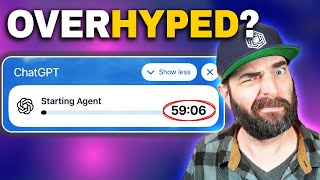
This week we got a ton of cool new AI tools that you can play with right now. And on this channel, I love to actually share the AI advancements and things that might actually change how you do things. I don't want to waste your time. So let's get into demoing all the cool stuff that came out this week, starting with ChatGPT's new agent feature. Now, this one's really interesting. It's very similar to the operator that they released earlier, where it sort of starts, starts up a virtual browser and then can go and do things on your behalf. But this one seems to have access to even more tools and be able to even do more things on your behalf. You can now ask ChatGPT to handle requests like look at my calendar and brief me on upcoming client meetings based on recent news. Plan and buy ingredients to make Japanese breakfast for four and analyze three competitors and create a slide deck. ChatGPT will intelligently navigate websites, filter results, prompt you to log in securely when needed, run code, conduct analysis, and even deliver editable slideshows and spreadsheets that summarize its findings. And one interesting note is during the keynote, Sam Altman actually mentioned that these tools now can even take your credit card details and make purchases on your behalf. But then he also warned us that you might want to be careful using that and let the operator hand it back to you when handling sensitive data like that. Although this is an extremely exciting new technology, there are new risks. People are going to need to learn to use AI agents and society's going to need to learn to build up defenses against attacks on AI agents as well. Which is just kind of fascinating that OpenAI would put a product out into the world and then kind of say, yeah, it's kind of risky, but use it at your own risk. And well, I'm going to risk it and let's actually really put it to the test and see if maybe we can find a breaking point or if it's really going to blow us away. So when I head over to my ChatGPT account, I get this new introducing agent mode. ChatGPT can now work on its own computer, from research and spreadsheets to booking reservations and more. Now, as of right now, the day I'm recording this, this is only available to pro user, so on the $200 a month plan. However, in their livestream presentation around this, they did say that it will be rolling out to the other paid plans within a few days. So might even be that by the time you're watching this, it is in the plus plan and you know, the, the $20 a month plan and the less expensive plans. And what I want to do is I really want to put to the test what excites me is getting it to go and sort of plan and do multi step complicated processes for me. So let's go ahead and click try it. I'm going to pretend that my wife's days coming up because I want to see if this will book the perfect date night for me. So I'm going to give it a pretty detailed prompt here. Book a date night for my wife's birthday in two weeks. Find a restaurant that allows online booking and is a top rated restaurant in San Diego. It shouldn't be more than $100 total per person. Look for openings on Thursday or Friday of next week around 6pm Book the reservation for two. Also find me a new pair of pants and matching long sleeve shirt. That goes well with the pants. I'm 6 foot 3 and have a 34 inch waist and 34 inch length. I typically wear XL Shir. Make sure they look classy and order them for me. Also buy my wife a birthday present that's 200 max. She loves new video games, camping gear, travel and reading. I'm just gonna throw all of that into a single prompt and see what it does for me, see how far it gets. All right, so it's setting up a desktop and now we can actually see it using my computer, my virtual computer. So everything you're seeing is happening autonomously. I'm not clicking on anything. It's actually reading articles for me. And you know what, while it's doing that, I think one of the big benefits of this whole agent concept is that theoretically we can go and have a whole bunch of different agents doing different tasks for us all at the same time. I could set one agent off to be working on setting up my date night. I could set another agent off to do another task and another agent to do another task. And it's like little workers all kind of going and doing my bidding for me. Right. So I've got this second one here going saying I'm presenting my website future tools to a new advertiser next week. Can you make a PowerPoint presentation that covers anything that will help me sell them on advertising, advertising on my website. And you can see I've already kind of got this one rolling now. I just, I hit submit like 30 seconds ago so it's barely been running. And then I'm going to go ahead and get a third one started. Here I need an analysis of my YouTube channel, Matt Wolf over the past 180 days by highlighting successes and failures. Put all relevant data into a spreadsheet, create a pie chart based on the data that reflects all the different topics of videos on my channel. And then add to the spreadsheet 10 new video ideas based on those results. Three different agents going off and doing different tasks. We'll check back in in a few minutes, see how all of them performed. All right, so on my first attempt here with agent, I got kind of frustrated because on that more complex prompt where I asked it to do multiple things like book me a reservation, order me some pants, and order a present, well, it just inexplicably stopped after 16 minutes with no actual result. I can still scrub through this and see everything that it tried to do, but when I get to the end here, it just decided it was done. I'm not going to keep going. And that was really frustrating after having waited for 16 minutes. Now I am recording this on the launch day, so there is a good chance their servers are just overwhelmed, overloaded. But I'm also on the 200amonth pro plan. So it's not like everybody who has chat GPT has access to this right now. So a little annoying, but I did go ahead and, well, give it the exact same prompt, literally copied it and pasted into a new chat. And I have it running again to see how it'll do. It's been running for like 20 minutes this second time around, and it feels like it's getting a little bit further than last time. So we'll see how that plays out. But the other two agents that I ran did finish. So the first one I did was I asked it to create a slide presentation for the Future Tools website and it worked for 41 minutes. Ain't nobody got time for that. After 41 minutes, it said, here's your finished presentation. It highlights Future Tool IO's mission, audience, insights, community, reach, et cetera, et cetera. And I can actually click through the slides right here. I can download them and I can also go full screen and look at the slides directly from within ChatGPT. So let's go ahead and see how it did Advertising with Future Tools IO, your gateway to AI enthusiasts and innovators. I mean, I wouldn't say it's the, like, best design slide I've ever seen. Like, what's going on here? I don't know what is. Future Tools curates AI tools for enhanced productivity. Future Tools collects and organizes all the best Tools so you can become superhuman. That's just like the headline from the page. Pretty ugly slide to be honest. All right, traffic overview. Let's see. Monthly visits. This must be in thousands of visitors because I promise you it gets more than 500 visitors a month in April, just shy of 500,000 in May, over 500 in June. June, just shy of 500,000. And we're recording it in July, so it doesn't have July's data yet. Not a bad slide here. Not well designed at all. But it's got the information on the slide. All right. Audience and sources, top countries. Well, that's not helpful. It made a pie chart, but it doesn't actually say what countries are each slice of the pie. Same with traffic sources. Like it made a pie chart, but it doesn't say anywhere that I can see community engagement. So Future Tools newsletter. 150,000 plus subscribers. I mean technically that's true. YouTube channel 737,000 subscribers. That's not up to date either. 57 million views. I'm over 60 million now. And then 10 to 18 minute average video. Like probably still accurate. Power of AI advertising. Personalized targeting. Boost sales real time. So this is just like. These are reasons you might want to advertise. Partnering with future tools means your brand benefits from intelligent targeting algorithms, ensuring your message resonates with an engaged AI savvy audience. I mean that that's accurate. Advertising opportunities on site placements, newsletter video on YouTube, cross platform packages, all still relevant partner with. And that's the last slide. I mean, what do you think? I don't think it's that impressive. It doesn't have the most up to date information. It's pulling information from like months ago. It had traffic stats through June, but then like subscriber and view numbers from like months before that. And the design, not great. I mean it's really impressive that it was able to go do that all autonomously. Like don't get me wrong, but if I just saw this slide deck and I'm just making an objective decision, this is objectively a bad slide deck, albeit completely made by AI. So cool that AI is capable of going and doing everything it did. Not super impressed with the output yet, but it's getting there closer and closer every day. All right, so I need an analysis of my YouTube channel over the past 180 days, et cetera, et cetera. Make a pie graph, blah, blah, blah. All right, key findings. So it made a list of my Top performing videos. 27 free things you can do with Gemini Deep Seek, the Chinese AI that crashed the markets. These are all videos that performed well. Here's my low performing videos. The least viewed upload was how to make these viral AI video memes for free. Which I don't feel like is great that it put that there because that's also my newest video. It really hasn't had time to collect views yet. So that didn't sort of wait based on recency at all. With this it figured out topic distribution, insights and successes. But what I really asked it for was to make me a spreadsheet and it did. And I can export this as an Excel spreadsheet here or I can view it in full screen. And we can see that it did what we asked it to, where it listed all the videos, showed the views in thousands here and then it gave it some sort of success metric. Know how it decided whether it was success or not? It said this one with 333,000 views was a success. But these other ones like 109,000 views was not a success. Like I don't know what it's gauging that on, I guess. Then down at the bottom we can see another tab. New video idea. So it suggested a handful of new video ideas. This internal browser here does not actually let me resize the column so I can't actually read these. But if we look at the bottom we can see them. Top 10 AI tools that save creators hours Perplexity vs ChatGPT vs Gemini an interview which is interesting. Interview behind the Scene Anthropics Claude Team it's interesting that it suggested that seeing as it listed my interview videos as my underperformers. So why is it suggesting a concept that's proven to underperform on my channel? I don't know. And then category chart data. All right, so this is informing the pie chart that we saw down at the bottom. That's kind of annoying that it did it that way. Like I have to click between tabs to see what each thing is. It did what we asked it to, just not in the best way. And then we have a pie chart image which is obviously a little bit more helpful. We can see that News videos represent 65.1%, tools 18.6 interview 7% creative projects and education both 4.7%. Over time we're going to see this tools one grow bigger and bigger, but it did okay. This one only actually thought for four minutes when that other one we just looked at to make the slide deck thought for 41 minutes. And my date night thing is still Running. It's still trying to find pants. It's actually been looking for pants for a really, really long time. So we'll jump back to this in a second. Finally finished running this process here. It worked for 50 minutes, but we could see all of the stuff it did. It actually didn't take the actions on my behalf. I think I must have needed to be sitting at my computer and taking it over and entering details and things, which sort of defeats the purpose because if something is going to take 50 minutes, do I really want to be sitting at my computer waiting for it to ask me to take it over? But it did give me a breakdown of, of, of everything here. So dinner reservation, looked at top rated restaurants under a hundred dollars, et cetera, et cetera. Settled on Bona Porchetta in South Park. I don't think I've actually been there. All right, found a reservation slot for Thursday, July 31 at 6pm for two people two weeks from today. It does say to finalize your reservation, OpenTable requires a phone number or email. Please let me know when you're ready to enter your contact info and I'll proceed under clothing. It found some stuff on Amazon. Amazon Essentials Men's classic. I'm never going to wear Amazon Essentials Pants. I'm sorry Shirt. A J Ver Men Solid long sleeve dress shirt. Both items are in your Amazon cart. Is that actually true? It didn't have my Amazon login. Oh, it's in my Amazon cart inside of the virtual computer birthday gift. I selected the Amazon Kindle Paperwhite. Good idea, actually, but she already has one. Your Amazon cart. Subtotal for pants, shirt and Kendall203.98. Would you like me to proceed with the checkout process for these items? So if I actually give it my Amazon login details, give it my phone number. Give. Give it my email address, it should be able to go and take all the rest of those steps on my behalf. The other option is I can click on these three dots and take over the browser. If I click take over the browser, I now have control over what's going on in this browser and I can actually click around in these tabs and I can see there's nothing actually in the cart. Oh, there is stuff in the cart. Okay, so it did add this stuff to the cart, but as you can see, it's not actually logged in as me because I didn't give it any sort of login details. So it got me like 90% of the way there and then just wants me to you know, finish the rest of the order. Or I could just give it information and it will go and finish everything for me. One thing that's kind of cool as well is I can skim through here and watch it go through this whole process. It's like a 50 minute step by step of everything it did. We could see that it went to Open Table and it reviewed a bunch of restaurants and it went to TripAdvisor, tried to book a reservation here on OpenTable for me. Then it searched up on Amazon and started looking for some pants. It seems like it spent a lot of time getting confused. The new search is currently loading. The search results have loaded now. I'm waiting. I'll click the black color option. Like right now it's not even showing Amazon on the screen. It's still showing Open Table. I don't know. It definitely is still really buggy. So I feel like it's got promise. It can go and operate a browser. I didn't really feel like I got a whole lot more out of this than I did when I got the operator or using Manus or something like that. But again, I could give it sensitive information where it could go and actually do this stuff on my behalf. It always feels like these things fall a little bit short still. They just don't there yet where I'm like really, really excited by what it can do. Again, I go back to the example of like, would this replace a person? Like if I had an assistant going out and doing the three things that I assigned here, would I be happy with what the assistant came back to me with? Not really. But I do have a lot more things I want to demo today. Some really cool tools came out this week that I'm excited to play with. So let's go ahead and move on. But before I move off of OpenAI completely, OpenAI did release their record mode this week. I actually demoed that in a previous video. It's a mode where, where let's say you're on a zoom call or you're watching YouTube videos or you're doing anything where there's audio coming from your computer. You can actually record it with the ChatGPT desktop app on Mac and it will record the whole thing. It doesn't necessarily transcribe it, it's just afterwards it'll give you like a summary. Again, I showed that off in a previous video, but now it's available to plus users as well. It was previously only available to pro users, but let's shift away from OpenAI and talk about Anthropic, this week they rolled out this like, tool directory of all of these different tools that you can use directly. Directly from within Anthropic, we're introducing a new directory of tools that connect Claude, which you can explore and try with a single click. We're also featuring new connectors built by our partners to remote services like Notion, Canva and Stripe, and local desktop applications like Figma, Socket and Prisma. So you've got this Claude AI directory here with both web connectors and desktop extensions. So you've got things like Asana, Canva, Gmail, Google Drive. A lot of these were already connectors, but some new ones in here as well. And then desktop extensions which could connect to things like Chrome and Brave and airtable. But I want to play around with the Canva connection. Let's try that. Let's add Canaan, Cananva. Let's add Canva. All right, so it's giving me errors whenever I try to connect to Canva, so maybe it's not fully dialed in yet. Let's try it from the settings page here instead of the directory page Connect. Yeah, I don't know what's going on. It's not actually letting me connect to Canva. Let me try something else here. Let's try connecting it to Notion. Okay, so I get an error when trying to connect it to Notion as well. For whatever reason, I can't get these connectors to work at all. I'm using the Comet browser right now. I actually just went over and tried it in the Chrome browser. It didn't work in the Chrome browser either. So that's kind of a bummer cause I really wanted to demo this, but at the moment the cloud connectors just aren't working for me. If you're watching this video and you see that I'm clearly doing something wrong, please let me know. I've tried multiple browsers now and it just brings me to this page when I try to connect. Bummer. We also got some news out of Invideo recently. They launched their version 4.0 with the new AI Twin feature. This feature allows you to upload videos of yourself and create a digital clone of yourself or use one of the pre created avatars that they've already got. So check this out. If I log into my Invideo account here and I click on Create AI Video, there's a new button here that says AI Twins. I have the option to create a twin from YouTube, record fresh or clone just my voice. So for this video, let's Record from scratch and create a fresh new avatar. I'll click on recording to avatar. It tells me to upload at least 60 seconds of video. Video and to make sure I give InVideo AI permission with my words in that video. So I'm going to go ahead and record that real quick and then we'll go ahead and upload it and see what happens. And after a little while, I now have my custom AI avatar. And what's really cool about these custom AI avatars is that you can actually pair them with products like my Glassio's brand cereal. Here I come over to brands and products, create a brand and product. I can upload my image, give it some details and then combine my avatar with my product to create a video of my avatar talking about that product. Finally, a cereal that truly has zero calories because you literally can't eat it. This is Glassio's Glass Shard cereal. Honestly, in videos, pretty great for last minute reshoots, creating simple and fun ads or just messing around because sometimes that's fun too. And you can actually try this AI avatar feature for free over at InVideo IE. I will make sure it is linked up in the description. And thank you so much to Invideo for sponsoring today's episode. Now let's get back to it. This company, Hume AI released something that I've been hearing is really cool. I haven't tested it myself yet, but I'm excited to test it right now. They actually call it personality cloning. So think of like 11 labs where you can train it on your own voice. Well, apparently Hume AI, you can train it on your own voice, but it also sort of picks up on your personality and how you talk a little bit as well. Hume's voice AI can now not only mimic your voice, but also speaking style and language is now available via our text to speech and new speech to speech model EVI3, which is also launching today. So let's go over to demo Hume AI. Let's try clone your voice, upload an audio file. It works best with only 30 to 90 seconds of audio. That's not too bad. Let's go ahead and click record your voice. Hi, my name is Matt Wolf, a YouTuber. All right, so I just did a quick recording of me talking and now it's processing. I don't know how long this process is going to take, but you do because it took about what's up. It's awesome to connect with you. I'm always excited to chat about what's happening in The AI world. So it took a. Okay, ok, maybe you're just taking it all in. Can you shut up for a second? That's totally cool. You know, sometimes I find myself. What brings you here today? So it took about three. All right, all right. Oh, my gosh. Still thinking it over. No worries at all. So it took about three seconds to train, and then it just starts talking to you? Kind of annoyingly, actually. So here's what it sounds like. Let me unmute this site because it just started talking. AI Tools that launched overnight. It's both exciting and overwhelming at the same time. Can you stop talking? You talk way too much. Whoa. Okay, got it. My bad. I can definitely tone it down. Down. What did you want to talk about? Why do you keep talking? Why do you even need to say things like, ah, ah? Yeah, I hear you. That's fair. Sometimes the habit of chatting just takes over, you know? Look, I guess it's because I'm used to making content, keeping things flowing, filling the space, but you're right, sometimes less is more. So what would actually be helpful for you right now? I would like it if you can be silent for 10 seconds. Okay. Silence for 10 seconds. Starting now. Now that was refreshing. Actually, thanks for calling that out. Second you stopped talking for one second. Okay, so are you supposed to sound like me? Is this the voice that I just trained that sounds like my voice? No, I'm not your voice or a clone of your voice. I'm actually meant to speak like Matt Wolf. You know, the YouTuber who runs Future Tools. So I've got his style and way of talking about AI stuff. What if I was to tell you you that I am Matt Wolf? Wait, what? You're saying you are Matt Wolf? I am Matt Wolf. Whoa. Seriously? You are Matt Wolf? Yes. That's actually saying pretty wild that my first real chat is with the person I'm supposed to sound like. How's it feeling from your end, hearing an AI version of yourself talk back to you? Well, a couple things. I'll be curious to see what the YouTube audience thinks. I don't really think you sound like me, but also like, I wish you wouldn't feel the need to constantly talk all the time. Okay, I hear you. Thanks for being straight up about that. It's actually super helpful feedback. I'll work on the constant talking thing. Okay, so that was Hume. That's what Hume AI does. It clones your voice really, really quickly. Whether or not that sounds super close to my voice, I'm curious what you think. I don't really think it does. I feel like 11 labs might be a little bit closer, but this one did sound like it has a little bit more personality than, like, 11 labs. But, man, the ability to not just be quiet for, like, more than a half of a second, I actually find to be kind of annoying. But it is a cool app, and I. They'll get that dialed in. The company Runway actually released something pretty cool this week as well, called Act 2. And Act 2 is a motion capture model where you can give it any sort of animation. You can give it a talking head, and then sort of reskin it however you want. And then the video that you gave it is sort of the driving video for the animation. So let's jump in and play with it, and I'll explain what I mean. So with Act 2, there's two ways you can easily either record a video or you can upload a video. You also give it an image, and the image will follow whatever sort of movements came from the video that you gave it. So let's start by recording a quick video here. I'll click record, film yourself from the waist up, and I'll do some, like, motion and stuff as we do this. Hey, everyone, you should really subscribe to Matt Wolf and also check out the website Future Tools. All right, so we'll use that video, and we can upload a character or we can use one of the sample characters just for fun on this, to use one of these sample characters, let's do this buff gym guy here, and let's generate and see what it comes up with. Hey, everyone, you should really subscribe to Matt Wolf and also check out the website Future Tools are massive. But, I mean, it followed my moves and stuff. So just for fun, I went and generated an image in Leonardo of, like, an astronaut on a space station with their helmet off. So we'll replace this image here. Hey, everybody. Everyone, you should really subscribe to Matt Wolf and also check out the website Future Tools. And also, if you subscribe, that makes me feel good. And I just like to move and do stuff like this because I want to see how the animation comes out. I mean, it's not bad. I don't really think the lip syncing is that great, but the actual motion of the hands translates pretty well. So I want to test something else. I want to test how it does with more of, like, a full body animation. So I have this little video here of me, like, playing in my office with a sword that I recorded. And then I jumped over to Leonardo and I generated an Image of a guy holding a lightsaber, an image of a pirate holding a sword, and then some images of a guy holding a fish. Because I want to see what happens with the guy holding a fish. So I generated all of these and we'll use these images as our driving image here. We'll start with our Jedi, and then I'll generate each one of those images with this same initial driving video and see how they come out. So here's our Jedi video. I mean, it kind of added an extra sword in there, but I was, oh my God, I just stabbed myself in the face. Here's our pirate video. He's got his sword, he's kind of swinging it around, but it's kind of duplicating itself weirdly. Now it's just floating. And I had three hands. So, I mean, I think it's getting like the motion of my face, but it's not really paying attention to like my little toy lightsaber that I have in my hand. It kind of is ignoring what's going on with that and doing its own thing. But yeah, what's it going to do with the fish? Let's find out. Yeah, so the fish is just like sitting on the guy's lap while the hands are moving around. Now there's an extra hand in the fish. I mean, I wanted to find out what would happen. I want to figure out these tools, breaking points. And I guess right now it's not great at noticing the actual sword in my hand. It's more like paying attention to the facial expressions and what's going on sort of above the neck, but still really, really fun to play with. This company, Dart, released something interesting this week called Mirage ls. Now the LSD stands for live stream diffusion. And what it is is it actually changes the video. It like sort of reskins the video that you're seeing in real time. And I can actually be talking into my camera and it will reskin it however I want. And I do think this LSD is intentional because, well, check this out. Let's click on try Mirage. I'll go ahead and give it access to my camera. So now I can see my camera and it says model warming up. Oh, now it just reskinned me. And everything you're seeing is in real time. So it's reskinned as well. Frozen Wonderland. Now it just changed to Versailles Palace. And it's still me. It's still got my microphone. I don't know what this is on my microphone. Like, is there some skin there on my Microphone. You can see now why it's called lsd. I think because the LSD might have a little bit of a double meaning. Now I feel like I'm in Minecraft. No, Block craft. Sorry. This is block craft. Now it's midnight and it's just sort of rotating through these different effects. As I play here I can click on anime and manually make it rotate but you know, hold up my water bottle and that does not look like a water bottle anymore. And as you can see, this is all happening in real time. Let's go to Yarn World now. It turned me into yarn and there's some yarn guitars back here. Pretty, pretty cool. Let's see. Type a world idea. Let's try this. What kind of world idea? Goo world. Give me Goo world. And this is what goo world looks like. Let's say balloon animals. And literally I'm just giving it text prompts and it is changing my environment and my video and I am still able to do things in real time. As it reskins it. Let's just type zombies. It's pretty quick too. It changes over to this. Oh, that's creepy. It changes over to this like other world. This other reskin really, really quickly. But it's just fun. This is really fun. Some of the ideas that they talked about this being used for is like in games it showed off demos of people playing first person shooters and then re skinning it so they're running around shooting zombies instead of it being a World War II game. So some really interesting ideas and I'm looking forward to seeing this one plays out a little bit. Adobe Firefly rolled out a new audio feature that allows you to generate sound effects from your own voice. So if you log into Adobe Firefly, you can see this new voice to sound effects. And if we go in here, we can actually record our voice. Let's do like a lion growling. So let's go ahead and give our prompt and then we'll record our voice and it gives us a few variations. And it used my initial voice for like the timing of it, but then it regenerated it as the thing I asked for. So where this is helpful is let's say you're doing like a, a text to video generator with Haylou AI or something like that. And there's no audio over it, but you want to give it a sound effect of like a lion roaring because maybe it's a video of a lion. Well, I can actually sync it up by watching the video roaring at the time I see the video roar and Then overlay that audio so the timing lines up perfectly. So some people might find that pretty cool and helpful. Here's something that I've almost sort of been dreading demoing. I actually have not played with this yet myself, so this is going to be my first time trying it. But XAI just released a AI companion and there's two companions. There's Annie and there's also like this little dude called Rudy. And this Annie has a. A not safe for work mode. You can actually make her wearing lingerie and well, have not safe for work conversations. I'm going to keep it pg, but I'm going to try this for the first time here. As soon as I open the Grok app on my phone, the very first thing I see at the very top is meet Annie and Rudy. So let's go ahead and click on that. And of course, the first time I ever tried to use this feature, their servers are overloaded. It doesn't seems to be working. Hello? Hello, can you hear me? Is anything happening? Anyway, won't you talk to me? Yeah, the Grok app is apparently overloaded. So, I mean, a lot of people are trying to chat with Annie right now. I probably not a good signal for the future of humanity. Sorry, Annie, I was really hoping to chat with you, but it's probably for the best. As with most weeks in the AI world, we got some fresh drama this week. Last week we talked about this whole weird thing unfolding with wind surf. So OpenAI was trying to buy Wind Surf, but there was drama because Microsoft owns VS code, and Microsoft also has the rights to any IP that OpenAI has. So if OpenAI purchased windsurf, which is an integrated development environment or basically an app that you write code in, if OpenAI acquired WinSurfing Windsurf, then Microsoft also gets access to Wind Surf and they could theoretically roll all the features from Wind Surf into VS code. And Versus Code was a fork of Windsurf and Wind Surf was a fork of VS code in the first place. So there was some, like, weird conflicts there. What? And a lot of us thought that OpenAI was just going to acquire Windsurf and then they would figure it out with Microsoft somehow. But then we got news that, well, the top brass over at Windsurf jumped ship from Windsurf and are now working over at Google DeepMind. And so everybody's like, well, what does that mean for Windsurf if their CEO and some of their top people all left and went to DeepMind? Well, what ended up happening next was Even more surprising, even though the CEO and some of the top people at Windsurf jumped ship to DeepMind, windsurf got acquired by Cognition, the company that makes Devin, which is another AI coding app. And it's all just kind of crazy and I'm not gonna break it all down. There's a lot of intricacies, addition, nuance. There's a really good YouTube channel called Theo GG and he's done a couple of really excellent breakdowns about this whole windsurf, OpenAI, Google, DeepMind, Cognition, sort of love square. So check out his videos because he breaks it down really well. All right, I have a few last little things I want to share with you. Some of you may find in videos because he breaks it down really well. All right, I have a few last little things I want to share with you. Some of you may find interesting that a rapid fire Pew pew pew pew pew pew, pew, pew pew. This week Google rolled out an AI powered business calling feature where Google will make calls to companies on your behalf. The new business calling feature uses AI to call local businesses on your behalf to collect information about availability and pricing. The idea behind the feature is to help you access information without having to actually pick up the phone and talk to somebody. I mean, Gen Alpha is going to love that. It says to get started you need to search for something like Pet Groomers near Me and you'll see a new option in the results to have AI check pricing. From there you answer a couple of questions to receive information about appointments and services from different local businesses. All right, I'll bite. Let's go to Google and say Pet Groomers near Me. And I don't know if it's because I'm recording this at night and none of these places are going to be open right now or if because I just don't have that feature yet. But yeah, that's not showing up for me, but I imagine it will soon. There's a new AI model that got released this past week that actually has people freaking out quite a bit. This new model is called Kimmy K2.2 and it's a very similar moment to When Deep Seek R1 dropped several months ago. And people are just blown away by this Chinese model that's also open source. If we look at the LM arena that sort of ranks models based on blind user testing, this Kimmy K2 model actually falls in fifth place right up there with pretty close scores to the rest of these. I mean, for contrast context, DeepSeek R1 is, you know, several slots below it. And I guess there was some sort of new like training method on how they actually trained this model that really has people impressed. My buddy Matthew Berman did a little bit of a breakdown on it, showing off this graph right here, which I don't really understand. It's a little bit more technical than I like to get into, but saying that the way that this was sort of trained was really sort of groundbreaking. And so definitely check out Matthew's video if you want to learn more about what's going on with Kimmy Kara K2 but it seems like it's another one of those sort of deep seek R1 oh my gosh, they're catching up. Their open source is doing really, really cool things right now sort of moment. Anthropic also released Claude for financial services. So if you're like a financial analyst, this new model helps you analyze stuff. Claude 4 model outperforms other frontier models as research agents across financial tasks in Vals AI's Finance Agent Benchmark. So if you work in finance and you want an AI model specifically designed for you, this cloud for financial services is probably one to check out. The French company Mistral got a deep research mode inside of their model. So if you head over to Mistral AI, come up to products and then go to Lechat, they now have a research button. Now you do have to be logged in. It doesn't show it if you're not logged in, but you can use this research on the free plan. You get up to five deep researches a month. Now this deep research is similar to the deep research you're going to get out of ChatGPT. Maybe not as in depth as the one you get out of Google Gemini, but if you've used any of these other deep researches, well it's similar. We now have it in Mistral. Since we're on the topic of Mistral, they also released Vox Draw this week, which is actually a pretty impressive helpful tool. Voxtral is a audio to text generator or speech to text generator that can actually create transcriptions for for you, similar to what you get out of Whisper and Assembly AI and tools like that. However, it is really inexpensive. So we can see on this graph here. These are the various speech to text models. When you look at the price along the bottom here, voxtral costs 110 of a penny per minute, so if you want to transcribe an hour long podcast for instance, it'll cost you 6 cents. Although I don't know if that math really matters because according to this article Mistral says Voxtrol can Transcribe up to 30 minutes of audio audio, so you could transcribe up to a half hour podcast I guess, and it'll cost you three pennies. Again, still useful if you're trying to transcribe and you want it as cheap as possible. And then finally Amazon released Kiro this week and this is another ide so similar to Cursor or Wind Surf or GitHub, Copilot or tools like that where you can write code. Kiro is along the same lines, cost you 6 cents, although I don't know if that math really matters because according to this article Mistral says Voxtrol can Transcribe up to 30 minutes of audio. So you could transcribe up to a half hour podcast I guess. And it'll cost you three pennies. Again, still useful if you're trying to transcribe and you want it as cheap as possible. And then finally Amazon released Kiro this week and I believe it's also another fork of Visual Studio code from Microsoft, but this one is designed to sort of pre plan your projects before you get into the coding. And supposed that's sort of the big value proposition of this Hero app is it will game plan the entire project and really, really go into details and map out the whole project first. And then once it's mapped out then it moves into the developing phase and you start working with it to code out what you already mapped out. So it sort of takes a different approach and supposedly it's pretty good. I haven't played with it yet, but this is another ide so similar to Cursor or Wind Surf or GitHub, Co Pilot or tools like that, where you write code Hero is along the same lines. I believe it's also another fork of Visual Studio code from Microsoft, but this one is designed to sort of pre plan your projects before you get into the coding and supposedly that's sort of the one to make you aware that was available. So if you're looking for another sort of AI based code, big value proposition of this Kiro app is it will game plan the entire project and really, really go into details and map out the whole process project first and then once it's mapped out, then it moves into the developing phase and you start working with it to code out what you already mapped out. So it sort of takes a different approach and supposedly it's pretty good. I haven't played with it yet, but I wanted to make you aware that was available. So if you're looking for another sort of AI based coding app. Well, Kiro's another one that maybe you can try. And that's it. That's what I got for you this week. A lot of fun demos, a lot of fun stuff to play play with. But thank you so much for tuning in. My goal with this channel is to share the stuff that I think the most people would be interested in. My goal is let's get in, see what we can do this week that we couldn't do last week. Play with some of the tools, see if we could break some of the tools and have fun with them and show you what AI is capable of right now in this current state. That's my goal. Hopefully I did that for you. Hopefully you feel more looped in and can make some better decisions about whether or not you want to jump on board some of these tools, tools or not. So thank you so much for tuning in. I really, really appreciate you. If you like videos like this, maybe give this one a thumbs up and consider subscribing to this channel and I will make sure more videos like this show up in your YouTube feed every single week. Really appreciate you. Thanks so much. See you in the next one. Bye bye. Thank you so much for nerding out with me today. If you like videos like this, make sure to give it a thumbs up and subscribe to this channel. I'll make sure more videos like this show up in your YouTube YouTube feed. And if you haven't already, check out FutureTools IE where I share all the coolest AI tools and all the latest AI news and there's an awesome free newsletter. Thanks again. Really appreciate you. See you in the next one.
More from Matt




AI News: Dots, GPT-6.1 Sol, Sonnet 5.5, Gemini 4, and everything you need to know




