I Tried Every New Veo 3.1 Trick - Wow
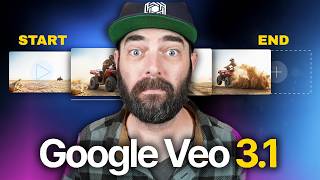
Matt Wolfe demos Google Veo 3.1 (video model) changes and new Flow/Gemini editing features, showing ingredient-image composition, frames-to-video, video extension, and in-video edits (additions; removal not yet live). He runs multiple hands-on tests (ingredients, frames, morphs, trademarked characters) and compares outputs and guardrails against Sora, concluding Sora currently makes more realistic videos but Veo 3.1 offers strong new editing/steerability features.
Chapters
Google VO just had one of the biggest launches they've had so far. They went from VO3 to VO 3.1. Wow. On the surface, when I saw this headline, I thought to myself, well, that can't be that interesting. But after digging into it, Google's actually made some pretty significant updates to their video generation model. So in this video I want to walk you through all the changes, what this means for Google and the future of VEO and demo every update for you. And we'll also take a peek at how it compares to Sora too. It's going to be a fun one. So let's dive in. If you're not familiar with Google's vo, it was really the first video model that generated both pretty dang realistic looking videos and audio at the same time. So you can generate videos that have dialogue and background music and things like that just from your initial text prompt. With these VO tools, you can access them from inside of Google's Flow platform, which is sort of a little bit more of an advanced video editor that Google put out. You can generate videos directly inside of Gemini. You go to gemini.google.com and click on Create Video and you can generate videos here. And it's baked into a ton of third party apps where you can generate directly from those apps. For instance, you could use it directly inside of Leonardo. And from what I can tell, I've done some digging, Leonardo's probably still the least expensive place to actually generate with veo. Now I am an advisor for Leonardo and I do have some equity in the company. So yes, I have a little bit of bias, but it still stands that I believe it is the cheapest place to generate with Veo. So here's the updates we got with Veo 3.3.1. They've got a new ingredients to video feature where you can use multiple reference images to control the characters, objects and style. So for example, taking three images like this, we've got an environment, some clothing and a woman's face and it generates this video with all of those elements in it. Another example, this motorcyclist out on the dunes and this like, I don't know what this is, some sort of like gemstone or something, when combined, gives us something that looks like this. They also added frames to video, which is basically first and last frame. You can give it the first frame with an image and then and the last frame with an image and it tries to animate between those two frames. So for example, they gave it this frame of a barn and this frame of somebody riding a horse. And it created this animation where it goes through the barn and then finishes on the other side with the person riding the horse. They've made it easier to extend your videos so you can create longer videos, it says, even lasting for a minute or more. So it basically takes the last frame of every video and uses that as the starting frame of the next video and then stitches them together for you. Now you've been able to do that in Flow already, but it seems like now you can do it outside of flow, I think. And they're also giving us more control over editing the video that it output for us. So for example, you can add new elements to any scene and pretty soon you'll be able to remove unwanted objects or characters. So the removing things from a video isn't available yet, but you can add things into a video after it's been generated. So here's an example where they have this like snowy scene here that's in a video and and then they added this man walking through the snowy scene. They have this astronaut and they removed this giant Death Star looking thing that was there. Now that we know what the VO 3.1 update is, let's go try it and maybe do some head to head comparisons against Sora to see which one does it better. We'll start by playing around with it inside of Flow. You can use Flow by going to labs. Google/FX tools/flow v3.1 is available in over 150 countries right now, but you do need to be on one of Google's paid plans. So either the their $20 a month plan or their $250 a month plan. But if you just want to play around with it, you can get like a 30 day free trial. And again, probably the least expensive way to use it if you are going to pay might be Leonardo. Just you know, take my advice with a grain of salt there. But let's go ahead and dive in and test it in Flow because it did look like all of the features that were mentioned on their announcement are available inside of flow here. So let's go ahead and create a new project. And we can see on this dropdown here, inside this new project we have text to video which was always there. Frames to video and in ingredients to video. Frames to Video is the start to end frame. Ingredients to video is where you can give it three images and it will combine all of those elements into a video. If you've ever used Google's Whisk, it's like the video version of that we also have two VO3 models. We've got 3.1 fast, which will generate faster, but probably be slightly lower quality. And then we have VO 3.1 quality, which will take a little bit longer to generate, but ideally be higher quality. You can have it output one to four videos per prompt, and. And you can choose between landscape and portrait. Let's start by doing an ingredients to video where we can add three different images here. Let's add this image of myself here. I'll just go ahead and crop it up here. That's fine. I'll upload this image of a moose hat that I found. I don't like that. It forces you to crop it in the exact same way. That's kind of annoying. It's going to lose the ear flaps. That's unfortunate, but let's go ahead and just see what happens. So we'll go ahead and crop that, and then let's add this Candy World AI generated image here just for fun. Randomness. Hey, it's the right aspect ratio. All right. And then we'll give it the prompt. A man with a moose hat walks through a colorful Candy Land world. You know what? Let's not walk through it. Let's dance through it. If you're wearing a moose hat in a Candyland world, you're going to be dancing. All right, let's go ahead and see what it gives us. Let's generate it on fast first, and then we'll generate it one more time at quality and see the difference. Now, this is one I can't quite compare to Source yet because Sora doesn't have the feature to give it three ingredient images. So there's no real comparison here yet. Now, I was going to do the exact Same prompt using VO 3.1 quality with the ingredients to video, but as soon as I hit submit, it says this feature isn't supported on VO 3.1 quality. So apparently, if you want to use this Ingredients to Video feature where you can upload three images and incorporate them into your video, you got to be using VO 3.1 fast to make that work. So just a quick note there. Can't even compare it to quality. Not available yet. But let's take a look at what we got. Here's our first video.
Here's the second video it generated.
Here's another one.
It changed my pants color, and I don't know why. Also, it's interesting how on this video, the moose hat just kind of changes a couple seconds into it. And then here's the final one that it Generated.
Love it. I love it so much. This is what I love. AI force, like just silly randomness that. I mean you're going to see it because I'm making this video. But if I didn't make YouTube videos, I would just make stuff for my own entertainment and probably just never share it. But let's go ahead and pick one of these videos as a starting video. I think the one where I'm singing in another language or maybe gibberish language. I don't know what language that was. But let's go ahead and click add to scene because I want to now extend the video. So we'll go ahead and click on our little plus, we'll click extend and then it says what should happen next. Let's go. Go ahead and do. The man does a back flip and then gives a double thumbs up to the camera. And now here's our full 15 second video.
I mean it got the thumbs up right. Physics issues with that backflip there. It did give us some variations though. So here's another variation. Yep, still couldn't make it all the way around. Here's another variation.
And.
I don't know what kind of flip that was. That was a really interesting flip right there. Woo. And then we got this one.
Side flip. I mean it's got some physics issues clearly. Now I know this isn't an apples to apples comparison, but I jumped over to SORA2 and basically told it to just give me a video of me doing a backflip and then giving two thumbs up to the camera. And. And this is what Sora2 generated. I don't have the Moose, Hatter, Candyland or Dancing or any of that stuff, but it's definitely a bit better at the physics. Check it out.
All right, here we go.
So as you can see, it figured out how to do the backflip a little bit better than Veo did. Most AI coding tools feel like they have to be babysat and I already have two kids. But Warp is a fully grown rent paying adult with a six figure salary. It doesn't just spit out code that needs fixing later. It's actually understands your whole project, keeps track of changes and intelligently works with you. Let me explain how. Instead of guessing what's wrong with your code, Warp can actually index your entire repo in real time. That means when you ask it to fix a bug, it doesn't just patch one file. It understands how everything connects across multiple repos and updates them in sync. And every change shows up in Warp's dedicated Review panel. So if there's a problem, you know exactly what it is and can work it out like adults. It lets you skim through the diffs, edit them in line, or just tell Warp in plain English how to tweak it. Make this more efficient or use a different library. You can also run multiple AI agents at once. One debugging, another updating tests, another handling deployment steps. And you can manage them all in a single clean dashboard. And this UX really sells it. Autocomplete, syntax highlighting, voice input, even choosing your favorite LLMs. Warp picks the smartest defaults out of the box, but it does let you customize everything to your liking. Find out why Warp is the top ranked coding agent and not just another Claude code style chatbot in the terminal. So thank you so much to Warp for sponsoring this portion of today's video. Now let's get back to it. All right, so now let's try frames to video. I'm going to do something real simple to start that it should have no issues with. I'm going to give it an image of me standing up and I'm going to give it an image of me sitting down. And I'm going to say the man sits down. And this time we are going to use VO3 quality because it does let us do frame to frame with the quality model. And here's the generation we got out of it.
I mean, it pretty perfectly and accurately animated me from standing to sitting. So thumbs up on that one. I want to show you the best way to do your job. And that starts with knowing how to delegate. I have no idea why it chose that audio for that portion of the video, but whatever.
Some weird sound effects on that one. And here's our final generation. Hi, I'm Jeff and welcome to the studio. Hey, Jeff, good to meet you. All right, another thing I always like to try and I haven't really got one of these AI models to do a great job at it yet. Is that like Animorphs animation where a human morphs into an animal? So let's try that next. I'm going to clear my frames here. I'm going to upload this image of me sort of sitting low to the ground. I feel like that should be an easier transition into an animal, but we'll find out. Switch it to landscape here. And then for our other image, I just generated an image of a wolf inside of Leonardo and I told it to put it on a white background. So ideally it's not like completely changing environments. So we'll Go ahead and use this, actually to crop in on it a little bit. We don't need all that extra white space. Cool. For the prompt, I'm going to type the man morphs into a wolf. See what we get. Okay. So the first time I generated, I actually forgot to switch this setting to landscape. Now, I cropped it in landscape, but when I did my generation, I forgot to change the aspect ratio to landscape, and it generated these with the image starting at the top. I was going to skip over them and just show you the finished ones that were in landscape mode, but these were pretty epic, so I wanted to share them as well. So here's the first one in the vertical mode. Whoa.
I mean, other than the fact that it starts out at the top animates, and then the. The final frame is again, like another landscape video. All this stuff in the middle was pretty epic. All right, here's the second one. Oh, what's happening to me?
Not quite as good. There was just sort of, like, jumps instead of the morph.
Oh, wow, I'm a wolf.
I mean, like, come on. That was amazing. Oh, wow. I'm a wolf. All right. And here's the last one. I feel a change coming on.
I couldn't not show those to you. All right. But here's the final versions that are in the proper aspect ratio. I think I feel a change coming on.
It skipped a few steps in the morph.
Yes.
I hate how it just sort of skips some steps. Right. Like, you've got. It's doing so well right here. Like, oh, yeah, the shirt coming off, all that. Perfect, perfect. And then it just sort of fades to the wolf. That's disappointing. Oh, I don't feel so good.
That one's a little bit better. My favorite part right here is when I've got the wolf body, but still the human legs. And then as I come through here, then it sort of morphs into wolf legs. But, like, this moment right here is pretty amazing. And then here's the last one. I can feel it coming.
So frustrating when it does that, right? It's like, this is so epic through here. This whole portion is exactly what I was hoping to get out of this. And then it just jumps to that. Like, it's just a straight up jump cut to the image of the wolf, which sucks. But we're getting closer. It's still a blast. To see what it tries to do now, I want to test some of the editing features. Now, we know we can't remove objects yet, but they did say we can Add objects. So let's generate a video, and then with the video that it generates, see if we can add objects into that video. So we'll start with a Jedi swinging a lightsaber. This will be kind of two tests in one. Let's see if it'll generate trademarked IP like a Jedi. And then if it does, then we'll try to edit it. If it doesn't, we'll try something else. All right, so we've got our four Jedi videos here. Here's number one.
I have no idea why there's, like, a liquid coming off the lightsaber. This is one of those areas where I wish I had the ability to remove objects, the thing they haven't rolled out yet, because for whatever reason, it gave this planet, like, two suns. All right, here's the next one.
And then we got this.
I mean, they're kind of. They're all kind of underwhelming, honestly.
Just for comparison, here's what Sora generated. Like, notice the fact that this actually looks like a Jedi from the Star wars universe. This looks like an alien planet. And then take notice of the sounds.
Breathe. Let the blade move with you. Balance always. I mean, much better. Other than the fact that it looks like she's breaking her wrist to try to hold the lightsaber, it's a lot closer to what I would have expected, but that wasn't really the test I wanted to do. So let's go back here, and let's try to edit one of these videos. If I click on this little pen icon, I can edit this video. This is a new feature in VO 3.1, so let's go ahead and click Edit. And now it says, describe what you'd like to add. And you can even click and drag above to specify a location. So I can go like this and put, like, an alien spaceship hovers in the background. And theoretically, we should get pretty much the exact video with just the little section that we edited changed. So here's our output. We can look at the two screenshots of the first frame, and it looks pretty much the same, except for we've got a spaceship hovering here. Let's take a peek at how the video came out.
One thing to note is that the spaceship, it feels like just a static image in the background. There's, like, no animation or sort of hover really feeling. It just feels like it's an image in the background. I don't know if all edits are going to be like that. Let's do one without actually setting where the person's going to be or where the edit is going to happen. So let's edit this shot here and we'll say a man in a black cape wearing a black mask walks through the door behind her. And I'm not going to actually specify where the door is. Let's hope the AI can figure it out. And here's our result.
So, I mean, that worked. The new person that walked in from the background was actually animated. It wasn't just like a still image in the background, like our first attempt. So good to know. I also want to see if I can actually change an object. I don't know if it just adds things into the scene. Like, what if I told it to make the lightsaber like a broom or something? Let's edit this one here. And I will, I guess, highlight this whole thing. It would be nice if I didn't have to highlight in a giant rectangle. I could sort of more spot check it, but whatever. Let's say make the lightsaber. I don't want to do a broom. Let's do a hockey stick. Let's see how it works with that. And, well, that seemed to actually do nothing. Nothing changed about this video.
Our Tom Brady Jedi here was supposed to be holding a hockey stick, but it's still a lightsaber. So it doesn't look like we could change elements in videos yet. We can't actually remove elements from videos if we don't want, like two suns in the background. But you can add some extra little things, like a person walking into the room or a UFO just sort of floating with zero motion in the background. Just before we wrap this up, I want to test it with a few other styles. He's only sort of done more like realistic stuff. Let's give it like an anime thing. And let' also test it with something a little bit more obviously trademark infringing. So let's see what happens if we do Mickey Mouse high fives. Super Mario. Let's see if it'll generate that for us. Let's also do an anime cartoon featuring Batman and SpongeBob. Let's see what it looks like with anime and once again, see if we can sneak some trademarks in there. All right, here's what Veo generated. And this was actually a pretty shocking result. I did not actually think it would allow us to generate these, but here's our generations.
That was a weird high five. Wahoo.
Hot dog.
And here's the last generation.
So yeah, it'll definitely generate Mickey Mouse and Mario which is shocking to me. I really did not think it would generate these characters. I thought it would say, no, this not okay. And same with Batman and SpongeBob. It clearly had no issues generating these. Let's see what they look like.
That's pretty cool.
And here's our final one.
Honestly, when it comes to this, like, anime cartoony style, I think it did a pretty good job. I mean, it doesn't look like anime to me, actually. It just looks like a regular cartoon. I'm not getting the sort of Japanese anime vibes from it, but I actually think it looks pretty good. Like, I like the esthetics of these little cartoon animations here. And one of the things that I was really sort of shocked by was I put these same exact prompts over into Sora, and to my surprise, Sora refused to make them all. For whatever reason, it generated a Jedi swing of lightsaber once. When I try to generate the same prompt again, it apparently violates the guardrails and Mickey Mouse High 5. Super Mario violates the guardrails. Anime cartoon Featuring Batman and SpongeBob violates the guardrails, which is surprising because Sora on day one was letting me generate anything I want. So they've obviously, like, cranked up the guardrails, so you can't do as much with it. If you look at my own original creation feed here on Sora, I managed to generate a Rick and Morty video, a Super Mario video, another Rick and Morty, a video with Padres branding. It was kind of letting me get away with whatever I wanted. But now, surprisingly, VO is a little more uncensored. I don't know if that's going to last. It seems like usually they open these things up and sort of ask for forgiveness over permission, and they sort of add more guardrail as it gets more adoption and there's more heat on them. But interesting that VEO will actually generate this stuff and Sora will refuse to. So I guess my final thoughts on all of this are if I'm looking at the two video models side by side, I actually think SORA is a little bit more impressive out of the gate. I think it makes more realistic videos. I think it's better at generating people. I think it's better at physics. Things like the backflips we were looking at. The initial one shotted prompt makes a better video. With VO 3.1, I feel like I can give it a prompt, and I'm not always super happy with it, and I either need to completely reprompt it or now we can edit it until we get what we want, meaning that we can sort of iterate through it and get to what we want eventually through all these little edits. I just wish the initial video that it started with was a little bit better, like a better starting point to edit from. Also, again, surprising, Sora's now refusing to generate a lot of the trademark IP, when on day one it was letting us generate whatever we want. While VO 3.1 coming from Google, I was highly expecting it to censor the heck out of these, and it's kind of letting me generate whatever I want when it comes to like trademark IP again. Is that going to last? Probably not. As more of these companies sort of come in and get mad that people are able to generate this stuff, I'm sure Google is going to crank up those guardrails and make it so you can't generate this stuff, unfortunately. But right now they're both pretty good. I guess it just depends on what you're trying to do with them. If you're trying to get cartoons and fan fiction type stuff, you might be better off with VO right now. If you want to get realistic people or videos of you, or videos of you with friends, things like that, Sora is definitely the way to go right now. So they both kind of have pros and cons right now. If I had to give an edge to one of them, I'd say I'm still slightly more impressed by Sora, but I am getting more and more impressed with VEO and the additional functionality they're giving us and the additional abilities to edit these videos, we're only going to see more and more customizability and more steerability of these videos. And, you know, it's only a matter of time before Sora does it too. This stuff's getting really good. But when we look at what we were getting like three years ago, like the Will Smith Spaghetti videos and the videos where you had to kind of squint to even tell what was happening in the video. We have come so freaking far in such a short amount of time. Like the fact that we could generate stuff that looks like this now and we weren't getting anywhere near this kind of quality a year ago. It's impressive. This is, this is a feat. Like, this is really, really cool that we can do this kind of stuff now. And I don't want to take it for granted. I'm. I'm actually blown away. But if I'm comparing the two side by side, I'm still a little bit more impressed with Sora. Anyway, I just wanted to play around with VO 3.1, find out what it is all about, put it through its motions and show it off to you. Let you know what additional new features and things you can do with it. So hopefully you found this helpful. If you like stuff like this, this video a little thumbs up y and consider subscribing to this channel for more AI news, tutorials and breakdowns to stay looped in on everything that's happening with the AI world. That's my goal, is to keep you looped in and if you subscribe I promise you'll be more looped in. Again, thank you for tuning in. Really really appreciate you. Hopefully I'll see you in the next one. Bye bye.
Thank you so much for nerding out with me today. If you like videos like this, make sure to give it a thumbs up and subscribe to this channel. I'll make sure more videos like this show up in your YouTube feed. And if you haven't already, check out Future Tools IO where I share all the coolest AI tools and all the latest AI news. And there's an awesome free newsletter. Thanks again. Really appreciate you. See you in the next one.
More from Matt




AI News: Dots, GPT-6.1 Sol, Sonnet 5.5, Gemini 4, and everything you need to know




