Runway Gen-3 AI Videos Are Kinda Blowing My Mind!
Matt Wolfe tests Runway's Gen-3 text-to-video tool and finds it excels at abstract scenes and time-lapses but struggles with hands, text, and object consistency. He recommends iterating prompts and using LLMs to write them, and expects public access soon.
Chapters
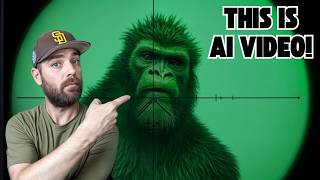
The latest in the stream of AI video tools is finally here for some of us to use. And it's called Gen3 from Runway and it's actually pretty cool. Some of the videos I've seen coming out of it so far are just really mesmerizing and really cool looking. This first one I showed you was from my buddy Bilavel Sidhu, and he showed off some really creative, really impressive videos that play with light and abstract art. Here's another one Balaval did of Ears while looking through a scope. He simulated a first person shooter here. I mean, the person or whatever it is he's shooting at doesn't look amazing. I mean, pretty good compared to what we had just six months ago. This other jellyfish one that I was showing you here a second ago comes from Nicholas Newbert, who actually works over at Runway. And he's kind of been going to town over on his X account, sharing all sorts of really cool generations that he's managed to get out of Runway. In this video, I want to talk about Runway Gen 3, put it through its motions, find out if what we're seeing is actually just cherry picked examples or if we get this kind of result every single time. Gen 3 is not publicly available yet. Runway has what they call the Creative Partner Program, which specifically allows creators to get in on tools like this a little bit early and play around with it, test it, and offer them some feedback. Historically, once people in the Creative Partner Program get access to it, it's usually only a week or two later that the general public gets access to it. Now, I have been asking people over at Runway when can we expect to see the wider release of this? And they basically said they can't tell me yet. They don't exactly know, but typically it's within a couple weeks after the creators get access to it. I got access to it a couple days ago and you can see that I have generated quite a few videos with it already. These are all my Gen 3 generations. So at this point I feel like I've got a pretty decent feel for the things that it's good at and the things that it's really still not that great at. But before we get into that, let's go ahead and do a quick generation. I will show you the real time exactly how long it takes to generate a video. For this first test here, I'm going to try a humanoid robot doing the robot dance in a nightclub with colorful flashing lights. This may or may not be the best video we've ever seen it generate, but I wanted to show you an example of how long it takes to generate. So I'm going to press this generate button. You can see I'm going to leave it set on 10 seconds here. So let's go ahead and click generate.
The clock is ticking Time goes by Eyes are glued, can't deny.
Make my.
Visions come alive.
Imagination starts to flow.
And our video is now ready. I'll put on the screen how long it took exactly. Let's take a peek at our robot. Doing the robot. Not too bad. I mean, the hands are sort of morphing and the people in the background are sort of morphing. Weirdly, not a horrible video. They also have a pretty cool feature where you can enable desktop notifications to get notified when a video is complete. So if you enable this, you'll get a little pop up letting you know when it's complete so you can actually go do other things or watch a YouTube video or something. And then when you get that notification, you know your video is ready. So first, the things that I found it's really good at is I really love what it does when you think of more like abstract concepts. So the very first generation I ever did when I got my hands on Gen 3 was, was a detailed first person view flying through the colorful cosmos. And this is the video that it generated. And I thought this video was really cool. I can see using this as B roll if I'm talking about space or the cosmos. Here's another more abstract concept that I plugged in. Colorful RGB world. I just gave it that short prompt because I wanted to see how it did if I just didn't give it much details. And I let the AI figure out what to make. And this is what it generated. Again, this abstract stuff in my opinion looks really cool. This prompt was colorful RGB trippy kaleidoscope mirror moving shot. Here's another where I just regenerated the same prompt of colorful RGB trippy kaleidoscope mirror moving shot. And once again, another really impressive, cool abstract style video. I really like these abstract videos because I love the color palettes that Runway seems to pick. And finally, one last one. Colorful lasers and particles. This is what it generated from that. To me, it kind of reminds me of like a screensaver from 15 years ago that we all thought looked cool. I then had to test my go to prompts. So one of my go to prompts was a wolf howling at the moon, which once again, I think this one came out really good. The first couple seconds were a little Weird when the wolf was looking down, but when the wolf actually looks up and you see the silhouette with the moon. The thing is, these are 10 second videos. So if I was to use this for B roll, I'd probably only use it for five seconds or so. So I would just cut out the first part where the wolf is sort of looking down and looks kind of funky. And just start right there when the wolf starts to lift his head. Very usable for B roll of a wolf howling at the moon. I'm impressed with that one. Another go to that I like to use is a monkey on roller skates. And when I tested that prompt, it actually made a really good looking monkey. I think this monkey is impressive. But the roller skates, that's another issue. I'm not seeing them. Something that I think is really cool about this video is if you watch the shadow of the monkey, it's really consistent with the monkey itself. Like the shadow looks like it would actually be that monkey's shadow. So I think it did a really good job with that. I also always like to use a cat eating a taco. That was one of my prompts that I was using like two years ago when I was generating AI art. And I still always come back to this one. This looks pretty good to me as well. The tongue gets a little funky at parts, but for the most part it's a pretty good video. And if you're using this for something like B roll, you're probably only going to take like four of the ten seconds. So just find that window of like the four seconds you're going to use for B roll and just get rid of the rest. I find it to be really good at time lapse type shots. Here's one of a time lapse of cars on a freeway viewed from an overpass above the freeway. This to me looks like perfect B roll that you can use in a video. If you ignore some of the text that's supposed to be on the roads. It looks like somebody got on the road and just sort of scribbled with some chalk. But other than that, I mean, the time lapse of the cars going by looks pretty good. You got the red lights from the brakes of these cars as it goes that direction. You've got the white lights from the headlights of the cars coming in this direction. To me it's very coherent. It knew its role. Here's another time lapse. I did a time lapse of the northern lights over the arctic snow. I wish it wasn't moving backwards like it is. I wish it was just sort of sitting still and then the movement was more just in the night sky and not the actual camera motion. But this is still really, really impressive to me. I'm really happy with this video. Here's another one that I actually liked. A peaceful still shot on the side of a green grassy hill in Japanese temple with water stream, cherry blossoms, trees, and cherry blossom leaves falling everywhere. Now, it didn't get all of the elements of the prompt. We're not really seeing cherry blossom leaves fall, but we definitely have the Japanese hillside. We've got the temple, we've got the water stream, we've got the cherry blossoms. It kind of only missed the falling cherry blossoms. Everything else it did pretty well. There's some weird issues with some morphing and some funkiness up here on the temple as the camera pans. But again, if you're going to use just a few seconds of this 10 second video, you're probably going to find a little window of this video that works well. Cinematic, fast and furious. Like shot of a nighttime rainy car race on the streets of Tokyo. This looks really good. I mean, the numbers up here look pretty good. They get a little funky from time to time, but they look pretty good. Some of the cars, they kind of change shape a little bit as they get further out into the distance. But third person view right behind this car looks really, really good. It looks like this could be a shot from a video game. If you kind of ignore some of the text because the text just sort of looks like gibberish. That's a really, really cool shot, I think. Then here's another video game concept. Point of view, first person shooter video game. But holding a baguette like a weapon and walking around a French bakery. This one nailed it. Except for one issue that you probably noticed a second ago. There's a moment where like a roll of cheese or something pops into the screen. Other than that, I mean, this is a French baguette held like a gun, walking around a bakery. Like, no question what we were trying to go for for this. Other than that little like pop in that happens there. Cut that out. Use the rest for B roll. You got a good clip. All right, so that's the stuff that I think it did really, really well. The things that I found it struggled with. When you have people in the shot, it's very hit or miss. Usually the problem is when you can see the hands. If the person's hands aren't in the shot, it looks good. As soon as hands move into the Video. The video gets wonky. So here's one. A rapper on stage in front of a massive crowd while jumping around and singing into a microphone. If you look at this, it's actually not bad. But what just happened with their hands there? Like, for a second he moved his hands around and his hands just kind of disappeared. Here's another one with the same prompt. A rapper on stage in front of a massive crowd. And once again, like, his arms just kind of disappear. His hands turn into a blur. The microphone floats in front of him. It gets a little funky. I'm really impressed with the crowd. It's just looking at the rapper. Not great. Here's another one. A man strapping in goggles and entering a virtual reality world. Once again, not too bad. I think this one's actually one of the more solid videos that I got with an actual human in it. But right as he's putting on the goggles for a second, his hands are kind of funky. You can kind of see the fingers get a little funky. I would definitely use the second half of this video as B roll and be totally happy with it. I also tried a beautiful woman bowling a strike in a bowling alley. And, well, yeah, this is the result of that one. She's just walking down the bowling alley and it was sticking to her, like nine fingers. And then she's got three arms. So, you know, people are very hit and miss with this. A man with a beard shakes hands with a humanoid robot. You got the man with the beard, you got the humanoid robot, but the robot has a man's hand. Also a samurai warrior practicing with his samurai sword. The sword kind of turns into two swords and changes lengths. So there's definitely some consistency issues with the sword. A man waves his arms around and bubbles are generated from his hands. This one's pretty good. The man looks really, really good. Faces are really good on this one. And it's not too bad until his hands cross over and sort of merge together at the end there. A rock band plays music while under the ocean. This, to me, I thought looked really cool. But again, the microphone's just floating there. The hands are funky. His guitar has a couple guitar necks on it for some reason. So there's some weird issues with the instruments they're playing and this weird mic with no mic stand. And then it merges into his hands. But the video actually looks kind of cool nonetheless. I also tried to do some, like, animated cartoony type stuff. 2D animated children's book. Man and woman hugging. This one's like borderline kind of creepy. It got the 2D animation, but I don't know, there's just something off about it. Children's book illustration style of grandma rocking back and forth in her chair. Not too bad. It's not really following the prompt. I can't tell if these are her legs or the cat's legs or the cat's tail. And it doesn't really look like she's rocking in the chair either. It's just kind of zooming in on her and she's nodding her head a little bit. Here's another attempt at a cartoony one 3D animated Disney flyby drone shot of Wreck It Ralph world. I'm not seeing anything Wreck It Ralph related in this image. I mean, maybe kind of. I guess Wreck It Ralph has the, like, race car scenes with the candy girl. I'm forgetting her name. And so I guess it's kind of like the race car scenes from, like, the movies. But I don't know. It's definitely not amazing. This one's one of the funkier generations I got. I also tried to do some videos with different, like, perspectives, like drone shots. Here's one that's a drone flyby shot of complex miniature Hot Wheels track inside a bedroom while small Hot Wheel cars race. And it's got that sort of, like, right angle on it, the sort of drone angle. But the cars are just sort of going in funky directions and doing weird things. You'll see here some of the cars just randomly disappear. And these two cars just sort of like merged through each other. And there's a lot of funkiness going on in this one. I also tried to do a first person view looking through the helmet of a quarterback in football as he throws the ball. Apparently this is what a quarterback sees. A circular hole, and then the ball just floats up in front of his face.
You know, that's. That's something. A tsunami hitting a city made out of food. I see the tsunami. I see the city. I don't see it made out of food until maybe a few minutes after the tsunami. It's almost like the food comes out of the tsunami. It's a very interesting, unique video, but it's not quite what I was looking for. And finally, I wanted to look at text because I've seen a lot of really cool text inside of videos. So proper prompter here on X showed off some really cool examples, like Runway being spelled out into a forest Runway sort of coming out of this, like, smoke effect. We've got Runway on the beach here. That sort of Forms from the water. We have a movie theater scene where it zooms in and then once it gets to the screen, we see the word Runway and sort of like a Marvel logo. It looks really, really good. And then I saw Blaine Brown here over on X do very similar stuff. It says Blizzane and it's a really cool Marvel looking logo on the streets. He showed off some other examples here. It all seems to kind of be going for that, like, Marvel intro look. And I thought all of these were awesome. I tried generating some stuff with text, and it seems to be very, very hit or miss with text also. So for example, this one says, still shot of a neon sign saying subscribe to Matt Wolf, blinking until turned fully on in a rainy neon Tokyo city street. Now we've got the rainy street. It seems to only be raining in this one spot. It looks like a neon Tokyo street, but I can't make out those words. And that definitely doesn't say subscribe to Matt Wolf on it. So from what I understand, it seems to do okay at shorter words like Runway, but when you want like a longer piece of text, like subscribe to Matt Wolf, not so great. I also had a whole bunch of videos where I tried to get it to generate text and it would just give me an error. I was actually doing them on my phone and it looked like this. It would say, generation error. Your credits will be refunded. Please try again or adjust your prompt if you continue to encounter this error. It pretty much did this error every single time. I tried to do some text inside of my prompts, Usually the longer text, like subscribe to Matt Wolf. I also did a test to see if I can get celebrities in there. I tried to do the sort of famous Will Smith eating spaghetti. And it said, this goes against their terms and it wouldn't let me generate it. I tried to generate some IP like Mario and Sonic and stuff like that. Same kind of thing. Said it went against their terms, wouldn't let me generate those. But right now I'm still looking at text. So I attempted a pile of candy arranged to form the words Matt Wolf. And this is what I got out of it. It kind of started by saying Walt and then blended to be Matt. And then this says Wolf with two L's. You could see that it wasn't totally perfect, even when just trying to put two short words next to each other. But then of course, I had to try the word Runway. And when I use the word Runway in my video, it looks perfect. I did a drone shot Flying over the beach with the wor written in the sand. No problems with this at all. It looks great. Looks like a beach with the words Runway written into the sand. Let's try one more real quick. A scene under the ocean with the word Mr. Eflow spelled out in bubbles. And let's see what we get. Well, that one seemed to actually break Runway because it got stuck at 5% and it just won't get past that. It's actually probably been about 10 minutes since I tried to generate that one and now it seems to have just deleted it. So it's not even there anymore. If I go into my generative video folder, it's not even showing up. So it just went, now we're not going to make that one. And then just disappeared one more time. I'm going to generate, see if it works a second time. Only thing I did different this time was I capitalized Mr. Eflow. I think I worded it slightly different. This one's doing the same thing. It got all the way to like 98%, jumped all the way back to 5% and then just froze. One last quick tip. I came across this one on X from Smoke Away here. He suggests using Chat, GPT or CLAUDE to help generate the prompts you want. Here's the prompt that he suggested. Please respond with detailed and creative descriptions for text to video prompts. Provide a title in plain text followed by a scene description and camera movement and keep the responses focused and imaginative under 500 characters of text. Then just tell it what video you want to see or have it recommend videos. So let's try this once and see what happens. I copy that. Hop on over to Claude. I'll paste this one in. I'll add, I want a video about a swimming robot. Let's go ahead and copy this new one here. Pop it in here and click Generate. You can see that that Last1, the Mr. E flow1, still stuck, still hasn't generated for me. And here's what we got out of the one that Claude just generated for us. Let's take a peek here. And that's looking pretty good. It's a little underwater robot. I mean, the propellers on either side don't really seem to be working. They look like they're flapping more like fins than anything. But, you know, it's an interesting looking video. Would I say this is any better than something we might get out of, like Luma or Pika? Not by much, but it's still pretty cool looking. I really like the color palettes that Gen 3 does. And as you could see, my other one that I was trying earlier, generation error. So that's Runway gen 3. So if you're scrolling X or Twitter or whatever lately and you're seeing all of these amazing generations that people are coming up with coming out of Gen 3 and you're wondering, is this stuff that they're showing off cherry picked? The answer is, honestly, probably they're giving you the best that they've managed to generate. But that's kind of the state of AI video generators right now. You're likely going to need to prompt something several times until you get the exact video that you were hoping to get and try different prompts and just see what you get out of it. A lot of AI art, a lot of AI video, a lot of AI music, pretty much across the entire artistic spectrum are mostly cherry picked examples of people showing you the best work they've managed to get out of this stuff. But trust me, Gen 3 still has a lot of little issues that need to be worked through. Just remember, this is what AI was generating for us this time last year. This is a 2 second video of a monkey on roller skates with a Shutterstock watermark across it. Compare that to this 10 second video. Yes, the roller skates are kind of missing, but I would say we've come a long way still. So there you have it. It's not publicly available yet, but if I had to guess, it will become publicly available within the next few weeks. That's usually how Runway operates. Give it to creators first, let them test it, let them find some flaws, give some feedback, and then they roll it out more widely. We're really close to everybody being able to use this, so hopefully you enjoyed this video. I'm having a blast playing with all these AI tools. Lately we've been getting a wave of really cool stuff between Runway and Luma and Suno and Udio and websim, which is another tool I'm going to talk about in the next video I'm going to release. So much cool stuff coming out right now and really, really excited to share all these toys that I've been playing with and help you understand what they're capable of. So if you like seeing fun, cool AI tools and how they can be used, like this video and subscribe to this channel, I'll make sure more of these keep showing up in your YouTube feed. And if you haven't already, check out FutureTools IO. If you love AI tools and news, you're going to love that site. Thanks again for tuning in. Really appreciate you. See you in the next one. Bye. Bye.
More from Matt




AI News: Dots, GPT-6.1 Sol, Sonnet 5.5, Gemini 4, and everything you need to know




