The Truth About My Channel (And How Much $$ I Make)
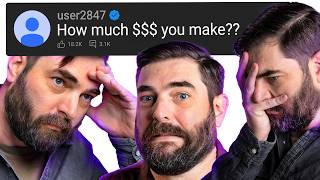
Matt Wolfe breaks down how he runs his AI news channel: the tools he uses (Leonardo AI for intros, DaVinci Resolve for editing, N8N for automation), his hardware setup, and his revenue. He makes $6-7K monthly from AdSense, with sponsorships making up the bigger chunk. He argues AI won't kill creators because people want human commentary, not just faceless videos.
Chapters
Today I wanna do something fun, something a little bit out of the norm for this channel, and I want to answer questions that came across from you. We're gonna talk about things like how much I make on YouTube, how I make my intros, how I edit my videos. We'll talk about deeper AI questions like is it killing YouTube and what are my thoughts on ChatGPT versus Anthropic. This is gonna be a wide-ranging video with lots of topics and, uh, hopefully some insights that you can get from it. So let's just get straight to it. Over the last month or so, this is hands down the most most common question I get asked: What video generator do you use for your intros? Since I've seen 10 or 15 of them and none of them have been bad, I want to know what you are using. Love the intro, the claw. Can you please share which tool you use to generate it and perhaps show us in future videos? If you have no idea what this is referring to, well, here's a few of the intros I've done recently on my Friday AI news breakdowns. Here's another one. Wee! And another one. And here's the one from my most recent Friday news video where I'm sitting in the corner and then the claw comes and brings me to my chair. I just— let me show you how I make those real quick. So the first step is in how I record them. I usually press record on my camera with me off camera. So you could see this is my video. It's actually recording right now and I'm not on the camera. And then I walk into the frame and I sit down to get going. So I I need that frame with me off camera to start, and then I need me on camera. In my more recent news video, I had the claw pick me up, so I actually hit record. After hitting record, I went and sat in the corner of my room here, so that would be my starting frame of me sitting in the corner. And then I got up, walked over, sat in my chair as normal. So now I have a frame with me sitting in the corner, and I have a frame of me sitting at my desk. Now I edit my videos in DaVinci Resolve, so what I would do is I would pull in my video into DaVinci. So let's go ahead and pull this one in. This is my AI news video where I start off camera and you can see here's the frames with me off camera here. And then I'll kind of jump to where the video starts. So the video starts with me talking right about here. So what I'll do is I'll cut my video here and then I'll cut it all the way back here. So now it looks like it kind of jumps from me not on camera to me on camera. I could cut out a lot of this early stuff as well. It doesn't really matter. And then what I'll do is go somewhere here on the timeline where I'm off camera. And then in DaVinci, I can come up to File, Export Current Frame as a still, and I'll get a still image of me not on camera. And then I'll come to where my video starts here, right before I start talking, and I'll do the same thing. I'll go File, Export, Current Frame as Still. So now I have two images: one image of me off camera, one image of me right before I start talking. I then do my video generation inside of Leonardo for two reasons. One reason is because, well, I'm an advisor to them and I have a little bit of equity. But reason number two is they have a whole bunch of different video models. So you could see here, I do a whole bunch different generations for every single video. Usually my outtakes, the ones that end up kind of weird or bad, I put at the end of the video so you can see some of the goofy takes. But the thing I like about Leonardo is inside their video mode, I can use Kaling, I can use Vio, I can use Hailu 2.3, I can use SeedDance, I can use LTX. They have all of the different video models. What I'll do is I'll pick a starting frame. You can see I put my starting frame, and this is me with the claw one, but the starting frame of me sitting in the corner and then that second frame of me at my camera. And then I'll give it a prompt like a claw comes down from the ceiling and picks up the person in the bottom right corner and moves them over and sets them down in the chair. And you can see this specific one was done with VO 3.1 Fast here. But as I just showed you, I did it a bunch of times. So I had it generate with VO 3.1 Fast, VO 3.1 Fast, Cling Video 3.0, Cling Video 3.0. And so each one I'm doing it with multiple different models until I feel like I I got it right. And then people asked about the audio. Well, both Kaling Video 3.0 and VEO 3.1 actually generate the audio. So I usually just leave the audio. So if we look at this one here and I actually turn the sound on, you'll actually hear that the audio's in there. So I typically just leave the audio that it works with. And for the most part, either VEO 3.1 or Kaling 3.0 gets me a video that I'm pretty happy with for my intro. If neither of those work, My next step, jump over to Runway ML and I will do the same exact thing in Runway. But the reason I'll use Runway sometimes is because they also have SeedDance 2.0, which is another pretty decent video model. And sometimes if I can't get Klinger or Vito to make me an intro that looks the way I had in mind, I will come and get SeedDance. So I will typically use 3 different models to find the one that looks the best. If Klinger or Vito does it the first try, I don't jump over to Runway, but if I just can't get it to work with one of those, then maybe Runway using Seedance will work. Once that's done, I just put that on the front of my video. That's the process. All right, I've tried pretty much every AI app builder out there at this point. Lovable, Bolt, Replit, Cursor, v0. I've played with them all. This one's different though, and I want to show you why. This is Optidev, and what caught my attention right away is that it's built on Claude's Sonnet, and Opus. Those are Anthropic's best coding models. Most of these other AI builders are using cheaper, faster models to keep costs down, which I get, but Opidev is using the top-tier stuff, and you can definitely tell the difference. You get a full VS Code editor with Claude as your coding partner. I just describe what I want, and it builds a real working application, not a mockup, not a prototype. But that's not even the best part. Every project automatically comes with a managed database, a firewall, authentication, edge functions, storage. It's literally everything you need to deploy a functioning app, and you don't set any of it up. You can even connect your own enterprise database behind a firewall. Just whitelist a single IP address and you're in. All traffic encrypted, fully isolated. This is the kind of backend infrastructure that companies pay entire DevOps teams to manage, and it's all provisioned for you the second you start a project. It is built for live data, so you can build a dashboard that pulls real numbers in real time. This is built by OptiSigns, the company behind over 200,000 digital screens, so the infrastructure is battle-tested. So check out the link in the description. The first 100 people who sign up through that link get 200 credits on their free trial. That's double what you normally get. And thanks so much to OptiDev for offering that special bonus to viewers of this channel and for sponsoring this portion of today's video. What do you edit your videos with? I know maybe people would like a video on how you edit. If not, no worries. Thanks for all the work. Hey, I appreciate you, Nick, but I got you. So one interesting thing about me is I do what I call live editing. I actually tend to edit on the fly. So I have a Stream Deck here where I can actually switch between me full on camera, me showing off my screen. I could take my little face out of the corner, put my face back on the corner, move my face around so it's not blocking stuff. I have a button that allows me to turn on drawing on my screen so I can, you know, draw stuff. Hello. And so I actually do not do a ton of editing after the fact. I try to do as much in my initial recording take as possible to minimize the editing afterwards. Saying that, once I've recorded— and a lot of times my recordings are like 1.5 to 2 hours of recording— I edit them down to, you know, the 20 to 30 minutes that you see in my videos. And lately I've been using a tool called Recut to do a really quick edit on it. So let me open Recut here, and I will drag in one of my recent news videos. So let's just drag in this one here from April first, and you can see the duration on this video is an hour and 5 minutes. But what you see here is these are all gaps where I stop to, you know, think, or maybe I step away from my computer for a second or something like that. So there are a lot of gaps in there where I'm actually not talking, and this app goes and just finds all those for me really, really quickly. I click this one button up at the top that says remove silence, and boom, you can see my 1-hour and 5-minute video is now 26 6 minutes and 56 seconds. I'll zoom in on this video, and now I'll skim my entire video. And let's say I have a mistake in one of my videos that I need to cut out real quick. I just repeated myself and that needs an edit. Well, I just delete it from right here and it removes it. I can delete this, I can delete this. So I will skim through this whole video. Usually I'll watch it at 2x speed and just remove all of my little mistakes that I made throughout my video. And then when I'm done, I come up to export and I export it for DaVinci Resolve. I'll come into DaVinci Resolve, come up to my master section here, right-click, click Timelines, click Import, and then I can import an XML file. And then here is the XML files. You can see they're highlighted. Let me grab the one from April 1st that I was just showing I was working on. If I click Import and then just click OK, I don't even need to change any settings here. You can see it actually imported it with all of the cuts that I made, and that hour and 5-minute video after I was done editing it is now 23 minutes and 1 second long. I downloaded this plugin preset pack. It's actually a premium preset pack that you do have to pay for, but I paid for it, called Greg's Presets, and I have this zoom effect that I use. So let me zoom to a spot where I'm showing text on the screen here to give you an example. So let's say I'm talking about this anatomy of agentic memory. I have this little preset that I created where I can drag and drop this over my timeline. I could turn on my Fusion overlay here, and it gives me this little green box. It's probably kind of hard to see, but I have this green box, and I can sort of resize it over any bit of text I want. So let me resize it over this text here and then stretch it a bit, and when I resize it over that text, you'll notice when my video plays back, it zooms in on that specific text that I just put the box over. And then if I come up to Effects here, I can actually change the position, right? You have Position A and Position B. So if I change Position B here, I can move this around. I can change the size so it actually fits on my screen, change the x-axis on Position B, change the y-axis. And now I might be talking about this little paragraph here, and as I'm talking about it, it now zooms in on the screen for me. So I add those little to make it easier what I'm actually reading on the screen. And then of course I add my little AI animation at the beginning that I showed you earlier, and that's it. That's my editing process. That's the whole thing. I spend way more time actually recording than I spend editing. In fact, this video that you're watching right now, I custom wrote a script so that I would have to do less editing later. So you could see I'm clicking through these questions on my screen and they're kind of animating up with an animated background. That's actually a little app that I vibe coded using Cursor. You could see I made a little app here called local AMA control room, and all of the questions I screenshotted from my YouTube channel, dragged and dropped them in here, and then I can reorder the questions and change how they're going to show up in the AMA. And these are all the questions I'm answering throughout this AMA here. I click this little open overlay button, and here is the actual result of it. I have this little animated AMA question pop-up. I can literally just click through, read the question on the screen, and then go off and give you my answer. All of this in the pursuit of trying to have to edit as little as possible after I record. I like the recording process. The editing process I try to make as smooth and effortless as possible by doing as much in the recording as I possibly can. All right, next up, what does your YouTube studio look like? What equipment are you using? Uh, here, let me show you. Okay, so here's the whole studio. This is what I'm looking at when I'm staring at my computer. These are my two Mac monitors that I'm using. This is my main camera that you're seeing when I'm recording. I also have this camera here with a teleprompter on it. It's got its own mic set up to it for when I'm talking into that camera. I've got this computer here. This one's actually my PC. You can see down here there's the PC. This one over here is a Mac. I've got my top-down camera so I can do, you know, top-down kind of stuff here, which I never actually do, but I've got it for when I want to. Let's see, I've got my TV over here, which usually just has Padre games running on it. I've got my husky toolbox over here, which is actually really handy. And if you want to see the thing I'm most addicted to collecting, well, there you go. It's video game consoles. I have like every video game console ever. In this direction, you can see I got my VR headsets, the Apple Vision Pro, Meta Quest Pro, Meta Quest 3. I've got like a stack of laptops down here that I've gotten for like demos and testing and stuff. This is actually another teleprompter. This is like, what is this? Teleprompter XL, which I haven't even taken out of the box yet, but been meaning to set up. Got my 3D printer here. Guitars on my wall. Here's the random stuff in my background. This is like a drawing somebody made for me at VidSummit. I got this like little Magic: The Gathering card that somebody created for me with my face on it. My Emerging Creator Award from 2023. Some books that make me look like I'm smart, like Inference Engineering, Deep Learning Illustrated, Storytelling with Data. My nerdy Star Wars stuff. That's actually the internals of an RTX 4090, I believe. We got Fernando Tatis Jr. there. This is actually a decommissioned Google TPU. This here is actually the original Gemma model weights on a little flash drive there. This thing is actually one of the first things I 3D printed on my 3D printer over there. My cable management is a mess, so ignore that. Got my bookshelf. You can see I tend to get a lot of water bottles. Seems like every event gives water bottles, so I have a water bottle collection going on up there. Let's see, these pictures back here, that's actually a picture I took in the South Island of New Zealand, I believe. And then this picture here is a picture I took on Maui. And then this is probably like my nerdiest sort of habit here. So if I come through here, you can see this is like my pinboard. Whenever I go to events, I like to collect all the pins that, uh, they give at the different like expo floors. And then when I travel, I also collect pins. Like if I go to baseball games, I get the pins. I have all these like pins that I collect at Disneyland. They take up very little space and they're just kind of fun to collect. Down here you can see all of my network stuff. This is my DGX Spark. This is what my OpenClaw is running on. This is my Mac Studio back here. Again, try not to notice the cables. It's pretty bad, but this is an M3 Ultra. We got going on here. And yeah, this is what it looks like from, uh, behind the scenes of my office. I kind of built my, uh, nerd's dream office that I wish I could have had when I was a kid, just loving nerdy techie stuff. All right, let's see. Sitting down here, I got my Stream Deck XL. This is how I control all of my camera stuff here. So if I want to switch between— let's see, you could see if I press one of these buttons here to go to my monitor and switches between scenes on my OBS here. So most of the time I'm not even editing later, I'm like editing on the fly as I'm recording. Even when I do my rapid fire, I just press this button, you can see it goes to the rapid fire animation there. I could control all of my lights from here. So if I press this one here, it turns off this light. I press this one, turns off that light, and this one down here turns off this light. Can adjust the brightness by turning these knobs here. And I made a button that that turns all the lights on and off all at the same time as well. But it even turns off these lights. If I press that button, it turns off my colorful lights back there. This thing here, this is my ATEM Mini. So if I put this back on my main camera here, I could actually switch between two different cameras. So you've got this camera here, which is what you're looking at now. And then you've got my main camera here, which if I press this button, I can switch to that one. And then this third button actually switches to my top-down camera, but I don't have I don't have that camera turned on right now. And then I've got my RODECaster Pro for all of my audio. Right now, this mic here on the left controls this microphone here. This button here controls this microphone here. Oh yeah, and I'm a fidgeter, so I have lots of little like fidgety things all over my desk, like Rubik's Cubes, which never go unsolved. This is my notebook, 'cause I do actually write in notebooks. And this is an Aura Frame, which whenever I go to events and I meet people and we get photos together, I throw them in this Aura Frame so that they end up in the background of my videos and it just sort of randomly cycles through, but I can also swipe the top to get it to show new images here. Pretty cool. So yeah, that's my nerd dream studio office thing that I got going. All right, so now you have a better idea of what I actually see. Sorry, it's messy. I'm kind of messy. I collect a lot of junk and have a lot of stuff. All right, thanks for the update review on the new model. I was wondering what Mac laptop you use as I'm looking at which laptop I should get. So most of the time, as I I just showed you, I'm using a Mac Studio here in my office. I also have this PC that I showed you. I do have a laptop as well, but I pretty much only use it when I travel. So when I'm going to various events and things, I bring my MacBook and it does a great job, but it's probably overkill for most. If you're looking for a laptop that you can run local models on, you're probably gonna want more of like a PC with an NVIDIA GPU in it. The M3 Macs do work for that as well, but if I'm traveling, I'm usually not using like local models. If I'm on a laptop, I'm most likely going to be using like the OpenAI API or the Anthropic API or one of those models. But I personally have an M3 Pro— no, M4 Pro. I have a Mac M4 Pro. That's what I've got. That's what my MacBook is. But again, it's pretty much just my travel rig. At home, I'm on my M3 Ultra, and I've got a PC with an NVIDIA 5090 in it. And I've also got my DGX Spark. My Spark is what I run most of my local models on because that's got 128 gigs of VRAM. So that one is really designed to run local models. I've been hearing heard some good things about the new lower-end MacBooks as well. I think they're called Neo or Neons. I don't have one, haven't tried them yet, but I have heard they're pretty good for the price. All right, what we got next? What's your go-to for building apps to solve bottlenecks in your business? I've been using mostly N8N, but curious what other people use. I use them all. So I have workflows built in Make.com that I really like. I have workflows built in N8N that I really like. Most of the time I will just have cursor or Claude code write me up a script to fix things. So let me quickly show you some of the workflows that I built. I can't show you all of the inner workings because there are, you know, some proprietary things in here, but this is an N8N workflow that I built that basically runs the Future Tools website. So whenever I come across new AI tools that I really like, I add 'em to this spreadsheet here called Future Tools Dashboard. And just by adding 'em to this spreadsheet, it kicks off my N8N automation here. We can see here that it looks for rows in that spreadsheet, it runs some JavaScript, but This JavaScript is just making sure there's no duplicates. It then scrapes the web page but then also looks up that tool on Perplexity so it can pull all of the copy from that web page, but it can also see what is being said about that tool by searching Perplexity. It merges both of the information that it finds and then pulls that information into some AI tools. These AI tools then summarize the tool. It writes the description and name of the tool, and it creates some additional details like the tags and whether it's paid or free or things like that. So it takes all this information that it scraped and found on Perplexity, runs it through these models. It uses GPT-5 Mini as its main model right now, and then as a fallback, it uses Gemini. And the reason it uses GPT Mini is this is the less expensive, faster model to run, but it's also got a smaller context window. So if this scrape up here scrapes a ton of content, sometimes it falls outside of this GPT context window. So it then uses Gemini as the fallback, which has a much larger context window. I know I'm getting in the weeds there, but after it does all this, it then creates a short link for it. It updates the spreadsheet. So that spreadsheet we're just looking at, it adds, you know, these extra details back into it. My site used to be built on Webflow, and it still actually is getting updated in the background on Webflow. My new site is actually using a Supabase database, and it's hosted on Vercel, so it's now updating that database as well. And then these last little scripts here basically just tell it, look to see if there's another row. If there's another row, then start the process back over from the beginning. So it'll kind of keep on looping until it doesn't see any more tools on that spreadsheet. That's one of my automations, but I also have a bunch of automations built out here in Make.com that you can see. So what we just looked at is what updates these tools here. So when you look in a tool, it's writing this short description, this long description, figuring out if it's paid, figuring out what category it is. It's doing all of that stuff. That's what that automation we just looked at does. I add it to the spreadsheet, it gets added to the website here. Probably the more impressive part of the website is the AI news database here, which actually pulls in the news and writes a TL;DR for every little bit of news that comes in. That's actually a Make.com integration. I have this little tool up here called Raindrop where I can save a news article and then based on what collection I put it in, it runs a different automation. So I've got AI News, AI News Paywalled, AI News Tweets, AI News on YouTube, AI News on Threads, things like that. So based on what category I put it in, it runs a different automation in Make.com. So here's an example of one of those automations. It watches Raindrop. When new news is added to Raindrop, it goes through ChatGPT to like write a summary of that piece of news. This little Parser basically just makes sure that it's a well-formed URL. It strips off any like extra junk at the end of the URL. This here is not necessary. This just basically updates a little like Obsidian dashboard that I have and tells me what news was added on like an Obsidian page. And then once it passes that step, it routes it between one of two paths and adds it to the Supabase dashboard. These two paths are for if I add tags. So if I go up to my little raindrop thing, you can see I can add tags and based on different tags, it will run a different automation. If there's no tags, it just puts it right into the news database. If there are tags, then it routes it through here and adds some additional information to the news for me. So I use Make.com for some of my automations. But what I'm actually using most days is Cursor. I use Cursor like crazy. So you can see, this is my AMA overlay script that we were just looking at here. I basically prompted this into existence with Cursor. I basically said I dashboard that allows me to drag and drop comments in and then it puts it on like an animated overlay page. Then I can press spacebar to go through the various questions and it built that design for me. I also recently created this script here called Comment Grabber. And if we look at my YouTube agent here, this is basically a script that went through all of my YouTube videos from the last 6 weeks and found all of the comments for me. I want some sort of script that can look through my last 6 weeks worth of YouTube comments and pull out all the questions that people asked. I wanted to ignore all the troll comments and the great video type comments and just find the actual questions, both legit questions and silly questions. And yeah, it basically built this little Python script that skimmed all of my YouTube videos, pulled out all the questions, and then put it into a giant CSV file for me to skim through. That's how I found the questions that I'm answering in this video. So that was Cursor creating both the overlay tool that you're seeing here, the backend where I can organize them, and it also built the little Python script that scraped all my YouTube comments and tried to help me find the questions as well. Go-to tool for building apps to solve bottlenecks. Next, uh, longer answer than I thought. I use them all. All right, why haven't you cloned your voice and dubbed it into other languages yet? You would have easily reached 1 million subscribers if you have popularized your content worldwide. I would love to do that. In fact, I've been talking to two different companies about doing that. I've been talking to Ditto Dub and I've been talking to ElevenLabs. So that is something that's coming. This is going to get dubbed into more languages. I know YouTube's built-in dubbing leaves a lot to be desired, so actively something I am working on. Okay, now we're getting into the deeper stuff here. Do you think AI is going to kill creators? I honestly do not think AI is going to kill creators. Obviously that sounds like I kind of need to say that as somebody who is a creator, but I also feel like people want to hear from real humans. People want commentary, they want feedback, they want information, they want takes, they want opinions. In fact, when I'm scrolling through YouTube now and a video pops up and I can immediately tell it's like an AI-generated voice or it's AI-generated video, I'm just kind of like, oh, they didn't put much time into this. This is just like a moneymaking scheme that they built. And I almost always click off immediately. I'm the AI guy saying that, and I don't really care for that content or want to see that. I do think people still want human voices. Now, there is this argument that I've been hearing of Gen Alpha isn't going to care about human commentary. Gen Alpha watches these like TikTok slops. They're watching the Italian brain rot and the frutti Love Island and stuff like that. And they don't care that a real human was behind it. And I think that is true. I think that kind of slop will proliferate, but I don't think that's going to be something that most people continually want to watch. Like, yes, okay, you're talking about Gen Alpha. Almost every time I've heard it, it's been in the context of Gen Alpha watches that. Okay, so what age is Gen Alpha? They're like 14 or 15 and under. As an adult, if you're watching this and you're like, let's say in your late 20s, 30s, early 40s, do you still watch what you watched when you were 13? Or 14? I know I don't. For me back then, like, Family Matters and The Simpsons was my favorite thing on TV. I try to go watch those now and they feel cringe as hell to me. So like, yeah, maybe Gen Alpha is into that now, but that doesn't mean that's what they're always going to be into over time. Like, their brains are going to develop and they're going to be less interested in brain rot, I would hope, and want to hear from real people. I know I personally still want to hear from real people. From my understanding in the comments and from the fact that my videos even get views at all, I do think people still want to hear from real humans and I don't think that's gonna change. You mentioned you've been talking about AI for a long time. What did it look like before ChatGPT? Now I actually saw this question in my YouTube comments, but the person who wrote it wrote it in much more of a, well, let's just put jerky kind of way. So I didn't actually wanna share the original screenshot of the comment because it just makes that person look really bad and I don't wanna do that to people. But they were essentially saying ChatGPT has only been out for 3 years, how can you have been talking about AI for 6 years? Here's the thing. AI has been around for a lot longer than before ChatGPT. You can literally look on my channel and go back to videos about AI that existed before ChatGPT existed. They're there. I also had a podcast called Hustle and Flowchart that I co-hosted with Joe Fear. We were talking about AI back in 2020 and 2021 around GPT-3. Now this channel, when I first started to pivot into AI, it was around tools like Midjourney and Stable Diffusion and Deforum and various like visual AI tools that yes, they did exist before ChatGPT, believe it or not. I also talked about GPT-3 and how you can use GPT-3 inside of the OpenAI Playground before ChatGPT existed. GPT-2 came out in 2019. So what did AI look like before ChatGPT? Well, it looked like a lot of people getting excited about image models. It looked like AI models being very, very hyped up back 2019 and 2020 about how these models are getting too scary to release. Does that sound familiar? Yeah, it was like that back then. It just wasn't nearly as many people talking about 'em. When me and Joe were making videos about AI back in 2020, we would make a video about how to use one of these models using the API and they would get like 60 views. Nobody cared back then. It wasn't until ChatGPT that anybody gave a damn about large language models. But those of us that were sort of playing with these models and trying to figure out how to use 'em for marketing purposes, like we were using them to help us write Facebook ads and do SEO and things like that back then. We were trying to share like, hey, you can have AI do a lot of this stuff for you now. Nobody cared. People were just like, yeah, you nerd, whatever. It wasn't until ChatGPT that people started to take notice. But Midjourney predates ChatGPT. Stable Diffusion predates ChatGPT. GPT-3 predates ChatGPT. Anyway, sorry, a little bit of a rant there. All right, people leaving ChatGPT for alternatives is actually healthy signal. It means the market is maturing beyond beyond one-tool-fits-all. The interesting dynamic is that power users switch tools by task, not by allegiance. The real story here isn't loyalty churn, it's that context window plus reasoning quality benchmarks now actually matter to regular users. Where do you think ChatGPT needs to improve most to stop the bleed? Interesting. Okay, so I actually don't believe that ChatGPT is, uh, bleeding as much as people claim they are. ChatGPT is still like the number one AI model for consumers. The fact that my last little rant was based on a question that somebody asked about like, how can you be talking about AI before ChatGPT? AI didn't exist before ChatGPT. Well, the fact that that question even came up shows that ChatGPT is like the Kleenex of AI, the Band-Aid of AI. It's like the brand name that people think of when they think of AI. From a consumer standpoint, they are still so far beyond any other model. And I think like the normal everyday person, the person that, uh, is just running a small business, the person that's a teacher looking for helping with, you know, grading homework or whatever, they're still just going to ChatGPT and saying, hey, help me write this email. Hey, look at this report that somebody wrote and let me know what I should pay attention to to help better grade this report. Things like that. Most people are still going to ChatGPT for. Where I think Anthropic really, really did a great job was in the fact that they put almost all of their focus in building a better and better model for writing code. And by writing better and better code, figured out how to get better and better at using tools. It figured out how to get better and better at creating better memory systems. Getting really good at writing code unlocked its ability to sort of get better at almost everything else. And I think recently OpenAI has also had that same sort of awakening. I think that's why we saw them drop Sora. That's why we saw them drop their adult mode that they were gonna release. They went and saw like, oh, the real thing that people really need out of this stuff isn't necessarily necessarily even longer context windows. It's not necessarily the ability to be really, really, really good at hard math problems or science problems. What really makes these models get better and better and better is making them better at their ability to code, because then they can write scripts. So any of their bottlenecks, any of their sort of shortcomings can be solved by writing a script to solve them. And so I think what we're seeing now is both Anthropic and OpenAI sort of in the race to make the better and better and better coding models, because the better coding models unlock almost everything else. And because OpenAI has such a huge lead in the share of the consumers, I don't think that is, you know, bleeding as much as people think it is. I think that's sort of like the media narrative because there was the whole Anthropic Pentagon thing, there was the Super Bowl ads against OpenAI. But the reality is OpenAI is still far, far, far ahead in terms of amount of people using their product. Any tips on how to keep up? This is something I've actually talked about in quite a few past videos. My short answer is to tune in every single Friday. Every single Friday I make a video that breaks down everything you need to know for the week in AI. Just one video. You don't need to keep up on a daily basis. That one video will loop you in on everything that was important that happened throughout the week. That's the short answer. The longer answer, here's how I keep up. I have a tool called Feedly that I use, and I subscribe to pretty much every big tech blog. You can see if I open this up here, I'm subscribed to Google's blog, Meta's blogs, NVIDIA's blogs, Microsoft's, GitHub, Windows, AMD, Anthropic, Black Forest Labs, ElevenLabs. I'm subscribed to the blog of like all of the tech companies in AI. Under AI Web Alerts, you can see I'm subscribed to The Verge, The Deep View, Ben's Bytes, TechCrunch. I'm also subscribed to a bunch of newsletters in the AI world. Forward Future, that's Matt Berman's newsletter. AI Breakfast, The Neuron, The Rundown, TPBN, Unwind AI. All of these newsletters I'm subscribed to as well. And then I also have AI Web Alerts where Feedly is basically doing like what Google Alerts does and searches the web for anything AI news related. And it also put it in my feed. So every morning I wake up to, you know, between 200 and 400 things and I skim this entire thing myself to try to find the signal versus the noise. I try to find what I think would actually interest people. That's the first thing I do every morning. I also go to X and I created a list called AI is Awesome that is publicly available. Anybody can follow this list here and well, this list follows all sorts of AI accounts and a bunch of people that I have curated that I think share good AI content on X. So I then scroll this every single day to see what people are talking about on X. Between my Feedly subscriptions, all of the newsletters I'm subscribed to, and X, that's how I personally stay looped in. And then the stuff that I actually find interesting, I handpick and I personally put on this Future Tools news page. I already showed you the automation that does that. I save it to this little raindrop thing and it saves it to this site, does a bunch of background processes to give you the TL;DR. But all of the stuff that I find worth sharing makes it to futuretools.io/news, which is this page here. I was wondering if I wanted to make an app that will create AI videos or Shorts that I can post on YouTube and get monetized and auto-post for me, do you think it's possible? I do think it's possible. I just don't think it's a great idea. I think there's a lot of hype out there. I think there's a lot of people out there saying like, hey, here's how you can make AI faceless videos and make a ton of money. But to be real, like maybe 1% are actually doing well and making money. Like they still need a good storyline. They still need to be be really visually appealing. There's still a lot of elements that make a video break out. And by trying to automate AI-generated videos and auto-posting them to YouTube, I think you're going to struggle. I think most of the ones that actually do well, a lot more thought, a lot more process, a lot more storytelling and, you know, thinking through go into it than most people realize. Like the Love Fruit Island or Fruit Love Island or whatever it's called, and the AI Italian brain rot and those kinds of videos, they actually have more effort going into them than most people believe. Most people believe those videos are just being cranked out through a system and going online. Now, they are lower effort than actually putting in the work to record a video, don't get me wrong, they're pretty low effort, but there's still people that are figuring out storytelling formulas that work. There's still people figuring out the best models to make that stuff work. They're still doing a lot of testing and optimization. And did this video hit? Why did this one work? Why did this one not work? There's a lot more behind the scenes than I think those sites get credit for. And so I don't actually think most people are going to be successful with like this faceless AI-generated video concept. If you do want to explore it, I mean, you got Veo 3.1, you've got Kliing 3.0, you've got Opus Clip, which is great for clipping longer videos into short-form videos. You can use tools like N8N or have something like Cursor or Claude Code code you up a script that will automatically automatically put the pieces together and publish them for you. There's lots of ways to do it. I just want to sort of give that disclaimer that I don't think it's like a great system. I don't think most people are going to be successful doing that. Great work. Will you be going to NAB next week? Actually, yes, I will be at NAB. But not only will I be at NAB, uh, this is actually a good opportunity for me to share this. I'll actually be speaking at NAB. Funny story, I went on X and said, hey, who's going to be at NAB, it looks interesting to me. Should I go? And I actually got an email from somebody at NAB saying, hey, do you want to speak on a panel? I saw you're interested in going. And I replied and said, sure, I'll speak on a panel. So yeah, posted a tweet thinking about NAB, should I go? 15 minutes later, email in my inbox, hey, not only should you go, you should come speak on this panel. So I'm speaking on a panel called Are We Nervous Yet? An AI Survival Guide, Tuesday, April 21st at 11:30 AM over in the Creator Lab at NAB. So if you're at NAB, come hang out. Out. And hey, thanks for teeing up that question, that wasn't intentional. I work with Claude Code daily and it feels like I only understand and use about 20% of its features. Can you please make a deep dive video on everything about Claude Code and Cowork? Yes, I would love to. Uh, that's actually on my list of videos I want to make. They're just evolving so fast and new features are coming out for both of these like almost every day that I'm like, I need to kind of wait for these things to slow down a little bit so I could make this video. But these are videos that are on my list. I want to make like the ultimate guide to Claude Code and the ultimate guide to Claude cowork. I just, A, haven't found the time because I've been traveling. Last week is at Human X, next week I'm going to NAB. Uh, there's been a lot on my plate, so I've been really, really focused on my Friday news videos and just trying to make those as good as possible. But I do want to make more of these like deep dive exhaustive guides to specific tools, so look out for that. They will be coming in the next few weeks. How can I contact you for business sponsorships or collaborations? Yeah, in the description there is an email that you can contact. It's mattwolf@smoothmedia.co. Smooth Media is great. They handle all of my sponsorships. Okay, how much are you making from your YouTube channel? Huh, can I share this? All right, screw it, I'll share my AdSense. I'm not going to get into how much I make from sponsorships. I do make good money from sponsorships. My sponsorships are more than what I make from AdSense, but I'll show you what the AdSense looks like on a nearly 1 million subscriber channel. So this actually makes me nervous to share because this is the first time in a long time that I've shared this sort of uncensored, but in the last 28 days it's made a little over $6,000. So it makes, you know, between $6,000 and $7,000 a month. There are channels doing much more views than me lately. You've got, you know, guys like Matt Berman who are just absolute machines at putting out tons and tons of videos lately. And well, I've tried to slow down and be the Friday guy that's like, hey, here's the one video. If you only watch one video a week to try to get totally looped in, I want to be that one video where you have other guys out there going, hey, I'm going to try to break down everything that comes out, every new model, every new new release, I'm going to be the guy that tries to share it with you all, which is cool. I love that. I actually watch most of Matt Wolfe's videos when they come out as well. You know, you also have Wes Roth, AI Advantage, a lot of those guys. I watch all their channels. We're all buddies. We all know each other and hang out outside of YouTube in person. But I've decided I want to try to be the once a week, here's everything you need to know in one video guy, which, you know, has caused a little bit of a hit to my YouTube view numbers. But I also think it's the way I can be the most useful and helpful to people. So let's see, let me show you 2025. 2025 for the year, it did this much. Let me see if I can show 2023, 'cause that's where it was like really kind of, whoa. Okay, so it wasn't that much bigger, but 2023 we had almost $170,000. 2024. Okay, so 2024 was actually the bigger year. 2024, it really kind of exploded. That was a good year. That was a good year. And then 2026 so far, here's what has generated in AdSense in 2026. And I'm recording this in April. So there you have it. There's my revenue numbers. I'm kind of always scared to show those, but again, that's not, that's not the whole picture. Want to get into what my brand deals generate yet. Maybe, maybe I'll do that on like a podcast or something in the future. But there you have it, making $6,000 or $7,000 a month from AdSense right now. And that's what a nearly million subscriber channel gets that only posts like 1 or 2 videos a week. When you get to 1 million subs and you get an email from YouTube for a new plaque, can you do a video unveiling it? That would be sweet moment to share with your community. Totally. I absolutely love that idea. I have not actually figured out what I'm gonna do when I hit a million subscribers. I'm hoping it's gonna be this year. I feel like I'm kind of on case to hit it sometime in 2026, probably in like Q3 of 2026. Me and my team have been talking about like what's some cool way we can celebrate. Do we do like an in-person meetup? I will definitely make some sort of video celebration, but I think it would be cool to do something even bigger than that. Still trying to figure that out. If you have ideas, you know, let me know in the comments because we're still kind of exploring that. Would love to figure out something really, really fun to do. And that's the last question. So, um, yeah, this This video is longer and different than normal, but hopefully there's lots of takeaways and exciting stuff for people to use from this. If you like this style video, you want to see more of them, definitely let me know in the comments. Definitely let me know by, you know, clicking that like button. If you're not subscribed, you can let me know by clicking that subscribe button too. If you're new to this channel and this is like the first video you saw, my main videos are usually, like I mentioned, Friday AI news breakdowns where I tell you everything you need to know for the whole week in the world of AI. I try to make that one video that's not overwhelming. This just hears the signal through the noise of everything that happened. Some weeks you've got 20 launches and everybody's trying to tell you it's the most hyped up world-changing thing ever. And I'm trying to bring it all down to earth and say, here's what this actually means and this stuff you should pay attention to. Again, those videos come out every single Friday, pretty much without fail. If you're into that kind of stuff and you're not subscribed already, subscribe for that. Cause, uh, that's coming in a couple days. Thank you for tuning in. This has been a really, really fun video. I really hope you like these ones because I would love to make more of them. Them if you do. Thanks again for tuning in and hanging out and nerding out. Uh, this, this was a great session. Really, really loved it. Hopefully you did too. I'm repeating myself. Sorry, I'm a dork. All right, bye. Later. Sorry, bye.
More from Matt




AI News: Dots, GPT-6.1 Sol, Sonnet 5.5, Gemini 4, and everything you need to know




