We Can Finally Do Text In Our AI Images!
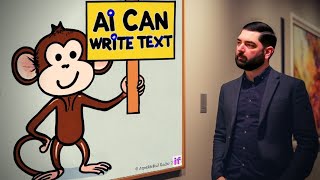
Matt Wolfe shows how Stable Diffusion XL and Deep Floyd can now generate readable text inside AI images, something these models struggled with before. He compares them to Midjourney and breaks down what each one does well and where they still fall short.
Chapters
If you've been paying attention to AI and AI art, this might be old news to you, but we're actually starting to get text instead of AI images. Now, if you've ever tried to do text in AI images, you'll notice that it's usually a whole bunch of garbled, alien looking letters. Well, now we can actually kind of sorta get decent text. Earlier in April, Stable Diffusion released a model called Stable Diffusion xl and they actually made it free for anybody to use. You can use it at Dream Studio and over on the left sidebar you can click Advanced and then you can see the models. Down here you've got stable diffusion 2.1, 2.1768, or SDXL beta. Now, this platform does give you a certain amount of credits you can use. You can see I've got 97.3 up here and I could type something like colorful balloons that spell out the word wolf. Click dream. I got the colorful balloons, but didn't get the words. But if I do something like a sign that says wolf, it's getting closer. It's spelled wolf, but drop the e. It's getting there. Stable Diffusion is slowly getting closer to the quality of midjourney, but in my opinion, it's just, it's still not quite there yet. Now, another place you can use it for free is by going to ClipDropco StableDiffusion. And if you enter a prompt here, it will use Stable Diffusion xl. One of the examples they gave here is Paris Hilton and Albert Einstein wedding pictures. So let's try to do something similar. Let's do Kim Kardashian and Abraham Lincoln wedding photos and let's go ahead and generate that. And here's what we got out of it. I mean, that's probably the best one there. This one. I don't know what's going on with their faces. Again, just not a lot of detail up here. And yeah, something really creepy is happening in this picture. By comparison, here's what I got out of midjourney. I feel like it got Kim Kardashian okay in this one. Guess that's Abraham Lincoln. But if I put them side by side, I still think that midjourney is the clear winner between the two. Still, Stable Diffusion was able to get the context of two people a little bit better. It was able to get Abraham Lincoln and Kim Kardashian. They're just not very good generations where midjourney kind of figured out one of the two people. It figured out Kim Kardashian okay, in most of them, but then it couldn't really also do Abraham Lincoln. It put Abraham Lincoln in the background of this one. So yeah, not too bad. But if we're comparing the two, I still think Mid Journey wins out as far as detail and style and realism and all of that kind of stuff. Stable Diffusion XL still leaves a little bit to be desired. Now coming back to the text discussion, so I mentioned that Stable Diffusion released Excel, which supposedly does a little better job with text, which we can see. This kind of proves that to be true. It's getting closer. It doesn't look like some sort of alien gibberish language, but there's something much better now. A few days ago in late April, we got Deep Floyd, which is a different diffusion model that claims to have a high degree of photorealism and and language understanding. It uses what they call Cascaded pixel diffusion modules. And if you look at some of their examples here, the text is getting a lot better. This is not Dall E. Strike Dear Mistress and cure his heart. What if it is more than text? And we've got some pretty decent looking images here. And this one you can use right now using a Hugging Face demo or using a Google collab. Let's fire it up in Hugging Face. You can find it at Hugging Face Co Spaces.
I'll make sure it's linked up below this time. Let's type colorful balloons that spell out the word wolf. And let's click Generate. And if you look at this, we're getting a little bit closer. This says Woofy. That one ignored the letters altogether. And that one just kind of has the edges of some balloons. Let's go ahead and let it generate one more time, see if we can get a little closer. And this one here is looking sort of decent. If we click Upscale, we can get a larger version of it. Look at that. Some of the balloons are actually spelled correctly. It fumbled on a bunch, but we're getting a lot closer. I notice it works a lot better with known words versus, you know, this is my last name here. So if I was just to make it say wolf without the e and let's put it in all capitals, it'll actually probably do a much better job because it's a word that it knows. And so if we look at this and we can upscale this one here, you can see that it pretty much nailed what I was asking for this time around. It's got colorful balloons that spell out the letters wolf down here. Here's some other examples. Letters made of candy on a plate that says Diet and you can see it pretty much almost nails it. The E's a little bit funky looking here, but it's pretty dang close. It looks like chocolate and jelly beans there. Here's a more detailed one. A photo of a violet baseball cap with yellow text. Deep Floyd. 50 millimeter lens, photorealism, et cetera, et cetera. Yellow stitch text, Deep Floyd. Let's go ahead and generate this and see what it looks like. This one added an extra E, so it's Deep Floyd. But for the most part it pretty much nailed what it was asked for here. That one's looking pretty dang solid. That's some solid looking, real realistic stitching. I mean, this hat's got some funky cracks in it, but that stitching where it says Deep Floyd. Perfect. Let's try changing the text a little bit. Let's make it say future Tools. Let's make it a blue baseball cap. And let's try this again. Now, one thing I'm noticing about this suggested prompt here is that the text I'm trying to get is actually plugged into the prompt three times. Future Tools. Once there, that was where it said Deep Floyd before. So yellow text that says future tools, blue baseball cap says Future Tools. And at the end, yellow stitch text, Future Tools. So the fact that the actual text it wanted on there was put three times might be that additional context necessary to get the text we want on the image. You can see it actually did pretty decent on these hats. I'm gonna generate it one more time and look at that. It's pretty much nailing it now. Now, Deep Floyd also claims to be a lot more photorealistic. So let's try some of these other examples they give here. These are obviously cherry selected examples that are probably gonna get us the best results. But let's try this. Paper quilling. Extremely detailed paper quilling of a Nordic mo mountain landscape. It almost seems like if you add the same prompt in there a couple times, maybe Deep Floyd gets a little bit extra contextual clues and puts more focus on that. That's kind of what I'm gathering based on their examples here. Now, it starts by giving you some pretty dang low res ones, but if we upscale them, they usually come out pretty cool. Let's go ahead and upscale this one here. And if you notice a lot of the realism starts to pop out once it's been upscaled. A face of a woman made completely out of foliage, twigs, leaves and flowers. Side view. And look at that. That's actually a pretty dang cool looking image. Now, is this on par with something like Mid Journey? Well, you decide. Here's that same prompt in midjourney. I just. I still think the details are just so much more there. The realism is just so much more there in Mid Journey. But this is definitely getting a lot closer. I just think the nose and the lips, there's something funky going on. This image also looks a little bit grainy, a little bit noisy compared to these ones, which are just so much more clear. And the facial shape just looks a little bit closer to me. All right, finally, I need a YouTube thumbnail, so I want to try to of something wacky. I'm going to add a lot of detail. I'm also going to put the text a couple times just to give that extra contextual clue. So hopefully it gets the text right. A monkey wearing a top hat holding a sign that says, subscribe to Matt Wolf. Cardboard sign written in Sharpie, subscribe to Matt Wolf. Detailed lettering on sign saying subscribe to Matt Wolf. Let's just add all of that detail in there and see if it comes out with what we want. All right, so the first pass I got subscribe to Matt Wolf. Subscribe TT Matt Wolf. It's actually getting Wolf right this time, though. Subscribe to Matt. Matt Wolf. Subscribe Matt Wolf. Let's go ahead and run it one more time. And one out of four of them got it. So this one says, subscribe Matt. Matt C. BAE to Wolf. This one says, subscribe Matt Wolf. This one says, subscribe Matt Wolf. And this one says, subscribe to Matt Wolf. Let's go ahead and upscale this. And for some additional context, here's what we get out of midjourney. When we try to get Midjourney to generate text for us, I use the exact same prompt. And we got a mofe, a Montsoul, sute, nor smooth here.
Bootle. The monkeys look really good, but it can't do text. And here's what we got out of Deep Floyd. Now, I don't know why the monkey has so many hands. Maybe these are the monkey leg hands, whatever you call them, but it actually got the text right. So there you have it. We've got two AI image models that kind of sort of start to do text now. It's a giant leap from the text we were getting out of things like midjourney. I would say the actual image quality isn't quite up to par with what midjourney is yet. But the ability to do text is far beyond what any other AIs before this have been able to do. So once we get the blend of the two, like midjourney's quality and the ability to generate text like what Deep Floyd can do, then the sky's the limit of what we can generate. We'll probably be able to just make full on YouTube, thumbnails and featured images for blog posts and all that kind of stuff straight inside of our favorite AI program. And it'll just do all the text and all the images and the whole thing will be made for us. I think we're like this close to doing that. Like I said in the past, if you're not impressed with what we can do with this stuff now, give it a month, because this is as bad as it's going to get. Some little tricks that I've found when using Deep Floyd to try to get text. It seems that if you add the text into the prompt multiple times, you can see I put it into this prompt three different times saying subscribe to Matt Wolf. That seems to make sure it gets that addition context of what you want. Also, I've noticed that sometimes it takes a few generations to get to what you want. So I generated this once, all of them. The text was a little bit funky. I did a second pass on it. The second time I did it, I got one image that was a little bit more decent. Let's go ahead and generate it a third time. This time I got like a toy monkey that says subscribe Matt Wolf and a monkey sign that actually says subscribe to Matt Wolf properly. Let's upscale this one, see what this looks like. But the point being, you might need to do a few passes before you finally get what you're looking for. But if you're doing this on something like hugging face, there's no additional cost. You can just keep on generating it until you get what you're looking for. So if it takes you pressing the generate button three or four times to get the exact image with the exact text you're looking for, not a big deal. It's fast right now and there's no additional generation costs. You might have to wait in queue for a couple extra seconds while other people generate ahead of you. But it's not a big deal. It's pretty fast right now. This is still super early days with this technology. Deep Floyd has been teased for months and months and months, months now. They've been talking about releasing this for so long now that I almost forgot about it. And then one day they dropped it and I was like, yay, we get to play with it from what I understand one of the future Mid Journey versions, either Midjourney v6 or v7, they're planning on adding the ability to add text into it. So we're also going to start to see this kind of technology where we actually get coherent text in some of our images with Mid Journey soon too. And then I would imagine soon to follow. We'll get it in awesome tools like Leonardo as well. Next thing you know, we'll completely forget about the days where remember when I couldn't generate text? Remember when it just kind of looked like an alien language that nobody understood? Those will be days of the past. And I think we're pretty dang close to getting there. But for now, Deep Floyd is the best we got. Can mess around with Stable Diffusion xl, which is okay, it's got some more of those vibrant, more high contrast colors that you might see out of something like midjourney, but if you're looking for text at the moment, in my opinion, Deep Floyd is the only thing that's really getting close to what you'd probably want. Once again, I'll make sure all of the links to everything I mentioned is below in the description. So make sure you read the description and I'll hook you up with all that so you can go play with this stuff yourself again. Everything I showed you in this video today is free, except for the Mid Journey examples which I just kind of showed for Contrast. Stable Diffusion XL and Deep Floyd are both freely available right now and soon will even be open sourced. Go check those out. And if you love nerding out about cool AI tools and AI art and AI chat and everything that's going on in the AI world, check out FutureTools IO. This is where I curate all the coolest tools that I come across. I'm at New Tools every single day. Check out the AI News page up here. I'm keeping the news up to date every single day as well, so you're always in the loop. If you don't want to be in the loop every single day, you just want a TLDR for the week. Click here to join the free newsletter and every single Friday I'll just send you the top level of what you need to know. A handful of News articles, the five coolest tools I came across, a couple of YouTube videos, and one really interesting way to make money with AI. I send it every Friday. Again, it's the TLDR of the week for just the people that want one day a week to get all caught up with everything that happened in AI for the week. That's what the Future Tools Weekly newsletter is, and you can find it over at FutureTools IE. Click the Join the Free Newsletter button and I'll start hooking you up every Friday. Thanks so much for tuning in this video. Hopefully you enjoyed it. If you like videos like this and you want to learn more about AI art and AI chatbots and cool projects you can do with AI, and watch me nerd out about more random AI and virtual reality and augmented reality and all sorts of random fun future tech stuff. Make sure you give this video a like, and I'll make sure more videos like this show up in your newsfeed. And if you haven't already subscribe to this channel, I'd really appreciate it. All right, see you guys in the next video. Bye bye.
More from Matt




AI News: Dots, GPT-6.1 Sol, Sonnet 5.5, Gemini 4, and everything you need to know




