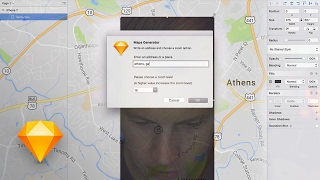
This is a YouTube video titled "Google Maps Plugin for Sketch" created on February 16, 2017. The content features a single speaker demonstrating and reviewing a Sketch plugin that integrates Google Maps into design projects. The speaker explains the plugin's functionality, shares personal impressions, and provides feedback on potential improvements, aimed at designers working with map interfaces.
All right, let's go ahead and draw a square and do 100% by 100% and command shift M, Athens, Georgia okay, that, that is. That's amazing. Sketch plugins. Sometimes I love them, sometimes I hate them when they work. I love them when sketch updates or when someone stops maintaining the plugin. I hate it. You know, like if you start relying on a certain plug too much and then it breaks, it really sucks. But nonetheless, I saw a really cool plugin this morning on Twitter, something about Google Maps plugin and I really want to check it out. Map interface is some of the hardest interface that I've ever designed for and it was. It's always really tricky because you have to like take a screenshot and then post it into your design file. And maps are just very, very, very dynamic. Like as you zoom in, as you zoom out, like different pieces show and hide and it's very complex. So I'm excited to check this out. With this plugin you can design quickly a map view for a mobile application or a website. You only need to write some location and the plugin will do the rest. That sounds promising, Eddie. I'm going to check it out. So I'm going to download the zip. I'll put the link to this plugin in the description below. Downloading. All right, it has downloaded and I'm going to fire up Sketch here document. Going to go ahead and save this as a map plugin test to the desktop in my downloads folder. Double click the sketch plugin. It's been installed. Okay, back to my sketch. I'm going to hit command option 3 to show these Artboards again and go for an iPhone 7. Alright, let's go ahead and draw a square and do 100% by 100% and command shift M Athens, Georgia okay, that, that is. That's amazing. I'm going to do it again. Command Shift M New York, NY yeah, that is. That is legit awesome. I'm definitely going to be using this. First of all, everything about this is amazing. I know it took a lot to build this and it's so easy to critique things right out of the gate, but that's just what happens when you make things. And this is not a sharp critique, but I would recommend making the zoom level even further out. Sometimes you want to show like a big, you know, the whole southeast or you know, a larger zoom level. So if it's possible, that's my one critique is maybe explain a little bit like what the zoom levels mean and then also like if I could get a zoomed out version where it was, you know, zoomed out a little bit more. That would be. That would be sweet. This plugin is awesome. You should go download it. If you ever do any map design, this looks like it's going to be awesome. That's it. Short video. Thanks for watching. Don't forget to hit this little. Let's put it right here. Subscribe right here. Subscribe. Leave a comment below for more sketch videos that you might want to see. And smash the thumbs up until next time. Peace out.