A one-hour walkthrough of icon design basics and SVG animation. The presenter covers course structure and features of a custom app, then invites feedback on what viewers want to see in future premium content.
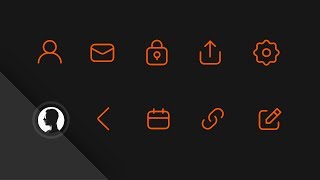
I finally launched intro to icons.com. pretty excited to finally release that because I filmed all those videos back in January in my old space before I had a better setup. The lighting is bad in those videos. And I thought about re recording, but I didn't. Anyway, I'm gonna. I'm gonna pull it up on here and kind of walk you through some of the landing page and then walk you through some of the course. I'm super excited about this, and I've been overwhelmed by the amount of people that. That have shared it, that have signed up for it. Thank you so much for checking it out and sharing it. I really appreciate it. Now I just want to show you the landing page talk, just dissect that a little bit and show you the inside of the course. So if you go to intro to icons.com, if you want to just sign up right away, you can join and get instant access immediately. Just click that, enter your name, email password for the course app, and you'll be right in. Once I recorded and edited all these videos, they were slightly less than an hour. So I figured, hey, learn the fundamentals of icon design in an hour. This trailer was shot in this room. Obviously, you can kind of tell the same background. And then these 12 icons right here you can see are these are the ones that you're going to design in the course. And it's basic. Just drawing basic shapes, editing the paths, and just learning some tips and tricks for just how to do this really fast. And a lot of people ask me about the animation for these SVGs right here. It's not no custom animation whatsoever. It's just a couple lines of CSS that say, on hover animate, the stroke dash offset by like a thousand pixels. I can't remember the exact value, but you can dig into the source code and see that if you've ever drawn a line in any design program and it has, you can separate the dash and the gap by 2 pixels, or you can. You're basically saying, like, I want a thousand pixel dash and zero gap, and then it like, it will animate that for you. So you just kind of have to pick and tweak the timing. Um, yeah. So three traits every icons need. There's a video that I cover that talks about those three traits inside the course. This really is like learning to use basic shapes for seemingly complex icons and definitely how to export all this code and how to manipulate it for web projects. So, yeah, once you click here and you'll basically come to a sign in screen that looks like this. You enter your first name, your email and your password and all that. And once you log in, you are here and there's three modules, six videos in the first one, 10 in the second, and like four or five in the third. This first one will just kind of show you how to get set up and a little like some quick keys to kind of get used to. And also you can track your progress with this whole thing. So this is a fully custom course app that I created last year or maybe the end of 2015 for my AI UX UX design course that I created. My good friend Jess Brown built the back end for me and I design and develop all the front end stuff. So you can keep your, you can keep track of your progress through here and you can hit complete lesson. It kind of gives you a nice little indication of how much you've completed, how much further you have to go. And you can hit next lesson and we'll take you to the next stuff. And the next lesson is always indicated by the orange dot and got a nice little blinking icon here on the module page. But yeah, you can learn how to design all these icons. You can learn how to go from stroke versus fill to, you know, sometimes you want filled icons, sometimes they read a little bit better in a lot of apps. Really easy to toggle back and forth between those. Learn how to export, learn how to manipulate SVG and that's it. So if you want to learn the basics, definitely sign up for intro to icons.com completely free. And if you have any questions, if you want to see more like a deep dive on more svg, if you want to see a deeper dive on how to put all of this into sketch and use this for UI design and using icons inside of sketch and just how all of that works. If you have any questions or you want to see more in any one of those areas, let me know because I am going to extend this course into a premium version at some point based on the feedback that I get from all of you. So whatever you want to see more of, let me know and that's what I'll make. So thank you so much for watching. Thank you very much. Hit the thumbs up. If you like this video, hit that subscribe button down there if you haven't already hit and I will see you in the next video.