Pixel Perfect Icons?
1 Apr 2017 · 9 min
8:32
A designer walks through their day working on pixel-perfect icons, fitting in a run and a meeting. The video is a personal vlog about the technical details of icon design and daily life.
A designer walks through their day working on pixel-perfect icons, fitting in a run and a meeting. The video is a personal vlog about the technical details of icon design and daily life.
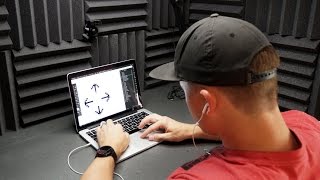
That's pretty much how every morning starts, at least on the weekdays. What you got planned for today? Play. Play. Sounds like a pretty good plan on the to do list for today. Play. Still cranking, still cranking on these icons. The door is open. So this morning I'm still cranking on these icons. There's just always, like, fine tuning and tweaking you have to do just trying to get in there. I realized that I've been working on this retina screen and I've been a little bit loosey goosey with my pixel perfection. Now I need to get back in here and hit the ol pixel preview mode and kind of zoom out and so I can make these crispy even on sucky monitors. It's not too hard to fix. I'm gonna go in now and do all that. Then I'm gonna go for a run. But yeah, iconing again pretty much all day. Maybe something else will happen, exciting. But if not, sorry. Okay, my eyes are starting to hurt. When you've only got 24 pixels to work with, you kind of have to be careful about every little line. And what sucks is, especially if you're doing one pixel stroke icons, you need the actual vector line to be on a half pixel so that half of it can go onto the left edge of the pixel and the other half can go into the right edge of the pixel. And that can be tricky. If you have a line and a shape, you have to offset it by an odd number. You can't have a 10 pixel wide or 20 pixel wide shape and have a center line of a pixel, because then you have 11 pixels on one side and nine pixels on the other. You can't have it all line up. So with the, with the squares or the circles and the line in the center, you have to offset it by one pixel. And so you have one pixel of extra spacing on one of the sides, which is kind of annoying. No one's ever going to know. All right, let me clarify something really quickly, because I feel like there's going to be some confusion. If you have your circle in your artboard, one pixel is occupying the center. If you want it to be in the true center with 10 over here and 10 over here, that's going to be 1. So this shape has to be a 21 by 21 pixel shape, and that is what offsets the 24 pixels by 1. So now if this is 21, you only have 3 pixels left. So you'll have 2 left over here and 1 left over there. Back to the Vlog. The user of the app or the product will never know that, but it's just kind of one of those OCD things that you want everything to be perfect, turn the GPS on. So I've tried several different headphones for running, but I really just like these Apple headphones, and I found these little slip on silicone grippy things for like, just a few dollars on Amazon. So you just slide those on and there you go. Check it out. Now where you're running, it's much less likely to fall out. Maybe soon I'll buy some air pods and stick them on there. That'd be even better. This is just your run of the mill. Under the road bridge Slash Creek in southern Georgia. Oh, my gosh, I'm dead. 10 kilometers in the sun. 4th. 4th run in like a month. Or maybe my third run in a month. Oh, man, I'm beat now. I need to get a shower. Before that, I need to let the dog out. Then I need to work on the icons a little bit more. And then I have a meeting in about an hour and a half right here. Oh, Oscar, you need to go out now. Come here, Oscar. Come here. Come here, little guy. Come on. All right, back in the studio. Oh, I guess I should. Holy crap. Takes you a while to get used to that light. All right, back in the studio. I have a call in 20 minutes to go over these icons. Until then, I need to make a few more tweaks. All right, it's quitting time. I've got these icons still going, still tweaking these icons, trying to add a little more personality to them. It's time to bolt back to the house. Here we go. Sam, you still watching this? This vlog is over.










