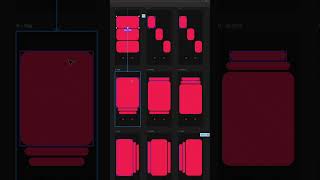
This is a YouTube video titled "Want the Figma link?" containing a tutorial-style monologue explaining how to create advanced Apple-level animations in Figma. The speaker provides step-by-step instructions on setting up frames, blobs, buttons, and transitions to achieve smooth interactive animations. The content is instructional and focused on design techniques, recorded in 2025.
Apple spent millions perfecting this, but 99% of designers are sleeping on it. I'm going to show you how to do it in figma in under 60 seconds. Start with a frame and three blobs. Add two buttons for horizontal and vertical movement. Create transition screens between horizontal and vertical views. Add three screens for horizontal and three screens for vertical views, each highlighting a different big blob. Crank up the bounce by adding edge screens with a 1 millisecond delay for that perfect elastic snapback. Link each blob to its designated screen using Smart Animate. Sprinkle in a drag interaction for a fluid experience. Use interactive components to switch between horizontal and vertical views. As a last touch, we'll integrate seamless transitions with a 1 millisecond timer to prevent blob overlaps. And just like that, you've got Apple level animations inside of figma. It's buttery, smooth, super simple, and once you use it, you'll never go back.