In this instructional video, the presenter walks viewers through the process of depositing and withdrawing BitcoinMYK tokens on the Freedom Exchange. After logging in, users click the “Funds” button to view available assets, locate the BitcoinMYK entry, and press the “Deposit” button. The exchange then generates a unique memo key (which may take up to an hour to appear) that must be copied and used for any future claims of BitcoinMYK tokens, whether from the Steemit front‑end, UBI offers, or events. The tutorial then shows how to withdraw BitcoinMYK tokens to the Steam Engine marketplace by entering the Steam Engine address and the corresponding memo key. The presenter emphasizes the need for a Steam account to trade on Steam Engine, highlights Freedom Exchange’s fiat‑to‑crypto gateway (similar to Coinbase), and directs users to the live chat on BitcoinMYK.com for support if the memo key does not generate. The video concludes with a call to like, subscribe, and reach out for help.
Chapters
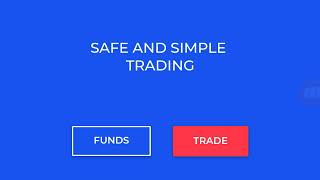
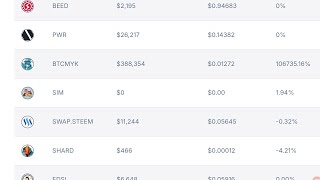
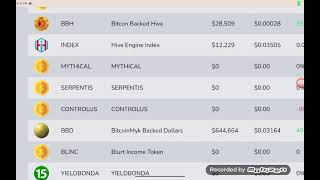
Hey you, welcome back to the channel. And today we want to show you how to withdraw your Bitcoin MYK funds and deposit funds, uh, on the Freedom Exchange, the new exchange we recently listed on. And so we want to do this instructional video to give you an idea of how to do this. So, uh, when you log into the Freedom Exchange, uh, you're gonna see this screen here when you first when you first log in, and you're gonna see these two buttons here that says either your funds or if you wanna trade. So today we're just gonna be covering basically the deposits and withdrawals, how you go about that. So what you wanna do here is click on funds. And when you click on funds here, it should take us to the screen that shows all the available cryptocurrencies and assets. That are available for trade on the Freedom Exchange. Okay, uh, let's see here. Yep, and it's doing just that. So I'm inside here, the Freedom Exchange is showing Bitcoin MYK, it's showing some, uh, Steam Engine tokens, Actifit tokens, and it's showing that there are Steam Back Dollars, there's Steam Uh, and so, uh, basically for BitcoinMYK tokens, since the tutorial is on that today, as you see right here, there is a deposit button. All you need to do is click the deposit button, and when we click the deposit button here, should open up another screen for us here. See if it's allowing us to do that. Yep, it's generating the the, um, the code here. One sec. There it is, right? So this is what you're looking for. Um, you see here where it says it's like your standard exchanges, it has the exchange address where you're going to deposit your tokens to, which is the Freedom Exchange. But here you have a memo key, right? Now that memo is what we're looking for whenever you're claiming BitcoinNYK tokens. Now, if it's your first time creating a Freedom Exchange wallet, or account rather, it may take a little bit of time for this memo key to generate because it's over the blockchain. So it might take half an hour, it might take an hour or so. What you want to do is check back on your first attempt, check back a little bit later if you don't see it. Don't panic, it will be on there generating. Check back a little bit later and you should have that unique key. You want to copy that down because every time you claim BitcoinNYK tokens, whether it's posting to our Steemit front-end site or whether it's, uh, getting our Universal Basic Income tokens or participating in offers and events and games, whatever the case may be, that memo key is what you're going to need in order to, uh, basically, um, be able to to, um, uh, claim those tokens, right? So let's take you out of here. I want to try to get us out of here. Uh, let me get it back here. I'm going to try to attempt to get out of here. Oh, there's the X button. I couldn't see it. Let me blow that up a little bit. Okay, there we go. So, uh, now let's go to withdrawal, right? So let's— you got your BitcoinMYK tokens. Now you understand what it takes to get them. It's that simple. You just hit funds and go to the deposit. Not difficult at all, guys. Hit withdraw. This is on BitcoinMYK tokens. Now this is, let's say you, because we're on several exchanges, let's say that you don't, you know, that you want to trade somewhere else. So you can withdraw BitcoinMYK to Steam Engine Marketplace, right? The other exchange we're on, by putting in your withdrawal address and your memo, your memo key for BitcoinMYK tokens. over on Steam Engine and the amount you'd like to withdraw, right? So your, your withdrawal address is going to be your steamit.com, address on Steam Engine because Steam Engine integrates through Steam Connect, right? So if you have a Steam account, if you don't have a Steam account, then you're not going to be able to trade on Steam Engine until you get a Steam account. But I would recommend that you definitely get one if you don't have one already. They're easy to get, they're free to get, uh, and, uh, what it does is open up another market where you can trade Bitcoin MYK tokens on. So that's all it is to it. You put the, the withdrawal address and then you put your, uh, your, your memo, uh, your memo, um, your memo key over on Steam Engine, uh, to receive the tokens. Um, And, uh, that's about it, all it is to that, guys, to get your Bitcoin MYK tokens. If you have any questions or concerns, don't hesitate to contact us. It's really easy, guys. It's a great exchange, uh, that is, uh, from, uh, basically going to be doing a lot of great, um, integration into not only Steemit but, uh, overall, uh, a direct, uh, which is functional now, a direct fiat-to-crypto gateway means you can buy cryptocurrency directly with your bank accounts, reminiscent of Coinbase. You can withdraw that cash value back into your bank account. So fantastic features here that the Freedom Exchange, uh, has, and that's, uh, why we listed here, and we know you're gonna like it over here. Excuse me, but in order to participate and get your your free BitcoinNYK tokens. Again, you need a Freedom Exchange wallet address. So watch this video. You might have to rewind it, watch it again so you can get that memo key. If you're having problems and you just cannot get that memo key generated, contact us and we will, we will walk you through it and do what's necessary to make it so you can get it. But that's how it works, guys. Again, go over to the website, live chat, BitcoinMYK.com to talk with us, 'cause we want you to get these wallets 'cause we're noticing a lot of people are participating, but they're not getting their Freedom Exchange wallets. And we have to assume that it's because either A, they don't know how to do it or something's been missed. So we hope this video has helped you all to understand that. If you like content like this, don't forget to like, subscribe, and until next time, take care.