In this walkthrough, the presenter demonstrates how to trade the Bitcoin MYK token using the Waves mobile wallet’s built-in decentralized exchange (DEX). The video begins with logging in, backing up the seed phrase, and navigating the portfolio view. It then shows how to add the MYKOS market, view order books, and place limit orders by specifying amount and price in Waves (or other base currencies). The speaker explains Waves’ low‑fee advantage, the availability of multiple base pairings (BTC, ETH, LTC, fiat), and how to convert Waves to USD for better pricing. Practical tips include using the desktop client for a clearer UI, leveraging staking/leasing features, securing the wallet via seed‑word backup, and claiming monthly UBI tokens (BitcoinNYK) before the month’s end. The tutorial ends with a call to action for comments, support resources, and a reminder to like and subscribe.
Chapters
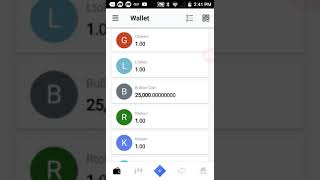
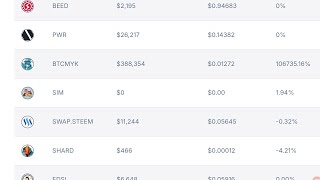
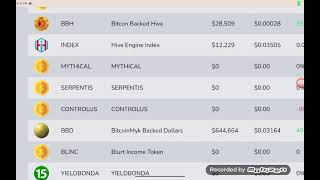
Hey you, welcome back to the channel. And guys, today we're going to go over how to trade Bitcoin MYK in the Waves mobile wallet with built-in decentralized exchange. So when you first log into the account, you're going to have to set up your wallets. Very easy. You log into your account, you'll get your wallet's backup phrase or seed words. And when you log in, you're first going to show up here on the portfolio section. If you go to the bottom of your screen here, moving from left to right, you'll see something that looks like a folder. That's your current position, which is inside the portfolio. And the next icon at the bottom of your screen, which appears to look like candlesticks, those— that is the actual exchange where you're going to do the trading of your, uh, of your tokens. So you click on that. Now you'll notice that it's going to ask you to, um, add the markets you're interested in trading. Um, the decentralized exchange, it has every possible, um, token pairing, major base currency pairing from Bitcoin and Litecoin to Ethereum, Dash, Zcash, All these tokens, it even has currency pairings. So fiat pairings are also available to trade against BitcoinNYK. Now we use the Waves token because not only is it faster, the fees are so, so very low that you can almost trade for free. And if you're a BitcoinNYK user, you will be able to do your transactions for free. We'll give you up to, you'll get like up to like 30 transactions per month covered by us. Um, and so, uh, most people aren't gonna overtrade that anyway, so most of your trades are going to end up being free. Um, so what you need to do, I'm going to hit the add market button here, and when I hit that, you're going to see these various currency pairs from Bitcoin to Ethereum to Waves. And, uh, we need to type in our coin ticker symbol in order to pull up our coin. And to do that, you want to type in MYKOS, and you'll see us pop up here. Uh-oh, I made a mistake. Let me go back. Okay, there we are again, and I'm going to select that. As you can see, I selected that. You'll get a check mark there, and that's going to be Bitcoin NYK trading against the Waves tokens, which is where our market is at the biggest right now. Although you can trade us against Bitcoin, Dash, Litecoin, Bitcoin and all those other major pairings. So when I go back here, uh, hit that back button, you're going to see that I'm still inside the DEX. All I need to do is hit, touch that button, and it takes us to our order books. And you can see some, some orders are out up on, uh, BitcoinNYK already, um, and you can see the buy and sell orders. Now, uh, all you need to do is at the bottom here hit buy If you hit buy, it opens up your screen to put in limit orders. Now, limit orders, guys, work just like any other exchange. You have to put in the amount of Bitcoin NYK you wish to sell. If you want to sell 1, you put in 1, and then you have to put in at the price of Waves you wish to, the limit price. And so you got to put the amount and the price. So let's just say I wanted to sell 1 Bitcoin NYK at the value of 1 Waves token, right? So if I want to do that, that would equal the value of whatever Waves token is right now, which I believe is about, roughly now about $3, a little bit over $3, right? So it's going to show the value when you do that in Waves, you'll see the Waves fee at the bottom, and you can select how long you want your orders to run. So this is something you're gonna have to do, guys, because you're gonna have to be able to place the orders in because there's no way the market can determine what value you wanna sell at. And to get some ideas of where you, you know, where the market price is at this time, these are some orders in right now, and this is calculated You can see at the top here where it says the amount of the MECO coins that are available and then the price and waves and a spread of 61%. So because not many orders have come in yet, it's cool. We can see there's a big margin there, but we definitely expect that to change after we issue the tokens after the last day of the month. If you have any problems using this application, you can also use the online client desktop. That's mostly what I use. I think this is it's good for on the go, but it's much easier. It's just laid out better with the online client. And that's pretty much all you have to do there. But it's just like any traditional exchange you trade on, guys. So if you use any other exchange, if you've used Bittrex, if you've used— it's the same exact thing. The only difference is calculating the value in the currency pair you're trading against. Now you can also trade Bitcoin MYK against They also have fiat currency pairings, as you got to see when we were going through here, going through the DEX here. Uh, didn't mean to do that. Let me go back here to the portfolio, uh, and go back. I was trying to find the, uh, the— oh, I'm sorry, it's right up here. But if I type in, you can see that it has, uh, USD pairings And you can see all these various tokens that trade against those pairings, right? So, you know, you can also trade in US dollars, you can trade in, you know, whatever currency pair you're interested in. But our big market right now is Waves because again, the transaction fees are so much lower than the other trans— getting them out of the other coins. And then Waves trades on all major exchanges and you can actually convert Waves these here into US dollars as well. So you can, uh, you can— if the market on US dollars to Bitcoin MYK, uh, is not favorable to you, you can, uh, convert against Waves, then take the Waves tokens and you can convert them against, uh, US dollars. The great thing why Waves is so versatile, you can do all these things from this, uh, plat— you know, from this, uh, application, and you can trade against all these currency pairs. So I like, I like using Waves better than pretty much any exchange out there. At the same time, it's it's decentralized. Uh, and so guys, I think that about covers it. It's real easy. These other icons at the bottom, they just go into your security, uh, functions. Uh, and the, the one with the arrows here, uh, is the, um— I don't want to take you into some of them because I might show some of my private information— but, uh, the, the very last, um, I'm sorry, the icon next to the candlesticks, which is the decentralized exchange, that's, uh, that's your button to send directly your Bitcoin MYK or receive them into your wallet. Then the following button that has these arrows going back and forth, that's like staking and leasing. It has staking and leasing options of the Wave tokens. And then if you go all the way to the last icon at the bottom of your screen, that's your security area for where you can back up your seed words and various things like that in case you, you lose your wallet identification. Guys, if you have any questions, feel free to ask them in the comments section of the Waves mobile app. They They have a great support team too. We'll leave a link in the description if you have any problems with the, um, uh, using the, the application itself or any technical problems where you might have to troubleshoot something. Uh, but pretty, pretty user-friendly, uh, application, guys. Uh, it's as simple as that. Um, and, uh, guys, don't forget to claim your BitcoinNYK tokens, your UBI tokens, um, the last day of the month. uh, is when, uh, you'll be the last time for the month of December to claim. At that point in time, you can't continually claim, but you will have to claim in the next calendar month, which will be January. But guys, that's all I want to say, uh, about, uh, trading, um, BitcoinMYK. Very easy, uh, it's done in limit orders, uh, just like any exchange you've traded on. Um, and, uh, that's about it, guys. Guys, if you like content like this, don't forget to like, subscribe, And until next time, take care.