4:24
A walkthrough of the Waves mobile app's wallet and decentralized exchange. Learn how to find the MYKOS token, execute trades, and send tokens to other addresses using the mobile interface.
A walkthrough of the Waves mobile app's wallet and decentralized exchange. Learn how to find the MYKOS token, execute trades, and send tokens to other addresses using the mobile interface.
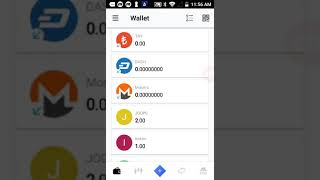
Hey you, welcome back to the channel. And guys, today, uh, we want to go over how to use the BitcoinMYK wallet, uh, which is on the Waves wallet and decentralized exchange. And, um, this is the mobile app. This is the, um, the newly developed, um, app that caused the Waves, uh, price to go up significantly high when everything else was just plummeting. And so this is what a lot of people are liking, this interface. Now, I haven't really used it a lot, but we're gonna go over it today, and it's pretty much similar to using the desktop as well, and we're gonna show you how to use it. So basically It's set up pretty much just like your, like your, um, like your online interface, but instead of it being on the left-hand side, it's basically on the, um, at the bottom of the screen here. So if you look at these little icons at the bottom, the first one is the wallet and the second little candlestick pattern is the, uh, is basically the, uh, the decentralized exchange. So when I click on that You see, I immediately go to Bitcoin MYK, which is under this symbol MYKOS coin. And so that's what you want to input in the top. I had already clicked it, but at the top of here will be a search button and you just type it in and it'll take you directly there, at which point you can, you can click on it and it'll take you into the trading. And so, you know, as you can see, you can basically, you know, enter your trades and execute your trades and various things like that. So it's, you know, pretty simple to use. And the basic idea is, you know, what's going to be similar to the online client is the Um, basically the icons are going to be on the left-hand side. It is going to be at the bottom. So a lot of people like this interface. I think I prefer the, the online client still, maybe because I'm just not used to using it. But it's that simple, guys. Um, if you're on BitcoinNYK, all you need to do is enter, uh, is click left, left-click the wallet the wallets on the website page and it'll take you right over here. Or you can just download this app. We'll leave a link in the description. And all you do is when you hit this candle, the candlestick, um, it's the second icon on the bottom. Just type in MYKOS coin and it's going to take you to Bitcoin MYK coin. And, um, that's where you're going to do all your trades and executions and various things like that. Uh, also if you look here, let's see, like I'll click on this Token, for instance. Uh, is it gonna let me do that? Okay, yeah. So you see here, you're able to send to wherever you want to send to, to whoever you want to send to. And, um, and that's all you got to do is just click on it, and that's it. It's that simple, guys. Um, you know, it's not difficult at all. Um, and that's pretty much what you have there. So if you have any questions or comments, guys, just contact me. I'll try to walk you through it again. Uh, the BitcoinNYK wallet, you just hit the button on the website. It's on the left-hand corner in the menu section. And here the icons are at the bottom. The online client wallet, the icons are on the side. They're vertically on the side of your page. So guys, that's about it. It's as simple as that. You can send all across the network. BitcoinMYK. Uh, if you have any comments, questions, or concerns, feel free to leave the information, uh, uh, comment below. Uh, and guys, don't forget to like and subscribe. Take care.

UBI - CIA Agent Explains Why Americans Will Never Get Universal Basic Income?