Btcmyk - Learn How To Use The Gateway Transfer
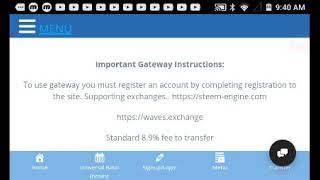
BitcoinMYK's Gateway Transfer lets you move the token across blockchains like EOS, Telos, and Bitcoin without using exchanges. Transfers cost about 8.9% and take 1 to 8 hours, with a $2 minimum. The platform also offers token burns, a social network, and a UBI program that pays you for social media activity.
Chapters
Welcome back to the channel. I hope you're having a great day. So today we want to talk about how to use the BitcoinMYK Gateway system. Um, and so something that comes up a lot is, um, what is the utility? You know, like, what, what is BitcoinMYK? What makes it different than other cryptocurrencies? What makes it um, so unique, and when there are millions of cryptocurrencies. And we can go on about it having this deflationary quality that burns against transactions. We can go on about it having a social network. We can go on about it being a universal basic income, uh, project. Uh, we can go on about the ad network, how the token can be used as an attention function. Basically, the token allows you to earn it through your attention value and also promote content advertisements you wish with the cryptocurrency. But there is something else that I think many will find quite useful, and that is that BitcoinMYK is a multi-chain cryptocurrency. Now, if you're not familiar with that, you don't know what that means. Basically, every cryptocurrency is on its own blockchain. These blockchains oftentimes aren't interoperable, right? Meaning you have to have some type of, um, system where you can swap the tokens back and forth, or you have to sell the tokens, send them over to an exchange, and buy the cryptocurrency on another blockchain that you wish. Well, Bitcoin MYK is multi-chain, which allows it to scale, has a universal basic income project which can potentially reach billions of people because we know that freemium services work. But in addition to that, um, you're able to basically send Bitcoin MYK to several chains without going through the headache of having to use some type of swap system or send it off to some exchange or sell it at maybe a price you don't want. Now there is a fee to do this, but this fee, uh, basically, uh, that we have, it is 8.9%, but we found in many instances when moving a large amount of cryptocurrency or, uh, even trying to facilitate the market from taking a big hit, 20-30%. Like if you're, you know, if you're a whale and you want to move a million of your underlying cryptocurrency, it may cause a great fall in your market value, right? And you might want to be exposed to another blockchain. With this system, you don't have to worry about that. Now, it's really simple to use. Some people have been, you know, I think they get a little bit confused confused because I think they're looking for it to be a little bit more complicated than it really is, but it really, really is simple. If you've ever used something like a money transfer system, Western Union, MoneyGram, then it kind of works on those same ideas. You need to select where you're going to be sending the cryptocurrency from, and you can see some we represent: EOS, Telos, Waves, Steem, Bitcoin, Electroneum, Memo, Hive, Zapit, You can send tokens from Discord as well. And in addition to that, we will be adding XRP this week. Okay, so it's as simple as selecting. Let's just give you a rundown. Let's say you're going to send the Bitcoin MYK token. You go to Gateway Send. You're, you're sending from, right, the cryptocurrency, which is Bitcoin MYK. Always start there. You need to now designate where it's going, right? What chain do you want it on? Let's just say you want it on the, um, on the, uh, on the Hive blockchain. You're gonna select Hive. You see Hive's there now, right? Now, sender wallet address, I'm just gonna put X, but you're gonna, you're gonna put your wallet address in there. Okay, that's simple, right? Did I get it in there? Yes, I did. Then the receiving, the receiving wallet, right, where you want it to go. I'm going to hit Y. I'm going to select Y. So, so your— what the, the wallet address you're sending out of is X, right? And the receiving wallet is Y. That, that way we know exactly what chain it's going to and so on and so forth. Now the transfer minimums, usually we require over about $2 US. So if it's below that, there are instructions here on the site, then what it's going to do is going to kick back your deposit, okay, your token. So make sure it's over that amount. And we're just going to put, uh, 2, right, for that. We're gonna, we're gonna hit 2. Right? Okay, next. See, we put our 2 in. Next, you're gonna put your account name, right? Um, what is your erased account name on the site? Let's just say it's my name, Mikos. I'm gonna type in Y-K-O-S, Mikos. All right, that should be there. So now you have a fully filled out form ready to send to multiple blockchains your cryptocurrency. It is that simple, right? It is that simple. What you need to do is rewind the video, right, and watch it so you know how to use this thing, right? You— we do have a chat button here you can click on your right-hand side where you can get live support to assist you with a problem. But I think if you watch this video, I think it's pretty cut and dry, guys. Bitcoin MYK is your cryptocurrency you're gonna be moving. It's the only cryptocurrency you can move in our system. It is a Bitcoin MYK system. Where is it going? It's going to your designated blockchain. In this case, it's Hive. What is the sender wallet address? It is your wallet address you're sending out of. What is the receiving wallet address? It is where you're trying to send it, that receiving wallet address. What is the amount you're sending? The minimum, it's gotta be at least $2. Um, but it's gonna have to be in that cryptocurrency amount, right? So it'll really be, uh, probably something like maybe 200 to 250 Bitcoin MYK because they're like half a penny or something. And so you want to be around there. Now where it says BitcoinMYK.com name, that is the name of the, uh, site you're on, right? This is the service you're using. So you're going to put your registered name on this account. You do need a registered account, right? So you're gonna put that there. Once you do that, you hit submit. And when you hit submit, it should be doing its magic. Let's see what's happening there. If it's doing its magic, I believe it is. Let's see what we got. It's working. All right, so we should get a confirmation message, right? And I should have sent that cryptocurrency there. There it is. Your transfer may take between 1 to 48 hours depending on the blockchain. If your transfer is not complete within 24 hours, you may contact us via live support. So what that is saying, guys, is that due to the congestion of the network, it's moved from chain to chain, and depending on what chain it is and depending on, uh, you know, if we're congested, if we're busy, uh, it's going to take you between 1 to 48 hours. Now that is just, you know, giving the leeway of how long it could take. It could probably take an hour, it could probably take 2 hours, right? If within 24 hours, you wanna give it 24 hours at least because that's quite normal timeframe for it to get there. You're moving from blockchain to blockchain. This is not like you're moving interchain. right? You're actually going out of a chain. So it can take, but it's generally not going to take more than 1 to 8 hours, right? Um, it's going to allow you to move your cryptocurrency without disturbing the market, without crashing the market if that's, you know, what's going on. Um, and you're going to be able to move a lot. Like, just say if you had to sell the cryptocurrency to move millions, you might sell down, you might lose 40-50% trying to move, uh, especially if you have a large amount of tokens. So this is going to be probably ideal to traders, people with big positions, but it's also going to be available for people who are active in other communities and they want to represent their Bitcoin and YK tokens there. Okay, so that's what you got with that. It is that simple, guys. You should be using this thing because there are activities with the Bitcoin and YK token. Like, sometimes people think there isn't a lot of trade volume going on, there isn't a lot of activity going on, and sometimes that is true, But it also could mean that there is trade volume and value going on, on certain blockchains that is not happening on that blockchain you're on at that point in time, which means you now have that option to send the BitcoinNYK token to the active chain and take advantage of the value there. As we mentioned before, we will be going to the XRP community. It will be another chain we're expanding to. The XRP community is very passionate, very active community. Community, and there is a lot of believers there. So we expect to, um, uh, have a presence there, and I think we'll do very well there. So it will be added to the Gateway as well. But if you have any questions about this, please don't hesitate to ask. It's very important that you understand that this is one of the most important aspects of the BitcoinNYK project. And if you're not using it to take advantage of the value being expanded from blockchain to blockchain, then I believe that you're doing yourself a disservice and you're not getting the full benefit of the project. So make sure you understand that. Make sure you, um, learn how to use it in case you need it. And that's all I want to say in the video. Um, guys, remember the BitcoinNYK project we created for you. It is absolutely free. You get our cryptocurrency free through our Universal Basic Income program. Uh, you earn free for just posting things you do every day live on social media, microblogging, watching videos, right? Looking at pictures, posting photographs, adding your photograph to your, uh, social media profile here on the BitcoinNYK.com site. We think you're gonna love it. Make sure you join today. Until next time, as always, take care.
More from Michael





UBI - CIA Agent Explains Why Americans Will Never Get Universal Basic Income?