How To Trade Mykos Coin On Waves Platform
In this video Michael Joseph Presley walks viewers through the complete process of trading MECO (also called Miko's Coin) on the Waves blockchain. He assumes the user already has a Waves wallet (either the Chrome extension or the online client) and MECO tokens. The tutorial shows how to locate the token’s unique identifier, navigate to the Waves Decentralized Exchange (DEX), and place buy and sell orders against various assets such as WAVES, Bitcoin, USD, Ethereum and Litecoin. He explains that all transaction fees are paid in WAVES and demonstrates fee‑cost calculations. The video then shifts to why MECO has value despite being distributed for free: user‑generated activity, sponsor revenue (e.g., Qmee), bond‑staking, and market‑making on the Waves DEX. Presley emphasizes the brand and network effects that sustain the token, and mentions referral programs that can earn additional MECO. The tutorial ends with a call to action to like, subscribe, and explore further offers.
Chapters
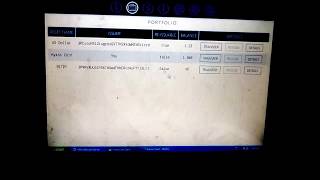
Hey you, welcome back to the channel. And guys, today we're going to talk about how to trade MECO coin on the Waves platform. So if you're watching this video, you probably have some MECO coin, you're probably wondering how to trade them. Maybe you're new to crypto or new to trading on exchanges, or maybe just new to using the Waves platform. So this video is going to show you what to do with your MECO coin on Waves once you get them. You probably got them through some type of social engagement or watching one of our videos, but however you got it, we're going to show you how to do that. Now, this is at thewaysplatform.com, and we're not going to go over how to get the wallet app and decentralized exchange built onto that. You can watch other videos we've done that show you how to do that. So we're going to assume that you already got your wallet and you got some MECO coin. Now you want to know what to do with them. So when you go to wavesplatform.com, you see these two buttons. You see the Get Client button and then you see the Online Client. And these are both interfaces to access your coins on the blockchain. The Get Client is just the extension, the Chrome browser extension, Get Client. And the Online Client you'll find that you can just click on it. And I mostly use the, uh, browser, the Chrome browser, but I'm just going— for the sake of the video, I'm just going to show you this as well if you want to, uh, just log in directly from your desktop. And you'll see here there is a standard sign-in page. So I'm going to go ahead and log in and show you what this, uh, interface looks like in case you just want to use this from your desktop. So let me go ahead and log in here, and you'll see when I log in, I go directly to an interface screen here. It looks like it's still loading. Let me go to portfolio here. Okay, there we go. Now you can, you can see some of the assets in my wallet, and this is just like the browser the browser extension. Same thing, it's just laid out, it's still stored on your device, and you know, as well as all your assets, which is the nature of decentralized exchange. This is showing the current price of Waves of $11.42. And so you could do everything you normally— you could do everything that you normally do. On the browser extension, there's the token creation page, but I'm going to go over here back to the browser extensions. So this is what I mostly use, and a lot of our tutorial videos show you how to use this. So, uh, now you got Miko's Coin. Here's what you want to do, uh, you want to use the identifier, and this is the identifier here. You probably, uh, have, um, access to the identifier uh, from one of our other videos, or however you came in contact with the coin, you probably, uh, saw that video. And of course, you probably know by now you need the identifier to locate Miko's Coin, um, and you can trade it. So up here, your third icon from the left, that's going to be right here, your decentralized exchange. And when I click on that, it's going to take me to this page here, and you can see a lot of cool, interesting things, uh, here, uh, with the decentralized exchange. Here you see Waves to Bitcoin. So you can trade Bitcoins, Ethereum, Litecoins against Waves. Again, the, the, the reason you need Waves on the, on the platform and decentralized exchange platform is how the fees are paid. This is how the creators are paid, uh, for us to use this centralized exchange. All fees and transactions are paid in waves. So, but it's very, very— the fees are very, very inexpensive. I think for one wave you can do about 1,000 transactions. So probably most people probably won't do that many transactions, at least unless they're just like day trading every day. So I would say one wave is gonna pretty much cover a lot of that. Or, you know, of your transaction fees that you're gonna— so very, you know, very cost-effective with that. But yeah, Waves to Bitcoins, and I can, I can trade Waves to Miko's Coin, which you have, but you can also trade Miko's Coin to $1, to Bitcoin. So you can, you can cross-trade me. That's, that's what I love about this platform. You can cross-trade it to several of these, of these coins, and also fiat currency, because Waves allows you to take fiat currency onto their decentralized exchange and buy, and buy the coin directly. Then you can send it out to your bank account. So only thing you need to do is with that identifier that we just covered how to get, and again, if you lost that, if you missed that step on how to get the identifier, uh, when your coins were sent to you. Only thing you need to do is look under your assets buttons, second button from the left, and you look for, uh, Miko's Coin right here. You should see Miko's Coin, uh, in your asset page when the coins were sent to you. Then come over here, click on details. When you click on details Up here is the identifier, and again, you're just going to copy and paste that, and, and that's how you got that. So then after we do that, then, uh, third button from the left here at the top, that's the decentralized exchange. Okay, then you come here, and if we're going to trade against Waves— again, you don't have to trade against Waves, but I'm going to show you how to do it— you place the identifier against Waves. If I want to do Miko's Coin against Waves, I'm I placed that there. Okay, sometimes you have to— oh, I didn't mean to do that. Ooh, I think I messed up there. Hold on, let me go back and grab that identifier again real quick here. Sometimes you have to hit it, you have to copy paste it twice as the system may not pick it up. So I'm gonna run back over here, Okay, so let me highlight Bitcoins here against Waves. I'm going to change out Bitcoins for— it's kind of being stubborn there. There it is. Now you can see my identifier here. I'm going to trade that out for Miko's Coin. Now you see it switches from Waves to Miko's Coin. And as I come down here, you can see all my Miko's Coin orders, uh, here on the page. Okay. Uh, So now if you want to do another coin, let's say you want to do Miko's Coin to Bitcoins, I'm gonna just type in Bitcoins here, hit enter, and that should work. No, it went back to Waves. Okay, let's try USD. Let's try USD. Oh, I see what problem I did wrong. Okay, let me go over here to the Waves, uh, to the Bitcoin market. Let's go Bitcoin to USD, and then I'm gonna, um, take out USD and put in Miko's Coin. Okay, now there we go. Now you see Miko's Coin switches. It switches from Miko's Coin to Bitcoins, right? So now you can trade Miko's Coin against Bitcoins. Uh, you can trade Miko's Coin against— let me click over here on this, on this side. That's the US dollar. So now I want to trade Miko's Coin for US dollars. There's my identifier, and you see it switches from Miko's Coin to US dollars. So that's a very cool feature with Waves. You can switch between these various currencies and also besides tokens, fiat, so Ethereum, all of that. So very cool, very interesting thing to do. But because we're gonna be, um, we have to pay our fees on Waves no matter what we do, what we're gonna do is I'm just gonna go back to Waves just for this example. Um, and, uh, let's see here. Looks like it works easier to pull up the various markers when you use the buttons here on your right-hand side, these little, uh, highlighted buttons here. I'm scrolling over, and it's best to click on those first to go to your markers, then you can input, uh, the information. That looks like the easiest way to do it. So I'm going to go I'm going to hit the Waves to Bitcoins market, and I'm going to trade— I'm going to switch out Bitcoins for Miko's Coin. Okay, paste that. Sometimes again you have to hit it twice. Okay, now it switched from Miko's Coin to the Waves platform. So let's just focus on that just for now. This will work with any other, uh, cross token you trade with Miko's Coin, but Uh, just because it's going to be paid in fees, we're gonna, we're gonna do it that way. So if I come here, uh, down here, your MECO coin should show in about this section. Now where it says buy MECO coin, it's gonna— because I'm doing it in waves, it's gonna show you how many waves you actually have available to buy MECO coin with. And if you go over here, it's gonna show if you wanna sell MECO coin, how many you have available. And you, you simply come here use this order form. So you do have to convert to Waves, the price, uh, the price in Waves. So you get about, I guess about one Wave is about 1,000 Miko Coin, give or take. So, uh, what I'm gonna do, the price in Waves, I'm going to place the price at, let's see here, take it here, that equals about 1 penny. 0.0006 is about, is about 1 penny. So let me take that out of there. And again, we come up with that number from— have to set our price first. So I already know what my price is, but Waves are about $11 USD now. $10.11 USD. So you probably get about 11— and Miko's coin is about 1 cent USD. So you probably get about 1,100 Miko's coins for, uh, the price of, uh, one wave. Okay, so the Miko's coin amounts— that's the price of the waves. It'll be 0.006 waves for one. And how many? We're going to say 1,100. We want to sell, and it just so happens I have 1,100 MECO coin there. Now if you come down here, I don't know if you can see that on, on my recording screen, it says 0.003 waves. And, uh, again, that's probably about, oh, maybe about a little bit over a penny USD, something like that, per transaction fee, maybe 2, 3 cents, something like that. So you can do a lot of transactions here. So, uh, as I put that order in, I'm going to hit sell. It says notice and the order has been created. If I come down here, you can see where, where you can get, um, you can get, uh, 1,100 MECO coin for 0.006 Waves. And that comes to something like, because you're converting across tokens at their exchange rate. Let's, let me, to just make it more simple so you can see it too, I'm gonna do it with the USD. So let me do Miko's Coin against the USD so that you can also, you know, see it just more in aggregate form without the, you know, without the exchange rates. Um, but as you can see, it's pretty cool how the system works. If you've traded on exchanges before, you know, obviously this, this will be, uh, child's play to you. But maybe you're new, maybe you've never traded on exchanges, this is your first time in the crypto, and you got this. So, uh, that's why I'm gonna do it real simple here, just show you how, you know, how it works and how you convert it. So let me take out USD again. I'm going to be putting my identifier in here. Sometimes you have to copy paste it twice. It just gets a little stubborn sometimes. And now you see it switch from Miko's Coin to— nope, didn't want to do that. I did something wrong. Let me see if I can try that again. I think I caught— I, yeah, I put it on the wrong side. Uh, I needed to take out Waves. Okay, so now it should switch. There we go, it switches from MECO coin to USD. And so just in a very simple way, okay, if you look here, all right, I got— I can sell 268, uh, MECO coin. Right? That's what I have available now because I did the other order at $1,100. So, uh, let's see over here. But I only have 23 cents in USD, so obviously I don't like, uh, the US dollar because I only have 23 cents in it. So let's say I want to sell enough MECO coin for, um, uh, that's for 23 cents. So How I'm going to do that, I'm going to set the price in US dollars. So I'm going to set it at a penny, right? 0.01, that's 1 cent. So let me— sorry, let me go 0.01. Okay, then you come down here to the next box, which is asking for how many you want. So I only have 268. So I'm just going to put 100 left. 100. Okay, so we know that 100 Miko's Coin, um, is going to run about $1. All right, so let me put the order in. Let me hit sell. And we'll see what we got. Being a little stubborn there. And I should have, um, we need to refresh that, or I may have to log back in. But, um, I got that doing that. Let me try on the buy side. Let's try, let's see, let's try the buy button real quick here. I may have to just log back in. I think I did change my password on the online browser, but I didn't change it on the wallet. But let's see, let me just try it on the buy side to place an order. Let's Let's say I want to buy, um, 10 Mikos Coin and, um, coin amount is 0.01. And let's hit buy. Let's see if that it works on the buy side. I think I'm going to have to log in. Okay, I see where it says order notice has been Created. Okay, awesome. So now look what happens when you look down here in the My Orders section. I don't know if you guys can see that on your screen well, but it's converted it into the USD value, which is 10 cents. Okay, um, so that's what I was looking for. I was looking for the system to convert it, uh, to an aggregate amount that you could see. And it did that in your order section, it goes to 10 cents for 10 MECO coin. So, um, that's how that works. And again, you can trade all these various markets. MECO coin to Bitcoin, it could be MECO coin to USD, it could be MECO coin to Ethereum, MECO coin to Litecoin. And so, very cool, guys. So Now you kind of got an idea how to place your orders in here and what to do with MECO's Coin, how you can trade it across the various, um, uh, tokens. So let's— so, so now that you know how to do that, put it out for market to sell, let's show you a little bit why MECO's Coin sells, how it derives its value, just so you understand. Because, uh, I was in a conversation with someone the other day and they said, oh, I see where you're coins are free. And I told them, I said, uh, I think where I made the mistake is where I said the coin is free, but I think I should have more accurately said the coin is free to you. It's not free, and we're going to explain that to you very shortly here, uh, why it's not a free coin, why it does have value, and, um, you know, why although it's free to you, it's not really free. But why your activities create value in the coin. So let's, let's go over to the Miko's Coin website here real fast, and I'm going to show you why that is exactly. So Miko's Coin, this is— we're on the Miko's Coin website, and, um, I'm just going to come here to where it says, um, actually I'm going to go to the home page, and you're going to see some activity here. Excuse me. Um, you're going to see some various, um, activities that coin users are doing with Miko's Coin, um, blogging and various things like that, and how that their activities create value here on the Miko's Coin website. So you can see people putting out their posts. A lot of these posts are our users who came over from Steemit.com, another interesting social network coin creation, and I think what's very important to note with, um, to help you understand, uh, what MECO's Coin is, how it gets, you know, its value. And we have a white paper section over here. This is our menu section over here on the right, and it just, you know, goes on to tell you things like MECO's Coin is a cryptocurrency which will pay you for doing things you already do online— surfing the website, watching videos, taking advantage of offers, shopping, traveling, various things like that. And guys, all these things create value because sponsors will pay us for your activities, and we put a great portion of these fees back into the market. Also, Miko's Coin works and acts and behaves like a social network. You can, you know, do social activities on Miko's Coin, and we understand the value of social networks, right? So as it builds up value-wise, as more people join the site and more people participate in the site, there is a certain attention value to that. And, and that's basically how it's deriving a lot of its value. This is an excerpt from a blog post I read over on steamit.com by a Steam user named Steamrollin, and, uh, he talks about, uh, basically, um, if we were to take Facebook or Twitter, for example, the cost to develop the core software for each platform is probably in the millions using the latest technology. More than likely, Facebook and Twitter can be built with hundreds of thousands of dollars, and really crude versions can be built for tens of thousands. So we think about what that's being said. They're basically talking about the replication of software, uh, platforms like Facebook, like Twitter, that people can replicate for thousands of dollars. You know, it cost them millions to build it, but now anybody can create these platforms for a few thousand bucks, if that. Right? And, uh, many software developers can build a lot more for less because of the advancements in software technology. Just like Miko's Corner, we're using this site and we can do many things on this website, uh, at a very low cost because this is a replicated technology, right? Uh, anybody can create a Facebook-type platform. Anybody can create a Twitter-type platform, right? Uh, but even if a technological product were easy to replicate, as the, um, the, um, the article writer is getting at, uh, tools and open source libraries, um, uh, you'd expect copycats to be worth $333 billion like Facebook or, uh, or $10 billion like Twitter, you know, which is a lot more than that. Probably more like $700 billion now from the time this was written. And that is due to the network effect and the psychological attachment people have to a particular product. These create huge and competitive advantages. And these are some of the reasons that Bitcoin and other digital assets maintain value even when the technology is easy to replicate. So basically, guys, that's saying we can replicate just about any technology in the world. What really gives a lot of this value, uh, is the brand effect, right? Is marketing, is the utility in the use of the product. And so that's what Miko's Coin is aiming for. That's what's giving us value, guys. Um, the marketing, the brand effect. But let's look at a more practical way why the coin is valuable. There are many things that make the coin valuable and tradable, but This is a very specific reason that we can give the coins out. You probably got your coin free, or it was free to you, not free. And I'm gonna just show you a real quick example of why that happens and why that is. So this is a section here where people can— you can actually, in our version, mine the coins or do what we call bond staking. Where so much money goes, you're producing so much money into our coins that you've now created value in this coin and you own a coin with value that you've created, put the value into that. And that's kind of like bond, the bond staking model that we call it. But, uh, basically we have these various offers and things like that, and you can see that You can participate in many of them for free. When you do that, we have sponsors that pay us, just like affiliate marketing and various things like that. Uh, now a great one, good example of this is like a site like Qmee.com. People can, uh, it's a browser extension. People use it very easy, very simple. Carry on doing your normal day-to-day web surfing activities, and as you're searching for various things, keywords pop up on the left-hand side of your screen. If you click on any of those keywords you're interested in, they actually pay you money through PayPal. And, uh, someone paid good, sometimes like 20 cents, uh, just for clicking on one of these keywords. And people actually go out searching for certain keywords using this site. And this is just one example of how Miko's Coin generates money. But, uh, what happens when you click on that, you sign up under us, we're going to give you 100 Miko's Coin. But if you look up here, I don't know if you guys can see this well at the top of my screen, there is a Qmee button. And when I click on that, you see it drop, it's a dropdown screen here. And I don't know if you can see it. Yeah, I'm sure you can see this. You see $1.13. That is because every time somebody signs up with this Qmee browser, quick, easy sign up to the browser, it doesn't cost you anything. And this is no spyware, no crazy stuff. It's a clean, reputable browser that works with eBay, works with Amazon, works with Google, works with Yahoo. And, uh, you see there's $1.13. What that means is someone signed up with our link and they paid us a dollar for that. And we have $1.13 from people doing that. So this is how your coin creates value. Now, if we go back over to the Waves platform, the exchange, where our Miko's Coins are, and you see all the various buy and sales orders. Let me switch back to Miko's Coin Waves now because, uh, I like dealing up with the Waves market because Waves value is going up. I think it's going to go up a lot higher. You can trade Miko's Coin against all these other markets as well, but I think, right, for me, Waves is going to end up being probably the, um, Probably one of the best markets to trade right now. So let me switch over to that right quick, putting in my identifier. And the other video explains why it's good to use the identifiers. A lot of tokens are created, some coin names match up in the search query, and it's hard to locate them. So it's very quick and easy, just put the identifier in, you don't have any problems with it popping up. But Okay, so you can see some of the Miko's Coin orders here that are out, uh, in the Waves platform. So what would happen is as these coins are placed out here, money's coming through the Miko's Coin website, uh, we can then go back into the market and kind of play market maker where we can purchase these coins back and, uh, boost the value of Miko's Coin. Now, not a pump and dump. This is real value that's coming through as we just demonstrated, and this is what makes the coin sustainable. It makes it easy to introduce people who are already maybe participating in such activities, get into crypto. And this is also why there isn't necessarily a direct need immediately for direct investment. But if you're a speculator, it's a good idea to, to maybe come in if you wish to speculate with Miko's Coin in that regard. Maybe you don't want to do offers or watch videos or surf the web, things like that. Maybe you just don't got the time. You want to trade your time for purchasing some Miko's Coin. That's fine as well. There's no problem with that, but you don't have to. And we're trying to create a sustainable market with Miko's Coin. So guys, I hope this video has helped you understand what to do with your MECO's coin. Uh, just a bare-bones idea of how it works. And we have many offers on there. Well, one of our, uh, I think one of our main offers we're going to start doing is dealing with a lot of referral programs through exchanges. As we know, a lot of you in crypto need to exchange, you need to use various exchanges. So why not sign up through our site with these various exchanges you're using, whether it's like Binance or Coinbase and, uh, get you some, get you some, a good amount of Migos coin with some value, and you can trade it here with us on the Waves platform. Hope the video helped, guys. Guys, if you like content like this, don't forget to like, subscribe, and until next time, take care.
More from Michael




UBI - CIA Agent Explains Why Americans Will Never Get Universal Basic Income?