In this tutorial, the presenter walks viewers through obtaining the Waves Lite Chrome app, creating a new wallet with seed-word backup, and exploring the wallet’s interface—including portfolio, DEX, leasing, transaction history, token creation, and settings. He explains the concept of an identifier for custom tokens, demonstrates creating a token (Miko's Coin, MECO) by paying a 1 WAVES fee, and shows how to locate the token on the Waves decentralized exchange, place buy/sell orders, and withdraw WAVES to external exchanges. The video also provides a brief overview of the Waves cryptocurrency (market rank, supply, speed, and potential as an Ethereum alternative) and promotes a free‑coin offer via mikoscoin.com, encouraging viewers to earn MECO by completing offers and polls. The presenter ends with standard calls to action for likes, subscriptions, and comments.
Chapters
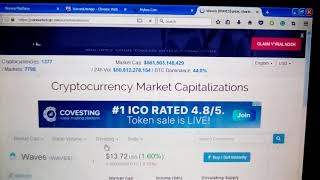
Hey guys, welcome back to the channel. And today we're going to do a tutorial on how to get the Waves wallet with built-in decentralized exchange on the Waves platform. And to get started, guys, you simply go to wavesplatform.com. The link will be available in the description. And you want to come down here where it says Get Client. You're going to click on Get Client. Where it will take you to the Waves Chrome Store. Download Waves Lite app, and, uh, quick, a short download. Once you do that, guys, you will get this page here, and, uh, it's gonna ask you to create a new account. So you want to come down there when that page opens up Create a new account and you'll get seed words, which are phrases that allow you to regain access to your account should you lose your account. And once that's done, guys, you will find that you're able to log into your Waves wallet, which will look like this. Um, you have these icons at the top. This is the main area of your wallet, and you're going to see various assets you have where you can send out, uh, different assets and, uh, Bitcoins. You can also send in US dollars, euros, Ethereum, Litecoin, uh, send from inside the wallet and receive. The second icon at the top, this is your portfolio, and this is going to show all the various assets that you own in your wallet at this time. Um, and, uh, come over here to details. Um, I'm actually going here into what is my coin, uh, and there is a reason I'm doing this, guys. Uh, As we will also cover, if you want to create a token of your own in this tutorial, this will be very important to you in later steps. This is called an identifier, and it's going to be how you're going to be able to identify your coin and trade it on the Waves DEX. Okay, so the next button is the actual Waves decentralized exchange, and that's very interesting, guys, because It— there seems to be now a type of movement to decentralized exchanges. They're a lot more safer. You hold your wallets, the wallet is not held on exchange. So that's, um, you know, a more safe way to trade at this point, to use decentralized exchanges. This next icon is up here. It's for leasing and mining, where you can actually lease waves and that's probably for maybe more advanced miners or traders who understand that. But you're able to mine, at least looks like, on a proof-of-stake model by staking coins. This is the history of your account. This next tab just shows all your transactions. And this is the interesting button here. This is the token creation button, and Waves works very fast. You can create a token in like under a minute. You do have to fund your account with Waves. Waves is their currency, it's their coin, and transaction fees are paid in Waves. So you have to own Waves in order to create tokens, but it's a very quick and easy, fast process. And this last icon is just, um, the community, um, block information for testing purposes and various things like that. So that's probably something that you might not be that much interested in unless you're advanced miner or into creating and trading tokens. This is the backup, uh, just the settings button or the preference button next to it. This is your user profile button, and the next button is to log out. So very quick and easy, guys. But I think what's gonna be probably the most difficult thing to use in this tutorial would be going over here to the Waves decentralized exchange. This is where I think people might have some problems because Waves is the unit of currency, and using the Waves exchange, just like Bitcoin exchanges, Waves have, has its own, uh, exchange. And just quickly, I want to come over here so we can talk a little bit more about, uh, what's going on with Waves, how it works, what are Waves. Waves is a cryptocurrency, it's ranked number 25 on CoinMarketCap. And it's 100 million Waves. They can't be recreated or destroyed. That's all there is in existence. That's all there ever is going to be. Waves has reached a peak position on CoinMarketCap of about 11. So this coin was, you know, kind of predicted to be the Ethereum killer. We know a lot of problems that's happened with Ethereum. Waves is very fast. Some people are finding it to be a good cryptocurrency to hold. I will definitely be buying and holding some, not only because I have a coin on the Waves platform, but also because I think it's a good cryptocurrency, especially after seeing the layout of the wallet, how it works. And I really like it. It's very simple, very easy. As you pretty much can see here. But going back over here to the, to the wallet client, the app here, once you get that identifier I showed you, once you create a token, you're gonna put your identifier in the search bar here, okay? And I got mine's Sometimes you have to let it load as it's searching for your identifier. That looks like mine right there. And as you can see, it switched to my coin, which is Miko's Coin. Okay, uh, and that's how— so now you got Miko's Coin to Waves. Again, Waves being their unit of currency, you're going to trade everything to the Waves. And once you trade it to the Waves, as you've seen, Waves trades on CoinMarketCap, it trades on major exchanges. You can simply send off your Waves to exchanges, cash them out for whatever amount you wish. And you can see I already have some buy, some sell orders in, a trade history in with my, uh, uh, you know, with the token. You can see people putting out their, uh, various buy and sell orders, the order book, and various things like that. So a very, very interesting platform, very fast. I've sent Waves over this, cashed them out. It's very fast, super fast, very efficient system. And that's why I like Waves so much, because it's not overloaded. It works well. Some people predicted that it would defeat Ethereum, that it would surpass Ethereum when it reached this number 11 spot. I think it's going to probably go back there, but Ethereum does have a lot of coins out there. Ethereum is working on its system. So Waves, at the very least, I think it's going to be a great alternative to Ethereum, to using Ethereum. So Waves is looking real good here. So let's go back over to the token creation page real quick because some people watching this tutorial probably gonna also be interested in and, um, creating Waves and things like that. Now a Wave is about $13 right now, so you can see that to create a token, once you create your token, you're gonna have to pay at least the fee of 1 Wave and hit submit, and you will have a token then available once you do that. I've already done mine as you've seen, but You will have a token available on the Waves decentralized exchange, um, and, um, your identifier that we, you know, that I showed you all earlier, your identifier, uh, may not be necessary to use. Uh, I'm going to actually try to pull up my coin name here without the identifier. Sometimes it comes up, sometimes it does not. And when that happens, you have to use the identifier. One problem too with the Waves system is when people are creating all these various coins, sometimes they match names of coins that are already in existence, and in which you have to use your identifier and able to, you know, find your Find Your Coin, and there's mine right there. Uh, we— I'll also leave that available in the description, as you'll be able to, um, get some free coins from us, uh, to get yourself started on the Waves platform, um, and you can trade them. And, um, uh, just a little bonus from us, um, what you have to do to receive, uh, Miko's Coin free is come over here to our website. That's mikoscoin.com. That will be available as well in the description. And as you can see, this is a site that is basically doing things you do every day and earning crypto from it, whether surfing the web, whether it's taking available— taking advantage of offers, various things like that. And a lot of these polls, people who use our platform here, a lot of these polls come from Steemit.com. Which is another great site I invite you all to check out. Uh, uh, and, uh, if you participate in that, uh, we're gonna get you some free coins, some free valuable MECO coin traded on the Wave platform here. Um, and all you have to do is, you know, follow the link in the description. And so guys, I hope that's been helpful to you all on how to get your wallet, how to trade on MECO coin, or I'm sorry, how to trade on the Waves platform as well as MECO is trading on Waves. On the Waze platform. And, uh, if you have any questions, leave them in the comment section. Guys, you like content like this, don't forget to like, subscribe, and until next time, take care.