Full Free Book! Dictate Your Book by USA Today Bestselling Author Monica Leonelle
In this comprehensive audio guide, bestselling author Monica Leonelle shares her proven workflow for using voice‑recognition software (primarily Dragon) to write, edit, and publish books faster and with less physical strain. She walks listeners through every stage of the writing process—outlining, drafting, cleaning up, and final proofing—explaining how to make dictation a seamless tool rather than a distraction. The guide emphasizes detailed pre‑production planning, the importance of solid outlines, and a short typo‑cleanup after each dictation session. Leonelle details practical tips for training the software, creating custom user profiles, choosing microphones, and mastering dictation commands. She also covers “dictation on the go,” offering safety‑first advice for walking, jogging, biking, or driving while dictating, and provides extensive resource lists (software, hardware, books, courses) for further learning. Throughout, she intersperses journaling prompts to help writers reflect on their process, adapt the workflow, and build confidence with dictation.
Chapters
To the many readers of Dictate Your Book over the years who have gone on to make a full-time living at writing, thank you for taking a chance on my crazy ideas about dictation and my belief in intelligent productivity. Your stories and questions have inspired me to make the second edition of this book even stronger. Chapter 1. Introduction. Switching from typing to dictation, is it possible for a career author or aspiring writer? When I made this switch back in 2013, it took my writing speed from about 2,000 words per hour all the way to 3,500 to 4,000+ words per hour, a 75% increase in productivity. I first wrote Dictate Your Book as a response to the many questions I received about dictation from readers of my first book. Write Better, Faster. While I had shared a little bit about my setup and struggles with dictation in that book, people had deeper questions. At the time, there were exactly zero good books on dictation that were aimed at career authors who needed to increase their word counts and put out good words consistently. The most popular questions I received about dictation included: Will my writing process change if I start dictation? What hardware and software do I need to start dictating? If I tried dictation before and it didn't work, how do I get myself set up for success this time? How can I find out if dictation is right for me? Will I get the same word count increase as you, or are you a freakish unicorn case? If any of these questions are on your mind as you listen to this book, rest assured, you are not alone. I address each of these questions throughout the text. Specifically: Will my writing process change if I start dictation? Short answer: Yes, in good ways. I address this question in detail in Chapter 8, "Adapting Your Writing Process for Dictation." I share the parts of your writing process that change for nearly everyone who starts using dictation,, as well as how you can stay in the flow of your writing. What hardware and software do I need to start dictating? In Chapter 6: Tools for Dictation, I give you all the details on multiple setups I've used over the years, updated for 2021 software and hardware recommendations. If I tried dictation before and it didn't work, how do I get myself set up for success this time? This question often comes from one, or all, of three major challenges writers have with dictation: struggling to get into writing flow, overthinking and overdoing dictation commands, and getting a solid and clean draft through dictation. These are addressed in Chapter 7: The 80/20 Rule of Dictation Commands, Chapter 8: Adapting Your Writing Process for Dictation, and Chapter 9: Getting a Clean Draft Easily. How can I find out if dictation is right for me? In Chapter 5, Getting Started with Dictation, I address how you can decide if dictation will work for you and your writing process, as well as how you can test your dictation results for free using a variety of easy-to-find tools and setups. Will I get the same word count increase as you, or are you a freakish unicorn case? The first iteration of this book was focused heavily on my own experience, as I didn't know other writers who were dictating their books. Now, I've spoken to hundreds of writers personally about their setups, as well as gotten feedback from the thousands of readers who have read this book. It remains one of my most popular books, and a topic I get asked about frequently. After 6 years, I can assure you that this content is tried and tested across the writing community. These are the exact strategies and setups that professional writers are using today to get their books done. Additionally, if you don't think exactly like me, or if you're the type of person who needs to hear the same thing a few different ways before it sinks in, I share my most recommended and trusted books and other resources for learning dictation in Chapter 11: Dictation Solutions and Resources. These books are the best of the best. This list of questions covers the majority of what you'll find in Dictate Your Book, though there are still a ton of other tips, tricks, and hacks throughout this book. As I said at the beginning, I wrote this book, not because I have a particular fascination with dictation, but rather because I wanted to answer all of your questions about dictation in detail and in one place. It's an honor to share what I know about each of these topics with you in this book. Where this book originated and what's changed in this edition. This book was originally published in 2015 as part of the Growth Hacking for Storytellers series. Much of the text in this edition is pulled and rewritten from the original book, so if you already own it, this book will serve as a refresher of what you've already read. If you don't own the previous version already, you are in the perfect place to learn a ton about improving your writing habits and increasing your writing speed through dictation, as the content in this book has now been tested by thousands of novelists just like you. While writing better, faster, smarter, more and more consistently has always been in demand for novelists, a lot has changed since I wrote the original book. In this edition, I've added my story around dictation over the past 6 years, and included a chapter to help authors break through the blocks they might have against dictation. I've updated the tools and software sections to reflect the current market for dictation software. I've bulked up many of the sections to answer additional questions and take the book from beginner to intermediate level as the author community better understands the power of dictation compared to 6 years ago. Finally, I've changed the format of this book and others in the Productive Novelist series to better reflect the need to pause and digest information. This is done through journaling prompts. Feel free to grab a notebook and jot down your answers to the journaling prompts to aid in your understanding of the information and desire to take action on it. How to Use This Book. This book is best listened straight through as each section builds on the last. That said, each chapter can also be listened to as a standalone essay, so if you have a specific chapter you'd like to dig into first, feel free to jump to that spot. Each chapter also contains journaling prompts, so you can use the Writing Productivity Companion Workbook alongside, to aid in implementation. This companion workbook covers all 3 of my writing productivity books: The 8-Minute Writing Habit, Write Better Faster, and Dictate Your Book. I highly recommend using the journaling prompts, as they will help you process and implement the information you just listened to. Who are you? My name is Monica Leonelle, and I have been publishing fiction since 2011. I write young adult fantasy, science fiction, and romance under Solo Storm and a few other pen names. Between my pen names, I have about 20 books. My urban fantasy novella The Last Daughter hit the USA Today bestseller list in 2017 as part of a boxed set. I've also written over 10 nonfiction books about writing, editing, publishing, marketing, and business. You can learn more about my work at theworldneedsyourbook.com. That's not much of an introduction, I know, but I also know that many of you are here to learn dictation, not to hear my life story. I've shared my story around mastering dictation in the next section, but feel free to skip past it if you want to get to the meat of the content right away. Ready? Chapter 2: Why I Wrote Dictate Your Book. As I stared at my dwindling bank account, my piles of half-baked notes in new idea folders, and my crumbling writer dreams, I desperately wanted to write faster like so many others seemed to be able to. How exactly did writers get 4, 5, even 10 books a year? And beyond that, wow, I was sure that they were making it up or the books were no good. At the time, I only wrote about 700 to 900 words per hour on fiction, when I wrote at all. As a writer of nonfiction as well, I started reading about bloggers and internet marketers who had figured out how to increase their writing speed through dictation. Several of them were able to dictate nonfiction at speeds that were 3 to 4 times as fast as they could normally type their blog posts. I wanted to learn their secrets. But while I thought dictation sounded good in theory, I still struggled to get started with it. I believed that the software wasn't particularly good. Even after watching a relative in a wheelchair use dictation out of necessity and go on to earn his master's degree and work a full-time job, I still didn't believe that the software was going to be good enough for my purposes. But with major companies like Google, Amazon, Facebook, Apple, and others working on speech-to-text technology for their home, car, and device products, dictation is no longer a niche technology. Everyone has access to speech-to-text and voice-to-text technology at the tips of their fingers, through their cell phones, computers, or their Alexa or Google Home device. I experienced the software to be at least 90% accurate out of the box in 2012 when I started,, and I was able to get about 95% accuracy when I did the basic training modules and practiced a little. The software has only improved and will only continue to improve, as there is major money being thrown behind it. I didn't know how to speak my story out loud. I felt extremely awkward speaking my story out loud, especially in the one-bedroom apartment that I shared with my then-boyfriend, now husband at the time. I could often hear people walking through the hallways, neighbors below and above, and so much more throughout the day when I was supposed to be writing. I found myself hating the sound of my own voice. I eventually overcame these concerns and fears, which came down to wanting to create my books more than I wanted to feel normal and not like a crazy writer talking to herself. Are normal people so fun anyway? I don't think so. I was going to be uncomfortable. I believed I was going to be uncomfortable getting started, and guess what? I was. And guess what else? I survived. A business coach recently told me that both people who succeed and people who fail have a ton of fear and doubt throughout the process. Everyone experiences this stuff, and it doesn't even go away the more practice or experience you have at it. The one difference between these two sets of people is that those who succeed move forward anyway, in spite of whatever bad feelings they have. If you are not feeling amazing at the beginning of a new endeavor, you're not special. You're just a regular, normal human. In this case, it's good to remember how normal you are. My draft was going to turn out terribly. I didn't think I could possibly create a good draft through dictation, and at first my drafts were a little rough. I kept going though, and ended up producing a number of books through dictation, including the first draft of this book. Over the years, I've wondered if people can tell which books I dictated and which I typed. Honestly, I can rarely tell, and half the time I don't even remember. I've created books through typing, through dictation, through swiping (on a phone), and through transcription. Two of the later books in the Productive Novelist series were originally in video format. Can you tell which ones? Dictation, in my opinion and experience, has not degraded my work. It's only made me a significantly faster and healthier writer. Dictation was a cheat. I felt afraid of success at dictation. After all, if I could dictate, wouldn't I basically be a superhuman, unstoppable writer who had no excuse to not sell millions of copies of her books? I quickly learned that dictation was not a cheat, but rather a tool that I could whip out when needed, or put away when something else served me better. An artist doesn't typically limit themselves to a single pencil, so why do we limit our writing setups to a specific keyboard and monitor? I also discovered that dictation was not a magic bullet any more than any other tool that writers can add to their arsenals. You may dictate your book, but you'll still have plenty of work to do to whip that manuscript into shape, publish it, and market it. Anything that saves you time over multiple projects is worth learning. It would be too difficult and expensive to get started, I believed that dictation software was out of my budget. I ended up getting started for less than $300 total, and I heard dozens of stories from readers and students who used free software to dictate their books. Even when I used transcription to create first drafts of my books, I ended up paying only between $150 to $250 for an entire book. Since the first edition of this book, I have found a number of dictation and transcription services, both paid and free, that you can use if you are on a tight budget. In 2013, I embarked on an experiment that took me through 2 months of writing 50,000 words each month that I share more about in my book, "Write Better, Faster." Long story short, I succeeded at writing 50,000 words per month consistently,, and at this point in my career I can often write significantly more. The last time I tracked myself, I found that I could comfortably write about 25,000 words in a single week. Now that I have a child, I only work part-time, but I still manage to get a decent word count in across both fiction and nonfiction. What I learned about dictation and transcription is the only reason that I am where I am today in my author career. Until I learned dictation, I could barely put out a single book in a year. After learning dictation, I regularly published 8 to 10 books in a year. I would not have the book catalog I have, or be able to keep up with multiple pen names, fiction and nonfiction, if I didn't know how to write fast with dictation and transcription. How to Get the Most Out of This Book. Dictate Your Book is a great book on its own, and you can completely transform your writing speed and your author career with this quick read. I've also put together some companion resources in case they are helpful to you. The Writing Productivity Companion Workbook and Companion Deck. The Writing Productivity Companion Workbook is a collection of workbook pages that follow the journaling prompts in my books, The 8-Minute Writing Habit Write better, faster, and dictate your book. It's 100+ pages of bullet journal style layouts in 8.5" x 11" letter sizing. It's ideal for writers who love visual data organization or love getting creative with colors and art supplies. The book also doubles as a coloring book of sorts, with lots of line art that you can color in, allowing you to meditate as you percolate on your outline. The Writing Productivity Companion Deck is a square card deck with tips and inspiration to keep you writing. You can do a daily card reading when you need to get motivated for your writing session. Pull one card and reflect on it if you like to skip around in the material, or use the cards like flashcards to remind yourself of important concepts after reading. You can also stick these to a board or wall in your house or in your favorite notebook to create your own visual layout. If you do this, send pictures, please. The card deck can also be used with the other decks for other books in the Productive Novelist series. You can learn more about how to grab your own copies of these two resources at theworldneedsyourbook.com/shop. The Write Better, Faster Course. The Write Better, Faster Course is 8 video lessons that help you drastically improve your writing speed, writing habits and writing processes. It is the perfect addition to the content in this book, plus my two other books on writing productivity, The 8-Minute Writing Habit and Write Better, Faster. Learn more at theworldneedsyourbook.com/shop. The Productive Novelist Series. The Productive Novelist Series has 14 books spanning many independent publishing topics, including outlining, writing, editing, publishing, marketing, selling, business strategy, and mindset. You can read the books in order or skip around based on where you're at in your writing and publishing journey. Learn more about the Productive Novelist series here: theworldneedsyourbook.com/books. Chapter 3: Why Learn to Dictate? Why should you learn to dictate? It's a question that you may be wondering about. After all, you already have a multitude of ways of getting your words out. You can handwrite them in a notebook or journal, you can use a typewriter, or you can do what most of us do: use a keyboard and a word processor to draft our books. So why add yet another piece of technology that enables us to do the same exact thing that we're already doing? It's a fair question, so I'm going to spend this chapter giving you a multitude of reasons why now is the time to get on board with this fascinating way of writing that is giving tons of successful authors an edge over their competition, or over their past selves and what they were able to accomplish. I'll also explain why dictation is not just about productivity or keeping up with, independent authors around you. There are many important reasons to jump on the dictation bandwagon, even if your main goal is not to increase your word count. Journaling prompt: What are your reasons for learning dictation? Reason #1: Because you can. The technology is here, why not use it? The first reason that you should learn dictation is a pretty simple one. Because you can learn dictation. This is not technology that won't be ready for public consumption until the far-flung future. We have the technology to do dictation right now, and this is an unprecedented way of writing that we've never been able to do before, even as early as 15 years ago. I believe when you're given technology to do your job better, it makes sense to take advantage of it. It's an opportunity that millions of writers and storytellers who lived before us did not have. Give it a try, for no other reason than that you were born in a certain time period and have lived to see this incredible day. Journaling Prompt: What made you interested in dictation to begin with? What parts of the technology are you curious about? This is the thread to follow. Reason number 2: Because it's the future. Consider your ancestors. Imagine someone telling you that they still do all their work on the typewriter, just because they can't quite get the hang of a PC. You might be one of these people already, or you might be someone rolling your eyes at those people. Now, imagine the typewriter just came out, and you have an author friend who says they would prefer to write out their novels by hand. "Thank you very much." Still not rolling your eyes? In the near future, like the next 10 years, other authors may be rolling their eyes at you because you never hopped on board the dictation train. Dictation is here to stay, and it's going to become more and more commonplace, not just for authors but for everybody. We're already seeing children who are learning to interact with smartphones using their voices, rather than typing on a keyboard. We're already seeing our homes, cars, and other devices get smart and interactive. We're already seeing YouTube videos and podcasting overtaking blogging and other simpler media forms in popularity. Furthermore, storytelling itself is moving to audio. Audiobooks are one of the fastest-growing areas of publishing, And it's no surprise when you think about how many voice interactive devices are moving into homes and cars. Did you know that writers can create small chat-like interactive stories for Amazon's Alexa? Did you know that one of the fastest-growing segments of podcasting is audio storytelling? Writers who wish for long careers as authors need to keep abreast to these interesting and growing areas of storytelling. The world is changing faster than we can keep up with. The concepts that were in science fiction movies 15 years ago are now a reality. Voice instruction, dictation, and recognition are available now. It's only going to get more prevalent. You can start now for what is inevitable: hands-free control of every object and tool we know of in the world. I encourage you to embrace this technology while you still have an opportunity to learn it at your own pace. You don't want to be caught trying to learn something after everyone is already using it to lap you in book production and sales. If you're serious about becoming an author, dictation is one of those must-have skills that is going to increase the longevity of your career. Journaling prompt: Do you see dictation as a must-have, nice-to-have, or do-not-need skill set in your writing career? How can you adapt your storytelling skills to other mediums, like audiobooks, chat stories, or interactive stories? Do you see these areas of opportunity as important to growing your author business? Reason #3: Because it's faster. Dictation is more popular than ever in 2021 among authors, especially as the technology has gotten better. Hundreds of authors use dictation, and many agreed that dictation helps double, triple, or quadruple their word counts. They are able to produce content significantly faster than they were able to do before. Dictation and other voice-activated controllers are becoming more and more prevalent in our world. As authors, we need to sit up and pay attention to the incredible productivity gains we can get from learning dictation. If you are interested in writing 2 to 4 times as fast as you currently are, there's no better way to do this than to start using dictation. Dictation will help you write better and write faster. It's a much smarter way to get your first draft on, and imagine what you could accomplish if you are producing twice as many books every single year for the rest of your life. The gains are simply too huge to ignore, and you can bet that other authors are not ignoring them. Journaling prompt: Do you care about writing faster? What could you accomplish if you doubled, tripled, or quadrupled your writing speed? Do the math. Reason #4: Because it adds redundancy. Do you intend to be a writer for the rest of your life? For most of us, I imagine the answer to this question is yes. The problem is that many of us are reliant on our ability to continue doing the work into our golden years. For some of us, our golden years may be upon us or getting closer and closer. For others, we're just getting started in life, though it's never too early to pay attention to future health concerns. When I was learning dictation, one of my motivators was to add redundancy to my writing ability. What do I mean by that? At the time, the only way that I could work was by putting my hands and fingers to keyboard or by scribbling notes in my journal. Both of these required my hands to be in great working order. What I found, however, was that my writing habit was taking a huge toll on the health of my hands. I was developing soreness and wrist problems. I was also forced to stare at the screen most of the time while typing, which caused an eye injury where I couldn't open my eyes more than a little for several days due to dryness. While I haven't experienced these problems myself, I also know of many authors who get intense back and neck pain from sitting and typing for hours on end. Health issues are no joke and will literally take you out of the game of writing for years at a time if you don't address and prevent them early on. Never push through the pain. It's just not good for your author career in the short or long run. When I started learning dictation, many of these problems went away, and I've heard the same from other authors who started using dictation for health reasons. For me, dictation enables me to use my voice to get words onto the screen, which means that even if my hands are not able to type in the future, or not able to type as quickly, I'll still have a way to get my writing done. If you have similar health concerns or feel pain in your hands and wrists after a long typing session, this may be a huge motivation to dictate for either some or all of your writing sessions. Note of course that I'm not saying that your voice could not have health issues as well, but in that case you know that you can type instead of speak. I'm also not saying stop typing, and in fact, I think typing is going to be an extremely useful skill set in the future, when fewer people are able to do it. All I'm saying, is that having two ways to input words is much better than having only one, especially when it comes to your long-term health, which we don't always have full control over. Journaling prompt: Could dictation help you become a healthier writer? Is longevity in your author career a priority for you? Should it be? Reason #5: Because it's ergonomic. Dictation can also help you with your office ergonomics in many ways. For starters, it does give your hands a break, which is fantastic, especially when you're trying to create content quickly. For myself, when I started writing over 2,000 words per hour for hours in a row, my hands were in so much pain. Many other authors have shared similar challenges with me as they increased their speeds, but luckily, dictation helps avoid this. In addition to protecting your hands and wrists, dictation frees you from the typical office position that is killing so many of us. We all know the dangers of sitting at a desk for 8 to 10 hours a day, but most of us have no way of avoiding this. It's impossible because we work in front of our screens, and for many of us, we don't have a ton of meetings or movement that can break up our routine. Dictation frees us from this constraint because we don't need to be in front of a computer while we dictate. You could do what I'm doing at this exact moment, which is pacing around my living room as I speak my book out loud into a microphone that's connected directly to my computer. You could also do a setup that I love implementing during the fall and springtime when it's not too hot outside. I'll take my work with me on a long walk outside and dictate my content into any phone using Dragon Anywhere. I call these my walk and talks, and I'll be sharing with you later in this chapter exactly how to get set up with the technology that you need to do them. To be clear, it's not healthy to speak into a microphone for 8 to 10 hours a day while walking any more than it is to be sitting at a desk. The goal of ergonomics is to constantly be changing your environment so that you're not in the same position over and over again. Dictation gives you the opportunity to spend a couple hours a day walking around your office, not tied to a screen. Or taking a break outside and getting a little bit of exercise while enjoying nature. I can assure you you'll still have plenty of computer time because unfortunately not everything can be dictated, at least not yet. Journaling prompt: How do you feel about the idea of having multiple writing setups so you can work in different areas? Does the ability to work outside interest you? Reason #6: Because you can multitask. I've already talked about how dictation can help you ergonomically, and even let you get some exercise during the day if you take your setup on the road. But don't let my personal uses limit you. If you get a Bluetooth headset microphone, you could be writing or dictating while you do almost anything. You could do it while you're in the car, washing the dishes, or at your boring job filing a bunch of paperwork. As long as the other task is somewhat mindless, you could be dictating during that time. Many people have trouble finding time during their day to write their draft because they have a full-time job or a family to take care of. With a little bit of preparation and imagination, you could spend those mindless minutes doing something that helps further your author career. You could write your entire first draft in the wasted moments of your busy day. This is called habit stacking, and it's not a bad way to get your writing done as you get other things done too. Here are some additional opportunities to multitask with dictation: while doing simple exercises like squats, lunges, or weights, while doing any chore around the house, while waiting on the kids to get ready for something, while cooking dinner for the family, while walking the dog, while getting dressed or completing other mindless morning routine tasks, brushing your teeth excluded. Any task that doesn't take up much of your mind space is a prime opportunity for getting some dictation in. To take your dictation setup on the go, I recommend having a strong outline for your book, so you can easily stay on task. Prop this outline up somewhere that you can see it, print it out if necessary, or use a second device to access it, and dictate away. Journaling prompt: Does the idea of habit stacking your writing with another task excite you? What are some daily or weekly activities during which you wish you could be doing something more? Reasons #7: Because it forces you to write a good outline. Writers tend to be finicky about their writing processes. I used to be a pantser, and then when my book was a nightmare to edit, I started writing basic outlines to plan out my books. When I started dictation, I found myself needing even more outlining, which ended up being a great thing for me. Books are full of a thousand small decisions that you have to make. Having an outline helps you make those decisions sooner, which helps you stay in the flow while actually writing. Most writers who take up dictation report that they do a better job at outlining their books before they start writing. This truly makes the words flow, which is how you start to see the tripling and quadrupling of word counts. It also makes the writing process so much more enjoyable. Some people will be pantsers forever, but the ones that I see succeeding most at this are those who have written a ton of books and have story structure ingrained in their minds permanently. In short, they've done the work of learning how to write a story in accordance with modern story structure. In this case, the writer does not need an outline to get started with dictation because they are already accustomed to the natural flow of their words and sentences. They only need to practice speaking them out loud. Most writers, even those who have been writing for a long time, can benefit from writing stronger outlines before they start drafting. I'm sure I'll be unpopular in stating this. However, after watching several hundred full-time and career authors start using dictation, the biggest trend is that they spend far more time outlining and much less time on structural edits and rewrites. I found this true for myself too. The pattern I saw after talking to a number of these authors was that dictation usually only revealed the writer's weaknesses at telling a solid story. It wasn't the cause of it, but the unmasking of it. After all, if the writer really had a strong understanding of their story, wouldn't they be able to speak it out loud easily, and with confidence. Dictation also removes the writer's ability to rewrite the same section over and over again. Having the strong outline ahead of time will drastically cut down on editing, so that's another productivity savings as you create your books. Overall, dictation seems to greatly help a writer's production process and improve it for the better. Journaling prompt: How can dictation help you get better at outlining and planning your book? Reason #8: Because it removes internet distractions. You won't be able to dictate and use the internet at once. And since the internet is one of our largest distractions, you can actually get much more done, because dictation is going to force you away from the internet. When you're writing, it's easy to shift back and forth between your manuscript and the internet. You tell yourself that you're doing research or you're taking a quick break while you think about the next part of your book. Then, an hour goes by, and all your lives are gone on Candy Crush, and you've managed to start another argument on Facebook, and you've checked your stats about a dozen times, and now it's bedtime and you haven't written any more words. Sound familiar? Dictation completely circumvents this procrastination technique and forces you to do your writing. One last thing for those of you who have families: if you've made a deal with your spouse that they watch the kids for 30 minutes while you get more of your draft done, dictation is going to give you that extra bit of accountability. Because your entire family is going to know whether you did it or not. They're going to be able to hear you. As you dictate, it's natural that people who live with you are going to notice. You'll be aware that they are aware, which is going to make you much more accountable to your writing habit. Journaling prompt: How can dictation help you clean up any challenges you have with distractions? Reason #9: Because you can't edit while writing. In addition to the internet, there is one other thing that dictation is going to keep you from doing, and that's editing. One of the reasons that most writers get so few words done on their draft per hour or per day is because they can't separate the writing and the editing processes. Dictation is going to force you to separate those two tasks because it's so difficult to edit your book out loud. Instead, you're going to get into the flow of speaking, which means you're in the flow of writing automatically. You don't even have to think about it or force yourself back to focus, because you really can't focus on anything else besides what's in your mind. There are no other stimuli to distract you. Journaling Prompt: Do you currently separate writing and editing in your process, Or could you do a better job at this? How could dictation help? Reason #10: Because Telling Stories Out Loud Is in Our History. If none of these major benefits have convinced you to try dictation yet, I have one more that might tug at your emotions. As you decide to type away your next draft, just remember that the keyboard is a recent, man-made invention. Humans do not naturally tell stories using words via written text. Historically, we've shared stories using images with narrative via the spoken word. So if you're worried that you won't be able to tell a story out loud, just keep in mind that it's in your DNA. Even if it feels uncomfortable at first, you're going to get used to it very quickly. It's ingrained in humans to tell stories out loud around campfires, Never forget that, because it's going to help you through any challenges you may have while embracing this new technology. Journaling prompt: How does it sound and feel to become an orator? How can you move through any fears you have around this, if you're feeling them? Totally natural. Feeling stuck. It will be easier to learn dictation when you understand your why. Learning dictation has its challenges like any other new skill set, but the greatest challenge is just sticking to it when it's far easier to break out your keyboard and go back to your old ways. Furthermore, dictation is an investment in time learning a new way of writing and a new writing process, and in money getting your software and hardware setup optimized. You'll feel better about these large and sometimes scary investments when you know exactly why you are committed to exploring dictation and all its benefits. While it's unlikely that all the reasons in this chapter will resonate with you, try to choose at least 3 that do, and add a Post-it note to your wall to remind yourself of why you are doing this. This is the key to your long-term success with dictation. Chapter 4. Blocks People Have Against Dictation. Now that we've talked about all the reasons you may want to try dictation, I want to share some of the most common reasons that people struggle to get started with dictation or struggle to stick with it. We've talked about several of these already in early chapters, and I'll keep talking about them in later chapters too. While I know I'm likely being annoyingly repetitive, I'm ultimately trying to help you. The readers, by taking you from block to breakthrough across each of these mindset hang-ups. I've talked to a lot of people about this, and have had numerous successful authors credit me with helping them finally figure out dictation. That's happened because I've been through these blocks myself, and have a counter to each one of them. You have to understand that I'm on the other side of the learning curve of dictation,, and I know how much it can change your writing career. I've been dictating for 8 years, and it is a major part of my success. Learning dictation is not just getting more words today, or this week, or this month, or this year. It's getting more words for the rest of your career, 30-60+ years for most of us, protecting your health and longevity to continue this job, and producing double, triple, or or quadruple the number of books during your lifetime. There's a lot at stake here. So let's work through some of the blockers that hold many writers back from mastering dictation. Reason #1: Dictation "doesn't work for me." Do you feel like dictation just doesn't work for you? Perhaps you're experiencing that. It's embarrassing and awkward to talk out loud, —to the point of intense discomfort. Your brain just isn't wired to work with dictation. You're struggling to stay in a writing flow, and that's killing your word counts. Over the years, I've heard a lot of people state that dictation just "doesn't work for them." Some of them stick to typing on a keyboard and increase their writing speeds that way instead. But many of them just sort of disappear from the profession within a few years. They came to dictation for an important reason, and when they couldn't get it to work, they quit. There's definitely nothing wrong with quitting things that you don't enjoy, but for some of these writers, dictation was the last-ditch effort to get them to write their books in the first place. I know it was for me. I talk about this much more in my previous book, Write Better Faster. The gist of it is that after years of struggling to write regularly and making very little progress at becoming a full-time fiction author, I made myself a deal. If I couldn't figure out how to write consistently and boost my word counts like a professional writer does, I had to go out and get a regular job. Dictation was a critical part of this process for me. As I was experiencing the beginnings of wrist injuries, dry eye pain and body aches. Without dictation, I likely would have quit writing altogether. Many authors don't realize that dictation is the do-or-die thing for them to write consistently or write for years and years to come. And yet, I see it happen all the time that the writer didn't solve the problem that brought them to dictation in the first place, so they end up quitting. I encourage you to get clear on your whys for dictation. Why isn't dictation working for you? When you get specific about this, you'll usually find that the specific reason is solvable and the answer is in one of the chapters of this book. Why did you come to dictation in the first place? When you get specific about this, use the last chapter to do so, you'll usually find that the problem is going to stick around whether or not you solve it with dictation. At best, dictation is the solution to your problem, and I encourage you to persist at it so you can keep writing and building your book catalog. At worst, you have a problem that dictation isn't quite the right solution for, and you'll need to find another solution so you can keep writing. I'm certainly not saying that learning dictation is do-or-die for every writer out there. At the same time, you need to get very honest with yourself. Is it do or die for you and your situation? Journaling prompt: What problem were you experiencing that brought you to dictation? What about dictation is not working for you? Are you committed to finding a solution to the specific problem you are experiencing with dictation so you can move forward? If dictation is the wrong solution, are you committed to finding a different solution so you can move forward? Reason #2: The learning curve for dictation is hard to overcome. Are you struggling with the learning curve of dictation? Perhaps you're experiencing that: You can't remember the commands. It's hard to switch between writing and commanding, especially as you're speaking out loud. You can't get a clean draft no matter how hard you try. All of these challenges are normal and have straightforward solutions that are included in this book. This block is all about believing in yourself, trusting that you'll find a solution, and persisting in working through challenges until you are through the curve. Maybe you're trying dictation for the first time, and it feels bad. That's okay. Anytime you learn something new, there's going to be an uncomfortable period. Maybe you've tried dictation, and you're circling back around to it. The good news is that since your last attempt, the technology has probably improved, your writing has probably improved, and you're probably more motivated to solve your problem than you were before. All of these things can contribute to success this time around. I've heard from so many professional authors who originally didn't think they could dictate, who have since figured it out and had it click in their minds. Persistence is rewarded. If you really want to learn dictation, just keep working at it. The learning curve will eventually evaporate, and you'll barely remember the challenges you faced someday. Journaling Prompt: What is one way that you can chip away at the learning curve of dictation today? Are you committed to chipping away at this new skill, little by little, and improving a small amount every day? Reason #3: Dictation is changing my writing style or process. Do you worry that your writing is going to change style or get worse with dictation? Perhaps you're experiencing that. You like the way you write now, and you believe it's part of your success thus far. You thought you were swapping your keyboard for a microphone, but in reality you're completely changing everything you know about writing. And it's terrifying. Dictation means that you have to outline more or edit more, and you are vehemently against one or both of these things for your own reasons. I have found in conversations about this with writers that it's really not that the writer doesn't like their writing style, or process changing, it's usually instead that the writer doesn't like change, period. It's very normal to be attached to what we know or feel comfortable with, especially if it's gotten us this far. But to borrow a phrase from a popular business book, what got you here may not get you to the next level that you'd like to reach. If you're struggling with change, remember that your writing process is not what created your success. You are. You are the reason you are successful, and when you improve yourself and learn new skills, like dictation, you are increasing your chances of future success too. On the flip side, I sometimes meet writers who are both attached to their writing style or process, and who don't have much of the success they want at all. Often, they've been doing the same things for years and years without much external change. In this case, it's even more obvious that it's just attachment to the familiar. Why would someone otherwise want to stick to something that is clearly not getting them the results they desire? I will say this several times throughout this book because I think it's something to drive home: dictation doesn't create writing weaknesses, it usually only reveals them to the writer. Have you ever heard the phrase, "If you can't do something slow, you won't be able to do it fast"? My theory is that when you start learning dictation, you are trying to write fast when you used to write relatively slower. This naturally reveals writing weaknesses, which of course, understandably freaks out the writer. Thinking about our writing weaknesses doesn't always feel good in the moment, and having to work on or improve them as we learn dictation is not a nice feeling either. But the great news is that we all have writing weaknesses, it's okay to acknowledge and work on them, and learning any new skill, including dictation, is only going to make you a better writer. Journaling prompt: Have you ever learned a new skill set that made you worse at what you can do? Better at what you do? How can you learn dictation in a way that makes you better at writing? Reason #4: Dictation makes me feel like I'm not a writer anymore. Do you feel like you're only a writer if you're toiling away on a keyboard? Perhaps you're experiencing that. Dictation feels like a cheat because you're getting so many words so quickly. When you write with dictation tools, the output is less formal and sounds more like speaking. Real writers don't hack their way to success with new technology. My experience with this block is that it stems from the belief that writing has to be difficult, and good writing comes from getting rejected, paying your dues, and toiling away in obscurity for years and years. It really doesn't, though. Writing can be fun and easy and breezy, and it becomes this the better you get at it. Dictation is one tool you can use for writing, but there are many others. I currently use dictation, transcription, typing, and swiping on my phone. Your word counts don't come from your input device; they come from you—your heart, your soul, your mind. You are a writer because you write. Become input device agnostic, and you will write even more. Journaling Prompt: Where does your success at writing really come from? How can you define your own version of what a writer is and does, to support your desire to learn dictation? Reason #5: Dictation puts the pressure on because now there's no excuse. So you feel like if you learn to dictate, you'll suddenly be expected to, you know, actually produce books. Perhaps you're experiencing that. Upping your word counts is overwhelming, scary, and comes with unspoken expectations. Once you learn dictation, there's nothing standing in the way of you becoming a full-time writer or taking your author career to the next level, financial or otherwise. Learning dictation is bringing up a lot of fear and anxiety about some other part of the book process, like publishing or marketing. If you get past the writing part, then you'll have to figure out how to launch a book, for example. This block tends to be around fear of success. If you learn dictation, you'll figure out how genuinely powerful you are to change your current circumstances as a writer or author. You could totally write the next breakout series, or you could get that book deal, or you could hit a bestseller list, or you could make enough money to pay all your bills and then have some left over. The possibilities are endless. For most writers, there is some part of them that is enjoying their own limitations—that they can't write fast, or that they're too busy to write, or that dictation doesn't work for them. And if those don't end up being true, well, then they have to take responsibility for their success. In truth, we always need to take responsibility for our results. When we're failing, it's because of us. When we're succeeding, it's because of us too. This is not to say that there are not external forces outside of our control that can hamper our successes, but it is to say that you can always take responsibility over the things you can control in your writing career. Don't fear success, don't get comfortable with failure. Failure should be uncomfortable, and success is the thing that's possible and the thing to strive for. You only need to take responsibility for the things you can change now. And whatever you're afraid of regarding more success, well, you've handled a lot of success so far in life, so you can trust that you'll figure out how to survive success in your writing career too. Journaling prompt: What is the good that will come to you when you reach success on your terms? What are some of the challenges that might come at the same time? How can you prepare to succeed at dictation? Feeling stuck? Know that if you recognize yourself in parts of this chapter or anywhere else in this book, you are not alone. I've worked through every single mindset block in this book about 12 times over, because mindset work is like a game of whack-a-mole. It's truly okay and safe to acknowledge where you are at with no blame or shame. As you are just growing as a writer. You may still feel hesitation or frustration as you continue your dictation journey, but hopefully we can resolve that in the coming chapters. Chapter 5: Getting Started with Dictation. The number one question that writers have is whether dictation will work for them. I even get feedback from authors who have tried dictation and decided that it will not, in fact, work for them. So, will it work for you? My answer is a resounding yes, but only if you want it to. I believe that dictation can work for anybody; it just depends on that particular writer's dedication to learning a new skill set. Let me reframe the question. Imagine you're talking to a new author, who is just getting started with writing. Imagine that they come up to you and ask, "Will writing on a computer work for me?" You'd probably be wondering to yourself, "Why is this a concern to her?" It seems quite silly to imagine that writing on a computer, which is how almost every writer completes his or her book, would be a question mark in anybody's mind. Well, the same is true with dictation. Keep in mind that dictation is simply another technology for getting words out into the world. Dictation can work for you if you are willing to learn a new set of skills, the same way a washing machine can work for you if you are willing to do your laundry in a different way. So, in my opinion, it's ultimately up to you whether dictation is going to work for you. There are some people who say that dictation is only for authors with no accent, is only for extroverts, is only for authors with public speaking experience, and so on. I may have even said some of these myself in the past. I was wrong. Now you know the truth: dictation is for everyone. It's an extremely affordable technology that has made huge gains in the last 10 years. It uses your voice commands to input your words to a computer, with a 95+ percent accuracy rate. Just like all other technology that came before it, including telephones, computers, dishwashers, toasters, and more, the technology is available to anyone in a first-world country who is interested in taking advantage of it. In this chapter, I'll give you tons of information about how you can make dictation happen for you. I believe that once you buy into the mindset I've used to approach dictation,, you'll have a much easier time getting it to work for you. Journaling prompt: What are your concerns regarding whether dictation will work for you? How can you find answers to those concerns? Test dictation for free first. The best way to learn whether dictation is going to work for you is to just try it. However, before you go out and get a bunch of equipment to do dictation long-term, You can actually test the concept for free, which I highly recommend as a first step. There are several ways you can do this: Voice Command Software. Most smartphones have some version of voice command built in. You may be familiar with Siri or the "OK Google" prompt. If you don't own a smartphone, check your car system, your Xbox, your television, your tablet, or your home device. The next time you're using one of these devices, instead of texting or reaching for the remote, give a voice command a shot and see if you can get the technology to respond the way you want. This alone will get you familiar with the types of commands you can give, how you need to speak in complete sentences, and how you need to speak with confidence. To go further, you can try to dictate a simple test in any note-taking application. Like Google Docs. The commands you can give for out-of-the-box voice command software attached to your phone or other device will depend on your keyboard setup, not the application. You can test this for yourself and get a setup that works for you. There are limitations to each of these free tools. I've tested a few through my own devices and can share some of the struggles I've had with the two biggest companies. On an Android using the free Gboard keyboard, which you usually have to download separately, basic commands like open quote, close quote, and new line don't work. So you can say those out loud and do a find and replace on them later, or you can find a keyboard that allows you to dictate. Additionally, this software only works with certain languages, though most major languages that I've tested—Spanish, German, French—will work. On an Apple device using the out-of-the-box keyboard, most of the Nuance-inspired commands work well. Delete That, which typically undoes the last phrase you spoke, does not work, so you have to clean that part up in edits. If I'm dictating using an Apple device, I simply say "New Line" twice and start fresh so that I see the error. Additionally, these free tools are built for short dictation, texts, emails, and social updates, rather than pages and pages of book dictation. The microphone will turn off regularly within a few minutes, and if you pause for too long. Watch this like a hawk because there's nothing worse than getting into a groove with dictation and realizing that your device has not been inputting the whole time. If you own both types of devices, in my experience, The range of commands is far superior on Apple devices compared to Google Android devices, but the technology is changing all the time. It's worth a test using whatever devices you own. Maybe something will work well for you. Dictation Apps. To test dictation specifically, you can download an app on your phone, tablet, or computer. The one I recommend which is available on phones and tablets is Dragon Anywhere, which has a trial version. There are dozens of other dictation apps you could try as well, however Nuance is the market leader in the space at the time of this writing. With this app, you can speak for about 4 or 5 continuous minutes into your phone, and then you can email yourself the results. Dragon Anywhere is the app that I currently use for dictation, though I also use the speech to text on my phone or tablet in a pinch. I've tested a few other free or free trial dictation apps that will work for a test, but won't be ideal for a long-term setup. Most are not worth mentioning. I had only a few issues with the two that are: Speech Notes: Speech Notes did not recognize the "delete that" command or any other editing commands I tried. I also struggled to get "new line" to work, until I started combining the command with the next sentence I wanted to dictate. I usually combine that command with the last sentence I dictate, so this was a slight change for me. One feature I liked is that the app will back up your content to Google Drive automatically once you set up this feature. I recommend using a junk Google account so that the app doesn't have access to your email account, your Drive files, and your firstborn child. There's also a paid version upgrade that is a one-time, affordable fee, $7.99 at the time of this writing. SpeechTexter: I found this app to be pretty solid and liked it much better than SpeechNotes overall. The interface is much nicer, and it's easier to get into a dictation flow. There is also automatic backup within the app that you can turn on, though it doesn't sync to Google Drive. The bad: This app also didn't allow editing commands like "delete that," and I didn't like that there was no paid version I could find. I don't recommend using anything that has flickering advertising while you're trying to write. It's not a good productivity hack. That said, if you're not looking at the screen anyway and you don't need editing capabilities, then this app could be worth testing. Note-taking apps. Most apps like Evernote and Google Docs have a voice command option,, so you could dictate directly into the app and it will capture your content. This works on both the mobile apps and the desktop apps. Again, the input results are based on your keyboard device setup, not based on the note-taking apps themselves. Speech-to-text on your computer. Many computers have some sort of dictation software built in. My experience with these is that they aren't quite good enough to use on a daily basis, but they are good enough to get your feet wet and get comfortable with the idea of dictation. If you do short writing sessions, you may be able to get by with this technology alone. Browser Apps. If you want to try this out but don't have the right software, you can test dictation right over the internet. The two browser apps I know of are TalkTyper (talktyper.com) and SpeechPad (www.speechpad.com). Speechpad.pw. Journaling prompt: How can you test whether dictation is right for you without buying the software? What was your experience with the test? Map out long-term dictation solutions. Aside from Nuance's products and possibly Apple's built-in speech-to-text, I don't particularly recommend most of these as your long-term or daily dictation solution. You can definitely get away with these dictations options for some time, and maybe even for a few books. Eventually, you'll want to upgrade to professional software, as it simply works more smoothly and you can use a lot more commands with it. Many of these options have poorer accuracy than the professional software, or they have great accuracy but length or time limitations. TalkTyper, for example, limits you to a single sentence or thought before you have to start the dictation again. Use these options to test dictation, but if you decide to go for it, make sure you upgrade to the regular software. My recommendation is Dragon Professional Individual 15.0 speech dictation and voice recognition software (PC only), or Dragon Anywhere for devices. Both are from the same company, Nuance. You can purchase and download Dragon Professional Individual immediately at all major online retailers, including Amazon. You can download Dragon Anywhere on your devices immediately and get set up with a 7-day trial. Unfortunately, Nuance has discontinued Dragon Dictate for Mac, which is the primary software I used on my Mac. You can still technically buy it or use an old version, but Nuance is no longer supporting this software. There are two main computer solutions in the independent author community to get around this. Some authors who need this functionality are instead running the Windows version, which is and always has been much more stable and accurate anyway, through developer testing software like VMware Fusion, which lets you spin up a window of another operating system on your Mac. Some authors who need this functionality and don't want to deal with the technical details, or don't have a powerful or new enough Mac, just buy a small PC laptop to run Dragon Professional Individual on. PCs are in general far more affordable than Macs, and as professional writers, we often need to have hardware on both sides to stay compatible with a number of companies that make tools for authors, but only support one or the other of Windows or Mac versions. I want you to go into partnership with Nuance with eyes wide open. Nuance has a habit of discontinuing products, and leaving no upgrade path for customers who have been using them for years. This has not just happened with Dragon Dictate, but has also happened recently with their product, Dragon NaturallySpeaking. While Nuance has a number of questionable and disappointing business practices, they still remain the only true and professional game in town when it comes to dictation. No one else comes close to their setup or accuracy, and no one else is really trying to serve the market we as authors are in. Be aware that in the future, they can and likely will completely discontinue your version of the software. Forcing you to rebuy their dictation software. It's annoying, and it's costly. And at the same time, the benefits to dictation far outweigh the cost of the software and setup. So I will keep giving them my money even as they mess with my business in irritating ways. This is just my personal choice. In 8 years of dictation, I have watched Nuance discontinue 2 important products. Still, I will continue to recommend Nuance software because it is the only option that really works for professional writers. I choose to see the positive, which is that for less than $300, I can happily, easily, and accurately dictate for 2 to 4 years with no issues. Journaling prompt: What setup is going to work best for you in the long term? What research do you need to do to figure out your setup? How can you test the setup for free, to the best of your ability, before you invest in the full solution? Ease into dictation slowly. One of the biggest mistakes I see authors make when attempting dictation is trying to incorporate it into their regular workflow immediately. They pull up whatever novel or nonfiction chapter they are working on right then, and try to dictate it instead of using their keyboard. Huge mistake. This, to me, is the top reason that many authors give up on dictation too early. Before you try to drastically change your workflow, I highly recommend easing into dictation slowly. Here's my simple training plan. First, set your novel aside and don't even touch your regular writing routine at this point. Too many authors think, "I'm already good at writing, this is just another input method." Just because you're a great writer doesn't mean you'll be great at dictation. World champion tennis player Serena Williams wouldn't walk onto a professional basketball game and say, "I'm already good at sports, this is just a different ball and different play rules than I'm used to." Next, build dictation into your daily life and learn with a project where the stakes for success are much smaller. You can dictate email drafts, blog posts, or texts using dictation, for example. Finally, once you are able to dictate a text, a business email, and a blog post with minimal errors, you can start dictating for a portion of your normal writing session, maybe 15 minutes to start. If you use this simple training plan, when you are ready to switch over for the bulk of your writing sessions,, you'll have already built the basic skill set you need, and won't be distracted by the technology. You can focus on the writing, just as you do now while typing on your keyboard. Journaling Prompt: How can you ease into dictation slowly, without interrupting your current writing process or your current projects? What extra time will you dedicate to learning this new skill set? Work Through Frustrations. You are likely going to get frustrated. It's natural. Consider how a master pianist feels when she picks up a guitar for the first time. She has a lot of the knowledge needed to play that guitar, but there's still a lot to learn. She may be able to read music, and she may understand the concept of chords. However, she's going to need to learn where fingers should be positioned, and how to use the pick. She'll also need to get comfortable holding the guitar and learn how to tune and maintain it. Still, if she works through those beginning pains and initial frustrations, she will probably be fluent in guitar sooner than a student who's been playing for years already. As a writer, you are in the very best position among all other people in the world to do well with dictation. Because you have already built so many of the skill sets needed for it. You will probably pick up dictation skills quickly. Just keep in mind that there will be some parts of it that you need to work at before you're entirely comfortable. And if you feel frustrated at any point in your training, remember that at some point in your life you had to learn to type. There's nothing about typing that comes naturally or intuitively., and you probably had to rewire your brain a bit to memorize the odd positioning of the keys and how to type without looking down at your fingers. Learning to type probably wasn't that easy, but eventually you learned. Similarly, you are rewiring your brain for a new dictation skill set. It will take a bit of time. Work through those frustrations rather than giving up. Journaling prompt: How will you handle the inevitable frustrations that come up from working with dictation when you are first starting out? Hang on to your keyboard. This is the funniest thing. When authors first start thinking about switching to dictation, they feel like they are losing their keyboard. The truth is that there's no real switching involved. Don't worry about having to give up or trade in something that's already working for you. Instead, think of it more like adding capacity. You're just adding another opportunity and skill set to produce more words. As you're learning dictation, don't put pressure on yourself to use it at all times. I don't dictate all the time, not even close. I still spend many of my writing hours in front of the computer doing outlining, editing, or even drafting. I also write on my smartphone, and I use my iPad and connecting keyboard to write in bed. So continue to utilize your other workflows, and you'll find dictation simpler and more fun to learn, because there will be no pressure to make it work until you're ready. Journaling Prompt. How can you use dictation as an additional input rather than a replacement input? How can you take the pressure off while learning dictation, while still making consistent progress on building this skill set? Feeling Stuck. The goal of this section is simply for you to get a feel for how dictation might work for you, in both the short term and the long term. Most people feel strongly one way or the other about whether they want to continue. There is no wrong answer. Dictation takes commitment, so do what's best for you. Some may wish to explore, try, and test more, as it's hard to reimagine your entire workflow based on a few minutes of piloting something. You likely won't be particularly good at dictation yet, and you may not be able to see yourself dictating an entire book using these free or trial options to test. That's okay. We will be addressing a lot of the issues you notice while trialing the technology throughout the rest of this book. At this point, I have heard most questions writers have about dictation, so rest assured that we are going to continue to work out all of the kinks as we go along. Chapter 6: Tools for Dictation. You've now tried dictation. Perhaps you can see yourself using this option on a regular basis, and you're eager to get started. Great. Once you've decided that yes, you are going to commit to dictation, you'll probably need to do a little bit of work to get yourself set up. Or maybe you're still not so sure about this technology. Maybe you're struggling to put the pieces together, and see how it all works. Maybe you're wondering how to incorporate dictation into your workflow. This is all fine too. As long as you're still curious about dictation, this chapter can help you understand exactly what it takes to get set up and create a few serious dictation stations in your home and other places you may wish to write. Unfortunately, the tools that you used to test the concept of dictation are not going to be the same tools you want to use every single day in your regular workflow. These tools are usually too inconvenient, inaccurate, or lacking a robustness of commands to be your main setup. This chapter is going to help you get set up with dictation and integrate it into your current workflow so that you can transition between typing and dictation fluidly. Remember, our goal for dictation is simply to add more capacity. We're not trying to trade anything in or out. That means that your workflow still needs to incorporate opportunity for typing, so that when typing makes more sense for your project, you can switch back and forth seamlessly. Figure out the tech. I'm a former software engineer with a degree in computer science, but I'll admit that the technological aspects of dictation were not my favorite thing to figure out on my own. I did a ton of research on the process so you don't have to. And I've tried to break all of that down for you in easy-to-understand terms so you can figure out exactly what you need to set up your dictation stations properly. Dictation requires 3 tech pieces. Input device: a way to tell your computer what to put on the screen, usually through a built-in microphone to your device or an external microphone to increase accuracy, usually just for your stationary setup or your computer. A word processor: a place where your words will show up, usually Scrivener, Microsoft Word, Google Docs, or something similar. Ideally, this word processor syncs across multiple devices, so you can write from a variety of places and keep track of changes automatically. Dictation software, transcription software, or a transcriber. A way for your dictation software to translate your voice commands into text on your screen, usually in real time, but possibly after the fact using one of the transcription options, which we talk about in a later chapter. Don't stress if this list is confusing to you. You likely have the input device already. Unless you need a microphone to increase accuracy, And you have a word processor. Most dictation software comes with a word processor as well, but I don't recommend that, as you are writing a book and want your draft to be in a place where you can save and edit it easily. I also recommend having several dictation stations in your life. Just as you would with a keyboard input, you want to be able to write in a variety of places. Perhaps you currently have a stationary desktop setup for writing, plus a mobile setup using your tablet or phone. Journaling prompt: What is your technology setup and how can you implement sooner rather than later so you can get started? Choosing an input device. Your input device will vary based on whether you are using a desktop or a mobile device. When I originally wrote this section, having a good external microphone for the desktop setup was absolutely required. My microphone increased Dragon's accuracy significantly, and my microphone profile from 2013 is still the most accurate to this day due to all the training I did with my specific microphone and the software. If you are using a device, most likely the built-in microphone will work pretty well. I have no idea why this is, aside from following the money to Apple and Google, who are highly financially motivated to have good working microphones on their phones and tablets. You'll likely want a solid microphone for your desktop setup either way. The following recommendations for a microphone setup are specifically based on improving accuracy for the desktop version of your dictation software. There was once a time when I carried around an external microphone to use with my iPad or phone, but those days are long gone, as device technology has significantly improved since 2013 when I started dictating. Getting a Good Microphone. Dragon software typically comes with a microphone, or you can use the one built into your computer. However, I recommend getting a microphone that's at least podcast quality. You will get much better audio with the latter, which means Dragon can translate your speech to text with more accuracy. I have personally found that simply having a better microphone makes a world of difference in my accuracy rate. The microphone I have is the AT2020 by Audio-Technica. However, I believe any mic that's popular for podcasting will work. The other one I see recommended frequently is the Blue Yeti mic. Both are around the same price, so it just depends on what you prefer and what other features you're looking for. I don't want to get into a huge discussion about condenser versus dynamic mics at this time. What I will say about it is that most radio stations use dynamic mics for recording. Both the AT2020 and the Blue Yeti are condenser mics, So if you want a great sound, you can upgrade to a dynamic mic that gets tons of recommendations for podcasting called the Rode Podcaster. This is priced a little higher than the other two, but it's the third option I'd go with if you need a microphone recommendation. Each microphone will usually come with an XLR cord or a USB connection, but make sure you read the descriptions carefully to ensure that you are getting all the cords and connections you need to hook this up to your computer. The XLR connection used to be better for accuracy but needed a separate adapter to connect to your desktop computer. Now, you can get great results using a USB connecting microphone, so why make things complicated? Look for a condenser microphone that plugs directly into your computer. Journaling prompt: Which microphone will you choose and when and how will you acquire it? Get a mic stand and pop filter. I currently have an adjustable desk stand to hold my mic and use a 6-inch circular pop filter in front of it. You can also get a boom stand which sits on the floor. The latter gives you a ton more mobility for positioning your mic,, which is great if you are doing podcast interviews or videos to market your book. Don't skimp on microphone accessories, as it will lower your accuracy. Specifically, you need: an XLR cord if your microphone doesn't plug in directly, some sort of microphone stand so you don't have to hold your mic all the time, though if you have a long enough cord, you can take your mic off the stand and walk around with it as you speak. A pop filter to keep your mouth noises and saliva away from the microphone. This is more important if you ever need to do a live video or audio recording. But seeing as these are affordable and protect your microphone, I would not skip this. Journaling prompt: What additional accessories do you want to get for your work setup? When and how will you acquire them? Choosing your dictation software. My recommendation, hands down, is Dragon NaturalSpeaking Windows by Nuance, the current market leader in dictation software. This software is fairly affordable and has come a long way in the last decade since I have been using it. They boast rates of 99% accuracy, so it's likely to work for you. There may be other great software on the market worth trying, but I'll admit that I haven't tried any other paid options and can't speak to their value. However, there is a Facebook group called Dragon Writers: Authors Dictating that is a great community wherein you can ask questions about specifics around dictation. This book assumes you are using Dragon, and I've customized the tips and tricks to fit Dragon's commands. That said, it's okay if you are not using a Nuance product, as they have pioneered the way for commands, and both Google and Apple have largely adapted their commands. You can also look up commands for your specific product through a quick search, using your favorite search engine. Choosing Your Transcription Software. You may be more interested in transcription software. I've found that transcription lovers fall into a few camps. They want to transcribe on the go. They want to transcribe in remote areas with no internet access or cell signal. They want to transcribe so they don't have to learn voice commands. Transcribing on the go. Nuance includes a transcription option in your desktop Dragon software, but not in the student version. Please order the professional version for this. You record an audio file of you speaking just as you would if you were using the software, commands and all, and then you can input it into the software after the fact. This may work nicely for you if you have a separate audio recorder, or are using a voice recorder on your phone to take on walks or driving with you for dictation. Transcribing with or without signal. If you are trying to dictate live, you usually must have good internet access, as your dictation software likely connects to a database for its interpretation, then communicates back to your computer to output your words. But if you are away from internet access, you can record your dictation instead. Do you need a dedicated recorder to make this setup work? I have never owned one personally, but I understand the convenience of having one for people who do. For this setup, I recommend the Sony UX560. It hits all the use cases pretty well: small but sturdy, good recording sound even in noisy areas, long battery life, a decent amount of out-of-the-box storage, and ability to insert a microSD card for more storage. Naturally, the best option is also the pricier one. You can join the DragonRiders group for further recommendations that fit your budget. If you typically have cell signal or internet for your walk-and-talks or on-the-go sessions, you can also use a dictation app and see your text inputted live. If not, you can use any audio recording app on your phone. Transcribing without voice commands. If you are using transcription because you just can't get the hang of voice commands or don't want to use them, you can feed the audio file into otter.ai, which is an artificial intelligence transcriber. They have a generous free plan of 600 minutes a month at the time of this writing, and their packages beyond that are very affordable compared to regular transcription services as well. Additionally, Otter has an app called Otter Voice Meeting Notes that may be of use to you. I have not used it personally, but it likely integrates with the web-based version of Otter (otter.ai), so if you are considering using that, it may be worth giving a spin. Journaling prompt: Where do you intend to do your dictation? Which dictation or transcription software will you use? What hardware do you need to make the setup work? Getting a mobile app. As I've said a few times already, I use Dragon Anywhere from Nuance on my Android if I want to write on the go. While it's not the most accurate or organized app, I feel fine about the trade-off for having the extra mobility. You can download the app for free, on a 7-day trial to test it out. I personally have not found another device app that I can recommend wholeheartedly, other than using Google Docs with a fairly new Apple device. Dictation and transcription accuracy is not an easy problem to solve, so only well-resourced companies have the technology to get it right. You will have your best luck sticking to Google, Apple, or Nuance for your mobile setup. Journaling prompt: Will you be taking your dictation setup on the go? What additional software or technology do you need to make this process seamless? Feeling stuck? If you feel overwhelmed by the technology options, I recommend completely ignoring it all for the moment and instead trying to do dictation with the tools, software, and hardware that you currently have or can acquire easily. Make an effort to try for at least 5 to 15 minutes a day, and take notes on what you like or dislike about your current setup. Try dictation in multiple areas, with multiple setups. Switch it up every day. Eventually, you will have a list of likes and dislikes for your dictation setup, that you can then turn into a plan of action. Chapter 7: The 80/20 Rule of Dictation Commands. Learning dictation commands—what joy! Most writers do not want to learn dictation commands, thank you very much. The most common complaints I hear are: They interrupt my writing flow. I can't remember them. I can't get them right and keep introducing errors to my manuscript. Dragon doesn't understand me or follow my commands properly. I know all the commands but still have to fix errors in edits. This chapter will help you through some of these challenges by showing you what's normal, what other authors are also dealing with. You're not alone. And how myself and other authors are solving the problem while while we wait out technology improvements. I believe the technology will get to near-perfect accuracy eventually. This is a list of solutions and gotchas that helped me while I was learning dictation. Watch the screen. Once you are up and going with Dragon in your daily life, you won't need to check the screen. But when you're just starting out, you'll need to monitor the screen to make sure your words are appearing properly. There will be errors, especially at first. Resist the urge to correct these. One thing I do is just repeat the phrase again if it shows up as gobbledygook. It's simple enough to delete the gobbledygook phrase in edits. Something to watch out for is stray commands. There are several modes in Dragon, and the two you must keep an eye on are Dictation mode and Command mode. In Dictation mode, your speech gets translated to text on the screen. In Command mode, your speech gets translated to a command that causes changes in state on your computer. For example, you can command Dragon to open files, close files, save files, move the cursor around on the screen, and more. Dragon attempts to switch between these two modes, depending on the context it understands. Sometimes this causes problems in your dictation. For example, you could say, "She is a bad girl," and Dragon may mistake the word "bad" for bold. It would then do something stupid, like find the phrase "she is a" and apply the bold style to it. This issue wouldn't be so bad. But Command Mode can get you into major trouble if you aren't paying attention. For example, it could accidentally highlight a large section of text and then dictate over it. Which would delete the text. It could also switch programs to something that doesn't allow dictation, and you could be speaking into your computer with no input getting recorded. These issues are solvable if you notice them early, just as they begin to happen. You can turn Command Mode off while you're dictating to help with this problem, but it doesn't fix every single instance of it. The best solution I've found is just to pay attention. I don't always stare at my screen when I write anymore, especially when I'm pacing, but I do watch at a distance to see that the text is still being inputted into the page. I also write in such small chunks that I have plenty of check-in points where I stop dictating and quickly review the content I've just created. You'll have to find a process that works for you, So keep this in mind as you go. Journaling prompt: How are you going to avoid a word deletion catastrophe when using dictation? Minimize your dictation commands. It's easy to get overwhelmed with everything you could learn to do with dictation. My philosophy for a happy relationship is to learn as few commands as possible when you first start. You can learn hundreds of commands for dictation, but you only need 5 to get you through 90% of the writing situations you'll face. I recommend learning: period, comma, open quote, close quote, new line. Yes, there's stuff you can't do using these 5 commands, but you can correct those few instances in edits to start out with. As your comfort with dictation grows, you can then add a few other common ones to your skill set: question mark, exclamation mark, dash—this produces an em dash—hyphen, colon, semicolon. Once you have these 11 commands down, you'll now be able to get through about 99% of the writing situations. Questions you'll face in both fiction and nonfiction. From there, whenever you find yourself stuck, take a quick pause, tell Dragon to go to sleep, and use Google to look up how to do it. Learn as you go, it's totally fine. Journaling prompt: Which dictation commands do you want to learn? Use your intuition to learn new commands. Another option is to guess. It sounds like a stupid idea, but here's the thing: Dragon isn't trying to trick you. Need a parenthesis? You can be pretty sure that open parenthesis will work. And it does. Need an ellipsis? You can be pretty confident that ellipsis will work. And it does. Pop quiz. Can you guess how to close a parenthesis? Look it up if you want the answer, but I'm guessing you probably won't need to. Your dragon is like a dog, and responds in mostly the way you expect it to, when you tell it what to do. There are a few times when it pees in your slippers, but we'll get to those in a minute. Journaling prompt: What other commands might you need to know that you can look up? Love your dragon's quirkiness otherwise. While most punctuation is intuitive, I'll admit that creating bullet points threw me for a loop at first. The reason is because Dragon doesn't consider bullets punctuation. It considers them formatting. Punctuation is easily inputted because Dragon treats it as a text character. That's why period is no different than toaster to Dragon. Formatting is treated differently, though, in that it must be applied to text that is already written. Bringing this back to bullets, in order to create a bulleted list, you must apply the bullet to a snippet of text. You do this by saying "bullet" after you speak the text. So if you want to make a bulleted list that contains ham, cheese, mustard, and whole grain bread, you would say "ham bullet" bullet cheese bullet mustard bullet whole grain bread bullet. Obviously, it's lunchtime in my neck of the woods. Similarly, other formatting commands like bold and italic also need to be applied to text. You can say "bold that," and it will apply the bold style to your last block of text. You will have to do a little memorizing, that will come with experience, as to what is treated as a text character, and what is treated as formatting. It's a little annoying and may be confusing at first, but you will get the hang of it. Remember, your Dragon just thinks a tad bit differently than you at times. Journaling prompt: How can you avoid difficult formatting issues when using dictation? How will you separate characters from formatting in your mind to remember the correct commands? Deleting, Selecting, Spelling. A common convention that your Dragon uses is the idea of applying an action or a format to the last chunk of content you spoke. Mess up? Use the phrase "delete that" to back up. It will delete the last phrase you spoke, usually a sentence or half sentence depending on your cadence. Select that and "spell that" are also fantastic phrases to use for correcting minor mistakes you make as you go. Journaling prompt: Which dictation editing commands do you want to learn? Just keep going. Although I do use "delete that" regularly, I also am a huge fan of the strategy of continuing on. A lot of the time when I make a mistake, I just try the phrase again. For example, if I meant to use a comma instead of a period, I just pause and say, "Comma." Later while I'm editing, I delete the offending and misplaced period. No harm done. Journaling prompt: What's your strategy for handling dictation errors that will inevitably crop up? Take the path of least resistance. You can make Dragon way more complicated than it is. For example, "new line" is easier than "next line" or "new paragraph." Say them out loud and feel the difference. Can you get away with the first one? Similarly, you can say "bold that," "set that bold," or "format that bold." Can you get away with the first one? Also, there are times when you can just skip a command. For example, forget about learning "cap," "caps on," "caps off." Your Dragon is pretty smart and will capitalize when it makes sense: at the beginning of a sentence, a quote, or when you say a proper name or location. I have never ever said these 3 commands, and actually didn't even know you were supposed to, for several years. Sometimes overtraining yourself can actually make you worse at dictation. I'd rather add a capital letter once in a blue moon, than have that on my mind the entire time I'm writing. So look for the easiest way to do something, and fix the rest in post. It doesn't need to be perfect, especially since it's a first draft, and you will probably edit it a few more times anyway. Journaling prompt: How can you simplify dictation commands so you save time and energy while speaking? Practice and memorize frequently used command combinations. You've got the basic building blocks, now let's make some command phrases. Here are a few examples of what I mean: New line open quote, to start a new paragraph of dialogue. Comma close quote he said period, to end a dialogue line with a tag. Semicolon however comma, to connect two sentences. These will vary depending on your writing style, but it's important to practice them so they become one fluid phrase. Dragon will not only respond better when you speak the phrases with confidence and clarity, rather than fumbling through or speaking them slowly—that just confuses your Dragon—they will also become second nature. That means you are back to focusing on your writing rather than the commands, which is always our goal. Journaling prompt: Look at your most used punctuation and writing style idiosyncrasies. Which strings of dictation commands do you need to practice? Codify proper names and places. If you are writing fiction, you'll probably feel the pain of your Dragon messing up all of your characters' names. Dragon is one of those people who says, "Hi, nice to meet you." 2 seconds later. "Remind me of your name. I'm so bad with names." Side note: Is anyone really bad with names? Dragon's inability to remember might hurt your feelings, but there's a simple enough workaround, and also a long-term solution. First, you can train your dragon to learn someone's name with the command spell that It might, however, take a lot of effort, and he could continue to mess it up in the future. This might mean that you are spelling your character's name over and over again throughout your manuscript. Multiply that effort times the hundreds of first names, last names, and made-up places in your high fantasy, and boy are you in for a fun time. It's debatable whether you can really blame your dragon for this, after all, he said he was bad with names. In the meantime, while you are trying to teach him manners and maybe quizzing him with flashcards, you can also take the high road and be polite when he gets it wrong. I call this strategy "Answering to Toby," and yes, that's a Friends reference. It involves making it easy on your dragon by feeding him with names that he already remembers. These are typically top 100 baby names that he has already been pre-programmed with. My character Ryken is now Ryan. My character Thessa is now Tessa. Dragon is happy with Nicole, but will never ever get Nicholee correct. You can be frustrated by this and make a huge fuss or worse, give up, or you can play it cool and answer to the name Toby because donuts. I choose the latter strategy, and encourage you to do so as well. Why make life hard on yourself? Just use a codename, and do a replace-all on your manuscript. Done and done. Journaling prompt: How are you going to handle names when writing fiction using dictation? Make a grievance list. Along the same lines, keep a list of words and phrases that your dragon frequently messes up. For example, my dragon translates "already" to "arty" on a regular basis. Yes, it's annoying, so write it down and bring it up at your couple's therapy session later this week. You can use the list you create to train your dragon later, after your writing session is done. In the shorter term, you can run a find and replace all on your manuscript right before you edit. Combining the two approaches will save your marriage, now that the honeymoon period is over. Journaling prompt: How will you deal with big issues your dragon never seems to get right? Train your dragon later. In general, I'm a huge fan of looking up commands and digging into the owner's manual for your software. There is tons of online support for Dragon, and you can find cool PDF cheat sheets online that you can print out and keep by your desk. But don't overdo it, or put off writing in search of the newest phrase you can use to talk to your Dragon. The worst mistake I see writers make with dictation is this idea that they need to finish training their Dragon before they start writing their book. This is the procrastination police, And I'm calling you out here and now. Remember, you don't need to know how to fully use the software to get started using it. When you learned to type, did you ever think, "Wow, I really need to learn the exact placements of every finger in every situation before I write my 5-paragraph 'What I Did This Summer' essay. I still have no idea whether I should use my right hand or left hand to hit Y on the keyboard." and it doesn't matter in the slightest. It hasn't affected my success, and my readers haven't got a clue that I am a slightly dysfunctional typist. I've been typing since childhood, and I still discover new keys on my keyboard to this day. Dictation is the exact same way. Yes, it's great to know the easiest, most perfect command for doing something, but a lot of the time the slightly inefficient command works just fine. I don't know any shortcuts on my computer either, but I get by with a few mouse clicks instead, even if it takes a few seconds longer. Your dictation skills don't need to be perfect, you just need to start. Learn enough to simply get started, and the whole process of adding this skill set will be much easier. And always remember your ultimate goal: to add words to your manuscript. Prioritize this at all times while learning dictation, and you should be just fine. Journaling prompt: When and how will you train your dragon as part of your writing process? You may not need to train your dragon. Nuance has greatly improved its technology over the years and boosted its accuracy rate. On Dragon Anywhere, there is no way to train your dragon., and the company states that Dragon Anywhere trains to your voice automatically, without you having to do anything. If you are using Google or Apple speech-to-text, you can literally see the words auto-correcting. The software is truly that good at this point. I have personally never been one to get really into training my Dragon, and would rather use the software to accomplish something. Even if I do so imperfectly or with a few errors in my draft. This is still the best way to train your Dragon, in my opinion. At this point, between my skill set at dictation and the software, I produce very clean drafts without having to do much at all for improvement. I encourage you to just keep using the software and your specific setup consistently. Your Dragon may train itself. Feeling Stuck. Training your dragon is more of a mindset game than it is learning any special tricks or following a specific method. Don't get caught up in the trap of trying to study harder or find solutions for every little thing. All software has bugs and less-than-ideal features. A lot of my success with dictation is due to releasing my desire for perfection and my resistance to learning new things that don't work perfectly. Once I did that, my writing really took off and I was able to significantly increase my writing speed. I can use the skill set when I want, and I have this skill set forever. It never leaves. I encourage you to re-listen this chapter a few times if needed and really let the energy of what I'm saying sink in. Dictation is whimsical, playful, and flowy, just like writing. If you approach dictation from this positive energy, you'll have a far better experience with trying to get it to work well for you. Chapter 8: Adapting Your Writing Process for Dictation. One of the questions I get asked constantly about dictation is, "Will my writing process change when I start using dictation?" Yes, it likely will, but this isn't necessarily a bad thing. Think about it: as you build skill sets around anything in your life, doesn't it always make you a better person and better at what you're trying to do? So wouldn't learning a skill like dictation simply make you a better writer overall? I've found that there are a few common reasons writers don't want their writing process to change. They are attached and don't like change in general. They're not sure that their writing process is optimized, but they like the way they've always done things. If this is you, you likely came to dictation for a reason. What is it? Isn't your reason—writing faster, finding pain relief, learning something new—going to create change regardless of dictation? Change is safe, especially when you are improving yourself. They don't want to let go of bad habits. Learning dictation tends to reveal writer weaknesses rather than cause them. This is okay, as every writer has weaknesses. Dictation is just a tool that can help you grow as a writer. Don't be surprised or self-conscious if dictation shows you a place where you aren't where you want to be, as usually dictation also helps you get to that higher level. They believe in individualized or unique solutions. Don't get me wrong, I acknowledge that humans are wired differently. That said, it doesn't usually serve a person to think that their problems are so special and unique that general advice, well-known best practices, and emerging patterns across different personality types don't apply to them. It's important to know what works for you, and you'll learn more and improve faster if you give the general advice a real shot before dismissing it because you, your writing process, your books, your personality is unique. Humble yourself to learning from myself, this book, and/or the experience of many professional writers who have applied these techniques with great success. I know some of this may come across as harsh, which that's not my intention. I'm giving you a bit of tough love here, because I know from teaching this content for years, that these hang-ups are some of the biggest reasons that writers don't start or persist in learning dictation. I want you to succeed, so we have to call out some of these major mindset blocks that may be halting your progress. With that said, let's get into the questions I've received about how you can adapt your writing process for dictation. How might my writing process change? The biggest changes I found to my writing process after adding dictation were that I was forced to do a better outline before I drafted, and that I couldn't incessantly edit my draft while writing, which severely hindered my word counts anyway. It took me some time to figure out the right balance of outlining before drafting and what worked for me. This meant that my first draft was often rougher in the beginning. On the positive side, my first draft was also usually more free-flowing, and I surprised myself much more often. Now that I've been dictating for a while, I would say my writing style while typing is about the same as my writing style while dictating. A lot of this has to do with a concept that has become a theme throughout this book. Which is, get to a place where dictation is just another tool. Because I'm so comfortable with dictation, the input method fades into the background easily for me. The sentences form in my head, and how they get onto the screen is trivial. I'm a firm believer that to write faster and write well, you must make lots of decisions before you start writing through a solid outline, and you must separate your draft from your edits. It might not be a bad thing for your writing style to change, and typically points to an improvement in writing, rather than a detraction. When it comes to making changes to your writing process, especially if you are already a professional author with deadlines you need to hit, keep these things in mind. Your writing process is where a lot of the real work around dictation starts. It's easy enough to figure out software and hardware and commands, just as it's easy enough to take a hammer and hit a nail on its head. Knowing how to use a hammer doesn't help you learn to build a cabinet, though. Give yourself time to figure out new writing processes that work for you, with the goal of using dictation as a tool to improve your production processes. Your writing process will be unique,, and you can learn a lot from watching what professional authors do. Patterns Emerge. After speaking to dozens of professional authors who succeeded with dictation, there was a clear pattern of more detailed outlining before drafting, and a short typo cleanup process just after a dictation session. For some reason, writers sometimes get into a mindset block around thinking their problems are special, and require custom solutions. The solutions that you see over and over again are likely the ones that will work for you too, so don't block yourself on making the changes needed. You may need to make changes to your writing process slowly, especially if you have deadlines. You can plan out a new writing process for your next book project, or you can execute a new writing process and substitute your keyboard for dictation when you hit stumbling blocks. Journaling prompt: How do you feel about your writing process changing as you learn dictation? What parts of your writing process are you attached to? How can you maintain the belief that your writing process can only get better as you learn new skills and work on yourself, and this is true specifically for learning dictation too? How do I reimagine my writing process? After you've figured out the technical side of your workflow, you'll also want to decide where dictation fits in. Are you going to use it at the draft stage, the outlining stage, the editing stage, or somewhere else? My current writing process, which works best for me and which I've had for years and years since learning dictation, is: Outline: All of my chapters are one scene, and every scene runs about 2,500 words. I also have chapter structures that I can plug in my stories to. I have these models in place because it cuts out a lot of decision-making with the outlining process, and also it ties my word count prediction directly to the amount of money I can earn from each project. This lets me sort projects by value to my business as well. Beats. I always do beats these days. At this point, I usually try to get feedback from someone on my idea, and I also poke at my idea for challenges with structure. This saves dozens of hours and rewrites down the line. Sketches. I'm still an underwriter, so while my sketches have gotten better, I don't usually need to double word count afterward. I still tend to skip over transitions and description and add them in at a later date. This is the part I do with dictation. It's really fast. Draft. The draft is done when it's ready to compile, as I said before. I now produce fairly clean drafts, in part because I do so much pre-production, and in part because I've written a lot more words and gotten better at my work in general. Edit. Revisions. I edit and revise as I go at every step. But I don't obsess over this the way I used to. After reading Story Engineering and doing my own tests in the marketplace, it became obvious to me that readers care much, much, much more about reading an amazing story than they care about reading perfectly stylized sentences. My area of genius is much more in the former area, which meant that I could outsource the latter to others who were stronger at it. I also use software to catch spelling errors and typos. Proofing: I format my own books using Adobe InDesign, so I'm able to continue making changes as needed after the final draft is done. After compiling, I typically read through my book several times on various devices. I usually do the proofing myself and manage to catch nearly all of the problems. I believe 100% in putting great work out there. You may have a different writing process, which is fantastic. You may not know your writing process in as great as detail as I share here. That's okay too. This is as great a time as ever to write out your writing process and get clear on the different writing phases you go through as you write and produce a book. Whatever your writing process, I recommend using dictation for pre-production—outline, beats, sketches, etc.—and the first draft only. You can get by with just a handful of punctuation and formatting commands, which makes it much faster to get started. Using dictation for these two stages alone will save you a lot of time and potential pain in your wrists and hands, and it's the easiest way to get started with dictation. Not everyone can do this, especially if you've lost mobility or speed in typing due to health issues. You can edit your content with dictation, but it's another set of editing and formatting commands that make it a bit more complicated than what you need for drafting. You'll need to dig into your dictation software and learn commands to move the cursor around, select and delete text, change the formatting of specific words, and more. This is likely going to overwhelm you if you try to do it all when you're just starting out. Journaling prompt: How will you prep your book for dictation through pre-production, production, or post-production phases? How do I prepare my work? Outlining preferences will depend a lot on the individual. While successful dictating authors do tend to write stronger outlines for themselves as they learn dictation, there is no specific outlining strategy that emerges among writers. Your outline is simply a detailed plan for what you are going to write. In some ways, it's your business and marketing plan for producing your book. Your outline is also a record of all the decisions you've tentatively made for your book. These decisions are written down, though not set in stone, as you can change your mind at any time during your writing process. In general, authors who are successful at dictating do one thing: they make more decisions about their book and story before they start drafting. It really doesn't matter how you outline; what matters is that you make more and more decisions in your outline. This is what will help you dictate faster and better. Any outlining and story structure books will do, but if you are curious about my process, I share everything I've learned about story structure in 3 books that are part of the Productive Novelist series. Novel Writing Prep, a 30-day planner that prepares you to write 50,000 words in 1 month. The Productive Novelist #1, which helps you complete your outline in 30 days. By focusing on one small part of your book at a time. Story Symmetry: Tune your story into harmony and alignment to create a better reading experience. The Productive Novelist #5, which combines what I learned from dozens of books on storycraft and helps you understand modern story structure at a deep level so you can craft your own outline style that works for you. Editing for Marketability: Rewrite Your Story to Find 10,000 True Fans and Sell More Books, The Productive Novelist #6, which uses marketing techniques to help you take your current manuscript, or completed ones like a first in series, to a new level of amazing. Useful especially if you are struggling to write fiction that sells easily. Journaling prompt: How will you prep your book for dictation through pre-production, production, or post-production phases? How do I maintain writing flow? Writing flow comes from many different productivity strategies converging. There are two main areas where dictation can get in the way of flow, in my experience. The first one is separating the writing process from the editing process. If you aren't used to working this way, it is going to change your writing style, and that will take some adjustment. That said, once you master this concept using either a keyboard or dictation, you will find yourself in flow much more easily while writing. The second one is memorizing and using the dictation commands while you write. This again is just a matter of practice. Once you get used to dictating, those commands are going to come to you just as easily as your fingers move across your keyboard. The tool is going to fade into the background, and all you'll be left with are your words. Again, it all comes down to practice, and the best way to practice, in my opinion, is somewhere other than your book manuscript. Email, text, or web content is a fantastic place to start. If you are wondering how long this frustration might be a part of your life, I would say give yourself 10 full hours of serious dictation. Dictation where you're truly trying to be productive and not just playing around with it, to see if your writing style adjusts and/or the commands start to feel like second nature. If it's still an issue after that, come back to this chapter and give it another listen—it's short, so this should take an hour or less—to see if you've missed something or if some advice makes more sense now that you've done the training work. Journaling Prompt. Can you commit 10 hours to seeing if your writing flow resumes as usual as you learn dictation? Add a cleanup phase to your writing process. You'll want an easy system for cleanup on your manuscript to fix any errors you or the software makes. I personally do most of this in post-production, for the reasons I stated about the difficulty of editing above. However, you do want to get a feel for the software and make a decision, since it will affect your workflow and potentially add an extra step. The easiest way to do this, and the way I personally use, is to do cleanup at the same time you do edits. The gist is that I do a quick proof, and rely heavily on the replace all function, right before I do any actual revision. Content or line editing, etc. I tend to do this by scene, rather than on the whole document at once. You can also hire an assistant to reproof your draft before you edit, if that works better for you. This is good for minor dictation errors, but bad if your Dragon is producing gobbledygook for you. Journaling prompt: Where in your writing process will you clean up any dictation errors that may slow you down during editing? Should I use dictation for revision? I don't, and thus don't have a ton of tips for how to do so. Luckily, there are many other dictation books that can help you fine-tune this process. I don't believe that any writer should start learning dictation by trying to use it for revision unless they are either very good at dictation commands or are forced to due to a health condition. Revision is difficult due to cursor placement and options for selection and deletion. The only sort of revision I might do using dictation is while I'm writing the draft. I typically revise as I go, only when I make a mistake using the command, "Delete that." This deletes the last phrase you've spoken into your software. This sort of on-the-spot revision is helpful when you make a mistake that's easy enough to correct right away. I do all other revisions with a keyboard, which I recommend for you as well. Before I do a content revision, I typically do a replace-all or cleanup revision where I go through and fix any major repeated mistakes, primarily characters' names and other frustrations that we discussed in the last chapter. I also sometimes do this as I go. For example, if I'm reading along and see a name that is frequently misspelled 2 paragraphs in, I do a quick Find+Replace All on it. Easy! One thing I want to add is that dictation can actually help you make fewer mistakes, particularly with misspelled words and homophones, a subset of homonyms with same sound, different spelling and meaning. Examples: there's, there's. It all depends on how you already write. Feeling stuck? As you get more comfortable with your equipment and workflow, remember that you can always change anything that's not working. Test and iterate. Test and iterate. I've shared what works for me, but you should test your setup, your workflow, and your equipment to find what works best for you. I believe that the best way to make progress is to get a system, any system, in place. Any system is better than no system because a system can be improved while nothing can only remain nothing. Once you have a system, then iterate until it's finely tuned to your needs and liking. Stay positive toward this fun experiment you've embarked on and enjoy the process of learning something new. Chapter 9: Getting a Clean Draft Easily. At this point, you've likely tested dictation and committed to the process. You've likely also heard of authors training their dragon, which is a shorthand for training the software to recognize their voice in words and commands. So how exactly do you train your dragon? Training your dragon over time is primarily using it, which sucks if you hate using it due to poor results. There's a chicken and egg problem here, right? We've talked about several tips and strategies to train your dragon throughout this book already, but I wanted to give one last pep talk if you are still struggling with the concept of training your dragon. In this chapter, I share my best tips and tricks to this question. Don't make training your dragon a huge production. Here's why: the software is 98-99% accurate for most people out of the box. It's pretty hard to train it to 100%, and in my opinion, that kind of effort is likely in the 20 of the 80/20 rule of Pareto principle. I also believe, crossed fingers, that in a few years the software will get there on its own. It's very close. Thus, we'll be able to use it the same exact way we do today, and we'll see the accuracy improve, without any additional effort on our parts. Win! So, if you want to gain the benefits of Dragon, you do have to first accept that Dragon isn't going to give you perfect output. This is why I recommend using it on lower-stakes tasks in your writing process. I use it primarily on notes and first drafts, where 100% accuracy isn't needed. This is truly no different than the results you'd get from a keyboard. No seasoned writer would ever tell a new writer to correct every keyboard mistake as he goes on his first draft. This is basically the same advice. Just with a different input. Additionally, I would never edit a manuscript with Dragon. It's possible, but unless you are forced to because you have no hands or arms, it's not worth it, at least at this time. Instead, these are the few strategies I use when I make a mistake. Leave it and fix it in the first round of edits. If it's something that messes up often, make a note of it and replace all before I start editing. Train this particular word, later using their vocabulary editor. Say "delete that," which affects the last phrase you spoke into the software. Once the phrase is gone, try again. If the mistake is not easy to delete, pause and start fresh with what I wanted to say. Leave the extraneous content for the first round of edits. This is essentially the keep going principle you would use with a first draft anyway, regardless of the input device. It takes me maybe a few minutes to correct a piece of nonfiction text using these strategies for mistakes. This section of the book would take me an extra 2 minutes or so to correct. Fiction is a bit longer, of course, but I also notice that I rewrite more stuff anyway, And the errors don't bother me as much because I'll catch most of them in future rounds of rewrites. The bottom line: unless your accuracy is truly lower than about 95% with no user errors—all of the errors are on Dragon's part—don't stress about training your Dragon that last 5%. It's like training yourself on a keyboard. Doesn't really matter if you're perfect or a pecker. As long as you get the words out. Journaling prompt: What other questions do you have about dictation, and how will you get the answers so you can move forward? Create a custom user profile. You can create multiple custom user profiles upon launching Dragon, which I highly recommend. If you are sharing Dragon with someone else in your family, you definitely want different profiles for each user. Each user is going to train their Dragon drastically differently due to each voice having a unique sound and intonation when speaking certain words and phrases. I also have profiles for each different microphone I've used. I have since narrowed that down to only my AT2020, but I originally tested a variety of mic inputs. You may also want a custom profile for different rooms or houses you work from. At least to start. Noise and acoustics change from room to room, so this is important early on when you're training your Dragon. For some people, this may be overkill, but I enjoy testing, so I wanted to be able to control for this variable as well. While most of my custom profiles work pretty well, I have one profile that produces extremely accurate output and is generally a cut above the rest. I now use this one almost exclusively. The way it got to that point was through testing various setups until I found the best setup for training. Now I use that profile in any location and it works fantastically. And because I use it all the time, I have years of history with it, so the accuracy has gotten even better over the years. When you are testing, You want to create many profiles, but once you find the one you love, try to stick with it. I've noticed that a dragon profile gets better with age, just like wine. That said, don't commit to a dragon profile too soon. You'll be investing lots of time and energy into your best profile, so make sure you date for a while. I know this advice will probably beg the question, but when is too soon? The only way I can answer is, when she's the one, you'll just know. Journaling prompt: Will you create a custom profile and how will you manage those? Do the training. Dragon comes with several training exercises that you can do when you first create a custom user profile. You typically only have to complete one of the training sessions to move forward with the software. But I recommend doing all of them. This trains your Dragon quickly and gives you feedback as you are going by highlighting words and phrases that the software didn't pick up. As you are doing the training, make sure to speak as naturally as possible so you are training it to understand the normal way you would talk. I sometimes purposely speak sloppily into the mic, not bothering to over-enunciate or even sit that close to my microphone. This more accurately mimics how I dictate day-to-day, because there will be plenty of days when I feel lazy, or just don't want to work that hard to get my words in. Journaling prompt: Will you do the training that comes with Dragon, or will you find a different training program through a third party? Will you learn primarily from books on the topic, or something else? Eat the microphone. When I was in an acoustic jazz choir in high school, everyone had their own mic, and the director would frequently yell, "Eat the mic!" What she meant by that was put your mouth right up next to your mic so it captures your clearest voice with less ambient noise. This is most important for accuracy. If you are struggling with dictation accuracy, eating the mic will improve your situation greatly. To best eat the mic, I recommend either a pop filter or windscreen, both discussed in the last chapter, to protect your mic from spit, which will naturally happen when you get that close. You are basically kissing the microphone while your parents are watching out the window with the porch light on. No tongue. I also recommend a boom stand, as the desk stand will force you to lean forward or lean over your desk and might be less comfortable. Not everyone will need to eat the mic all the time. I am able to sit back in my chair now and speak, and Dragon still translates my words accurately. Test this for yourself, and you'll soon find your most comfortable distance from the mic. But if accuracy is a problem, eat that mic. Journaling prompt: How will you make sure your words are recorded properly through dictation? Speak with confidence. Dragon loves confidence. It works best when you follow this process: Think the sentence. Speak the sentence, adding proper punctuation. If you struggle with speaking with confidence, try standing up and walking around the room as you dictate. This requires an extra-large cord. I often pretend I have an audience, and I'm trying to entertain them as I speak. For introverts, it may help to pretend you're putting on a dictation performance. Journaling prompt: How can you increase your confidence while speaking dictation commands? Can you practice this? Let Dragon know about your accent. There are options within Dragon to choose the accent that best matches your own. You can toggle between a variety of supported languages, and if you are dictating in English, you have the option to choose a US, UK, or Australian dialect. For regional accents, there's no specific support at the time of this book's writing. However, Dragon should be able to handle any English accent due to its profiling capabilities. So will your accent affect accuracy? Maybe. While I can't confirm, my guess is that in the United States, someone with a Midwest accent will have a slightly easier time than someone with a thick Southerner accent or someone with a Boston or New York accent. There may be similar situations for other English-speaking countries as well. This may mean that you have a slight handicap in getting started with dictation,, but it doesn't mean it can't work for you, just that you may need to spend a little more time training than other authors you know. My recommendation is whatever your accent test, try out the different dialect options until you find the one that works best for you, regardless of whether it matches the dialect you would best fall under. You truly never know what might work. And remember, there are accuracy problems due to accents and accuracy problems due to getting used to the software. Before you assume it's entirely your accent, be sure to try some of the other tips on accuracy that I've already shared. Journaling prompt: Are you self-conscious of your accent or concerned that it's affecting your dictation results? What can you do about this by tinkering around with the settings? Create your training plan. Finally, you want a process for training your dragon so that accuracy improves over time. This doesn't need to be complicated. I've trained my dragon primarily by using it, but there are tons of tips and tricks in this book that might be worth doing if your accuracy is not where you want it to be. Go back through this book and make a plan. Read additional books and add to that plan. You certainly don't have to do it the way I do it, and you also don't have to make all these decisions right now. But it helps to have a plan to move forward, rather than hoping that the problem solves itself on its own. Journaling prompt: What is your dictation training plan? When will you schedule time to work on your dictation skill set? Feeling stuck? Still not getting the accuracy levels you want? Pop on over to the Dragonwriters group on Facebook, as you'll have access to a huge group of authors who are actively using dictation. This group has collectively dealt with every dictation problem you can think of, and the search archives are pure gold. Feel free to tag me in the group as well, @MonicaLeonelle, and I will happily try to share my experience to answer your questions. Just make sure you mention that you listened to Dictate Your Book first, so I know how detailed to go with my answers, and don't repeat myself. Chapter 10: Dictation on the Go. There are 3 common ways that authors would like to be able to dictate, while doing something else, while out walking, jogging, or biking, while driving, while doing something around the house—cleaning, yard work, cooking, childcare, and more. Before I get any deeper into this chapter, let me offer a massive disclaimer. I am not encouraging you to write your books in any situation where you need to be fully alert and responsive for your own safety. There are dangers to stacking your writing activities with other efforts like walking outside, driving, bicycling, or doing chores. Take your dictation on the go through your own choice, and at your own risk, and do whatever is necessary to manage your safety. With that out of the way, I believe that part of the power of dictation is finding ways to get words in hands-free and screen-free. Many of us start our writing careers while having far too much else on our plates, like a full-time job, young children nursing, a long commute, a messy house, and too many other tasks that need our attendance and steal time away from our writing goals. I'm also a strong believer that you have to get moving physically if you want to get moving mentally. If you are slogging through your dictation, Try standing up. It's good for most of us anyway due to sitting at our desks all day, and it has the added benefit of bringing more energy to your dictation session. I always notice an increase in my speed and total word count when I get a bit of pacing in. The health risks around becoming a writer and sitting at a desk all day are real. If you can use dictation to get words while you move around, This could be better for your health in the long run. Journaling prompt: What are some of the reasons that you want to habit-stack dictation with another task? What are the risks and safety concerns while doing this? What are the risks of typing at a desk as an alternative? What activities are you comfortable dictating during, and what activities would be beyond your comfort zone? How can you balance your risk profile to keep dictation both safe and productive for you? Train yourself to move and dictate. If you want to take dictation on the go, I always recommend starting just by pacing around your office or writing station. This helps you decide if you are able to dictate on the go, in a fairly safe environment to start out. It also shows you if you need practice dictating on the go, which I would recommend doing before you attempt the on-the-go part. If you would like to pace around your desk, I recommend a 15- to 30-foot XLR cord and a cushy mat for the area around your desk. If possible, it's also nice to set up a standing desk. This doesn't have to be complicated. Plenty of people just put a box on their regular desk. I have a bookshelf in my living room cleared off and have adjusted the shelf heights for my monitor to be at eye level and my keyboard to be at waist level. The standing desk is by no means necessary to be comfortable; it's just something I like to have, so if I want to adjust something using a keyboard or mouse, I'm set up to comfortably do so. Finally, I keep a lounge chair right next to my standing desk. When I'm tired of standing, I will totally sit down in the chair and kick my feet up while still dictating. What can I say, my mic and I love to cuddle. Journaling prompt: Do you intend to stand up and walk around with your dictation setup, or will you mostly be stationary? Where will you set up your workspace? Dictating while around the house or while out walking, jogging, or biking. If you take your Dragon on a walk, jog, or bike ride, here are a couple of key reminders that will make your stroll more pleasant, keep you safe, and keep you from losing precious words. Keep your recording sessions short. 15 to 20 minutes always works best for me. This gives me the chance to listen back and check my audio files without being too disruptive to my writing flow. Do a quick 15-second test and playback before you set out to make sure your equipment is in good working order. Keep spare hardware parts on hand in case it isn't,, and you need to trade something out. Be aware of cords and connections. These can come loose if you are walking around. There's nothing worse than recording a killer writing session, only to find out your microphone was unplugged. Have two separate devices, one for recording and one for carrying your notes. If you only have one device, use it for recording and make a printout of your notes. Bring spare batteries. Charge your batteries immediately upon returning home. Use a special bag that is your walk and talk bag. Keep all of your equipment in this bag so you don't forget anything the next time you go. I tried a few bags but was most comfortable with a 2-strap lightweight backpack. Transfer and label your audio files right away when you get home. Use the book, chapter, and scene names and tack on a date at the end. This will help you stay organized. Additionally, run them through your dictation program right away. You won't know what you accomplished until you complete this step, and getting in this habit will also alert you if there are any problems with your recording setup. Moving around can both wake up your creative energy and also wear you out physically. Find a balance between the two. Exercise in a quiet area, and don't skip the windscreen if you are using an external microphone. Your mic will pick up the noise around you, and that can affect accuracy when you transcribe. People may look at you funny while you're out, but you can smugly think to yourself how productive and efficient and awesome you are. You are being. Have they ever written a book? Didn't think so. Game over. You win. Stay safe on the trail. Keep in mind that you will not only be on a quieter trail, you will also be absorbed in your work and not paying close attention to things going on around you. Also, you may be carrying quite a bit of expensive equipment. Watch for muggers, especially if you are in a major city. Lastly, have fun. If writing this way isn't fun for you, and you're not on a tight, immovable deadline, what's the point? Journaling prompt: What additional considerations do you need to make plans for regarding walk-and-talks or another form of exercise and dictation? Dictating while driving. I don't and never have dictated while driving, as it's out of my comfort zone and I don't drive much anyway. However, I wanted to include this section, as I know this is a huge need and desire among writers who have a lot of empty driving time that they'd like to do something during. I can pass along some tips for setup that I've heard from other authors who attempted to make dictation while driving work for them. With this, I offer a disclaimer again: I can't personally recommend this option. Try it at your own risk, and without breaking any road laws. Everything from the previous section likely applies here too, so review that and test your setup while walking first. If you are a passenger, make sure that others in the car will not find your dictation distracting or annoying. If you are the driver, limit dictation to routes that are clear of cars and that you are very familiar with, like your morning commute. Review your outlining notes before you start driving. Turn on and test all of your equipment before you start driving. Mount your voice recorder, whether it's your phone or a separate device. Keep in mind that your internet and cell service are likely to be in and out as you drive. Most dictation software needs a connection to work, so you may be limited to transcription options. Do your research. Some studies show that dictating text messages while driving is just as dangerous as texting with your phone's keyboard. Wait for the technology to catch up. I do believe that someday, we'll all be dictating texts to each other from our self-driving cars, but that day just isn't here yet. The technology is available, but it's not widespread or prevalent. This is a good thing, and means that if you give it a few years, there may be new solutions to this challenge. Journaling Prompt: What is your comfort level with dictation while driving, as either a passenger or a driver. How can you manage risk and make your choices safer for yourself and those around you, including passengers and other vehicles on the road? Feeling Stuck. Dictating while on the go is a special challenge, no matter how you do it. To be frank, not every situation is going to be ideal for dictation. If you are experiencing problems while dictating on the go, or you feel your safety is at risk, the best thing you can do is stop. I experienced this while doing walk and talks around the lake in Chicago several years ago. On one walk in particular, I nearly got mugged in broad daylight by a gang. They turned away at the last second for reasons I still don't know, but if they had decided to target me, I would have no defense against 6 to 7 very large men. Then, on that same walk on the way back up, a car with a drunk driver spun off of Lakeshore Drive and into the walking path about 45 seconds after I had traversed that section. It would have run right into me from behind if the timing had aligned more closely. After this walk, I decided that walk-and-talks in one of the largest cities in the country with one of the highest crime rates probably probably wasn't worthwhile for me. And that was okay. There are plenty of ways to make dictation work for you, and you don't have to use them all. Take the path of least resistance, and know your boundaries and limits. Chapter 11: Dictation Solutions and Resources. We're nearing the end of the book, so I wanted to leave you with a clean list of all the solutions and resources we've discussed in this book, plus several more that may be helpful to you. You can find a list of these resources with direct links, so you know you are getting the right thing, here: theworldneedsyourbook.com/dictation-recommendations/dictation-books. The Writer's Guide to Training Your Dragon: Using speech recognition software to dictate your book and supercharge your writing workflow. Dictation Mastery for PC and Mac by Scott Baker. The Power of Dictation: Empowering Productivity Book 1 by Mary Crawford. Use Your Voice: The Art of Storytelling with Dictation: Empowering Productivity Book 2 by Mary Crawford. Writing Faster Resources. The 8-Minute Writing Habit: Create a consistent writing habit that works with your busy lifestyle. The Productive Novelist #2. Write Better, Faster: How to Triple Your Writing Speed and Write More Every Day. The Productive Novelist #3. Write Better, Faster Course by Monica Leonelle. Prepping Your Book for Dictation. Novel Writing Prep: A 30-Day Planner That Prepares You to Write 50,000 Words in 1 Month. The Productive Novelist #1. Story Symmetry: Tune Your Story into Harmony and Alignment to Create a Better Reading Experience. The Productive Novelist #5. Outlining Your Novel: Map Your Way to Success. Helping Writers Become Authors, Book 1, by K.M. Weiland. Editing Your Book: After Dictation. Self-Editing for Fiction Writers, Second Edition. How to Edit Yourself into Print by Rennie Brown and Dave King. Editing for Marketability: Rewrite Your Story to Find 10,000 True Fans and Sell More Books, The Productive Novelist #6. Dictation Software. Dragon Professional Individual 15.0 Speech Dictation and Voice Recognition Software. Dragon Anywhere by Nuance. VMware Fusion, recommended over Parallels. Dictation and transcription hardware. Audio-Technica AT2020 condenser studio microphone. Blue Yeti USB microphone. Rode USB cardioid condenser microphone. Sony ICD-UX560 digital voice recorder. Dictation Commands. Dragon Professional Individual Command Cheat Sheet. Dictate text on iPhone or iPad. Use voice control on your Mac. Transcription Software. Audacity, free voice recording software. Otter.ai, free transcription. OtterNotes app. Rev.com paid transcription. Once again, you can find a list of these resources with direct links, so you know you are getting the right thing, here: theworldneedsyourbook.com/dictation-recommendation/ Chapter 12. Next Steps. Thank you so much for listening to this book to the end. Dictation has been a life-changing tool in my toolkit, and I hope it becomes the same for you as you find your process with it. If there's anything you feel is missing from this book, please send your questions and suggestions to my team at team@theworldneedsyourbook.com. I'd love to help you out. Additionally, if you want to go even deeper with writing productivity, You can grab my two other books on the topic: The 8-Minute Writing Habit: Create a consistent writing habit that works with your busy lifestyle. The Productive Novelist #2: And write better, faster. How to triple your writing speed and write more every day. The Productive Novelist #3: They are available at all retailers. What next? For starters, write your first draft. You are ready. Outside of writing your novel, you may be interested in working with me further. At The World Needs Your Book, I've created numerous resources that can help you draft, edit, publish, and market your book. The Productive Novelist All-Access Pass. If you want to work with me through my self-study courses, you may be looking for an All Access Pass. There are 8+ courses in this pass, ranging from storytelling to editing to writing faster to launching and marketing. Through these products, we offer email support via team@theworldneedsyourbook.com plus a general group where we answer questions. To learn more, go to theworldneedsyourbook.com/shop. The Productive Novelist Books. The Productive Novelist series is 14 books spanning all topics related to writing, editing, publishing, and marketing your books. There are also several advanced books in this series for those who intend to make writing a career and want to build their businesses for longevity. The content in this series has been tested by thousands of authors when it was originally published as the Growth Hacking for Storytellers series. We've since updated all the content and added several chapters to the newer editions. To learn more and see what we have to offer, go to: theworldneedsyourbook.com/shop. The Productive Novelist Channel, Podcast, and Blog. I share tons of free content on my YouTube channel, podcast, and blog. Some people like to get right to the solution with a course or a book, while others like to receive a drip, drip, drip week to week through my YouTube channel or podcast feed. Please connect with me on my channels, I would love for you to subscribe. TheWorldNeedsYourBook.com/blog. Your feedback, please. My goal for writing this book is to help fiction authors write the best stories they possibly can and work on their craft. There are two ways to leave feedback. Reviews. If you love this book, we can always use an honest review on our public retailer pages, where other people looking for the books can see what real people think of them. Choose your retailer and leave a review here. TheWorldNeedsYourBook.com/ReviewPN4 Feedback Form. If you have anything you'd like to share privately, please feel free to fill out our feedback form here: theworldneedsyourbook.com/feedback. All answers are private unless you say we can use the responses publicly in our marketing materials. Heartfelt Thanks and Love. Lastly, I want to say thank you so much for listening to this book. I am fully aware that there are many, many people in the world who are trying to profit by stealing away your time and distracting you from your goals. As such, I hope your time with me has been entertaining, educational, and productive. Spread the word. Can you think of 2 people who could use this book in their lives? Maybe a few other fiction writers who want to learn to dictate their book, If so, I would love it if you could connect them to this book, so they too can significantly increase their writing speed by 2 to 4 times. Thanks again for listening. Press on, igniter. Acknowledgments. This book is better because thousands of you made it better. I'm so grateful to incorporate all the knowledge, experimenting, and testing you've done over the years so that together we can help thousands more writers become consistent authors and make their dreams of writing a book, or several, come true. Pass it along, pay it forward, and never let anyone tell you that it isn't possible. About the Author. Monica Leonelle was born in Germany and spent her childhood jet-setting around the world with her American parents. Her travels include most of the United States and Europe, as well as Guam, Japan, South Korea, Australia, and the Philippines. She is a USA Today bestselling author, best known for her young adult urban fantasy and paranormal romance series, Waters Dark and Deep, writing as Solo Storm. She also teaches writing, publishing, business, and marketing at theworldneedsyourbook.com. Her 3 nonfiction series, Growth Hacking for Storytellers, The Productive Novelist, and Book and Business Coaching, have helped thousands of business owners and aspiring writers write faster, become better storytellers, and find their way to success. Before becoming an independent author, Monica led digital marketing efforts at Inc. 100 companies like Hanson's Natural and Braintree. Monica is a lifetime member of Sigma Pi Sigma Honor fraternity and was a 2007 Chicago Business Fellow, graduating with an MBA from the Chicago Booth School of Business at 25 years old. She holds a Bachelor of Science in computer science with a minor in physics from Truman State University. She's been an avid blogger of marketing and business trends since 2007. Her ideas have been featured in Adage, Forbes Inc., LinkedIn Voices, The Huffington Post, The Amex Open Forum, GigOm, Mashable, Social Media Today, and the Christian Science Monitor. In 2009, she was named one of the top 25 tweeters in the city of Chicago by Chicago Now, a subsidiary of the Chicago Tribune. Visit theworldneedsyourbook.com for email updates and additional resources. We hope you have enjoyed this unabridged production of Dictate Your Book: The Productive Novelist Book 4. Text copyright 2020 by Monica Leonelle. Production copyright 2022 by Monica Leonelle. All rights reserved.
More from Monica

Free Full Book! Get Your Book Selling Wide by USA Today Bestselling Author Monica Leonelle

Full Free Book! Get Your Book Selling on Amazon by USA Today Bestselling Author Monica Leonelle

Full Free Book! Get Your Book Selling on Apple Books by USA Today Bestselling Author Monica Leonelle

Full Free Book! Get Your Book Selling on Your Website - USA Today Bestselling Author Monica Leonelle
Full Free Book! Write Better, Faster by USA Today Bestselling Author Monica Leonelle
Full Free Book! The 8-Minute Writing Habit by USA Today Bestselling Author Monica Leonelle
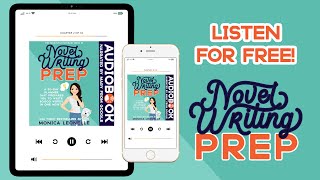
Full Book! Novel Writing Prep - USA TODAY Bestseller Monica Leonelle -The Productive Novelist Series