A fast way to catalog storage bins using your phone: photograph each item, rename the files, upload them to a Google Drive folder, then stick a QR code on the bin. Scanning the code pulls up your digital inventory instantly, so you can find what you need without digging through boxes.
Chapters
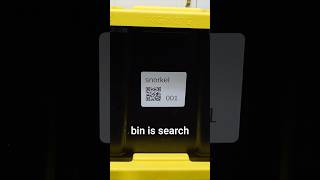
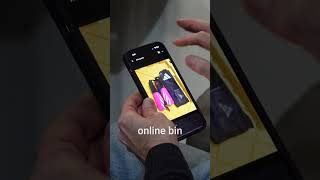
We've all been storing our stuff in our bins the wrong way. Let me show you why. All I have is my phone and I'm going to take an inventory of this bin. I go to Google Drive, I go to where I'm storing all my bin inventories. I create a folder called bin002. And then I'm going to take a picture of each item that's located in my bin. So here I took a picture of some hiking sticks. I renamed the file hiking sticks so I'd be able to search for it later. I upload it and goes up to Google Drive. I take another picture. This is a laptop travel bag. So I go ahead and rename the file travel bag or laptop bag. And I upload it and I continue to do this for all of the things in my bin. And it's an absolute game changer. I can sit on my couch and search my inventory to find my hiking sticks and know exactly which bin it's in. It's in bin 002. We just have to go look for it. So it's here. I'm uploading the last item, which is a gray duffel bag. Renamed the file, uploaded it, put everything back, and now I have a handheld QR code label maker. I love it. It's easy. You can make QR codes any way you want. But I put that. It's travel bags. It's bin 002. I go to Google Drive and I get a link to my folder called bin002. I paste it here. So now the QR code will link right back to that folder. So when I put the label on and scan it, it's going to that's inside that bin. It's a game changer. Only took me less than 3 minutes and 30 seconds.