Unboxing the NEW Remarkable Move!
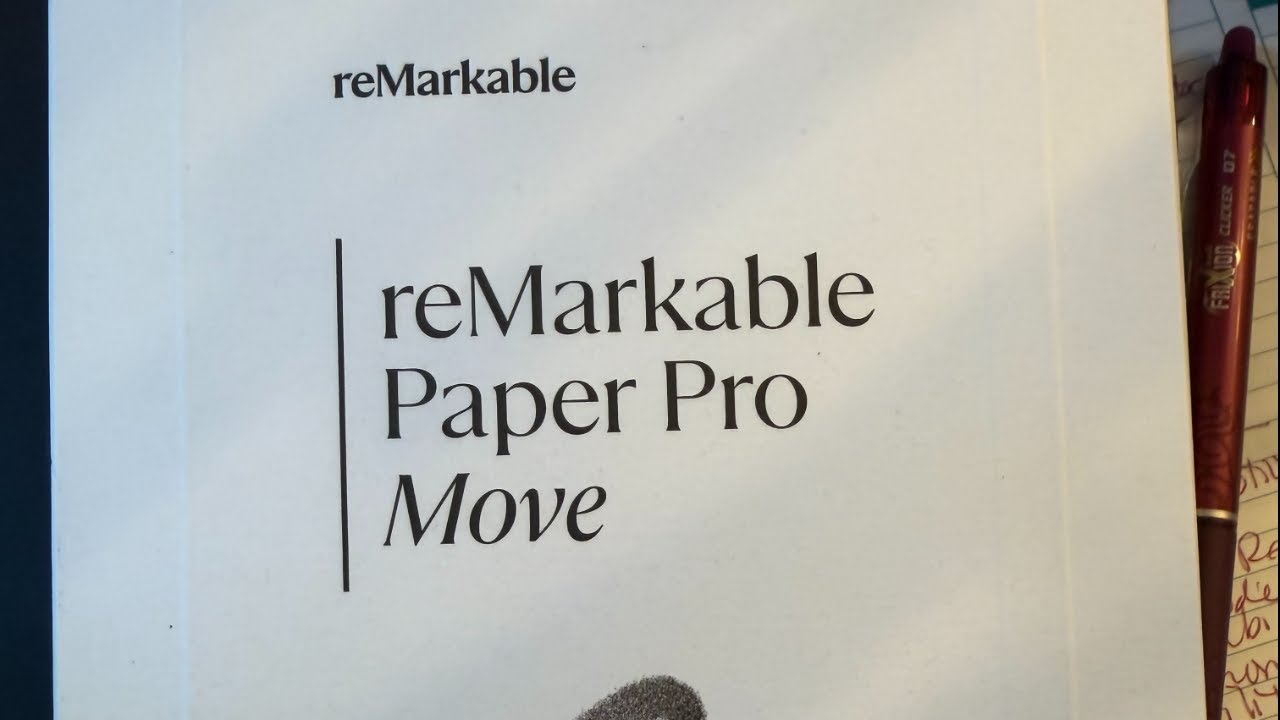
In this live unboxing, Noelle Russell introduces the new reMarkable Pro Move, highlighting its frustration‑free packaging, compact size, magnetic pen, backlight, color support, and OTA update capability. She walks through the initial power‑on, Wi‑Fi connection, and pairing process, noting occasional UI quirks. Noelle showcases how she leverages Etsy‑sourced PDF templates— a meeting notebook and a daily planner— that sync via Google Drive, enabling hyperlinked indexes of thousands of past meetings. She explains how the device fits into her busy life as a mother of six, a productivity enthusiast, and an ADHD‑prone professional, using it for schedule planning, on‑the‑go note‑taking, and as a digital Moleskine for her children’s coloring pages. Throughout, she references her I Love AI community, Amazon Live links, and the AI Leadership Institute, inviting viewers to join her weekly calls and shop related merch. The stream ends with a recap of the device’s strengths, a brief mention of desired accessories (e.g., pocket portfolio), and a call‑to‑action to follow her on Amazon Live and the I Love AI community.
Chapters
Noelle, I am surprising you with a little Thursday live unboxing, and the reason why is because I can't wait till tomorrow. I don't want to wait till tomorrow. So welcome, my name is Noelle Russell. I am here to share with you an unboxing of a brand new product that I got. And like I said, I have a call every week. Many of you join me for the I Love AI call that happens every Friday. Uh, some of you that are in my, um, Premier Program, the AI Leadership Institute. You all join me tomorrow as well. But today I wanted to share my new favorite thing, right? So the reMarkable, it came a few days ago and I just can't wait. I want to use it right now, so I want to share my unboxing live with you. Now I always like to give you a chance, if you are here live, you can, uh, join me. I I'm gonna try and keep an eye on the chat. If you are here, say hello in the chat. I can see most of the platforms I'm streaming on right now via chat, so great to see you here. Thanks for being here. Um, but yeah, let's do this. So I'm gonna unbox this. I actually— oh, I'm gonna check to see. Yeah, I don't know. I was trying to livestream on, on Amazon for a second time, but I haven't quite figured it out, so I don't know what's happening. Maybe I'll do both. Maybe I'll do both. Let's see, um, I'm gonna go here. It says I have to rotate my phone. I'm gonna try it. Hi everybody, good to see you. Welcome in, welcome in, good to have you here. So I'm gonna try this, let's see what happens. Um, it's forcing me to like set this up two ways. Let's see, let's see if we can do it. I am my workout. All right, let's see, let's see what happens. I'm gonna say go live, so I'm going live on both. So pardon my expression, but here we go. All right. So this is it. The reMarkable Pro Move. Do you know about the reMarkable? Maybe I need to take a step back. So on the reMarkable, this is a tool I use to manage my life. Now, some of y'all know I have lots of stuff going on in my life. I have 6 kiddos and I try to manage all the things with all of them. And so I actually— this is my second Remarkable. I don't know if I have the first one around here. Oh, I do! Yay! Oh well, that's funny. So this is the, the first Remarkable. You can see kind of the size difference. Um, my first Remarkable that I got, it was good, it was good, but it was, it was black and white, and I wanted more than that. So when the new— oh, and the other thing was it wasn't backlit. And these were two challenges that I had because I, as some of you know, I travel all the time. And so when I'm on a plane, I don't want to have to turn my light on. So I love the reMarkable, the first edition. But what was frustrating with me, for me, was that I had to have a light on to use it. And so in their next edition, this one, they created the ability and I'll log in. They created the ability to actually have you— oh, I don't know if I did that right. I can't talk and type at the same time. Uh, there we go. So they created the ability for you to now have a backlight, but they also, in addition to that, added colors and highlighting and all sorts of cool stuff. So I don't use it for all that, though you absolutely could. Uh, I— one of the, um One of the opportunities that I found was on Etsy. I actually found some templates that have changed my life. So one of them is a meeting template for reMarkable. Sorry, excuse me. Is that— maybe I'll edit that in post, but it is a meeting template for reMarkable as well as a daily planner template. And what this does, I don't know if you know this, but on reMarkable, it's not just about note-taking. You can actually add any PDF similar to how you might put in GoodNotes or in Notability, I think it's called, but these apps that allow you to kind of have hyperlinked planners, we could do the exact same thing here. Now, the benefit for me is of me using this notebook, this template for meetings, is that it allows me to create an index of all my meetings. So when I get on with someone who I've had meetings with over the last 2 years, I actually can click on it and go back and see all of the meeting notes I've taken since I own this device. And it's, of course, aggregated all of the information from all of the devices, the first gen that I used, this one, and now the new Move one. So I'm really excited for this. Um, so I'm going to open it with you so you can kind of have the moment with me that I will be having with others. It's pretty cool. Uh, good to see you all. Um, so it happened. It's my favorite part. I just want to let you know, one of the things I love, uh, about organizations that are thoughtful about this is what's called Frustration-free packaging. And frustration-free packaging is the art of just being able to open things. Some of you— again, I have 6 kids— we, we buy things all the time and it's frustrating to get it open. It's zip-tied and locked, or worse, duct-taped or plastic packaging taped closed. I have to get a scissor or a knife. Like, I'm just like, please, can I just have the thing that I bought, please? So this was an example of frustration-free packaging where they just have one tiny little strip. You pull that strip and you are in. So I am super grateful for that. So thank you, reMarkable, for thinking about these things. There's actually a few different elements that are included in this box. Ba-bam! The first one, this is the reMarkable Pro. I believe the Move is actually in here, and this is the folio. So it gives you a sense of the size, like I can hold it in my hand. But this is basically the COVID for it. So let's um, start with the COVID since we need a place to put it. And like I said, I like frustration-free packaging. Please have some. Yes, there it is! You can tell it's got a little arrow, little arrow, so you pull the arrow, bam, no frustration, open it right away. A little frustration maybe, um, but once I open it, once I get the paper open, I can just slide it out. I love it. Thank you, thank you for being thoughtful. About this. So wow, this is really small. It's smaller than I thought it was going to be. Interesting. So this is it. It's the reMarkable. I'm about to love this. Okay, so that is the folio. Let's open up the reMarkable again, going for the arrow. Okay, here we go. Let's see. So you ladies, if you have nails, it's nail friendly. All right, so now I'm going to open up the Pro. Let's see. Super cool. I love this. Super exciting. And I just wanted to share with you all. Okay, cool. There's actually a little— I mean, talk about frustration thoughtfulness. Like, there's a little tab so I can just pull it out. Like, I know some of you are— I open a lot of packages, so I have— I'm a bit of a connoisseur when it comes to packaging. If I ever sell something, I will definitely be providing packaging this way. This is what it looks like. Wow, it's really small. It's way smaller than I thought it would be. Actually love it. So it's about— this is what it looks like. I'm going to take the paper off so we can take a look. I love it. All right, wow, really cool. So it's like in the palm of your hand, like really, really cool. I love it. Um, okay. So now I'm going to— I probably should read the instructions. I'm just going to do what I do with my other one and I'm going to hold down the power and it is starting. It lets me know right on the top that it is starting. So let that go and do its thing. I'm also going to underneath. It gives me my— I wonder, I think it's the same. So I already have a reMarkable pen on my big one. So this is the same pen and it is magnetic. So it'll stick right to it. So that's nice. Um, it also of course includes a USB charger. No one gives us blocks anymore, so good luck. Like, the nice thing of course is that I plug a lot of things right into my own computer when I use it. So, so that's nice. And then these are also the same as what I got with the larger one, but these are the marker tips. So when the mark— the marker tips are pressure sensitive, and so they do run down over time. I'm going to try and open this for you. So you can see, so these are like the little marker tips that you get as part of it. So pretty cool. If you're on my Amazon Live, you actually can click the link and go buy one if you want, which is what I love about Amazon. Like, I say it, and if you like it, you can just go buy it. Um, don't get it twisted, I don't get like a massive amount of money off that. I just think it's nice to have an easy way to just get something. Um, anyway, so, so that's cool. I got that, got my USB. It does have instructions I don't, I don't read them, but you should if you want to do that. One thing I always do look in the instruction set for is a sticker. Y'all know me and my stickers. Um, so I love stickers. So I like to see if they're like, you know, doing an Apple thing and giving me a cool sticker of which I can promote. But no, there's not. So hey, marketing team, if you want, I would put it on my laptop and promote you or stick it on my suitcase. So, so that's something to think about. All right, here we go. So It's unboxed. This is my new magnetic pen that will go with this. It says you'll need a smartphone or computer to complete setup, of which I have both. And then it says attach your marker. I already did that, but I'm going to snap it on. There we go. Gives me a little arrow. And now it says your marker is charging, which is awesome. Thank you. I hit next. And then it says, did you see that? This is what digital paper screen refresh looks like. Oh, refresh again. So this is what a digital screen refresh looks like, and that's so that you think nothing's broken. So a lot of people, um, started commenting on the reMarkable that the highlight wasn't working, but it was working. It just needs to refresh when it— when you paint something a color. Um, and so I was like, oh, I didn't notice that it wasn't working because it works if you read the instructions. Um, it now is going to ask me to connect to Wi-Fi, which hopefully I can do pretty easily. So I'm just going to connect to my Wi-Fi. Um, hopefully I can talk and type at the same time. One thing I noticed with the other one is that the first one I had, over time, the touch sensitivity on the keyboard wasn't fantastic, but this seems to be working. Of course, it's brand new, so we'll see how it goes. So now it's connecting to Wi-Fi. That is my network. Um, let's see if it's working. All right, it seems to have connected. I'm gonna hit next, and now it's gonna do the thing, right, where it goes grabs the latest software. It should be pretty quick because is brand new. But I actually appreciate the engineers that are realizing they shipped it with some defects so they can do over-the-air updates immediately. Do y'all remember, um, the— oh, I might even have it here, my graveyard. Oh my gosh, what is happening? Oh, uh, my graveyard of devices. Oh yeah, do y'all remember this? It's not, it's not long for wear. We just— it just died a few months ago. Do you remember this thing? Anyone know what it is? Right. So this is the Human AI pin. And I remember when I got it, of course, they released early as soon as possible. I got it, I put it on and it immediately started to overheat. And I remember the device being like, you should take that off, it's overheating. I was like, what? Which sounds pretty funny. But the next day they did an over-the-air update and fixed it just like that. And so that's the beauty of these devices is that as soon as you get it, they literally are going to update it and continue to update it to ensure that it's the best that it can be. So that is kind of cool. It's currently downloading whatever this latest fix is. We'll see what's happening. It's updating. So that's awesome. All right. So now I'm going to add it to— I think it looks like it's magnetic. It has 3 little, you know, it has a place for it to go. So I'm going to just drop it in. Oh, yeah, it's very magnetic. Holy mama. All right, I think it's good. Okay, so there you go. Wow, this is cool. Okay, I have to unwrap my marker so that it's official. I actually love this. It's like a digital Moleskine notebook. I think, I think I'm gonna like it here. Um, so this is pretty cool. So if some of you are curious about the use cases upon which I would use this, Um, I have my schedule is in my reMarkable. Um, I like to write my schedule. I like to put little balloons on my children's birthdays. I like— it's almost reminiscent. Some of y'all know this from back in the day. It's reminiscent of like scrapbooking. Do you remember when we used to do that? Some of you might still do it. I don't, I don't. Unfortunately, I don't have time for that anymore. But at— when I was younger, when I only had one kid, I would like sit out on a Saturday and just scrapbook and put stickers and cut out pictures and put it on pages. I used a company called Creative Memories. Does anyone remember that? Oh my gosh, craziness. Um, all right, uh, so I would do that, and this gives me the ability to kind of tap into that as I plan my days, weeks, months, and years. So now it says, uh, just restart to update, and so now it's going to restart. So it took, I don't know, a couple minutes for that to happen, and, uh, not terrible. I love it though, like the Oh my gosh, I'm a big fan of this. I'm a big fan. So again, I feel like the flex in using these is the templating capability. So building a template that you can use to hyperlink. I'm gonna open it once we're here. So now the next thing, for those of you who have a device, the next thing it's gonna ask you to do, oops, there you go, is pair your device. So you have to go kind of into the settings of your reMarkable or on the app on your computer. So I'm gonna do that live with you right now. Um, and inside settings, I think it's probably going to tell me what to do. Oh yeah. Uh, it says from devices and app, blah, blah, blah. Okay. It doesn't tell you how to do it. So I'm just going to go in to general and see if it has the ability for me to pair something. I'm going to go to my account, uh, my subscription. Oh yeah. It says paired. Okay. This is good. Let me go to cloud maybe. Nope. Security, display, accessibility. Uh-oh, I don't see where to create a pair. Um, all right, tell me what to do. All right, maybe I do have to go to a web application, but it says I could do it from my device. Pairing it to your reMarkable account. All right, um, hold on, wait for it, wait for it. Integrations, maybe? No. All right, but this leads me to another thing that I do. So I'm gonna go and pair it. I'm actually gonna share my screen and pair it online. So let's do that. Um, let's hope that it's not impacted by the AWS DNS nonsense and I can't get to it. Um, note what it— what was— what— Remarkable. Remarkable. Here we go. So let me share my screen. Y'all can see. Where's my share my screen option? I'm gonna go here, share. Why is it letting me share? Hmm, maybe I have to go over here. Oh yeah, yeah, that's what I have to do. I'm gonna go over here to the next scene. Oh, I can't seem to change anything on my screen. I hope y'all are seeing this because my, my screen is not working. Okay, so I'm gonna just walk you through it. I have to sign in anyway. It should auto-sign me in. It doesn't though. That's okay. I'm gonna sign in, um, and I'm gonna try this one more time. I could see myself. Let's see here, chat. What? I got people saying hello to me. Yay! Um, hi everyone, good to see you. Oh hi! Uh, yeah, my— darn, my studio is unresponsive, so I'm gonna just go with it as it is. We'll see what happens. Um, but on my computer, I'm gonna sign in. With my reMarkable account because I already have it, and that's going to sync it. Now, what I love about the sync capability is that it does allow you to connect it to your G Drive, your Google Drive. And on my Google Drive are all of the— all my documentation I use to do my work. And so it allows me to access that from my reMarkable if I choose to. Not all of my documents I need to have access, but I can read books, I can grab reports that I downloaded from McKinsey or PwC, like I can actually read those on this. So it becomes kind of like my Kindle from an academic paper and report perspective where I'm just loading PDFs from G Drive onto my machine. But what is most important is that all those templates, my calendar template and my meetings template, are all synced on my Google Drive. So when I load up a new account, which I'll show you in a second as I focus my attention on logging in, when I access my new account, that gives me the ability to see— oh, oh, now it's asking me for my password. I got it, I got it, it's happening! I hope that's right. No, it's not right, it just auto-completed. Uh, I'm in! Yes, of course, two-step verification. Let's validate it's me. All right, hopefully it will work. That's me. Multi-factor authentication is very important, y'all. Very important. Um, okay, there we go. Uh, okay, here we go. Retry. It's retrying in one second. All right, hopefully— it says it lost connection because I switched screens on. Oh, we're live again! Um, okay, so now I am in. Oh good, cool. Accept all. And it says I can manage my devices and I can pair a new device. And I can hit pair. So it'd be cool if you could see it, but I'm just talking you through it. So now I'm going to type in my new device code, H-J-A-N. Oh gosh, I didn't even do it right. H. Okay, let's try this again. Okay, maybe I should do this with my marker. So I'm gonna type it in. Okay. I wonder if I could just write it. Nope, can't do that. That would have been cool. That'd be cool, people. Uh, but I'm gonna tap it. D-H-J-A-N-M-B-D. Pairing, pairing. There we go. So we're pairing, and in just a few seconds we should be able to see all the things that I see. It might take a second, like a new iPhone, to, um, to sync. Uh, but let's see, that's cool. So I have a, um, I have a code on my other one, and so it's asking me to do the same on this device, which I like. And now it's giving me a recovery code, which I won't show you, um, but I do need to take a picture of somehow. Oh, I have, uh, I have more than one phone, so I'm gonna grab my Google phone. And do that. Hold on. So yeah, the reason I share this with you is because we're coming up on a new year, and, uh, at the AI Leadership Institute, every December we end up doing a program called Design Your Life. And I use these tools— a reMarkable, uh, Moleskine notebook. I use these tools. Um, oopsie. There we go— to— oh gosh, yes, it's me. All right, let me just go— oh my goodness, did I just do that again? Hold on, let me put this down. I just want to take a picture of this really quick. Yes, it's me, it's me, it's me. All right, so this is the new, uh, Samsung Fold. So I'm just going to use it to take a picture of this. Yay! Um, and so I love the Fold. We're not doing a Fold unboxing, but I really enjoy this phone. Because it allows me to get the ability— I mean, of course now I'm doing a camera, what, Inception? Um, but, uh, it allows me to read like a Kindle on the plane, but I can have it like in my pocket. And sometimes I get the bulkhead seat, so I don't have a place to put my bag. So it's really, really handy. All right, so now— oh cool, so it's going to have me choose my— oopsie— choose my handwriting, whether I'm a right-handed person or a left-handed person. I do know people are ambidextrous, but I am right-handed. And it says I'm good to go. Let's go. What? Let's do it. Let's go. Get started. Oh, it's so beautiful. Those are all my files and folders. So here is my meeting notebook just to give you a sense of what it looks like. So this is one of my templates. Oh, it's giving me some guidance to support better reading. But I'm going to just show you my index. So this is an index of all the meetings I have had over the years. And if I want to go back and see them, so there's like 7 index pages, which is about, I think, I don't know, 1,400 meetings or something like that. So as I go through, I can go back and reference them. But now as I write it on my big one, and if I'm on the plane or if I'm in a car getting transported, not driving, but if I'm a passenger, I can go in and prep for something. The best thing about this is sometimes I want to pull out my big reMarkable when I'm in a car trying to like remember who I'm talking to or track this. I'm, I mean, admittedly ADHD, so I'm easily distracted. I often want to stay super present in a call, so I don't like get, you know, I don't want to be like on my computer at the same time where notifications or even my phone. But being able to like narrowly focus on, and I'll just go into one of these, but all of these are hyperlinked in the meeting notes. So it allows me to go in and I'll just grab a blank one. It allows me to have like a meeting note structure and then it has meeting notes. Now the only thing about this is that the text is pretty small, right? So I'm gonna have to like pull out some glasses, which is not the way I like to roll most days. I don't even know if I have any real, close by that I could use. So, so that's the bad thing, but I can pinch to make it bigger, I think. I don't know, I'm just testing this out. Hmm, uh, let's see, let's see. Uh, all right, but let me try and write on it and see. It has to be able to be made bigger for sure. I might not be doing it right. Oh yeah, there we go. I wasn't doing it right. User error. That's fine. But it allows me now, right? So as I decide to write in it, I don't know if you can see it, I can just, I don't know if I can do it backwards, but I can pinch to make it bigger and zoom in on a specific area. So that's cool, I like it. But it is pretty small when you see the whole page. So I think likely what will happen is that Etsy people will build move-friendly displays so that I can see it all. Let me see if I can show you anything else. Oh yeah, let me show you the calendar that I built. So I use— I went to Etsy, I found— so one of the nice things about the reMarkable is that you can pick favorites. So I have a bunch of favorites, one of which— see that craziness right there? That's my children. They— that's their coloring pages. So when they come into my office, I open up this part and I hand it to them and I'm like, draw away, have fun, and then I get to keep them all, which is extra bonus for me. But my two most popular is the Meeting Notebook, which is there in black, and then my calendar. So I'm just going to go into my planner for 2025, which we're coming to the end of. But you can see here, if I show you, like, all of those little boxes on the side are the months, right? So this is actually looking at November. But if I go back and look at October, Um, or let's say August or September, right? You can see like this is all the planning that I did on this thing, right? And so now I can very quickly, without having to pull out my huge Remarkable, get access to my calendar and quick access. Every one of those days is hyperlinked to a planner, so I can plan out my days in here. I can put notes in here. I don't like to do meeting notes here because I, I would then have to remember what day I had that meeting, and that's harder. So instead I use that more for like my daily observation of myself and what I'm like reflecting on. So I really like it. Like, it's— I don't know, y'all. I mean, some of you are probably like, please do not give me another device I want to buy. Uh, but here's the, the good news about the pen. So it is of course magnetic, so it does stay. But, uh, but this little sleeve also is magnetic, so it holds the pen in place. But like Pretty cool, pretty cool. Um, all right, so sadly, um, good to see you. I see you, but I can't like comment back. It's so sad, I can't. Um, so hopefully y'all found my unboxing interesting. Thanks for joining me. Uh, I love it. Like, I love that it's handheld. I did not get that sense when I was looking at the literature and the, um, I don't know, I guess maybe I just didn't notice, but it is cool to have it this size. Now I'm going to— well, now you all can test me and see if I'm using it on the go, but that's what it's for. Notetakers on the go. I always have notebooks in my bag. I will actually show you right here. Until I had the move, this is what I had in my bag so that I didn't have to pull out my, my reMarkable. And of course, you know, now I have this. The only thing that this doesn't have that I need this for— let me just show y'all— is that when I go to events I end up getting two things. One, I end up trading stickers for people. And the other thing is I end up collecting cards. And so it's nice in that little notebook to have the ability to store stuff. So that's okay. I'm sure somebody, somebody is listening or someone has already thought of this and is building Remarkable Move portfolios that have pockets. But I like it. I think it's pretty cool. So thanks for joining me for this unboxing. It was really fun to be here with you. I love this product. If you want to catch this replay live, you can catch me on Amazon Live most days, and you can also catch my replays there of other products and books that I have reviewed. Other things that are in my Amazon store right now are I Love AI t-shirts. So I don't know if you know about those, but we have a community called I Love AI. You can join it, and you can do that as easily as going to the, the link you see here. Or I actually think I might have— oh, I can't touch it. I can't change my studio. Dang. But you can go to noelle.ai and that'll also give you access to joining the I Love AI community. It's free. We do calls every Friday. It's your chance to ask open Q&A on what's going on. I usually give you an update on what's happening in the world of AI, but it's an open Q&A as a chance to network with other AI leaders in this space. So if you wanna join us, I hope you will. Hope you enjoyed my unboxing. Super fun. I'm so excited. I can't wait to use it. I'll talk to y'all later. Thanks for joining me. And yeah, I'll see you soon. Bye.
More from Noelle
Take the Unlocking AI Challenge and Get the Keys to Unlocking Time and Revenue for Your Business


Don't Get Left Behind: The AI Executive Challenge #ai #business #fearofmissingout