6 AI Tools for Video Editing that Saved Me HOURS (Latest Update)
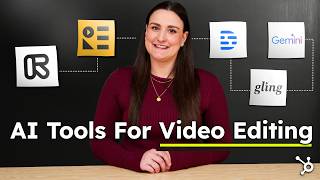
A single-speaker YouTube tutorial by Bridget O'Rourke presenting six AI tools to speed up video production and reduce creator burnout. The presenter frames AI as a productivity accelerator and demos: Gling (auto-removes filler words and pauses), Google Gemini (planning: B-roll and shot lists, animation ideas, and YouTube post-upload analysis), Descript (edit via transcript and generate captions), Recast Studio (auto-generates short-form clips with captions/overlays), Runway ML (visual effects: background removal, color grading, motion tools), and Adobe Podcast (audio cleanup). The video repeatedly references a free HubSpot AI guide linked in the description and ends with a recap and calls-to-action (like, subscribe, comment).
Chapters
Foreign. You ever feel like the Internet is moving at 100 miles per hour and you're just trying to keep up without losing your mind? You're expected to crank out videos, podcasts, social clips, more than ever before, but nobody talks about how exhausting that is. I've personally created over 500 videos, and let me tell you, burnout is real. But here's what I've learned. AI isn't here to replace creativity. It's here to speed up the parts that slow you down. So in this video, I'm showing my six ride or die AI tools that save me hours in every edit. And the last one is going to guarantee that your edits get better with every single video. But let's start with one that instantly cuts your editing time in half. If you've ever spent way too long cutting out mistakes, filler words and awkward pauses, Gling is about to change your life. I make a lot of mistakes when I record these videos. Like a lot. We're starting with a trend that is already, already reshapening. Reshapening. Cutting these out used to take forever until I found Gling. Gling's AI automatically detects your ums, your awkward pauses, and mid sentence brain farts so you don't have to relive them while editing. It cuts out the dead space instantly and hands you a clean, rough cut. So no more manually scrubbing through footage. Seriously, this tool saves me hours. Instead of replaying the same clip 20 times to trim a half a second pause, I just let Gling do its thing and move on with my life. Now, Gling is great for saving time in the editing phase, but what about the bigger picture? Because, let's be real, AI isn't just about making small tasks faster. It's about transforming how you create content altogether. I'm going to link a free guide in the description that breaks down the best free and paid AI tools for content creation. So you're not just throwing AI at random problems, but you're actually building a strategy that works. You'll learn which AI tools are actually worth it, how to integrate AI into your entire content workflow, when to invest in paid AI tools versus when free tools are enough, and how to combine them for maximum productivity. Let's be honest, AI is changing everything about content creation, and if you're not keeping up, you're falling behind. So this guide is your ultimate roadmap to staying ahead. Whether you're a solo creator, a small business owner, or even running a full marketing team, it's completely free. And it's linked below. So go grab it now and let's move on to the next tool. Now, I know you probably weren't expecting this one, but hear me out. The way that you plan your video can make editing 10 times easier. That's why I use Google Gemini. Messy edits usually start in the planning stage. Not having enough B roll, missing key shots, or realizing mid edit that you should have said something differently. There are three ways that I use Google Gemini to avoid this. The first thing I do is I insert my script and I ask for B roll suggestions to film so that I can tell the story better with added shots. Then I get it to put those suggestions into a shot list that I can reference on shoot day. That's actually how I planned all of the B roll shots in this video. Then, based on that same script, I asked for animation ideas to help further convey a point that I'm making. Like this little guy up here. And did you know that Google Gemini has a direct YouTube integration? That's the third way I use it. But I'm gonna show you that trick at the end of this video because it's gonna blow your mind and I don't want you to lose focus. Okay, we gotta get through this. Moral of the story. Google Gemini is like having an AI creative assistant, minus the attitude. It makes sure that you don't get stuck in the editing phase, wishing you had shot more footage or racking your brain for ways to make your video more engaging. So it's great for planning your video, but let's be real, the hardest part of editing is dealing with long, uncut footage. What if you could edit your video like a Word document? That's where descript comes in. And we're going to talk about it. But before we do, I would love it if you would let me know if this video is helping you out so far. All you have to do is hit that little thumbs up button underneath this video. And if you do want to see more content like this, feel free to hit subscribe while you're there. My name is Bridget. This channel is called HubSpot Marketing and we're breaking down the most up to date digital marketing strategies that you need to know every single week. So I'd love to see you back here next time. Okay, where were we? Right. Descript. You ever spent way too long scrubbing through footage just to cut out one mistake? Yeah, me too. Manually cutting clips and trying to match jump cuts perfectly. It's exhausting. But with Descript, you can edit your video just by deleting text. I used to spend hours cutting out every tiny mistake from my video, but Descript is like a magic eraser for my verbal train wrecks. I just look at the transcript, delete a word like I'm deleting it on a Google Doc and boom, it's gone from the video. No timeline headaches, no awkward jump cuts, just faster editing and way less stress. And if you need captions, Descript generates them instantly. This tool is a game changer. It lets me edit faster, sound better, and cry way less over Premiere Pro timelines. Now Descript is amazing for long form content, but what if you want to turn those videos into viral scroll stopping clips for TikTok reels and shorts? You could spend hours manually chopping them up. Or let's talk about Recast Studio, shall we? You ever finish editing a long form video and think cool? Now I have to cut this into 10 different clips for TikToks reels and shorts? No thanks. That's why I use Recast Studio. This tool automatically scans your video and finds the best, most engaging moments so you don't have to sit there scrolling through footage for an hour. Then it auto generates short form clips with captions, zoom cuts and dynamic text overlays so that they're actually engaging. This saves me hours every single week. Instead of painstakingly picking out highlights, I just let Recast do the heavy lifting and fine tune from there. But repurposing content is just one piece of the puzzle. If you're serious about using AI to streamline your content strategy from start to Finish, that free HubSpot AI guide breaks down how to integrate AI across your entire marketing workflow so you're not just working faster, but you're actually growing smarter. Remember, it is linked below. Now what if you want even more creative control over effects, backgrounds and visuals? That's where Runway ML comes in. If you've ever wished that you could erase objects, track motion seamlessly, or create pro level effects without losing your mind in After Effects, this one's for you. Ever recorded a perfect shot only to realize there's some random guy in the background? Or maybe you don't feel like setting up a green screen for a video? This tool lets you do mind blowing edits without needing a PhD in motion graphics. I honestly feel like I unlocked an editing superpower the first time I used this. Let's check out some of them. So you got Remove background. This one removes backgrounds instantly without a green screen. Yes, even if your background is a total mess, AI Color grading. This is great if you're colorblind or you don't know how to color correct motion tracking, depth of field, frame interpolation. There are a ton more tools here to explore. Alright, Runway ML is great for visual effects, but what if your audio sounds like you recorded it in a wind tunnel? Yeah, it happens. Bad audio instantly kills engagement. Which is why I never upload a video without running it through Adobe Podcast. I don't have a fancy soundproof studio. I record in my living room which is relatively empty as you can see. And that's the worst for echoey sound. This is what my audio sounds like without any help. It's not the worst, but Adobe Podcast does save my butt. AI removes background noise and improves clarity and you can even choose how much or how little to clean up. I run all of my videos through this because bad audio is like bad breath. No one will tell you, but they're definitely judging you for it. Okay, so now we've covered video editing, repurposing visual effects, audio fixes. But remember earlier when I said I had one AI hack that helps me improve every single video I make? This is it, the tool that I use after every single upload to keep leveling up. Let's talk about Google Gemini's YouTube integration and prepare to have your mind blown. Did you know that Google Gemini won't just read the transcript, it can watch a video. So in settings I make sure that YouTube is turned on and then I write at YouTube, here is my last YouTube video. Watch the contents and give me suggestions to improve pacing, editing, engagement and visuals and then insert the video link. Then I get expert insights on stuff that I may not have noticed on my own. And then if it mentions something that you don't know how to do, just say give me a step by step walkthrough on how to do X. You can also ask IT for suggestions for new content ideas based on what's working. And honestly, some of them are really good. I do this after every single video because improving 1% every time adds up fast. All right, let's wrap this up with a quick recap because we just went through the best AI tools for video editing. Bling this auto cuts mistakes in dead space so you can edit faster. Descript lets you edit a video like a text doc. Recast Studio turns long videos into viral clips automatically. Runway ML is AI powered visual effects. Adobe Podcast fixes bad audio instantly and Google Gemini helps you plan your shoot day, your edits and analyzes your past videos to help you improve every upload. Now it is important to understand that the tools alone won't make your content strategy work. You need to know how to actually use them to scale. That's exactly what's inside HubSpot's AI guide. Not just a list of tools, but real strategies on when to use free versus paid AI tools, how to automate content creation, and how to integrate AI into your entire marketing workflow. It's completely free and it's linked below, so go grab that guide if you want to work smarter, not harder. Now I want to hear from you. What's your favorite AI tool for video editing? Drop it in the comments because I'm always on the lookout for new ones to try. But here's the thing. AI tools are only useful if you know how to actually apply them to your business. So so that's exactly what I cover in this video where I go over the best AI tools to start, run and scale your business. I'm going to link it at the end of this video for you to watch next so you can stay ahead of the competition. Again. If this video helped you out and you learned something new, make sure to like the video and subscribe to this channel right here to hang out every week and talk about everything you need to know about digital marketing in 2025 and beyond. Thanks so much for sticking with me until the end. My name is Bridget o', Rourke, you thank Feel free to connect with me online and I will see you in the next video. Bye.
More from Patrick



A NEW BREED OF PARTNER: The Partnership Ecosystem Model Journey of Patrick Biddiscombe, Part 1








Customer Success Workspace: Never Lose Sight Of What Matters Most | HubSpot Spotlight