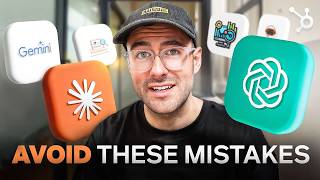
A how-to YouTube presentation (by Patrick Biddiscombe) that walks business owners through seven practical AI implementations: customer service chatbots; AI-generated ad copy; personalized client experiences; email/video/CRM summarization; employee training and onboarding; predictive sales analytics; and AI-driven website personalization. The video emphasizes starting small, keeping human oversight, prioritizing privacy and brand voice, and includes demos, platform examples (GPT Trainer, Claude, ChatGPT, Gemini, HubSpot), and a link to a free HubSpot guide. It also cites an efficiency claim for chatbots (up to 80% of routine inquiries).
Questions this video answers
August 28, 2024.
They can save up to 80% of routine customer inquiries.
GPT Trainer.
Claude, ChatGPT, and Gemini.
HubSpot.
Chapters
Do any of these sound familiar?
I was skeptical about using AI in my business. I thought it would make everything feel robotic. We were worried about losing connection with our customers if we started using AI. We were worried that using AI would make our customer service feel impersonal and damage the relationships we've built over the years.
I hear these concerns all the time from business owners. And you know what? They're valid concerns. But here's the thing. When implemented correctly, AI can enhance your personal touch, not diminish it. In this video, I'm going to show you seven ways you can implement AI in your business that are actually useful. We'll cover everything from customer service chatbots to predictive analytics for sales, and I'll give you step by step guides on how to implement each one. By the end of the video, you'll have a clear roadmap for bringing AI into your business that feels authentic and aligned with your brand. And stick around to the end of the video because I've saved the most surprising and impactful implementation for last, let's kick it off with something you've probably encountered as a customer. Customer service chatbots. Aren't those the things that frustrate the hell out of customers? Well, not if you do them right. A well implemented chatbot can save up to 80% of routine customer inquiries, freeing up staff for more complex issues. Here's how to set one up. First, identify your most common customer queries. Look through your support tickets, FAQs, and ask your customer service team. Next, choose a chatbot platform. There's plenty out there. Pick one that integrates best with your systems. For this example, I'm going to be using GPT Trainer. Now train your chatbot. Feed it all the common queries and appropriate responses. Remember, the goal is to make it helpful, not pass off as a human. Finally, implement the chatbot on your website or messaging platforms and closely monitor its performance. Here's a quick demo on how easy it is to set up a basic chatbot. See? Not that scary after all. Pro Tip Always make sure there's a clear path for your customers to escalate to a human. If needed, your chatbot should be a helpful assistant, not a barrier. Next up, let's talk about using AI to generate your ad copy. This can be a game changer for businesses of all sizes. AI can analyze a large set of data to create compelling ad copy for your target audience, but the ad copy it generates is only as good as the prompt you give it. Here's how to get started. First, gather all the information about your product or service, think features, benefits, target audience and brand voice. Number two choose an AI writing platform. For me, my go to is Claude, but I've used ChatGPT and Gemini from time to time. 3. Input your key details and prompts into the tool. Number four Review and refine the AI generated copy to make sure it aligns with your brand voice. Here's a quick demo of how I use Claude to generate ad copy. Look how quickly it comes up with multiple options. Remember, while AI can generate great starting points, it's crucial to review and adjust your copy to maintain your brand voice. Think of AI as your brainstorming partner, not your replacement. If you're looking to understand how you can invest in AI, I've got something special for you. Check out this free guide from HubSpot that will teach you not only how to implement AI into your business today, but the fundamentals behind it. I'll drop a link in the description below. Now let's explore how AI can help you deliver personalized experiences to your clients. This is where AI really shines, enhancing that personalized touch we talked about earlier. AI can analyze client data to help you tailor your product or services to individual needs. Here's how to implement it. This could be through website interactions, purchase history or feedback forms. Choose an AI powered analytics platform for me. I personally use HubSpot for this. Number three train your client data. The more data you have, the better the insights will be. Number four Use these insights to create personalized experiences from product recommendations to customized communication. Here's an example of the kind of detailed insights AI can help you provide that information about a client. Pretty impressive, right? 4. Email video meetings and CRM Summarization let's face it, we all spend way too much time sifting through emails, taking notes and reviewing CRM data. AI can summarize lengthy emails, boring zoom meetings and help with CRM entries, giving you the key points at a glance. Here's how to set it up. 1. Choose an AI summarization tool. 2. Integrate your tool with your email and CRM system. 3. Set up summarization parameters. What kind of information do you want highlighted? 4. Train up your staff on how to effectively use these summaries. Check this out. Here's an AI summarizing a long, complex email in seconds and that boring zoom meeting I had earlier. Imagine how much time you could save. You and your team use these summaries as a starting point, but always dive deeper if needed. The goal is to save time, not miss important points. Now let's look at how AI can revolutionize your employee training and onboarding processes. AI can create personalized learning, generate training content and even answer employee questions. Here's how to implement it. Number one identify your key training needs. 2. Choose an AI powered learning management system. 3. Use AI to create the training content. This could be anything from written materials to short videos. Number four Set up an AI chatbot to answer common employee questions. Number five Implement AI powered progress tracking to work out areas where your employees might need extra support. Here's an example of an AI generated training video. Notice how it adapts on the employee's responses and progress. The beauty of AI training is that it can adapt the employee's learning style and pace. Now let's talk about using AI to supercharge your sales strategy through predictive analytics. AI can analyze historical sales data to help you forecast future trends and optimize your sales approach. Here's how to get started. 1. Gather your historical sales data. The more comprehensive, the better. 2. Choose a predictive analytics tool. 3. Train the AI model on your data. 4. Use the insights generated to inform your sales strategy. Take a look at this sample dashboard. It's predicting sales trends for the next quarter based on historical data and current market conditions. I worked with a company that implemented this and saw a large increase in sales over a six month period. The key was using AI to guide their strategy, not replace human intuition. For our final implementation and the one that might surprise you with its impact, let's talk about AI driven website personalization. This involves using AI to dynamically adjust your website's content based on user behavior and Profiles. It has two main components. 1. Dynamic web pages. These adjust content based on user behavior. 2. Recommendation engines. These suggest products or content based on user behavior. To implement this 1. Choose an AI powered personalization platform.
2.
Set up user tracking and data collection with proper consent of course. 3. Define user segments and personalization rules. Number 4. Create dynamic content variables. Number 5. Implement A B Testing to refine your personalization strategy. Look at how this website changes based on different user profiles. It's like having a website that adopts to each individual user. We've created a lot of ground today from customer service chatbots to website personalization. We've explored seven powerful ways to implement AI in your business. Remember, the key is to start small and iterate. Don't try to implement all seven at once. Pick one that aligns most with your most business pressing need and start there. Now let's quickly cover some dos and don'ts. Always prioritize data privacy and transparency. This will become even bigger over the next few years. Use AI to enhance human capabilities, not replace them. Regularly review and refine your AI implementations. Don't rely solely on AI without human oversight. Implement AI because it's trendy. It should actually solve a business problem. Forget to train your team on how to work alongside AI? If you like this video, don't forget to subscribe for more business and AI insights. And don't forget, HubSpot has put together this free guide on how you can implement and invest AI into your business today. You can find a link in the description below. Remember, AI is a tool to enhance your business, not define it. Use it wisely and it can create more meaningful connections with your customers than ever before. Thanks for watching and I'll see you in the next video.