AI-Powered Growth: Transforming Audience Reach and Expansion
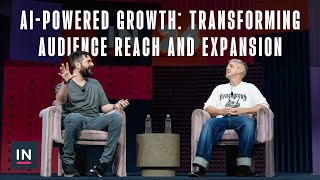
Live Next Wave podcast conversation (Matt Wolf & Nathan Lands) at HubSpot Inbound 2024 about practical ways they use AI to grow audiences across YouTube, Twitter/X, podcasts, and newsletters. Major points: AI-generated thumbnails (Stable Diffusion, DreamBooth, Midjourney/Leonardo face-swap), using Claude/ChatGPT for title/script ideation and Projects/context, Descript for transcripts, automating promotion with make.com integrations (RSS→transcript→GPT→post), Twitter/X growth using AI as editor and Tweet Hunter for examples, newsletter growth via lead magnets, widgets and AI-written site content (Future Tools workflow: Perplexity→Claude→Webflow).
Chapters
Hey, welcome to the Next Wave podcast. I'm Matt Wolf. I'm here with Nathan Lands. And today we've got an exciting episode for you live from HubSpot inbound 2024. So a little bit of a different special episode. We don't normally do these in front of an audience, but we're going to talk about the AI powered growth that we've used for our own businesses in both Twitter, our podcasts, our newsletter, the various platforms that we have. We're going to share some tools, going to share some workflows.
Yeah. And Matt doesn't like to brag, but he's pretty much like the top YouTuber for AI, so. And he's used AI a lot to grow his channel, so I appreciate it. Thank you.
But, yeah, let's go ahead and start by talking a little bit about YouTube growth. So, as Nathan just mentioned, I do have a YouTube channel. Right now. I'm hovering around 640,000 subscribers. The channel is really focused on AI. But surprise, surprise, I actually used AI quite a bit. Probably the most obvious way that I've used AI to grow my YouTube channel is the thumbnails. So all of my thumbnails are created with AI right now. And I'll try to quickly walk through the workflow of how I make some of those thumbnails.
They're awesome, by the way. That's like the first way I notice you is like these crazy art thumbnails with like, your face.
And Yeah, I don't know if other people were doing it, but I was one of the first.
I remember you were the first one I noticed.
Yeah, doing the, like, sort of AI thumbnails where I actually had an AI version of my face in, in the thumbnails. So the way I've actually done that is I use a tool called stable diffusion for the AI art. And Stable diffusion has all sorts of, like, plugins and add ons that you can use it, use with it. And one of the add ons is a tool called Dream Booth. And Dream Booth actually lets you upload about 20 images of your face. It learns your face, and then you can go into stable diffusion and say, generate an image of Matt Wolf in a field of strawberries. And it will generate that image.
Right.
And it'll generate an AI version of my face. I'd say about 75% of the time they look horrible, 25% of the time they actually look decent. One of the ways that I like to do it now, to get a little bit more dialed in with those thumbnails is I like to go and use either a tool like Midjourney or Leonardo. They make a little bit higher quality images, in my opinion. So I'll generate an image of like guy standing in a field of strawberries to go back to that same example. And I'll get that image generated and then I'll pull it into stable diffusion and I'll sort of mask out my face and say, replace this face with my face. So I get the main image generated in a different AI image generator.
That's awesome.
And then mask out the face.
Yeah, I was going to ask you because in mid journey, obviously you can't put your face in there. So that's how you do it. Awesome.
A lot of times the prompts are like super bright, super colorful. Man standing in a field of strawberries. Strawberries, vibrant colors, brilliant greens, you know, things like that. I try to make it as colorful as possible. I want these thumbnails to really, really pop when people see them on YouTube. I want it to stand out among all the rest of them. And Midjourney and Leonardo are the two best at that, in my opinion. And so I use that sort of face swap technique. Now, the other ways that I use AI is I really, really love using Claude from Anthropic. And one of the things I like to do is I'll create my whole video. So I'll make a video that's explaining how to create a chatbot trained on your own information, something like that, Right. I'll create a tutorial on how to do that.
Right.
When I'm done making that tutorial, I'll pull it into a tool like Descript and get the whole transcription of that video. I'll take that entire transcription, plug it into Claude and then say, help me come up with 10 titles. That will grab a lot of attention based on this transcript.
That works pretty well.
It works pretty well. It'll give me. It'll get me close, Right. Sometimes I'll change the words a little bit. Like the titles will be. I don't know if I'd actually say that in real life. For the most part. It gets me close. It gets me a lot of ideas to use for those titles. And I'll sort of use that as like this sort of rough draft, the beginning of that title ideation phase. And so that's worked really, really well as well. Another thing you can do with Claude is they have this tool called Projects. And Projects lets you upload additional information into it that it can use as context. And so what I'LL do is I'll go find other YouTube titles that I really like and I'll make a text file and I will list out 30 different titles that I came across. And I'm like, this title works really well. This one got me to click, this is a really good title. I pull all those titles into a text document and then upload those into a cloud project and then say, use these as examples of titles that have worked well. And then Claude will sort of do a decent job of finding titles that are sort of similar to the ones that I gave it.
As example, I've done the same kind of thing with the Twitter. So you showed examples of things you like. Do you show it examples of things you don't like or have you.
Just things I like. I mean, you could do that as well. You could just, like, in the same text file. Here's the title, the titles that I like. Here's the titles that I really don't like. Use this information when creating new titles. Yeah, and that kind of stuff works really, really well. I also use Claude for scripting. I will go and find maybe 10 to 15 different YouTube videos that I really like. The flow of the video, they have like a beginning, a middle, and end, and it's just a perfect flow. I watched the video. It grabbed my attention, the whole video. I didn't want to click away. So what I'll do is, on YouTube, you can grab the transcripts from those videos. I'll grab the transcripts from those, like, 15 different videos, pull each one individually into a cloud project, and then tell it. This is the style of script I want to make for my video. Make a video in the similar style, and then I'll give it the topic. I'll say, I want to talk about the new OpenAI01 model. Yeah, write me a script about OpenAI01 model. Here's some information about it.
Write.
Write it in the style of the scripts that I uploaded.
Do you modify it or do you just do what it says?
No, I modify them heavily. But it gives me. It gives me that flow.
Right.
What I'm really looking for is the flow. I don't need a word by word for word script. I don't actually read a script when I make my videos. It's very off the cuff, but like.
The bullet points of, like, here's the kind of stuff I'm talking about.
Like, there's always like a, you know, a hook in the beginning to grab the attention, and then once you grab the attention, then you want to Move on to, you know, showing what the end result is going to be. And then you want to move on to getting into the tutorial. And then you want to move in, you know, and it gives you that flow of where you want the video to start and where you want it to end and, you know, the little bits in the middle. And it sort of helps me find that arc of the video. And then I'll use that as the sort of rough draft outline for my video because I will upload information about the, the. The topic I want the video to be about and it will sort of give me the beats to follow based on the scripts.
Yeah. I wonder how many youtubers know about all of these strategies because it seems like your team is way leaner, like for the size of your channel. Like, I know other YouTubers who have, like, way larger teams.
Yeah.
Like the same quality output that you're doing. So. Yeah, yeah.
I mean, I've got, I've got.
Me.
I've got two editors. That's it.
That's it. Yeah. And you're doing the thumbnails yourself.
I'm doing the thumbnails myself, yeah. Yeah. The shorts is the same flow. Right. So I will go and grab the transcripts of shorts. And shorts is a brand new thing I just started doing. I've done like 10 total shorts on my YouTube channel.
I think you said with shorts, you're allowing it. You're like kind of following what it says a little bit more, following the.
Script a little bit more on the shorts. And the reason I do that for shorts is. Cause you've got to hit 59 seconds or less. Right. And you got to hit it like right on that time. And so if I try to ad lib too much, I tend to ramble. I mean, I've already been Talking about my YouTube stuff for 10 minutes here.
You can keep going on it.
Yeah, I'll keep going. So I kind of need that script to keep that 59 seconds or less on my YouTube shorts.
Right.
But if you go and find a short on YouTube that you really like, you see the YouTube.com shorts/, you know, a long string of letters and numbers.
Right.
If you replace the word shorts with video, it'll actually take you to the video landing page instead of the short landing page, and you can grab the transcript from that page. So for shorts, I'll do that. I'll go and pull in transcripts for inspiration so that I know I'm hitting all this sort of beats that I want to hit throughout my video.
Have you tried any of the faceless kind of YouTube stuff or do you think.
I haven't yet, but I do want to explore it.
Yeah.
I was watching the hey Gen session yesterday.
Yeah.
And that really made me want to play around with some of that, see if I want to test it. Put a video up on my channel where it's. I want to do the hey Gen where it's my face, it sounds like my voice, and then put some like B roll over it and then see if anybody notices. I don't think I'll do that for like all of my videos, but I kind of want to test it, just see. Like, is anybody going to call me out and tell if it's an AI generated version?
Yeah, I think, you know, I'm considering starting the AI video agency with Lore.com and the two guys I'm working with it on. They showed me a workflow yesterday using make.com where we could like script out an entire YouTube video and then use AI video to generate all this stuff. And it's amazing. I'm like, you probably could like, grow a pretty large channel.
Oh, yeah. Once you get into some of those make.com workflows, it gets really, really fun. But yeah, those are some of my main YouTube strategies that I've used AI to grow on YouTube. But let's. Let's talk a little bit about Twitter because you've grown a pretty big following on Twitter as well.
I mean, I was like a Twitter lurker for like five or six years. Like, I would use Twitter and like mostly just read Twitter, you know, now X whatever. But I never really tweeted often. And then I still had like 5,000 followers. Just I did startups in Silicon Valley and raised cap, you know, raise VC funding and stuff. So you get like a thousand followers every time, like a TechCrunch article goes out or something. Right. So I had like 5,000 to start with. And then I started getting really excited about AI obviously, like writing my newsletter. And I was like, well, how do I grow the newsletter? Yeah, I was like, okay. Well, I guess you, you know, I actually took a course from Justin Welch. Yeah. And it's like, you know, I think Greg Eisenberg told me to take the course and it was like, oh, just use Twitter and like, share whatever you're learning about. And so I started doing that. And then quickly I learned that I could use AI in so many different ways to grow the Twitter. And a lot of it's similar to what, what you said. Like, I would, I would teach ChatGPT, like, what are the kind of Twitter threads that work? Like, what are the kinds I like and what are the kinds that I don't like? And it probably. It would save me, like, two or three hours, like, doing threads. And I'm not as active right now. I've been more focusing on getting our podcast going the last five months. But when I was, like, doing it every day, like, I could consistently get at least 300,000 views on tweets every single day. And it's.
How are you using AI to do that? Like, what was. What was the workflow?
Well, so what I would do, I use this thing that's not an AI tool. It's called Tweet Hunter, like a Chrome extension. So I would use that. And then what Tweet Hunter would do is you can look at, like, who are the top people in your category, right? So it's like, okay, AI or creators or whatever, you can look up those people, and then you can see what are their top tweets ever, right? So I would do that, and I would make a list, okay, here's the people I really want to not copy, but I like their style, you know? And so I would look at, and I would get their top one or two tweets, and I would put that into ChatGPT and say, here's the kind of tweets I like, right? And I'd use AI as an editor, not as, like, the writer, because, like, the writer, I found that there's only a few niche use cases where you can actually use it to, like, write the content, right? And I think it works a little bit better on LinkedIn. I'm not sure why. Maybe, like, the quality of the content's a little bit different on LinkedIn, but on Twitter, I felt like it. Writing the content for me didn't do that well. So I would write the content myself and then use it as an editor. And I felt like it saved me probably, like, two hours or so. Because, like, editing a Twitter thread to make it, like, really go viral can take hours. Like, I'd be sitting at a coffee shop in Kyoto, like, just sitting there, like, okay, look at it again. Let me look at the hook again. And then having the AI where I can just showed all that and get feedback saved me so much time. And it's interesting. And actually, I found, like, when I was doing it myself, I was getting a lot less views. And as soon as I started using AI as, like, an editor, like, all of a sudden, like, oh, every. Every time I tweet, it goes viral. Oh, that's. That's great. Yeah, yeah, yeah.
Now, you were telling me a story about Naval Ravikant, right? And how you managed to.
Actually, a lot of. I mean, yeah, a lot of things came from me growing on Twitter. I mean, like, in a way, like, very quickly, I went from, like, 5,000 followers, like, 50,000, I think, in, like, three months. Right. I've, like, slowed down since then because I'm focusing on the podcast and other things. But, you know, a lot of stuff came from that. Like, I went on TV two or three times and talked about AI. Elon Musk started responding to me. You know, Jeff Bezos followed both of us, Right. That's kind of how we connected is because Jeff Bezos saw one of my tweets and followed both of us.
Well, I think it was a tweet that you put that was like, here's the people to follow in AI. And you listed a bunch of people, and my name was one of them. Jeff Bezos just followed that whole list.
The idea for that thread came from AI. So I was like, here's the kind of stuff that I see other people doing in different categories. I do that in the AI category. It's like, oh, here's the top people to follow. Or here, you know, and those kind of threads don't get as many views, but they would. Like a lot of people I would mention. They would all follow me. Right? So, but in terms of the Naval, that was the one use case where I found with Twitter that you could actually use AI to actually create the content. So Naval Ravikant, the founder of Angellist in Silicon Valley, he's one of the most famous people in Silicon Valley. He did a great podcast episode with Joe Rogan. It's one of my favorite podcast episodes ever, because it talks all about, like, everything from business to, like, life. Right. How to live a good life. And so I literally just, like, fed the transcript of that episode into ChatGPT and said. And it already knew, like, what kind of threads I like, and all that sort of had that context. And I just fed it the transcript and said, make me a thread. Put that into, you know, Twitter. And, yeah, you know, got like, maybe, like, 500,000 views. Naval retweeted it, right? I didn't write any of it at all. I literally just, like, fed it to ChatGPT and did the entire thing.
Do you remember what sort of prompt you gave to get that kind of output for it?
It was literally just like me giving you the Context of here's the threads I like and the ones I don't like. Okay, Right. Cause like, yeah, I want to have like a good hook and all that, but I don't want to be like too cheesy. I don't want to go too clickbaity. There's like a fine line there, right? A little bit, but not too much. Right. And it's literally just providing the context. Kind of like the same thing you do with YouTube, right? Like giving it like, here's the kind of titles I like or you know, the flows I like.
Right?
Same kind of thing. Works for Twitter. Probably works better for LinkedIn, honestly. Yeah, yeah.
And I mean, something like that works if you're trying to grow a podcast or grow a YouTube channel or even grow a newsletter, right? You can go and plug the content from the YouTube video or the transcript from the podcast, or the entire newsletter that you just wrote up, plug it into ChatGPT and say, hey, summarize this into something that would work well on it as a Twitter thread and at the end add your little call to action.
And yeah, I think there's a lot of ways we probably be using AI more, right? Like, like for like, you know, like we were talking about earlier. Like, you know, we both have AI newsletters. You know, he's got future tools. I've got lore.com I used to do more like pre called actions and post Call to actions to promote my newsletter. It's like, yeah, okay, so you define that.
What's it?
What's a call to action? A pre call to action is like, okay, my newsletter is coming out tomorrow. Here's what you might learn in this newsletter. And then the post is yesterday, so and so, you know, you know, 20,000 people got this newsletter, the Lore newsletter. Here's what they learned, here's what you missed out on basically and subscribe. And so those typically don't get tons of views. They may get like 10,000 views versus one of my other tweets getting over 100,000 views, but they convert really well. And so I think we probably should be automating that, right? We probably should just be feeding our newsletter into a system and then having it just generate those tweets and schedule them through the Twitter API or something.
I like that idea. I think when it comes to Twitter, personally, I like it to be me, right? To be my voice. But if we started like a next wave podcast Twitter, I could see like trying to automate that with, you know, here's what we talked about in this episode, every episode gets fed. And like, you can use something like make.com, right? And I'm just sort of spitballing ideas here. You could use something like make.com where whenever you make a new podcast episode, it watches that RSS feed, pulls it into descript or some sort of transcription tool. Right.
Or we can make a newsletter, transcribes.
It, and then automatically uses the cloud or GPT API to then turn it into a Twitter thread and then automatically post on a Twitter account. That actually is something we probably should do with the next wave.
Yeah, we can make a newsletter, right? What are the key takeaways of every issue? And then you could also automate the promotion of it as well. Yeah, we should do that. Maybe we should have to.
Yeah. Well, I mean, let's talk a little bit more about some of these newsletter strategies to like grow a newsletter, right? We've both grown fairly substantial size newsletters in the AI space. You've got lore.com, i've got the Future Tools newsletter. We've used obviously, AI to help grow those and manage them and maintain them. You know, one of the, one of the ways I've been experimenting with growing it is actually using AI to, to create this sort of lead magnet to bring somebody onto the list in the first place. And with these AI tools, it's so easy to create really high value lead magnets right now, right? Like I can go and take some of my YouTube tutorials that teach really valuable concepts that people really want to learn, have those transcribed, pull those transcriptions into something like cloud or chat GPT and say, this is a transcription, make it read more like an ebook or make it read more like a blog post or you know, that sort of thing so that it feels more readable than just reading a transcription. Right? And now you've got a PDF that you can offer as an opt in to get people to join your newsletter. Another thing that's gotten really, really easy now is even easier now with the OpenAI01 platform is going and creating a simple software app, right? So some of the things that I've seen, I've seen like in the real estate industry, people making like fairly simple, you know, mortgage calculators and things like that make really simple tools where you ask for the email in order to use the tool and you put a little checkbox below it saying, would you also like to sign up to my newsletter when, you know, when you use.
This tool, that reminds me of the stuff that Greg Eisenberg was talking about when you on our show, like, creating widgets for, like, SEO and stuff. Right. Like, used to widgets, you had to, like, hire a team and go build that. And like, now, especially, like, with 01, that just came out, like, people probably not familiar, but, like, OpenAI recently released 01, it's not clear if it's a new model or what it is, but it's way better at coding and, like, creating apps rather than before. And so I'm pretty sure most of these widgets now, like, a single creator could create, like, 10 useful widgets and, like, get tons of SEO traffic. There's so many things, like, it's hard to figure out, like, what to do because, like, there's so many opportunities now.
You can really dial it in towards whatever niche you're operating in.
Right.
So you can. You can create something, like, really, really customized just for the people that you're speaking to. And there's another tool that's been fairly popular lately called Cursor, which is like a fork of visual studio code.
Yeah.
But it's got, like, AI scripting directly built into.
I use Cursor. It's amazing. Like, I'm like an amateur coder. Like, I've been in Silicon Valley for a long time, so I used to code more, and now I don't code a lot, but. But now it's, like, easier to go back to coding because, like, it can look at your entire code base and, like, suggest changes or like, oh, here's a bug in the code. And, like, it knows the entire code base. It's right. Right.
You know, in another way that I use AI for my. My newsletter is I let it be my proofreader. For me, it's essentially become like, my editor. Right. I actually have a team that helps me with the newsletter as well now, but I still write a bunch of it. My team still writes a bunch of it. But the final pass, we let AI look at it and we usually plug it into. I was using ChatGPT in the beginning. Now I'm using Claude a little bit more. But I'll plug in the whole newsletter and I'll. I'll say, proofread this for grammar, spelling, and readability. And it will look through it and it'll tell me all the grammar and spelling looks pretty good. But you might want to, you know, move this sentence down a little bit. Move this sentence up a little bit. It just makes it easier to follow what you're trying to say.
Right.
And it's really good at sort of rearranging some, you know, Little nuanced stuff in the email to make it more readable for, for the newsletter subscribers.
Yeah, I found the same thing. Like, I tried to have AI write part of my newsletter and like, it's really clear when like you're using the AI to actually write the thing. Right. Like, I tried that one issue and like, people like responded back like, what, what, what is this? Yeah, like, okay, that's obviously not Nathan. Like, okay. But as an editor, it's been amazing. I kind of feel bad saying it, but I did pay an editor before. And then I started using like when Claude, like, you know, started getting really good at writing.
I started the one taking jobs away. You're the one, everybody.
I started using Claude as an editor and it was like, I felt like it was actually better and it was, you know, and you just pay the $15 a month or whatever.
And then we also talked a little bit about. About the Twitter threads.
Right.
Like, I'm assuming, is Twitter, the way that you've grown your list the most, is it mostly because of the Twitter threads?
Yeah, yeah, it's, it's. It's mostly been Twitter, like used to every time I'd do a viral tweet, you know, you get like 100 to 200 subscribers every single time. Yeah, right. You know, of course some people unfollow, you might lose 10 or 20 people, but like. Yeah, it's pretty consistent, you know? Yeah. I mean, that's the way that Rowan, our buddy, who's got like, basically, you know, he's got like 600,000 subscribers. Right, right. He did the same strategy. He's just, you know, think he's like 20 years younger than me and like doing it like non stop all day.
Yeah, right, right, right.
Yeah.
Yeah. I mean, my, my newsletter's mostly grown off the back of the Future Tools website a little bit from the YouTube channel. I found that a lot of people, like, I always have a call to action at the end of my YouTube video to go subscribe to the Future Tools newsletter. So I find that most of the traffic that goes to the newsletter does not actually come from YouTube. It mostly comes from the Future Tools website, which is a tool that I built to help sort of organize.
And it's hard to convert like different mediums, right, from like video to text and vice versa.
Yeah, that's really the way that I've grown my newsletter. I'm at about 160,000 subscribers on mine now. But it's mostly come from basically building a tool over at Future Tools, a tool to Help you find tools.
You were talking about widgets earlier. So have you actually created the widgets yet or is that like an idea you're thinking about using AI for? Or you already have done it?
So I've, I've messed around, created a few widgets, but I actually haven't used them as an opt in yet. So that's, it's something that I want to play around with more. I mean, if you look at future tools as a tool that helps you find tools, that's the biggest growth for my newsletter.
Right.
But I, you know, I mess with VS code a lot. I've been using cloud mostly for coding. I'm going to probably start using open io1 for coding a little bit.
Yeah.
And I've made little like widgets and stuff that I use internally for myself, but I haven't actually given many away yet.
I mean, I think you should because like you said that future tools. So Matt has future tools. It's basically the top AI tools directory. And my understanding is like when people search for AI tools, you're often like the top two Google result most of the time, right?
Yeah, yeah. With future tools, yeah, it's really well SEO'd. And all of the descriptions of every single tool on Future tools was generated with AI. So basically the way that works is Perplexity goes and looks at the tool, gives me a description of the tool. All of this is through a make.com automation. Right. So yeah, we're not sponsored by make.com we're not. But basically Perplexity will go and look at the tool, give me a description of the tool, send that description over to Claude. Claude will write a single paragraph of it and then feed it into webflow, which is what the whole database is built on top of so that that workflow is all, all AI. Every single description on the entire site is AI. And if anybody says that, you know, you can't rank for AI generated content, I'm proof that that's false because it's usually the tool that's number one and then the future tools listing for that tool. That's number two for a lot of AI tools.
Yeah, I know. I mean, so we had Greg Eisenberg on like several times and I know he has like an AI SEO agency and he said it's like killing it. Like they're like, they're doing really well and I think they're mainly, they'll do stuff where they have like AI generate like thousands of pages of content and they rank and then what they do is Then they'll see, they'll, you know, because obviously the quality will be a little bit lower with AI content.
Right.
And so what they'll do is they'll generate thousands, hopefully he's okay with me saying this. They'll generate like thousands of pages of content and they'll see what ranks and once they find what's ranking, then they'll go in with humans and edit the ones that are ranking to make them really, really good.
Oh, smart.
Right. And yeah, so that's. If you have like one key takeaway, that's one. Probably everyone who's doing SEO should be probably doing that right now.
Yeah. One thing I want to share before we wrap up, because we've got a couple minutes left here, is if you don't have a newsletter, it's probably easier than ever to have a newsletter because you can use AI to sort of help you out, at least, at the very least outline the newsletter if you still want to write it yourself. Right. So if you're in like a specific niche, like we're both making newsletters in the AI niche, I can go and find, you know, the seven biggest news stories in the AI world for the week, take all seven of those stories, plug them into something like Claude or ChatGPT, and then say, you know, either write up or outline a newsletter for me with all of these news pieces worked into it and you can even feed it some of your past content so that it'll try to write sort of in your style. And now you've got a quick and easy newsletter at least. At the very least, you've got an outline or a rough draft that you can go back in and sort of add your own voice to. But it makes it really, really easy to consistently put out a new newsletter. Just pick your niche, make sure you're keeping an eye on the news in that niche and then feed that in once a week or twice a week or whatever the cadence of your newsletter is.
Yeah. And I think it works for like curation focused newsletters. I do wonder though, like in the next few years if that's going to die off because. Or get way over. Yeah, yeah. The AI tools are going to get so good that you'll just be able to like have your own custom newsletter of curated information and then. Oh, it's newsletterable, I think. Yeah, yeah. So like that's what I'm trying to be like more editorial too. Like actually writing what I think about stuff versus just like here it is.
No, I definitely think that's where it's going to go. Unfortunately, that's probably going to sort of devalue newsletters, but we still have a window of opportunity. Right now.
We still have a podcast.
So, you know, I feel like people should always capture that window of opportunity while you've got it.
I mean, it's helped us. So we started our podcast with HubSpot maybe five months ago. We got, I don't know, three something thousand subscribers in the first month.
And now before the episode was the first episode.
Oh, yeah, that's right.
Yeah.
And then now we're like 10.3. I mean, in five months. And a lot of that's from our newsletters, so, yeah, newsletters work.
Yeah, well, I think that's about all of the time we have. This has been a fun, interesting episode. If you want to hear more content like what we did here, our podcast is on YouTube. It's called the Next Wave podcast, and you can find the audio version wherever you subscribe to podcasts. So thanks again for hanging out with us and tuning into this episode.
Yeah, thank you all.
More from Patrick



A NEW BREED OF PARTNER: The Partnership Ecosystem Model Journey of Patrick Biddiscombe, Part 1








Customer Success Workspace: Never Lose Sight Of What Matters Most | HubSpot Spotlight