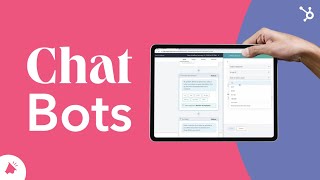
Patrick Biddiscombe shows how to build a chatbot in HubSpot's free tool. Set up lead qualification, book meetings, or handle support with no code. The chatbot saves visitor data to your CRM and branches conversations based on answers.
Chapters
Now more than ever, visitors, prospects and customers expect to be able to communicate with you wherever, whenever. For most companies, this is a tall order made easier, however, through the use of chatbots. HubSpot's free chatbot builder can be used to qualify leads, book meetings, provide customer support, and scale your one on one conversations. Some of the most common chatbot use cases include when customer support reps are busy or after hours. As a knowledge base, lookup to qualified leads to create tickets or meetings. One of the best parts about creating and customizing your chatbot is that you don't need a developer or any coding skills. HubSpot has plenty of templates to help you get started, or if you'd like, you can create one from scratch, customize your messages, save visitor replies as properties in your CRM and create if then branches to make a complex bot. You can customize your chatbot to match your website's branding when your chatbot appears, and create transcripts to send your visitors at the end of the conversation. You can also implement CSAT surveys when your visitor is done with the chatbot, and access all of your chatbot conversations within your inbox. To learn more about best practices in chatbot setup, head over to our Academy to watch our full chatbot lesson. Enjoy.