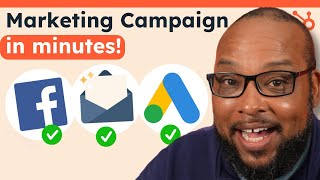
A tutorial-style YouTube video demonstrating HubSpot's Campaign Assistant. The presenter shows how to generate a complete marketing campaign—landing page, Google Ads, marketing email, and other assets—quickly using AI, highlights editing and copyright advice, multilingual support, and notes the tool is free (works with HubSpot's free version).
Chapters
Imagine Christmas time is right around the corner and your manager wants you to be Santa and deliver an amazing campaign. Except the only problem is this campaign is due tomorrow for presentation. What are you gonna do? And this happens all year round. New Year's, Valentine's Day, Easter, International Women's Day, Halloween, and of course, Black Friday. But instead of being a Grinch, we're gonna show you how to use Campaign Assistant to knock out a campaign in a matter of minutes. First thing we're gonna do is we're gonna go ahead and get started with a campaign assistant. That's as easy as going to HubSpot. Do forward slash campaign Assistant and we'll go ahead and get started. Now, keep in mind, this is completely free and it even works with the free version of HubSpot. So the first thing it's going to do is ask us what we'd like to do first. And there are a lot of options to choose from. The thing is, we can start with one and then add on more as we go. So I'll click here, sign up for free. Even though I already have an account, it's just going to go ahead and allow me to get started and it'll ask us what we'd like to create first. So we're going to start with a landing page. That's the easiest one. First thing it's going to do is ask you what your campaign's about, and it's even going to give you a good example that you can use. Yeah, I like that. Now, what would you like your audience to know? What are some key differentiators? That sounds like a very eclectic feature set. We'll see what Campaign Assistant does with it. Now, we would like them to buy now. And if one of these doesn't work, you can always create your own call to action. But for now, we'll stick with this one. And our brand voice is witty, friendly and humorous. Let's see. Campaign assistance, humor. And look at that. We already have our window here, what it's offering. And our widgets are not your average widgets. They have the power to light up your car, your home, and even your toaster. Imagine the convenience of having widgets that can power all of your essential gadgets. This is great. So what we can do now is we can go ahead and hop into our landing page since we already have it connected to our HubSpot account. Get ready for the widget bonanza. I love that. Now, the cool thing is that since this is a landing page, we can go ahead and move everything around See how we like it. We don't have to stick with the layout it gives us. We can do whatever we want. So the important thing is that whenever you're using AI generated content, you want to go back and wordsmith it. You don't want to just leave the default content in there. Important to go in and make changes to make it more personable, make it more you, but most importantly, to make it copyrightable. And a pro tip. If you don't have any images, like product images or stock photos, you can always go to chat spot and generate your own images that you can insert into your entire campaign. Now that we have a landing page, we can add on more assets to make our campaign more fleshed out. So let's head back over to Campaign Assistant and I'm going to click here and view all campaign assets. Now you see here we're in our campaign. It already has a landing page. What I can do is I can create a new item. We'll say Google Ad search and you can see it's already put in all of our prompts. So what I can do is go ahead and type in keywords. So now let's generate the content and see what it comes up with. As you can see here, it's come up with all the different ads that we can use to promote in Google Ads. So now we can copy all of it to a clipboard or we can click on manage your ads with HubSpot and that'll take you to your ads manager. But let's go ahead and keep adding assets. One of my favorite things you can do with this is generate a marketing email. So if we click on marketing email, you see it already has the prompts in there and it has our voice. So let's go ahead and generate this email and it has copy similar to what we've already created. So now we can just create our free marketing email. And just like the landing page, it's already all auto generated. So I can go ahead and drop those images in that I had before. I can spice up my content and I can even add more to it if I'd like. Now going back over to Campaign Assistant, you can see that it's just really intuitive. As you can see, not only can you create landing pages, marketing emails, Google Ads, Facebook ads and LinkedIn ads, but Instagram ads are coming soon. Soon. And if you're working with an audience that uses languages other than English, this tool is able to produce high quality content using Spanish, French, German, Portuguese and Japanese. Campaign Assistant is a hilariously easy tool to use, and it's free. Don't take my word for it. Use the link in the description to try. Campaign Assistant. That's it for me. Hope to talk to you soon, but until then, take it easy.