Building For The Marketer 2024 And Beyond
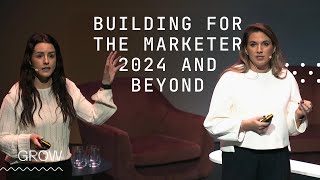
Katrina and Jenny from HubSpot present a three-part playbook for 2024: build AI-resistant content and shift to video, use AI to scale output and free marketers for strategy, and unify first-party data for one-to-one personalization. They demo new HubSpot tools including AI content agents, HeyGen video generation, and AI lead scoring.
Chapters
So this is our marketers group today. Thank you so much for joining us for the next 45 minutes for our marketing focus session. First, going to introduce myself. My name is Katrina and I work for HubSpot. I lead our product marketing team for marketers. I'm going to be joined for the second half of this session by my colleague Jenny, who works on the product team and is going to talk to us a little bit about what we've built to put this content into action. Also going to introduce this guy. Does anybody know who this is? So this is Nicholas Holland. He is the GM of marketing and AI products at HubSpot, and he really wanted to be here today, but he had some family commitments. And the reason being is that he and I actually put this content and presentation together for our marketers as part of our inbound session this year. Reason being is because he is very passionate about not just building, building a great product for marketers, but also thinking about how we can inspire and guide and basically lead marketers through a lot of the changes that are happening with different strategies and tactics. And that's what we're hoping to do today. So for the next 45 minutes, we're going to talk a little bit about some of the challenges that you guys might have been experiencing as marketers, some of the ways that we can help you solve for those challenges, and some of the ways that we've built product and HubSpot to help you actually put that into action. So we're coming to the end of 2024 now, coming to the end of Q4, starting to make sure that we ramp up our results for the year. Who has felt like it's been a really challenging year? Yeah. See some hands going up. Okay. It's not just you. It has been a really challenging year for marketers. Okay. I feel like as marketers, there's always pressure on us, There is always tension, but we felt that this year and like, what we're hearing from customers and in the industry is that it is really challenging. And there's three main shifts that we've identified as part of those challenges. Okay. So the first one being it's becoming harder than ever for marketers to reach and build an audience. Why? Well, the main reason, plain and simple, is because AI is starting to disrupt search traffic for marketers. Are any of you already seeing some dips in your search traffic? Yeah. Here are a couple of murmurs. We are definitely already seeing that at HubSpot. Analysts are predicting a 25% drop in search traffic traffic by 2026, it's starting to happen. So we're going to talk about some of the ways this is going to affect how you actually get traffic and leads to your website. Second big catalyst for this is social media. Okay? So the problem for the marketer is social media sites are becoming walled gardens. Social is becoming really biased against external links and is starting to reward a lot of native content on the platform. So the social media that we all kind of grew up with as marketers is not the social of today and you can't use it in the same way. Second big shift is that AI is changing the role of marketers. Like this is not news to any of us, right? We're hearing from Kieran just now about a lot of the different use cases. We heard from Mark and Shay about all of the different ways that we're innovating at HubSpot for AI. But fundamentally we're going to talk about today how the role of AI is actually going to affect your job day to day as a marketer. It means that basically the pace of innovation and competition has leveled up for us marketers. And I think we're really feeling the pressure. But what we're here to say to you is HubSpot is here to basically guide you through that, as we've always done, and help you to kind of embrace AI as more of an assistant, an extra employee, and not have the fear that sometimes exists around it and the pressure. Okay, and the final one is because customer journeys are becoming more fragmented and customer buyer behavior is changing. It's not becoming as linear how marketers are actually measuring and actioning data is changing. So we used to hear a lot from marketers about how can we get more data about our customers into our CRM. And the shift that we're seeing now is that actually marketers have a lot of the data and they're almost getting this paralysis around how do I actually action the data that I have. And so what HubSpot has always been good at. And if you're a longtime HubSpot customer, just a long time HubSpot fan, you'll know this from our inbound days, right, is taking something really hard and taking some hard challenges and making them simple, seeing a path forward of how you can navigate through them. The good news is that amongst all these challenges, the first principles of marketing are always going to remain the same. Okay? There's these timeless pillars, and that is you've got to capture some attention, you've got to build a relationship with the customer, and ultimately you want to win their business. Right? That's what we're all here to do. That's what we're all doing on a day to day basis. How we execute that is what we want to evolve. Okay, so it's the actual playbook that we want to evolve at this point in time. And that's what we're going to talk to you through today. So we've got a ready made playbook with three main ways that you can pivot your strategy as soon as you leave this room. And like, as marketers, we know that there's a million things we could be doing at any one time. Right? So this playbook is not an exhaustive list of everything that you need to do, but it is the three main areas that we think that everybody can be pivoting right now in order to start making some competitive gains. Like Kieran talked about the first mover advantage and really driving some growth for your business. Okay, so let's get into the playbook. So the first one being how we build that audience when all of those changes are happening with search and social. Okay. With breakthrough content. And we're going to talk a little bit about what breakthrough content is. But the first piece of that playbook is, you know, it used to be enough and it used to be enough for SEO where you can just publish a ton of helpful content. Right. Sort of how to questions and answers. In this new era that I spoke about where AI is disrupting that model, you really have to start publishing more content that AI can't replicate. And we talked a little bit about that this morning. We'll give a real life example of some breakthrough content in a moment. Second thing is because social is becoming that walled garden marketers have to pivot to creating native content on social. It's no longer going to work to start sharing your links on there and sharing your content. You have to publish unique content for those sites. And it mostly has to be video. And so that's bringing me to the third piece, this playbook, where I think we all have that marketing video that we created like five years ago where we spent like 20 grand on this one video and we have it on our homepage and we put it everywhere we possibly can. That is no longer going to work going forward. So we really have to move to a place where all of our marketing is becoming video first. And when we think about creating assets, we're kind of moving more from like sort of long form PDFs and one pagers and stuff and thinking about how can we make videos out of these things. And the good news is we're going to be talking about some tools that can really make short work of this for marketers. So double clicking for a minute on what do we mean when we say breakthrough content? Okay. And this is actually a term that our own demand gen team came up with here at HubSpot. So they started to see a dip in our search traffic because of the AI overviews and they started to realize the answer to that was how we break up the content that we have into what it's actually answering and what it's doing. So the model that they have is starting to divest away from the simple like, yes, no straightforward content and really starting to focus in on making a lot more differentiated content that the AI can't replicate. So a real life example of this is, you know, having a simple yes or no answer like can my olive tree survive indoors? You're not going to get any traffic with content like that anymore. You really have to start moving to a place where you have experts either within your business or on your team, like creating some more of those content that gives an opinion or a differentiated point of view. And I think this is one of the core messages we're hearing here this morning. It's to stay adaptable. Right? So the audience behavior, the nature of those AI chatbots and search is changing extremely quickly. And this is what HubSpot is doing right now based on a couple of data backed assumptions and a lot of research from our customers. But things can and they will change really quickly. So I think the key message around this is start trying it out, but stay adaptable. You know, be open to trying new things here. Okay. Second area of evolution that marketers need to start embracing and I think a lot of us are starting to do this right now is really leveraging AI to help you. And by this I don't just mean incorporating like using ChatGPT here. Starting to put a couple of things into Claude over there. It's really starting to think about how can I use AI in my day to day workflow, how can I take some functions from my team and start outsourcing that to AI? Right. So marketers should really start expecting to see significant gains from AI by the end of this year. And so a couple of ways this will really impact the role of marketers. So marketers used to be really limited by we have X budget, we have X headcount, therefore our output and our assets are going to be a direct correlation to what we have. That's no longer going to be the case. So with AI, you can take a really small and stretch thin marketing team and turn it into a really big marketing team that actually creates a lot more output for their size, which is really exciting for a lot of us. The second piece is, you know, marketers used to be responsible for creating all artifacts, right? So from start to finish, researching what audiences we're going to do, like the pictures, graphics, images, everything reporting right down to the end of everything, AI is going to let us outsource a lot of that stuff to the agents, the assistants. So it's really starting to think about how you can take a more strategic role in your content creation and starting to think a little bit about more what I was talking about with the breakthrough content. Where can you actually come with a unique role in all of that? If you were a marketer that really only focused on single channel tactics, right? Because a lot of the time you were thinking, okay, I don't really have anybody to run stuff on a lot of these other channels. AI is going to help you be able to scale that approach to a place where you're going to be able to use more channels. So you're going to be able to move from more of a single channel campaign to an omnichannel campaign. And again, we have some really great tools that Shay touched on this morning that we've just released in HubSpot this year that are really going to help people do that as well. So this is just a visual example of what I was speaking about with infusing the role of AI into your day to day role of the marketer. So if you have a person on your team who's responsible for creating like a case study or landing pages or a full campaign, this is where you really want to be seeing them move the breakdown of their time to. Okay, so outsourcing a lot of that first research topic identification to AI and even coming in at the end to have AI report back some insights on the asset for you. And Kieran mentioned this as well. Like, we're sort of at the Nokia 3210 stage of AI, right? Someone said to me recently, like, this is the worst that AI is probably ever going to be. And so from here it's just going to get, you know, really exciting. And it's like the possibilities for marketers are going to be huge. So stay open. So the final piece of our playbook is talking about how we can action that data that we have. Okay. It used to be the case where marketers would have a lot of first party data probably in your HubSpot CRM and then some third party data coming from some different sources. Right. You're no longer going to be able to operate in the AI era with that setup. You really have to. It's more important than ever to move to a unified data source like AI is only going to be as good as the data that you're feeding to it and the prompts that you're giving it. Second piece of this is touching on what I spoke about again about the role of AI for marketers. AI is getting to a place where it's going to start being able to help marketers with insights and reporting, doing a lot of the manual legwork, even like the setting up and the building of the reports so that marketers can then come in and focus on what is actually the next best action for my strategy versus spending time on manually building reports, pulling insights data. And if you're starting to use some of the HubSpot products already, you'll see that we have AI insights in a lot of our tools already that just really help marketers get a quick view into like what do I need to change here really quickly. Final piece of this and something that Kieran spoke about as well as a use case is moving from just segmented personalization to one to one personalization. So you know, we spoke a lot about this at HubSpot where you have to have to have to have segmented personalization for your audience. But now our B2B buyers are starting to expect more of a B2C experience of personalization when they come to purchase something. And so having that unified data and being able to action any of that data that you have to really create that experience is going to what makes the difference and what gives you a competitive advantage. A really good example of this is something that our HubSpot team did recently where again they just started trying this out where they got AI. This is an email that customers receive after they Sign up to HubSpot and we suggest some academy courses for them. So they set it up in a way that AI is going to look at that customer's website, look at any data that we have in the CRM for them, and then suggest with personalization what kind of courses will be best suited to that customer. And the click through rate went through the roof of that email and it was just with an experiment. So that's an example of the kind of gains you can get by number one, having the data and unifying it and number two, Just doing an experiment and seeing what happens. Okay, so now let's see how we actually put that playbook into action. Jenny's going to come back up and talk to us about the.
Hi, everyone. Thanks, Katrina. I'll take it over from here. I'm the senior product manager of the campaigns tool here at HubSpot, and I'm here to talk you through all of the great features that our product teams have worked on. And if you know HubSpot well, you know that we love building features, but I'm not going to be able to talk you through all of the features that we've worked on. So I'll just be able to talk you through those features that align with the playbook that Katrina mentioned. So we're going to go through the features that we've built to help you build an audience, to generate leads and to convert your customers. So starting with the first feature, our AI search creator and Katrina has mentioned how more traffic moves from traditional search to AI. So knowing how your products and brands appear is critical. And a few months ago, we've launched a tool to help you do just that. It's called the AI searchgrader, and it allows you to understand how your product is showing up. So let's have a look of how it works. So, on the website, all you have to do is enter four different types of details. So you have your company name, you have your location, your products or services, and your company type. And once you've entered all of the different four details, all you have to do is click on Create my brand and. And what you can see is your initial score and you can dig in even further so you can see your whole brand analysis, including your brand sentiment, your strengths, your weaknesses, and also how your products and how your brand compares to those of your competitors. So you can really get a deep understanding of how that all works. And it's all available today. So you can go ahead and look into the website now. And so with the insights of the AI search grader, you can now quickly and easily spin up four different types of long form content. And we focused on four different types because they usually take the most amount of time for you to create. So you have content essence such as blog posts, landing pages, podcasts, and case studies. And we focused on podcast and case studies because we believe that those will be really important for you for your content strategy this year and next year. And it's really super simple and you might have seen it already when Shay presented it earlier today, but we're going to Walk you through it again. So let's have a look how that works. So on the content agent screen, you can create your blog posts, your landing pages, your podcasts, and your case studies. And once you hit launch, all you have to do is to enter a brief description and upload a couple of documents you to help create the content even more. And your case study is basically created for you. Now let's take this a bit further. Katrina mentioned a shift from the occasional video to a video first marketing world. So you really want to adapt to that trend and stand out, but you don't really have the time to create all of these videos. So with our latest integration of Heygen, you can basically now create your own digital avatar to narrate the video for you. And you can also convert your written content into those videos. So we'll be using the example of Trivago to show you how that works.
Searching for your ideal hotel. Do you have tons of tabs open because every site has a different price for the same room? Well, Trivago does all the work for you. Remember, go straight to Trivago, compare prices for the same hotel, and save up to $30 a night. Hotel Trivago.
How amazing is that? So that's all been done for you, basically. So if we continue with the video theme, you can now transform a single video into into multiple assets and videos. And it's all possible due to the new content remix tool, which is currently available in beta. And it's super easy to use. What you have to do is just think about the content creation and the content editing process, which is probably super long today, but we're making it super easy for you. So I'm going to show you how that works and how you can transform that one video into multiple videos and assets. So if you take your product tutorial or your webinar recording, you can now create it into an additional video clip, an audio file, a blog post, or something else. And you can hit generate assets and the assets will be generated for you. And from here you can now also edit your videos. That's just simply by selecting the copy, previewing how the video looks, and then what you can do from here, you can basically publish it to social media as a reel to a channel of your choice straight away. Now, if you need more inspiration for social media, because we've just published a reel to social media, you can use our new social agent. And the social agent basically acts like a marketing social media marketing assistant to you. It suggests content based on best practices, marketing trends and more. And it uses the power of AI and your own CRM to basically create data driven content at scale. So I'm going to show you how that works. So in the social app, under the Agents tab, you can view all of the suggested social media campaigns for you. You can view them individually, you can review the design and the copy, including the hashtags. And now we'll also show you the rationale behind those posts to you and also when to best publish them. So once you've reviewed it all, you can basically preview all of the information you and you can schedule the post straight away. So the final slide of this section is all about brand voices. And we want to stop this section here because we've been talking a lot about AI. You've probably heard it thousands of times today. But we also know whilst it makes it easy and fast for you to create your content at scale, there's probably some sort of personalization to it that you're still missing. And with a brand voice feature that is currently available in your settings, you'll be able to personalize that content a bit more. So it is currently available in your settings and what you can do is you can select your personality attributes, your default tone attributes, and you can apply to all of your different channels. It's available in a variety of languages as well, including German, Spanish, Portuguese, French and of course English. So let's all take a breather. That was probably quite a lot that I've been throwing at you and there's plenty more to come. But that basically resumes the first section of the playbook, how to build your audience. So if you want to take a photo of the slide or just write it down, we've basically put a couple of CTAs for you. Yeah, I'm just going to make some space, put a couple of CTAs for you down. That helps you to really put this into action. So number one is make sure you audit your existing content using the AI searchgrader. The website is available now. Today all you have to do is enter those four different types of details of your company and you'll be able to find a whole analysis of your brand and how it appears in AI Search today. The next one is to really start create more differentiated content using AI. I've shown you tools such as the Social Agent, Video Remix and more. So really make sure to get the most out of these tools. And then continuing with the video theme number three is to really double down on your videos. We know how hard it is today to create the videos make sure to keep on top of those videos and also edit those videos. But there's tools out there that make it very easy for you to do all of this in one go, plus then publish it to social media. So that's all done in one tool and can be super easy. So then moving on to the next section of the playbook, which is about generating leads with AI powered campaigns. So if you remember Video Remix, where we had that one video that you can translate into or transform into all of these different assets, you can now basically do the same with Content Remix, but instead of a video as the input file, you would use your blog posts or your website URL or another type of document. And then what you can do, again very similar, create all of those different assets. And all of those different assets are perfect for your next omnichannel campaign. Right. So Katrina mentioned how single channel campaigns do not really work anymore. So you really want to make sure you get the most out of the channels that you have available. So let's have a look of how that works. So in this case we're using a blog post, and then again you can create an ad, an image, a landing page, an email, social media posts from it. And again it's just selecting how many of those you want, clicking on generating content, and then all the content is generated for you. It takes less than two minutes. And once you got your campaign assets up and running, you want to make sure to generate leads and then want to understand what leads are the most promising to you. Right. So we've worked on a new tool or like an updated tool which is like the lead scoring tool which allows you to really understand and find your most promising leads. And it basically looks into two different score types. You have your fit score and you have your engagement score and it's available for your contacts and your companies. And I will basically show you how that works with a content fit and engagement score. So let's have a look. So if you click on Start from Scratch in this case and you click the content Engagement score, then you can really define on how you want your content engagement thresholds and data to look like. And you can define them and then see the performance over time, but you can also start with AI. So if you choose the contact fit score, it will evaluate how closely the contact fits your with your ideal customer audience based on demographics. And so AI will do it for you. And then again you can see the performance and the trends over time. So now that you have your campaign assets, you have your and you have the lead scoring tool. Probably want to make sure to start with those automation tasks. So you're thinking about high value lists, you're thinking about creating workflows to make sure that you can further nurture your leads. So this is now possible as well? Well, it has always been possible, but we've made it even easier for you to automate that feature and to automate how you create your lists and how your workflow actions are. So our new AI assistant for workflows and lists makes these daily tasks much easier for you. So we're going to use the example with the workflow actions to show you how that works. So inside of the workflow, what you want to do is to click on the CTA and then provide a description. And in that case the description was to send emails to customers following an event or like to provide more details around the invite. And then what it would do is it would create the branches, it would create the actions for you, all done with like a simple input into the description. And so the last slide of our Generate Lead section focuses on a home space for you, the marketers. So probably when you start your day, you probably have a mixture of Asana, I reckon you have like a mixture of like other tools, maybe HubSpot, where you can have all of your campaigns, you have like a list of approvals, you have emails and everything. But we really want to make sure you don't have to click as much, you don't have to switch between as many tools, as many tabs. So we've created a home space for you which allows you to see everything in one view, which allows you to basically start your day off right. It is called the Home for Marketers. It's available in beta today and as always, we'd love any type of input. We want to make sure it's really personalized to you. But for now we've created some core elements on it that I'm going to walk you through. So let's have a look. So on that home space, what you can see at the top is your recently worked on assets, those assets that need attention, what's coming up, your approvals and your tasks in one view. And because we want to make sure that the task management is as easy as possible, it's also available on the app. So again, this is just the CTA for the second section, a bit of homework for you which is to start mapping out where AI can fit into your work perfect. So then the last section of the playbook is all about converting your Customers. So this section focuses on having lots and lots of data available to you to action the story that the data is telling you. And so our product team, we've worked on a variety of features that make it very easy for you to understand the performance of your contacts of your companies and more. So let's just have a look. So the first one is focusing on one of our core marketing hub products which is the forms tool. You might have seen it yourself. The forms tool has recently had like a huge update and is now allowing multi step forms and conditional redirects. And in this video what you can see is our form shortening feature. So this form shortening feature basically allows customers or contacts to fill in the form in as little with as little field as possible. So it increases your form conversion whilst for you have all of the information at your fingertips. It's basically a win win for both parties. Now once you have your form, you probably want to follow up with an email, right? And Katrina has mentioned how personalization is key today and yet so far there was no way for you to really personalize the preference page experience experience if your contact got set in email. So that's now possible and I'm going to show you how that works and it's super easy. So you can create those visibility rules and you can really decide which contact should see those visibility rules and then what is the contact the content that those contacts should see. So in that case you can really see all of the different options that are available and and you can target them to your audiences. And what it's also good for is that it really reduces your unsubscribe all actions and it helps your subscribers really discover what other topics you're basically talking about. So now that you've captured your leads and you've sent them an email, you probably want to make sure to keep an eye on your overall email performances because you have more than one email, right? So the current pain points that we hear said it is not easy enough to see what email isn't performing the best. And then how can I understand why the email is performing the way it does and what can I do to make it better next time? And you can see in the current emails app you can see, you can filter obviously by open rate and more but it's not as obvious. Plus we don't give you like the recommendations. So I don't know if that resonates with you today. But if you are creating an email and you know that the email open rate is not great or the Email, click Rate or whatever metrics you use, you probably put it in like a Google document, you present it to your stakeholders and you say here, recommended next steps that we want to apply to our next email campaign to hopefully increase all of those metrics. But that doesn't need to happen anymore. So with the AI messaging insights, the work is done for you. So let's have a look of how that works. So this is your email app and from here you can see directly which Open Rate isn't performing as expected. So you can find those deeper insights. With your email Open Rate, you can find it against your competitor benchmarks, more importantly, what's causing this and the recommended actions. It's all available in beta today, so go and have a look. And so we've created so many assets at this point that it's probably a really good idea to use the Campaigns tool in HubSpot, which basically allows you to put all of your marketing tactics into one singular campaign. And once you have all of them into your campaign, you can see your individual asset performance, you can see your wider performance. Right. But the Campaigns tool has not provided you with the most relevant metrics this year. So what we've done is to really try and help you understand what your long term and your short term campaign efficacy looks like. So we've worked on three different types of features. The first feature is like a new ROI card. And that ROI card allows you to understand how efficient your campaign is based on your campaign spend and your campaign deals or revenue data. You can basically customize that. And then the second set of reports is all about your contact life cycles. So you want to understand where are my contacts across my life cycle today. Right. So we've made it easier for you to understand where they are and what the cost is. And then the third thing we've done is to make sure that all of your campaigns data sits inside of the custom report builder. So you can basically go ahead and create those reports that are really important to you. So I'm going to walk you through the performance step of the campaigns to show you the first two features now. So the very first one, as I've mentioned before, is the ROI at the top, which is currently shown as a percentage. And you can really understand how it's been calculated. And if you scroll down a bit more, you'll have your contact lifecycle count charts and you can even customize the view a bit more. So you can hide any type of stages that you don't want to see. You can filter them and then on the right you have your contact lifecycle cost to understand what's the cost of my mql, what's the cost of my SQL, where do I have to update my budget, where do I have to pivot my strategies, etc. So then the last slide of this section is all about the marketing analytics suites. So now that you have all of your individual assets, you've put them into the campaign, it might be that you might want to look at your higher marketing performance, right? You don't want to look into individual campaigns, you want to see how is my overall marketing performing. Like, where do we have to pivot, where do we have to invest more? And this is all now possible. Now the difference between the marketing analytics suites and like the dashboards that you configure is that the marketing analytics suite will provide you out of the box reports that we believe are the most valuable to you in order to evaluate the performance and find opportunities for your business. So let's have a look at how many reports you basically have. So this is the marketing analytics suite and you see all of the ready made reports for you, from your customer journeys to your different assets, to your website sessions, to your sales data. And from here, because we know customization is key, you can also customize the report to your liking and just, you know, apply that new view on your new marketing analytics suite. So this is the last slide of homework for you. So if you want to take a photo of that again, but there's just two CTAs, really, the first one is to really start mapping out what data you have today that you are not yet. Yeah, not yet leveraging. Because we know the data driven approach to create your marketing strategies is really important. You might want to understand first, what data do you have? What data do you not yet have? And then once you have those insights, really ask yourself how can you use that to really personalize your customer experience more? So then we've basically thrown a lot at you. There's been so many features and HubSpot continues to build more and more to make it easier and faster for you to create the content and reach your audience. But we want to end this on like a more positive note because Katrina has also mentioned how 2024 has been really, really challenging for you. So Kiran, who we've also seen on stage before, has said that those transformative times create many opportunities, opportunities for you to do things first. So we really want you to take those opportunities and use, you know, HubSpot to create all of the content to Help you go through the playbook really step by step. And so with that I'm gonna welcome Katrina back on stage and we are opening up the Q and A. Hi.
Just a quick question on the Trivago example.
So was that completely made by AI?
Was there any kind of, let's say.
Human video editor, you know, activity done after.
Yeah, so how that works with heygen is. Yeah, you exactly. So we created a similar example for our inbound presentation where we just fed the hey gen model some B roll of the person who was actually talking and then we fed it a script and it just put those two things together and created that all on its own. We did no post production editing whatsoever. So yeah, check it out and I think the more you interact with it and the more you feed it, the better the outcome is. You know you might for the first time you use it, you might notice a little bit of a lag or a couple of ticks or something, but it just gets better the more you feed it. Thank you.
Hello, thanks for the presentation. We, we're new to HubSpot so with the AI we are in a heavily compliant industry. Two part question, what is the brand awareness elements of the learning or is it totally on behavioral insight and is there an ability to export any of the variations for the multi channels if we need to have death by sign off committee?
So the very first one there's like a whole AI setting to it so it's very similar to the brand voices. So you can really set it up in a way that aligns with your brand to then generate the content for you and apply those brand the brand voice that you have. So it's not just you going in and just creating everything. You need to have like the input files available to you to then allow AI to create the content for you. So there's some pre work required but it should be very self explanatory and the settings basically allow you to set this up even more. The second question at the end of the day, export is quite a standardized functionality across HubSpot. So I'm very sure that will come at some point but it's not currently available in those betas.
Yeah and you should also it sounds like for your industry you should check out we have this micro site called behind HubSpot AI where it goes into a little bit more detail about how we build the models and like what our compliance is. So you can check that out and I think it would be really interesting for you. So we probably have time for one more question.
Hello quick question regarding GDPR and the presentations given a little bit earlier in relation to with the AI being able to identify your ideal customer profile, be able to go off and find them, create them as a lead, would that not be a suspect rather than a lead? Because they haven't opted in, Are they gathering one basis of a legitimate interest? How does it work from that point of view when you're got to still be part of the eu, say, part of.
So just want to repeat back your question. So are you asking if you're using AI to help you build out email lists, what's the GDPR aspect compliance aspect there? Yeah. Well, because it's using the data that's already in your CRM platform, which is already GDPR compliant, then you should be. It should be okay.
Yeah. There's a whole like on the website that Katrina mentioned. Like, because there is so much going on with AI and we have so many features, we've created a whole landing page for you that really allows you to understand what exactly we're using, what models we're using. And you can really, like, you have a home section and you have like a feature section, and when you click on the feature section, you have the individual feature. So you can really dig into those and understand what models we're using, how that aligns with your questions right now and any other questions that you might have. Yeah.
More from Patrick



A NEW BREED OF PARTNER: The Partnership Ecosystem Model Journey of Patrick Biddiscombe, Part 1








Customer Success Workspace: Never Lose Sight Of What Matters Most | HubSpot Spotlight