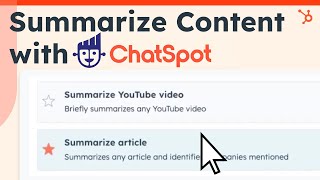
This short promotional tutorial explains how to use ChatSpot (HubSpot AI) templates to quickly summarize web content—specifically YouTube videos and articles—to expedite research, competitor review, and webinar or training takeaways. It describes the steps: go to Templates → Research and Summaries, paste a URL (YouTube or article), and send to receive concise key takeaways.
Chapters
Great content requires research, which can be time consuming, and let's face it, there's a lot of content out there. You need a way to find useful insights and nuggets of data buried on the web as quickly as possible. Next on the list is YouTube summaries, which are especially useful if you've ever wanted to distill the information shared in a video. Rather than watching a 20 minute video, you can get the key takeaways in a matter of seconds. Use this for reviewing content from the competition, summarizing user generated content, or even key takeaways from a training or webinar hosted on YouTube. Go to templates, click on Research and Summaries and then enter the URL, hit Send and watch your short and sweet summary appear. If you need to watch a bunch of videos but are short on time, this is the prompt for you. Chatspot can summarize written content as well. Let's say you're doing some research and you don't want to read the whole article to find the information you need. Chatspot's Article Summarizer is a great way to speed up the process. Head over to Templates Research and Summaries and pop the article URL in Chat Spot's Article summary box. Hit Send and you'll get an article summary in seconds, complete with key takeaways. There you have it. With these Chat Spot templates, you can summarize different types of content and speed up all kinds of research. Start researching at Chatspot AI.