Essential HubSpot Apps For Marketers | HubSpot Integrations
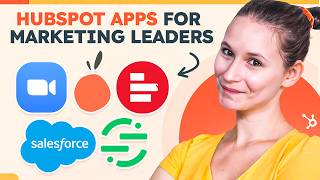
Jori walks through five HubSpot integrations that cut reporting work and connect your data. Salesforce syncs CRM data, Lucky Orange captures behavioral data, Zoom tracks webinar attendance, Supermetrics pulls cross-platform reporting, and Segment handles real-time data sync across tools.
Chapters
It's time to start analyzing one of our marketing campaigns. But where do we start? Well, we sent emails out of HubSpot, so all of our performance metrics and engagement metrics can be found there. But we also ran a Zoom webinar, which means that performance metrics are locked on that platform. At the same time. We have Lucky Orange installed, which is great for comprehensive behavioral data, but now we need to Frankenstein together report on what we're seeing in Lucky Orange than what we're seeing in our landing page performance back on HubSpot. That's too many reports, too many screens, too many systems help. Hey there, It's Jori from HubSpot and I'm here today to talk to you about the magic of integrations. Integrations help you streamline your processes, centralize your data, and ultimately make sure that you're delivering cohesive marketing messages every single time. So you can sort of think of integrations as that secret sauce that helps you enhance your HubSpot account and and do a lot more with a lot less effort. So here are five integrations that you should consider adding to your technical stack and directly into your HubSpot account today. So, first up, we have the Salesforce and HubSpot integration. Now, why this is one of my favorite integrations is that it's so easy to set up. Think no technical expertise required, which means you don't need a developer to get this up and running. Once you have this set up, you can choose which new records set Sync directly from HubSpot to Salesforce and when. Which means that all that important lead intelligence information like email opens, form submissions, website activity and more is now available to your sales teams so they can effectively use that data to nurture leads and ultimately close more deals. This also means that you can send really powerful insights unique to HubSpot, like lead scores to Salesforce, which will help your sales team prioritize their outreach and really make sure that they're nurturing the right lead at the right time. Time. It's going to save them a lot of time. Overall, you can think about this integration as a way for you to optimize and close the loop between your marketing and sales team, which is ultimately going to help you improve your customer experience and really drive revenue growth, which is a system Win win. Next up is the Lucky Orange and HubSpot integration. This is for my content optimizers. Lucky Orange gives you access to a suite of tools like huge heat maps, session recordings and surveys. Each of these gives you really powerful insights into different areas of the customer journey and how customers are thinking, feeling, or doing as they navigate your site. Now, having this level of behavioral data brought directly into your contact timelines can help you do a couple different things. On your sales team side, they can really make sure that they're tailoring each conversation that they're having with each of your prospects, while your marketers can use this type of insights to really think deeply about their content and really brainstorm how they can continue to maximize engagement across the website with future customers. Plus, with my favorite Features surveys, you can actually capture real and honest feedback from your website visitors directly in the moment. That type of quantitative insight ensures that you're constantly bringing the voice of the customer into your future website and product iterations. That's being data driven. Next up, let's talk about webinars. Now, webinars provide marketers with a powerful platform to showcase their expertise and engage with their audience, but ultimately to generate leads while building connections with folks that are visiting your site. This is why you're absolutely going to want to check out the HubSpot and Zoom integration. Now, for marketers, this makes it easy to see Zoom webinar data on a contact's timeline, which includes information like if someone registered for one of your webinars, if they attended one of your webinars, if they registered and didn't attend one of your webinars, and if they did, how long they actually attended for, then my favorite feature is that you can use this type of data to ultimately segment your contacts into lists to continue to contextually nurture them into customers. With this integration installed, you can also make sure that people are actually showing up for your webinar because you can create workflows that send reminder emails to folks before the Zoom webinar to make sure that those attendance numbers stay up. So say your Zoom webinars are going amazingly and you are generating a lot of interest among your audience. Well, with this integration installed, your sales team or even your service reps can schedule a Zoom meeting with a contact directly from a contact record so there is no crisis of disconnection with this integration installed. The next integration is Firm My Reporting Rockstars, and that is the supermetrics and HubSpot integration. Now with Supermetrics installed, you can move all of your marketing and sales data from HubSpot into your favorite reporting tools. So think Google Sheets, Microsoft Excel, Google Data Studio, any of the databases that you own, and more. From there you can really start to slice and dice your data and make really interesting reports in the tools that you prefer. You can also combine your data with any of the other data you're getting from your other marketing platforms so that you have a holistic picture of your growth and what's working and what's not for your business. This enables you to really quickly report on all of your marketing data really comprehensively, again using the tools that you prefer. So, for example, say that I love Google Sheets. It's not a lie. I do love Google Sheets as a reporting tool. Once I install this app, it will be available as an extension under Extensions, or you can use it directly using this sidebar menu. After clicking Use, I click Launch sidebar. Once the sidebar launches from here, all I need to do is make sure that HubSpot is included as a data source for my query and then really start to import the data that I'm looking to manipulate. From here again, I can slice, dice and create reports to answer whichever marketing questions I have, all from my favorite tool. And finally, speaking of data, let's talk about keeping it clean, because clean data is a secret ingredient for success. Really helping sure that your business is making smarter decisions, really personalizing their customer experiences and avoiding any costly blunders caused by messy or unreliable information. Which is why you need to think about the HubSpot and segment integration. With the integration installed, you can define mappings between the data that Segment receives from your various data sources and the data that segment sends to HubSpot with no code required. That means that Segment can effectively help ensure that all of your Customer data in HubSpot is updated automatically. You can even actually include Lifecycle Stage and Segment will move contacts and companies through Lifecycle Stages automatically. All this together means that you are getting access to the most updated information about your leads, prospects and customers in the moment, ensuring that whatever strategic decisions you're making, you're doing so with the fullest picture possible. With Segment and HubSpot, you can do this all in real time. So that was like a whole lot of integrations, but each can help you meaningfully expand and build on the work that you're already doing in HubSpot. That way you can deliver targeted and personalized campaigns every single time and really delight your customers. So which integrations will you be looking into first? Or sound off in the comments below and tell me which ones you'd like me to investigate further. As always, for more videos like this one, make sure you're hitting that subscribe button and hey, say hi in a comment below. That's all for now, folks. I'll see you in the next one.
More from Patrick



A NEW BREED OF PARTNER: The Partnership Ecosystem Model Journey of Patrick Biddiscombe, Part 1








Customer Success Workspace: Never Lose Sight Of What Matters Most | HubSpot Spotlight