Free Drag-and-Drop Website Builder (Tutorial)
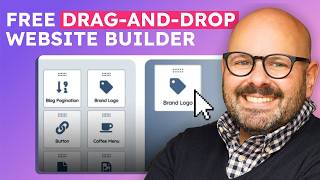
Mark builds a sample donut shop website in HubSpot CMS Hub, showing how to create pages with drag-and-drop modules, swap themes, optimize SEO, and use AI to write and publish blog posts.
Chapters
If you're looking to build a conversion driven website for your business, you've totally come to the right place. I'm Mark and today we're going to build a website for my dream business, Mark's Donuts, because I love donuts. We're going to be using HubSpot's CMS Hub, which is a free suite of tools designed to help you create, manage and grow your website content, all within HubSpot. Once you have your HubSpot account set up, you're ready to jump in and start building your website. Scroll up to the top where it says Marketing and scroll down to Website. Now. Here you're going to see we have three main tools within the CMS Hub. Website Pages, where you're going to build your website and Landing pages. Blog, where you're going to create and manage your blog posts, and SEO, which is a really robust tool that gives you everything you need for search engine optimization. If you want to see another video about SEO, let me know in the comments below. It is an amazing tool that is going to help you strategize your content and make it easy for people to find you online and and convert your users into customers. So once you're ready to get started, click on Website Pages. To get started, click Create in the upper right hand corner and you'll see we have website pages and landing pages. Remember, a website page is an informational page, your homepage, your menu for me, my donut menu, or a landing page where you're trying to convert users into customers or leads by having them submit email information or other information. Right now we're going to make a website page. Going to go ahead and give it a name. Now I want to make a webpage highlighting all my donut champions at Mark's Donuts. So we're going to call this Mark's Donut Champions. Click Create Page. Now from here you're going to be brought to a webpage where you're going to be able to select a template from a theme. So as a reminder, themes are a collection of visual elements that are cohesive across your entire website so that your users have a great experience always seeing the same fonts, colors, colors and button styles and things like that. Templates are within themes. Templates are different types of pages and About Us page, a donut menu page, a donut pricing page, maybe even a donut birthday page. And each template is made up of little pieces called a module. These are things like images, headlines, galleries, email capture forms. Little modules get added into a template and A template are part of a theme. Now, if you don't like the templates that you have or the theme, you can literally change the theme. Just click Change Theme and you can either select from themes that you've already downloaded or you can look at the theme Marketplace. This is an entire selection of free and paid themes that you can buy or download for free. So for me, I always like to search for things that have to do with coffee or donuts. And you can see here's the results I get in Marketplace. You can also just select and filter by business type page, type page feature, which HubSpot plans they're compatible with and price and rating. But again, since I already found one that I really like, I'm going to go ahead and use the cogene theme and I'm going to select the template for a new page. There we go. Now again for the March Donut Champions page. I think I want to use this About Us page. So I'll select that template. And now here I am in my easy drag and drop editor, ready to start building my web page. And if I recall correctly, on this template, there's a cool little gallery at the bottom. There it is. And I'm going to change these pictures to pictures of my Donut Champions. You'll see on the left hand side here you've got all these modules. These are literally drag and drop elements. You can simply drag and drop anywhere you want and start to edit them with the click of a button. So for me, I'm going to go ahead and start to edit this to make my Donut Champions. You'll notice as soon as I click here, I can see all the elements here and click the little pencil icon to edit. First things first, let's get rid of this gentleman and let's add in one of my favorite Donut Champions, my buddy Coleman. I uploaded some photos already. There we go. So let's make Coleman our first Donut Champion. Let's make sure his name is correct because he's not Peter Pan. And instead of saying manager, I'm going to go ahead and change it to the city where these people live. So there is Chicago. And finally, click Apply Changes. And in a moment we'll see my little buddy Coleman Donut Champion number one. We'll go ahead and quickly change the rest of these out here so we can publish this page. So now we've got our cool little Donut Champions. We're just going to go ahead and change this up here, give it a new headline that says they came, they Saw they ate donuts. And finally, let's change this little feedback from clients just to say Mark's Donut Champions. There we go. We've got a good looking web page. Now. Some of this other stuff I literally can just get rid of and delete. We don't need it. I just scroll over that little section, delete it. I've got my logo up there. Going to delete this section as well. So we're left with this. Get rid of this little section as well and we are ready to go. I'm going to go ahead and change this real quick just to let them know they can get a free donut on their birthday. All right, and there we go. Once I'm ready, I can go ahead and click Settings. From here. It's just going to ask you to give this page a title. I'm going to call it Donut Champions. I can also add a little meta description to say Mark's Donut Champions. And if I had a marketing campaign going, I could add it in here. I can also feature an image. So every time somebody shares this, I want them to see the Mark's Donuts logo. So I can go ahead and add that in as well. There's that trusty old logo and finally I'll click Optimize. This will let me know if there's any changes that need to be made to my webpage. From an SEO perspective. You can see I've got one little alert right here, but I'm ready to go. So I'm going to go ahead and hit publishing options and I can either publish it now or schedule it for later. I'm going to go ahead and publish this webpage and you'll see that literally in a few seconds this webpage is going live. Now, as people start to visit my webpage, all the performance will show up here. Clicks, views, time spent on page, etc. And if I want to see the live URL, I simply click it and there is Mark's Donuts Champion webpage ready to go. That's pretty sweet. Another thing you might want to do is set up an email capture on your website. That way when visitors come to your website, they can sign up with their email to get a valuable donut newsletter. Maybe sign up to get a free donut on their birthday or going to show you how to do it right now on the March Donuts homepage. Let's go. Gonna go over here and click home. Here you'll see the homepage set up for March Donuts and I'm Gonna go ahead and click Edit from here down at the bottom. I want to go ahead and add a little email capture right down here where it says donut drops each day at 6am I'm gonna go ahead and click this and I need to attach a form to it. A form is just a way that people can enter in their email or any other information in exchange for a download or some other valuable asset. I'm going to go ahead and click Newsletter sign up. This is a form I've already made. Going to go ahead and click Apply changes and in a moment you're going to see that now when people see these words, they can enter in their email. Click Submit and they'll be automatically enrolled in Mark's emails newsletters. I'm going to go ahead and update that. Update the page. Now that it's ready to go, simply click on the URL. And here you're going to get to visit Mark's Donuts homepage. And as we scroll down, in addition to these beautiful donuts, you're going to see there is our new email capture where people can enter in their email to sign up for the newsletter and receive all the donut information directly to their inbox. Now that your website pages are built, let's talk blogging. I am so stoked to show you HubSpot's new content assistant. It's an AI powered tool that literally can write SEO optimized blog posts for for you. Let me show you. So to get started with your blog, click Marketing website and blog. Go ahead and click Create in the upper right hand corner and make sure that it's going to the right blog. Mark's Donuts Blog and hit Create Blog post. This is going to be sick. Wait till you see this. Okay, so first things first, let's give this blog a title. We're going to say why Donuts are awesome. Now let's say I've got writer's block or I'm having a hard time figuring out what to write for this blog post. I simply hit backslash and the content assistant is brought out for me. I can literally have it generate an outline for me. So I'm going to go ahead and say create an SEO friendly outline for a blog post about why donuts are awesome. I simply hit Generate. There it is. An SEO friendly outline about why donuts are awesome featuring the history of donuts, the science behind donuts, donuts for every occasion. You get the idea. This thing is insane. All right, so now we're ready. Let's talk about the history of donuts. I'm going to go ahead and ask content assistants to write a paragraph. I'm going to say write a paragraph for a blog post about the history of donuts. And here the content assistant is going to work for me. And there is my intro paragraph. Now if you don't like this, no problem at all. You can edit it as much as you want. It's just a starting place. I'm going to go ahead and hit return and I'm going to ask it to write a paragraph about why donuts are awesome. And again, I'm just letting content assistant do its work. It's going to show you the preview here. If I don't like it, I can hit generate and it will regenerate a different response for me. Now I'm going to go ahead and take this one here. And now I've got two paragraphs for my blog about why donuts are awesome. But a good blog about donuts is not complete without a picture of a donut. So over here in the modules, I'm going to click image and I'm going to go ahead and put in a single image again. Just drag and drop it. Going to go ahead and replace that image with a picture of my favorite donut, which is a good old fashioned donut. Oh dude, this one is so good. This is a cinnamon crunch old fashioned. You cannot beat that donut. It is pretty sick. So now that I've got my blog post up, you've seen how to go ahead and put an image in. You've seen how to use content assistant to write your blog. Just like the webpage. Go ahead and click settings. It's going to ask you to make sure that you've got a good title for the blog. It's going to the right blog. Make sure it's going to the right domain. Also, you need an author for each one. I select myself as an author. Look, Ma, I'm an author. Go ahead and give it a tag. This is obviously about donuts. And then I'm just going to give it a quick meta description. Say Mark's Donuts are awesome. There we go again. If you had a marketing campaign, you can associate it there if you want to have that featured image again, I really like people to see that nice Mark's Donuts logo so I can go ahead and pop it in. So anytime someone shares my blog post on social or they share it with a website, Mark's Donuts logo is going to pop up. Go ahead and click Optimize. It's going to tell you that there might be some updates we need to make to get this thing ready to go online. And when you're ready, you can either hit Publishing Options to publish it now or schedule for later. I'm going to go ahead and hit Publish and again, just like with the website page, this blog post is going to be live online for all of my amazing Donut customers to read about. Why donuts are awesome Again, as people start interacting with your blog post, all the performance metrics are going to show up right here. And again I can click that URL and take me right to my live blog. There it is. Content Assistant AI Generated Beautiful picture that Cinnamon Crunch donut and I am ready to go with my blog. So as you can see, the blog tool gives you everything you need to create, manage and grow your blog so that you can bring people into your website, give them valuable educational information, build trust, and have them convert from users and leads into paying customers. Plus, you get to use that Content Assistant, which is AI at its finest. It's pretty amazing and it's only getting better. Building an awesome website with HubSpot's CMS Hub is free, simple and totally awesome. To get started, simply click the link in the description below and sign up for your free HubSpot account. It literally takes two seconds and you will be on your way to building an amazing website not just for your business, but more importantly for your customers. I'm Mark from HubSpot and Mark's Donuts and I'll see you in the next video.
More from Patrick



A NEW BREED OF PARTNER: The Partnership Ecosystem Model Journey of Patrick Biddiscombe, Part 1








Customer Success Workspace: Never Lose Sight Of What Matters Most | HubSpot Spotlight