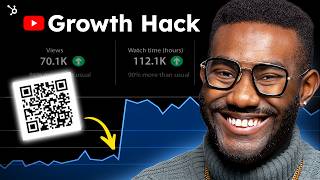
Patrick Biddiscombe's YouTube tutorial (Oct 25, 2023) and walkthrough showing how to create personalized YouTube auto-subscribe links, generate customized QR codes, test them, and add them into videos using Adobe Premiere Rush; ends with best practices (CTA, branding, dynamic codes and tracking) and a call to download HubSpot's QR code guide.
Chapters
With over an estimated 5 billion global smartphone users, the time is now to bring QR codes into your YouTube marketing strategy as a free, fast and low effort way to grow your audience. You can Easily promote your YouTube channel across social platforms, advertise on printed media, and add your videos to encourage viewers to subscribe or check out related content in literal seconds. So in this video, I'll walk you through the QR code setup for your marketing channels, as well as a super easy software to do some light video editing. I'm talking just oh maybe a cut here and music track there and a gif of elon here. You know nothing crazy. Let's use HubSpot's YouTube channel as an example. When viewers subscribe to your channel, a special link is generated that looks like this. Open a new incognito window, then paste that URL into the address bar. Now highlight and delete the sub confirmation from the question mark to the end, which takes you to to the homepage. If I paste the full URL back in with the confirmation at the end, you'll see the Auto subscribe link as a pop up. To create your own customized version. All you need to do is replace this part of the URL with your YouTube channel name. Now, to make the QR code, you'd need a QR code generator such as this. Click URL and insert your personalized YouTube subscribe link here and customize your frame, shape and color. You can also sign up for a free account to access more features and customize further with a specific CTA like Subscribe and your business logo and download. We're making moves here people. You'll see a message pop up here that says your QR code is in progress and not to refresh the window. A pop up will prompt you to sign up while your QR code is downloading. We'll ignore this. You want to make sure that your QR code works properly before you add it to any print, collateral or digital content. The easiest way to do that is to point your camera app at it and and scan. You'll get a pop up within seconds that'll link you to your QR code content and it's looking good. Now let's add it to our final video export. Use your video editing app of choice like capcut or YouTube create though for this video we'll use Adobe Premiere Rush. If you're looking for a quick, easy and free way to cut clips for social media, Rush will convert your videos to the specific aspect ratios and quality levels required by each platform. Which is perfect for YouTube content. Go to Adobe's website and choose the starter plan. To access this, you'll need a free Adobe ID account, which you can create with your email address or through Google, Facebook, or Apple accounts. Open the app and import your video clip. Now move the playhead to the spot where you want the QR code to appear in your video. Click on the Blue plus icon in the lower left corner and choose Media. Tap on the folder or location where you saved your QR code, select, and then click Add Now. In this window, you can drag and drop your QR code onto the top layer of your video clip. To resize, tap on Transform in the menu and choose Scale. We're going to size it down and slide it over to the lower right. You may want to add a stylized transition. If you want something more than a simple cut, just remember to leave the QR code up long enough for viewers to have time to scan it. I'll choose Transition and this first Cross Dissolve here. To save, click Share in the top toolbar, then Local, Add the file name and choose a location to Save. To preview your video before you render and click Export. Now to see it in action, scan for yourself. You're directed to the subscribe link without having to search for it. It's literally magic, to be honest with you. Now that we've made our channel subscriber code, I'll share some of the best practices to keep in mind for any QR code you're looking to create. Add a call to Action the CTA on your QR code gives users a clear purpose on what they need to do next, whether that's to click on a link, purchase a product, or subscribe to your email list. It could be part of a border surrounding the code, or simply a line of text above it. Customize. Add your own brand spin to it Again, notice in our example how we use HubSpot's brand color as the background of our QR code, along with our logo, mark and offer value. Make sure you're using codes to aid in the customer journey, such as linking to helpful information, free item or service, custom content, or an enhanced customer experience. You can also generate dynamic QR codes that come with tracking data to measure how well your QR code campaign is working, which could actually be a whole other video. In a world where convenience is king, QR codes create a seamless experience in the customer journey by giving people what they need in just a snapshot. If you're ready to use QR codes for any and all of your marketing purposes. Download HubSpot's free QR code guide to learn how to leverage them to flawlessly merge your physical and digital brand experiences. That's you merging. Let us know how you plan to use QR codes in the comments below. And don't forget to like and subscribe for HubSpot's latest marketing tips and strategy. Now, if you'll excuse me, I've got some codes that I gotta go scan. The world is wide. There's a lot to see out there and I want to see it. Until then, I'll see you next time. I can't find this client info.
Have you heard of HubSpot? HubSpot is a CRM platform, so it shares its data across every application. Every team can stay aligned. No out of sync spreadsheets or dueling databases.