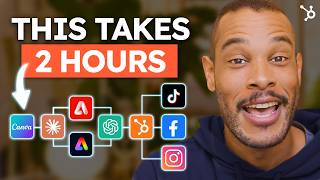
A practical tutorial for small-business owners on automating a monthly social media content calendar using AI and platform tools. The presenters use a handcrafted soy candle business as a running example and cover platform selection, a 70/20/10 content mix, AI-assisted design (Canva, Adobe Firefly/Express), caption generation with ChatGPT, bulk scheduling via HubSpot, setting Instagram automated FAQ responses, and tracking performance with built-in analytics.
Chapters
If you're a business owner watching this video, chances are you're spending way too much time managing your social media accounts while trying to run your business. Between snapping the perfect product shots, crafting those attention grabbing captions and keeping up with all those DMs sliding into your inbox, social media can feel like a full time job itself. So in this tutorial, I'm going to show you how to automate your content strategy. We'll first use AI to create captivating content, then schedule a whole month's worth of posts before finally implementing time saving automated responses. And the best part? This entire automation setup will take you about the same time it takes to watch a movie. Let's dive in I will start by choosing the right social media platforms for your business. I'll use a handcrafted soy candle business as our example, but these strategies work for any product. From jewelry to clothing to digital services, each platform has its sweet spot. Instagram shines with stunning product photos and aesthetic reels. Facebook excels at community building and customer service, while TikTok is perfect for those engaging behind the scenes moments and educational content. Notice how each platform serves a different purpose in our marketing strategy. Think about how each platform's strengths align with your business as we move forward and drop any questions in the comments below. Before we dive into the tools, keep in mind we'll structure our Candle Shop Social media content with a 702010 rule. 70% will be value posts which are candle care tips, home styling ideas and and educational content about your products or service. 20% will be engagement with customer unboxing photos and videos, the scent of the month polls and other community building tactics being used. And the remaining 10% will be promotional where we post new launches, seasonal collections and flash sales. And to help you maximize your social.
Media strategy, we've crafted the Ultimate Social Media Automation Checklist packed with insights that will help take your automation game to the next level. This comprehensive tool breaks down step by.
Step exactly how to save time as.
A small business while boosting engagement across all your channels. My favorite part is Step three which.
Shows you how to keep your social.
Media engagement personable while scaling your business by recommending the best tools in the game like HubSpot's social media AI agent.
It's totally free and you can grab your copy right now using the link in the description below. Alright, now for the fun part. Let's create Scroll Stopping content using Canva and Adobe's free AI design tools. This is where our prompt writing skills will play a crucial part in the results we get. Okay, first we'll create a product or service showcase template in Canva. Once you've logged in, hit the Create a Design button and then pick which social media platform you'd like. The more details you type in the prompt box, the better. Here's an example. Minimalist Candle product showcase template with soft tones and clean layout. Awesome. Let's create our template using these AI generated results. Now let's switch over to Adobe Express to design a story template for launches after logging in. Scroll down to find the Generate a Template button. Here's the prompt. We'll use Minimalist Candle product template with a cozy vibe and then choose the platform using the drop down.
Oh, nice.
This one looks good. Now we're able to go in and tweak it according to our brand style. You might have noticed I'm a bit of a minimalist when it comes to design in my tutorials. What can I say? I love that clean aesthetic. But hey, I'm curious about your style preferences. Drop your favorite design style in the comments and I'll feature it in our next video. Alright, now let's jump back into the tutorial. Staying in Adobe, let's quickly use Firefly to create some lifestyle shots. Here's the detailed prompt. A warm, relaxing evening setup with glowing candles on the coffee table, soft blankets on the sofa and a book nearby. The lighting is soft and ambient with a subtle golden glow. Amazing. When creating these images for your content calendar, make sure to create a template set for each platform. Square format for Instagram feed posts, landscape for Facebook, and vertical for TikTok and Instagram stories. Okay, we'll now create some captions. This is where ChatGPT becomes your personal writing assistant. Here's my universal prompt template that I've created, which works every time for any business. Write a social media post for a insert product or service topic. Insert topic, tone, insert brand voice. Include one emoji, one engaging question and a clear call to action. Now let's see it in action for our candle shop. Write a social media post for a soy candle brand topic. New lavender scent launch tone, cozy and premium. Include one emoji, a question about evening routines and a clear call to action. Pretty cool, right? Try using this prompt template on your end and let me know what you think in the comments. Now that we have our content, let's do a quick overview of how you can schedule a whole month's worth of content in advance. Using HubSpot's social media management tool, we can connect our candle shop's Facebook Instagram and TikTok accounts directly on the platform, and once we've done that, we can proceed with scheduling our content from earlier in just a couple hours of setup time. The cool thing with HubSpot's tool is that you can use their AI assistant feature to help you write posts specifically tailored for the social platform of your choosing, add hashtags, and even bulk upload your content. Here's a calendar view of the three connected accounts where you can see the posts that we've scheduled for the entire month. All right, we all know how important customer service and engagement is, so let's tackle automating that part of the customer experience. You can set up automated responses to frequently asked questions on all these platforms, but to save time, I'll show you the setup process on just Instagram. Let's click on the Hamburger menu on the top right of our Candle Shop profile, which will take us to the Settings and Activity page where we scroll down to find business tools and controls and click on Frequently Asked Questions to start the setup. Great. We've now set up automated replies for product and service information, pricing and availability, shipping and booking process and care instructions. A useful pro tip to keep in mind when setting up automated replies is to make sure these responses sound natural, friendly and not robotic. Now that we've got our posting strategy set up, let's talk about something equally as important tracking your performance through social media analytics. Here's what to look for after posting your content on Facebook and Instagram. As you can see when we go to the Insights tab on the left side menu, we're able to monitor the best performing content types, peak engagement times, sales correlation and posts that drive the most website traffic. Over in TikTok's business suite, you'll find everything from content performance stats to audience behavior patterns, all broken down into weekly or monthly views. Before we wrap things up, let me share some common mistakes to avoid when automating your content calendar. And these are mistakes I see all the time. The first is over automating. Although you can automate most of your social media work, make sure to put time aside for real time engagement. The second is using the exact same content across platforms. Make sure to tailor your content for each platform and don't be afraid to use AI tools like ChatGPT, Claude, or even HubSpot's AI assistant to iterate. And the third is ignoring your analytics. They paint the perfect picture of your content's performance and tell you what products or ideas resonate most with your customers. Wow. We've covered a lot of ground today from choosing the ideal social platforms for your business and using AI to create platform specific content. Plus how to schedule an entire month's worth of content in advance you and setting up those time saving automated responses. Pretty powerful stuff. Remember, the best approach that will set you up for success here is continuously tweaking your content strategy based on your analytics and performance tracking. I'd love to hear about your automation secrets too. Drop a comment below and share which tools have been helpful for your content strategy.
Make sure to snag our comprehensive Social Media Automation checklist before you go. It's your complete playbook for saving time, boosting engagement, and staying connected on social media as a small business.
It's linked in the description below. Don't forget to like and subscribe for more marketing strategies, tips and tools to grow your small business. See you on the next one.