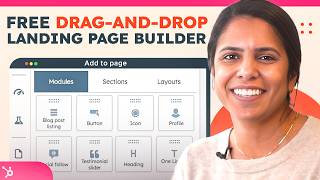
A HubSpot-led tutorial (presented by Adrithi) that demonstrates how to create, customize, and publish a landing page using HubSpot's free landing page builder. The video walks through selecting templates, editing page sections, inserting and configuring forms (including captcha and thank-you behaviors), using AI to refine copy, previewing across devices, optimizing SEO/meta settings, and reviewing analytics and CRM-connected reporting.
Questions this video answers
Adrithi from HubSpot.
February 27, 2024.
Chapters
Now, as a marketer, I know you have a ton to do, but with the help of HubSpot, you can now quickly and for free create landing pages that are on brand, work across various devices, and be created without the help of it. Hi, I'm Adrithi from HubSpot and I'm going to show you how to do this. Come join. Okay, so the first thing that I want to talk about is the difference between landing pages and website pages. Landing pages are temporary pages where the biggest goal is to just convert website visitors into leads. You want them to fill out a form and exchange for whatever you're offering them. So that could be a webinar, an ebook, some sort of content, whatever you think is valuable that they would want. A website, on the other hand, has a lot of other functionality and it's not necessarily temporary like a landing pages. So let's get started in HubSpot. In your account, navigate to marketing and click Landing Pages. Now, another thing I want to mention is even if you don't have your whole website hosted on HubSpot, maybe you're using WordPress, you can, you can still create a landing page via HubSpot's free tools. So now that we're here on the top right, I'm going to click Create and select Landing Page. Now, my page name, this is internal and I'm going to call it the webinar. For March 4, click Create Page and you'll notice I'm taken to a screen where I can choose my templates. These templates are exactly that. They're just templates and they can be customized in a lot of different ways. So even if you don't like every single thing about the template, you can still edit it so it matches the look and feel of your other website pages. So for this example, I'm going to choose the home template and I'll click Select and I'll be taken to this page where I can edit. As you can tell, this is a pretty long landing page, so I can hover over any section and just click delete. Or I can go up here and, and add in sections that I think are missing. So as I mentioned, this is just a template. You can edit it in whatever way you want. Now, for my example, I want a landing page that is pretty short and straightforward. So honestly, I'm going to delete all of this and just keep what I need. Now, you'll notice I already have my global header and footer, but if you don't, you can go ahead and and add in So I just type in logo here and drag it over and drop. Now, if I didn't have this, I would probably keep it here. I think it looks really good. But because I have this, let's go ahead and delete it. Now, the biggest thing that this landing page is missing is a form. It's going to search for it here and drag it over. Now, since a form is the most important part of a landing page, I want to make sure that it's one of the first thing that a user sees when they land on this page. So I'm going to select a form and I believe I already have one created for a webinar. Perfect. My form is already inserted. I have the same questions that I always ask. I can customize my button text, so instead of sign up for webinar, I can say something fun. Now, you'll notice we can add captcha to prevent any spam or bots from filling out your form so that your data that's coming in through this landing page is very clean and you can even add in a thank you page. So we can either redirect them away from this landing page to another page or we can just display an inline thank you message. And I want it to be pretty simple, so I'm going to stick with this option, but I am going to edit it. You know what? I'm going to add in a personalization token too for their first name. Just to make it a little bit more personalized so they know that we care about them. All right, I like my form, but I have to deal with this now. Some days I want to be in charge of my own copy, but other days I want a little help. So on days like today, I'm going to ask AI So my webinar is all about communication, but this is kind of short and not very inspiring. If I highlight it, I can actually ask AI to rewrite it, to expand it, shorten it, or even change the tone. Now for this example, let's expand it. Okay, so AI wrote this great paragraph for me, but of course it does need some editing. So I can go in here, take out what I need, add things that AI didn't write for me, and just make it more my own. We can of course format it in the way we want through the tools up here and subscribe. Doesn't really make sense here. So I'm definitely going to edit this button text. All I did was click in it and on the left hand side I got the option to edit it. All right, that looks good. Got my form in here, don't really need this, so just going to go ahead and delete this. Another thing that's missing that I really want to add is access to my social media. I can drag in this module. That's another thing I love about this landing page experience is because it's so easy. You can test things out and if something doesn't go where you thought it would be, just drag it somewhere else. It's so easy. I also do want to mention that a landing page has one specific goal is to convert the website visitor and have them fill out this form. So you don't want to add in too many extra buttons. I think these social media is great just down here, but I don't want to add anything else. Now the last thing that I want to do is click into the settings button on the top right here. I can give it a page title. So this is going to be required when I publish my page. And this is also what my website visitors are going to see. And I'm also going to edit this domain. It actually edited it itself when I inputted a page title. And that's exactly what I would use. Communication webinar. I can add my meta description if I'd like, add it to a marketing campaign, edit the different colors, the different featured images. But honestly this image works really well. So I like that Control the audience access. Most of my landing pages are going to be public, but if you have different needs, you can also make them private and put under a password. All right, looks good here. Going to get out of here. I feel good about this, but I want to make sure this is the best it can be. So on the left hand side I can actually click this button. Optimize. And HubSpot gives me all of these tips and tricks that I can review to make sure that my landing page is is at its best. So right here it tells me to add a meta Description. Great tip HubSpot. I will do that, but everything else looks good. Now before you publish your landing page, I know that can be daunting. HubSpot gives you the option to preview it. So make sure you do that before you hit publish. So on the top right select preview. And something to note is that this is all interactive on the preview page. So you can fill out this form, you can click these links to make sure that it's actually going to the right web website. This all looks good. You can even see what it would look like on a mobile device and a tablet. And I'm going to publish it. Now, once you publish it, you have a lot of reporting analytics at your fingertips so that you know how this landing page is performing. So to understand how your landing page is performing, I'm actually going to click into one that I made a while ago and I'm able to see the attributed revenue, the deal value, the page views, submissions, contacts, customers, bounce rate, and all of those stats here. It really gives me robust reporting so I know what to do next time to either improve these results or mimic them. Now another really cool thing that you can do is click into this button. Right now it's zero contacts, but if I had some contacts in here, they would all show up and I would have the option to send them emails, communicate with them through my CRM. But one of the best parts about creating your landing page on HubSpot is that it seamlessly connects to your CRM so you can actually work those contacts. And there you have it. A pretty comprehensive way to create landing pages for free and HubSpot. Now if you're still not convinced, don't take it from me. HubSpot has won so many awards in 2024 being the best marketing software for small businesses, mid market and even enterprise businesses. If you haven't tried HubSpot's free landing page builder, get your free HubSpot account today.