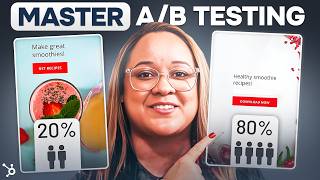
This YouTube tutorial (by Patrick Biddiscombe) explains what A/B testing is, why it helps businesses, and a step-by-step approach to run reliable split tests using HubSpot (and mentions tools like Optimizely). Key steps covered: choose a single variable to test, set a clear goal, build control and challenger, determine/ensure sufficient sample size, run both variations concurrently for an appropriate duration, and verify statistical significance (author typically targets 90%). A worked example for an e-commerce candle store compares two landing pages (Version A with multiple product images vs Version B with a single image); the speaker ran the test for three months, reported ~158,000 visitors and said Version A converted almost 10% more (95% confidence), then deployed the winner. The video concludes with five common mistakes to avoid (testing multiple variables, only testing tiny changes, too-small sample size, stopping early, and not replicating tests).
Questions this video answers
March 11, 2024
90% (minimum)
Version A converted almost 10% more than Version B, with 95% confidence
Three months
About 158,000 visitors total and ~15,800 positive responses (10% of visitors)
Chapters
I'm going to show you exactly how A B testing works, why it can benefit your business and all of the common mistakes to avoid. But what exactly is a B testing? Okay, so A B testing is an invaluable yet simple tool that can boost your business by helping you to better understand your customers habits and behaviors. It allows you to optimize your content in a way that'll increase engagement, sales, click through rate, or any number of other key performance indicators. Think of it like a marketing experiment. You split your audience to test two different versions of the same thing. It's it can be anything from a simple email subject line to the font on a website landing page, or the placement of a call to action. The goal is to determine which one performs better. That's it. Gathering data like this will allow you to make the best decisions moving forward to positively impact your goals. Some A B testing goals could include increasing website traffic from emails where you test different headlines to catch the reader's attention and click through to your website. Or maybe you're looking for a higher conversion rate from website visitors to a sales lead testing the placement of your CTA to submit their contact information. It can help you test what's driving traffic away from your site by testing different fonts or design features just to see what helps lower your bounce rate. If you're an E commerce business like me, A B testing can be a great asset for finding what kind of product images best catch your customer's attention or what kind of checkout designs lower your rate of cart abandonment okay, so this all makes sense, but where do I even start? Here's a quick summary of how I approach an A B test. Oh, by the way, everything I'm going to be talking about is available in HubSpot's free AB testing kit that includes a how to guide and templates available for download if you want to follow along. The first step is choosing the appropriate test items by listing out elements that will impact the goal that I've identified. For me, I'm trying to determine if a landing page with more product images on it will better convert website visitors into paying customers. So I'm going to test two different versions of my landing page. Here's version A, a brand new design with multiple product images and version B is going to be my existing landing page with only one product image. Next, I have to determine my sample size. I want to make sure the sample size isn't too small because it could skew the results. Tools like Optimizely's Sample Size Calculator can even help determine what size is best for your business. Just like determining sample size, I also need to be able to verify my data by making sure it's statistically significant. That means your results actually have a definitive winner that did not occur by chance. Typically, we're aiming for 90% statistical significance to help increase statistical significance while testing variables. Keeping my controls the same is crucial, including when and for how long I run the test. So I'm going to choose a time frame that represents an average time for my sales instead of running the test during the holiday shopping season, for example, There are lots of things you can run AB tests on, so it's important that I only test one element at a time. If you if you do more than one, it'll yield unreliable results because you won't be able to determine exactly which element impacted those results. Finally, analyzing the data is going to help me plan and make changes to how I do things in the future. So what are some of the most common elements you should consider when a B testing? The most common things you'll a B test include call to actions, CTAs for short emails and landing pages, which is what I'm focusing on today. If you're looking to a B test a particular CTA like a contact form to generate leads or a subscription link. Things like placement, size, color, copy, and graphics are all prime elements for testing. Should you use a bold color or something that seamlessly blends into the page? Should it be positioned at the top of the page or as a sidebar? Testing different parts of a CTA one at a time could help you find what's optimal for your users. If it's emails you're testing, a lot of the same elements could apply in addition to format, layout, timing, subject lines, and even senders. Is your open rate better when the email comes with the name of a personal sender instead of a company? Do your email subscription subscribers tend to open more emails with emojis in their subject lines or just simple text? A B testing can help you pinpoint the sweet spot you're looking for to increase whatever metric you're measuring. For my candle business, I'm focusing on AB testing a new store landing page. Again, I'm trying to determine if a landing page with more product images on it will better convert website visitors into customers. The elements I could test include offers, copy, form fields, or even just the entire page, like the color, the layout, and so on. So what I'm going to do here is run two different versions of my landing page to see which, if any, will result in more sales. So what are the steps to getting my actual test up and running? Okay, so I've already completed steps one and two. I picked my variable and I identified my goal. Now I've got to create my control and my challenger. Basically, my challenger is the new landing page in which I've added more product images. My control is the landing page as it currently exists. Now I'll need to split my sample groups equally and randomly, as well as determine my sample size. If this was an email, it'd be a finite number of emails I'm sending. But since this is a landing page, the length of my test will determine my sample size. It'll vary for each business based on the kind of traffic your website gets. I've got to be sure that I let the test run long enough to gather a substantial sample size. Otherwise it'll be hard to confirm the statistical significance. Next, I have to decide how significant my results need to be to declare a true winner. Typically, I'm looking for 90% at minimum, but you may decide that a lower percentage is okay. Okay, so I'm finally ready to launch. What's next? An A B testing tool like the one available in the HubSpot CMS makes it super easy to set up. That's what I'm doing here. But you can also set one up through Google Analytics. Unless your A B test is time related, like testing the best time of day to send an email, for example, then you should be running both variations of the A B test at the same time to ensure accurate results. So I'm gonna let my A B test run for three months, both versions running at the same time, just to make sure my sample size is big enough to get plenty of useful data. So now that I'm ready to launch the test, it's time to see how it plays out. See you soon. Welcome back. I'm ready to check the results on the A B test of my store's landing page. First, I'm gonna focus on my goal metric, which was to increase sales. So even though I collected a lot of other data like bounce rates and email subscription signups, I'm not going to put much weight on those because they're not the data I was testing for. So using the HubSpot A B testing calculator, I can determine if the results will actually help me make a final decision. Are they statistically significant and therefore suggest a clear winner. So I'm plugging in the results, in this case, the number of visitors who went to the landing pages and conversions. In other words, the number of those visitors that actually became customers. You can see that I've plugged it all in and the spreadsheet does the calculation for me. Version a converted almost 10% more than version B, which means it's 95% certain that changing to version A will increase my sales. 95% is statistically significant. So it's time to take action based on these great results. I mean, version A is the clear winner, so I'll disable the losing design and let the winner take over full time. Finally, while I wait for the sales to roll in, I'll use the HubSpot A B test tracker to track the results and plan my next test CTA placement on the product landing pages. But what if you're not getting statistically significant results? Well, you might just be bumping up against some of the most common mistakes of a B testing. Common mistake number one Testing more than one variable at once. Remember, the whole idea is to run tests on specific elements, one thing versus another. If you try to test a new font and a new font size at the same time, for example, it's more difficult to determine which specific element is actually responsible for any change, or if that change is even statistically significant. Common mistake number Only testing the Small things I know I've mentioned a lot of small variables like font sizes and image count, and those are all super important, but you should also periodically test more radical changes to your pages. This can be a little more upfront work, I know, but if you're not getting statistically significant results for your small changes, trying something bigger might lead you down a new path. Common mistake number three Having too small of a sample size. You want to be sure your sample size is big enough to get reliable results that are statistically significant. For example, if I only ran my test for an hour, getting 100 visitors with a 10% increase in sales, that's actually only 10 people who responded positively to the test. But since I tested for three months and got around 158,000 visitors, that means 15,800 people responded positively to the test. See the difference the sample size makes for your data? Common mistake number Making changes before the test is over. I know it can be hard to be patient. Trust me, especially when you're testing something that could make a huge impact on your business. But it's critical that you let the test play out even if it seems like there's a clear winner early on. If you jump the gun, you might be compromising your results. And finally, common mistake number Only running a test once the more AB testing you do, the more likely you'll encounter a false positive at one time or another. I mean, user behavior can be unpredictable after all. But just like a science experiment, it's always best to replicate your tests with the same parameters in place just to make sure you get the same results. This is especially important if the margin of improvement of one version over another is minor. AB testing is a simple, data supported way of finding realistic, low cost methods for growing your business. This is something a business of really any size can take advantage of in order to optimize every part of their operation. Click on this link for HubSpot's free AB testing kit, which includes the spreadsheets I used here today, along with a comprehensive guide to everything you need to know about AG A B testing. And if you're already an A B testing pro, let us know how it's helped you optimize your business in the comments below. As always, please like and subscribe to HubSpot on YouTube for more great marketing how to's. I'll see you next time. I can't find this client info. Have you heard of HubSpot? HubSpot is a CRM platform so it shares its data across every application. Every team can stay aligned. No out of sync spreadsheets or dueling databases. HubSpot grow better.