How To Replace Any Employee With Custom GPTs
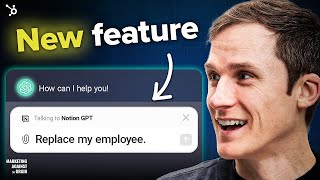
Custom GPTs that connect to external software via Zapier AI Actions turn them into practical AI agents. Dan Shipper built one that summarizes chats and automatically creates Notion journal entries, showing how this "sleeper feature" could replace specific employee tasks inside your existing workflows.
Chapters
Foreign. Okay, we're here with a bonus episode of Marketing against the Grain with the sleeper chat TBT feature of 2024. Now, I know it's early in the year, but this feature is going to 10x the power of custom GPTs. 10x the power of the GPT Store. And you do not want to miss it as it is super exciting. And we wanted to bring it to you as. As quick as possible. So let's get into today's show. All right, so the GPT Store has been about for maybe a month now. It depends upon where you live. I live in Europe. I think I've said that a lot of times on the podcast. So I do not get access to these things at the same time as everyone else. But let's quickly dive into what the store looks like. All right, so let's dive in. So this is the store, right? You can click in, you go to explore GPTs, you see your store, it's nicely categorized you and it's pretty cool. Like it, it has broken into featured. And then I think at some point, if this does become popular, you can imagine this being a pretty nice place for them to get some paid advertising going. And then you have trend in. And so you have some of the more popular custom GPTs here. Canva, some of the. Some of the company ones have really managed to kind of get some traction here. Canva one of the examples. But I haven't seen a lot of brands actually with custom GPTs or GPTs here that are getting a ton of traction. And so there's a couple of challenges with the GPT Store. And I can show you them. I can go through them now. Right. So first of all, why is the App Store so successful? Well, part of it is because the iPhone became so successful, the smartphones become so successful, but there's also a barrier to entry for the App Store, right? Like, it does take some amount of effort to create an app and get it onto the App Store. I think one of the challenges with the GPT Store and we're going into the new feature, this is all the setup for the new feature because I think this unlocks a lot of this power. But I want to kind of give the setup and the current problems, like it's just too easy to create a custom GPT and launch it on the store, which means it's really hard to find like the good ones. Right. I think that's why they have trend in for the most part. Right. You can actually sift through a bunch of the noise to get the ones that are pretty, pretty good. But in general that's a problem for them, which is there's tens of thousands of these custom GPTs because it's pretty easy to create, to create them. It's also littered with just pretty underwhelming custom GPTs. And most of them are underwhelming because people are just giving it a set of pre programmed instructions and then just asking it to do things. So like quote generators or you're a marketing instructor, but the marketing instructor is just giving it some pre programmed instructions like you are a marketing professor. This is how you think about marketing. These are your inspirational marketers. And when people ask you questions, lean into these inspirational marketers and answer that in that way. That is really no different than what ChatGPT could do because they're both trained on the Internet and if you do not have proprietary data or something, that makes that custom GPT unique. And it's kind of underwhelming. Right? But the UX experience is also a problem and this is one of the things I want to get into because I feel like it's where the unlock is going to come. So, so when you're using these custom GPTs, what happens is you click to, to use them and then you can actually start to use them there on your left hand panel here. So let's you end up with a bunch of different custom GPTs based upon what you actually want to do. So let's say I want to do quotes and I could say, hey, like we all love a good quote. Like get. I think there's a pretty. Why don't we do this one? Create an image. Who doesn't want to have hope in today's precarious world? Right. Is a good thing to have. So it's going to create this image for us and let's say I want to use that image in a presentation. Like presentation is a really good use case of GPTs. I think people struggle with presentations, especially internal presentations, but it's a pretty great use case if we can perfect an AI agent to help us with these presentations. So let's say I get, oh, I love this quote. I want to do a whole presentation for KIP about hope because we want to both be optimist marketers. Well now I have to like take this and then go over to another tool. Let's say I use the Canva tool and pay, copy and paste that quote into the tool to be able to use it. Now I've asked Canva to, you know, create a slide to help marketers feel hopeful about AI, because we do. Right. But if I wanted to use any of these other custom GPTs to get quote or research or anything like this, to be able to use in a presentation GPT like Canva has to kind of flip between them and it's really, really annoying. Right? And because you don't have a single interface, which chat GBT kind of knows what custom GBT is the best GPT for the job. I think if it actually did do that, it's problematic because it will mean that the store isn't of any great value because ChatGPT would pick what custom GPT to actually use. And so what's the point in having this store where you can browse and look through features and look through trending if you don't even really need it? So there's Canva. It's produced me this kind of cool slide so we can feel optimistic about the future. What does it say here? I'm on my artificial intelligence will transform the world, but it's up to us to decide how awesome. Okay, so that's the Canva one. So what is the feature that I'm excited, excited about that will actually, I think, really unlock some of the powers here in terms of some of the powers of custom GPTs. Okay, so I want to bring up a video from Dan Shipper, who is the CEO and co founder of a company called Every, A really great company with tons of great newsletters and tons of great media, but also very deep into the AI, shares a ton of great stuff about AI, and he had this great video I was in. I spent this morning looking through, you know, how to manage and optimize human kind of books because I'm having a baby in the next 24 to 48 hours. And I came across this video because I'm also a dork. And I got distracted and I was like, hey, what's happening in the world of AI? Because, you know, that's where my brain goes. Which probably isn't a good thing, but I saw this video and I was like, wow, this is super cool. So I'm going to play you some of the video and then I'm going to stop it to give you some of the commentary on why this is such an incredible new feature being launched. But OpenAI for chat GPT. Okay, so I'm going to play you some of the video and then I'm going to tell you why this is so cool. So let's play this video.
And this is regular chat GPT 4 regular chatGPT. So here's, here's an example. Maybe I'm writing a journal entry in ChatGPT, right? And I want to save it to Notion. So what I can do is let's just get a journal entry.
All right, so he gets the journal entry. Let's go through this.
Yes, let's go with the disc I just wrote. So I'm just going to give it to ChatGPT, right?
Okay. He's doing the journal entry.
He's skipped this part into Notion over here. What I can do instead is I can do. And this is Notion GPT is a little GPT I built. It's custom GPT uses Zapier to connect into my notion. And so what I can do is say, hey, can you summarize the journal entry above and put it into my journal?
All right, so like, what is he doing? He has gone to get a journal entry. He writes a lot. He has built a custom GPT through AI Actions with Zapier that hooks into your notion and can take this information and automate put it into notion for him. So, right, there's a couple of things going on here, right? He gets the journal entry and then he calls a custom GPT that he has created. Now, the custom GPT is also far better than most things that people are creating because it does something that is isn't just rehashing what Chat GPT can already do. He uses something called use something that Zapier we have Launched, which is AI Actions, which actually allows you to plug these custom GPTs into your software. In this case, Dan has created one from Notion, and what it does is it takes the input, takes the data from ChatGPT and sends it to Notion to create a journal entry for him or to create an entry within a table. So you can see he calls it here just by adding the custom GPT and then ask it to summarize the journal entry. Why is this frigging sick? You can now create custom GPTs that can do things in software for you, and you can call them like you can call. You can add an employee or a colleague or someone on Slack, right? So now you can really have custom AI agents built through custom GPTs, and you can actually have them using something you can use in Zapier, AI Actions to be able to actually do real things in software. In this case, Dan, in a very short amount of time, built a workflow to be able to take things that he's brainstorming with ChatGPT, these kind of journal entries, and you I skipped past the part where he added imagery and other things to that journal entry. And then he just calls, he adds the notion gbt and then he is able to use AI actions from Zapier to send that into notion to create a journal entry. What is so cool about this? You can actually add these custom GPTs in your core interface. You do not have to go clicking around on the left hand panel cutting and pasting things across these different GPT. Now you have a central interface where you can use these custom GPT. Just like you have a bunch of different employees in Slack, right? You can app them and say, could you do this thing? Can you do this thing? And these custom GPTs are programmed to do specific tasks. View, this is bringing the future to life where we actually have AI agents who can do specific things for us. And they are kind of like, somewhat like employees of some sort. Like they, they can actually help us do our work. I think in the future in your Slack or wherever it may be, you will probably have people you converse with who are humans and app them and people who are AI agents and at them. And I think this is really powerful for custom GPTs because now you can build things and use them day to day without having to try to context switch between these things in the kind of chat GPT interface. And so that is huge. I really think that is going to make the chat GPT store much more powerful as you integrate these things into your core ChatGPT workflow. The other thing is Dan has built a really great actual custom GPT with a really great use case that is not like most of the custom GPTs that were built, which are really just poor knockoffs of things you can already do in ChatGPT. Again, if you're just doing something and creating a chat CBT where you're using custom instructions to do something that you can basically already do in ChatGPT. Like you have no proprietary data, it's not hooked into your software in any kind of meaningful way. It's not that valuable. And so this is really important. Like he builds one through AI actions with Zapier that allows him to automate work in Notion. And if you go right to the end to the video, you'll see that the journal entries now exist, right? So like, let's just cover Jan's, Dan's reaction to this.
All right, it says it's been added. That is friggin sick. Except it doesn't have the, it doesn't have the image, but.
Right. Friggin sick. This thing makes these custom GPTs much more powerful. Being able to use them in your core ChatGPT interface, being able to actually pre program them with instructions on how to do things in your software via zapier. This to me is a really great feature. It's a sleeper feature. Might not get a ton of press, but I actually think this is a game changer for how we feel about custom GPTs in the GPT store. That's Dan, the CEO and the CO founder of a great company called Every Media Company. Lots of great newsletters. So this to me is the unlock, right? Like the first version of all of the custom GPTs created in the GPT Store. I've tried a lot of them. Most of them are terrible. They suck. They're really just things you can already do in chat cbt. This is an example of how you can both create a custom GPT with real actionable use cases and then the UX experience has really been solved because you can just add that custom GPT and call it in the core chat CBT interface. You're not having to flick between the different things in the right in the left hand panel. So this to me is the sleeper feature. Because what we're really going to be able to DO is customize ChatGPT to our needs through all of these custom GPTs and we're going to have an army of AI agents to be able to do work on our behalf because we can use AI actions from Zapier to automate our work, to automate things that we do each and every day. This is the sleeper feature. Do not sleep on it. Do try it when it is out. I have. I have hoped that I would get it today, the same time as Dan, but again, I am not in the us. You are also lucky to get these things before me. You should go check it out. Try it. Build a custom GBT, add it in your ChatGPT interface. Do some cool work. I hope this is a cool bonus episode and you find it as exciting and as interesting as I did. This data is wrong every freaking time. Have you heard of HubSpot? HubSpot is a CRM platform where everything is fully integrated. Whoa. I can see the client's whole history. Calls, support tickets, emails, and here's a.
Task from three days ago.
I totally missed HubSpot grow better.
More from Patrick



A NEW BREED OF PARTNER: The Partnership Ecosystem Model Journey of Patrick Biddiscombe, Part 1








Customer Success Workspace: Never Lose Sight Of What Matters Most | HubSpot Spotlight