How to use AI to find and scale winning Facebook Ads
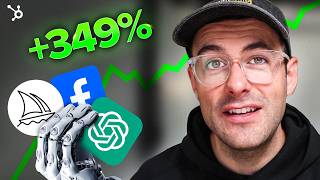
Presenter Adam (marketing consultant) demonstrates a 4-step AI-enhanced workflow for improving Facebook/Meta ad performance: 1) export granular ad data (impressions, CTR, CPC, conversions, ROAS) over a 30–180 day window; 2) upload the data to an LLM (ChatGPT/Claude) using a structured prompt to get performance analysis and audience insights; 3) implement Facebook Ads automated rules (pause underperformers, increase budget for high performers) and use built-in AI features (Automated Insights, Dynamic Ads); 4) use AI to generate creative (copy from reviews, image concepts with Midjourney/DALL·E) then refine with human edits. Two case studies show ROAS improvements (1.2→3.5 and -40% CPA/+25% ROAS). Video ends with a 4-point action checklist and CTA to a HubSpot guide.
Chapters
I have a friend that was struggling to test and scale their Facebook ads. By using four simple AI enhanced steps, we turned their ad account from barely breaking even into a five times return on ad spend. In this video we're going to break down exactly how we did it and in the end I'm going to share with you some of my favorite strategies brands are using today. I'm Adam by the way and I've been using these AI strategies to transform meta ad campaigns across various industries. You might have also seen me posting about marketing automation and AI on TikTok. I also run a marketing consulting business working with some of the fastest growing brands. So let's dive into it. The first step is to grab our Facebook ads data. First we're going to log into our Facebook Ads Manager, navigate to the report section. Now we're going to create a new custom report. We want to make sure we select our desired metrics. For this one I'm going to go with impressions, clicks, click through, rate, cost per click, conversions, and of course roas. Now we just need to choose our date range, run the report and export as a CSV or Excel file Pro Tip. When organizing data, you want to make sure you include campaign names, ad set names and ad names. This will help our AI system provide more detailed insights later on. Another important thing to consider is date range. I usually recommend looking at at least 90 days back or even 180 days if you have enough data. This gives the AI more context to work with and helps identify longer term trends. If you're looking for a bit more guidance on Facebook ads, check out this free guide from HubSpot. Honestly, if I had this guide when I was starting out, I would have saved a lot of time and money. It walks you through all the functionalities, how to create killer ads and not only start a campaign, but maximize your ads reach. I'll be dropping a link in the description below. Now we have our data, it's time to put our AI assistant to work. For this I use both ChatGPT and Claude, but for this example let's run through ChatGPT. First we're going to go to ChatGPT and start a new conversation. We're going to going to upload our Facebook ads data from earlier. Now we're going to use this killer prompt. Don't worry, I'll put it in the description for you to copy. You are a Facebook Ads analyst with years of experience optimizing campaigns across various industries. Alright, I know that's a lot to take in. I'll be adding a link to this in the description. This prompt turns ChatGPT into your personal Facebook ads expert, providing you with deep insights and actionable recommendations. Let me walk you through an example of how to interpret ChatGPT's response. In this Performance analysis section, we can see that ChatGPT has identified our top performing ad set. It's suggesting that this ad set's success might be due to its specific audience targeting. This is a valuable insight that we can use to inform our strategy for other ad sets. Now, if you find that ChatGPT's response doesn't quite hit the mark, don't be afraid to continually improve and refine the prompts. You might say something like can you dive deeper into the audience insights? Or Another tip is to have ChatGPT question its own responses. I'm particularly interested in age and gender breakdowns. The key is to treat it like a conversation with a real analyst. Now let's talk about one of the most underutilized AI tools that's actually built right into Facebook ads. Automated Rules. These AI powered rules can automatically pause underperforming ads and increase budget for high performers. Here's how to set them up in Ads Manager. Go to Rules section. Click Create a new rule for pausing underperforming ads. Apply all active ads. Condition cost for result is greater than or equal to Here you want to enter in your max acceptable cost time range in the last three days. Action Turn off ads now for increasing budget for high performers. Once again we're going to apply for all active ad sets. Condition return on ad spend is greater than or equal to enter in your target roas time range. We're going to go with in the last seven days. Action Increase daily budget Buy Enter in your percentage. Remember to start conservatively and adjust as you learn. These rules can save you tons of time and help you react quickly to changes in ad performance. But automated rules are just the tip of the iceberg when it comes to Facebook's AI capabilities. Let's quickly touch on a couple more Number one. Automated Insights this feature uses AI to analyze your ad performance and provide recommendations. You can find it in the Insights tab of Ads Manager. 2. Dynamic Ads these use AI to automatically show the most relevant products from your catalog to each person that has expressed interest on your website, in your app, or anywhere else on the Internet. You can combine multiple automated rules for more sophisticated optimization. For example, you could create a rule that increases budget for high performers, but only the ad sets that is maintained a certain number of conversions. This helps to ensure you're scaling profitably. We've covered analysis and optimization, but AI can also help a lot with ad creation and ideation. Tools like ChatGPT can generate copy variations, while image variations like Midjourney and Dall e can generate visuals or concepts to pass off to your graphics team. For example, you could ask ChatGPT to write five Facebook ad headlines for your product, focusing on key benefit. Then use those headlines to create image variations with midjourney. This this allows you to quickly generate and test a wide variety of ad creative, potentially uncovering winning combinations you might not have thought of otherwise. However, it's crucial to remember that AI generated content is just the starting point and not the final product. Here's how to combine AI generated elements with human creativity. 1. Use AI to generate initial ideas and overcome writer's block. 2. Review and refine AI generated content to ensure it aligns with your brand's voice. Number three Use human insights to select the most promising AI generated concepts. 4. Combine AI generated elements with custom photography or design for a unique look. Remember, the goal is to enhance your creative process, not remove human creativity entirely. Now I want to run you through pain point copy using reviews and ChatGPT one of the best copywriting tips I ever got is taking all the reviews from your brand and your competitors. Look for the positive and negative reviews now from that, work out the exact pain points and what makes your customers tick. Here's how you can supercharge your strategy with the assistance of AI. First you want to grab all the reviews from a competitor's brand. For this example, I'm going to use Stanley Cups. We're going to start grabbing their reviews from Google. Now we're going to head over to ChatGPT and copy and paste the reviews and prompt summarize the reviews from insert brand for this example. Stanley Cups. What is the overall sentiment? What are common issues people are finding with this product? And hit enter within a few seconds. We have a range of common issues that we can use in our ad copy that hits the exact pain point of our buyers. Here we can see there's common issues with leaking and paint chipping away. We can now follow up with this prompt. Create ad copy for my Facebook ads campaign that hits the pain points of all the common issues. My brand is Damley Cups. Wait a few seconds. Now we have some pretty killer ad copy. Add one say goodbye to leaks and spills. This is going after one of the biggest pain points with Stanley Cups headline. Tired of leaky tumblers? Try Damley Cups. Sick of dealing with spills every time your tumbler tips over with Danley cups, you can enjoy a leak proof experience no matter where you go. Our innovative lid and straw ensures that your drink stays put so you can focus on enjoying your day. Call to Action get yours now and never worry about spills again. I'll also be adding these prompts in the notes below. Let me share with you a couple of real world examples to illustrate the power of these AI techniques. We had a client in the fitness industry with a very limited budget whose campaigns were struggling at a 1.2 ROAS. We applied just a few simple AI techniques. Firstly, the ChatGPT analysis revealed that video ads were significantly outperforming static images. We used AI to assist us in creating new video assets and concepts as we had a very limited budget and then created pain point ad copy with the assistance of AI. We then implemented automated rules to reallocate budget to the top performers. The result? Within 30 days we increased ROAS to 3.5, effectively tripling the profitability of the campaign. The key learning was the power of combining AI analysis with AI assisted creative production. Next was an E Commerce memorabilia brand that was struggling with high ad costs and low conversion. Rates. Here's what we did. We used ChatGPT to analyze our historical data which revealed our audience targeting was far too narrow. We implemented AI generated copy that focused on the specific pain points identified in our data analysis. We then set up automated rules to optimize ad delivery times based on when conversions were most likely to occur. The results were impressive, a 40% reduction in our cost per acquisition and a 25% increase in ROAS within just one month. These case studies highlight an important point. The magic happens when you combine AI insights with strategic thinking, continuous testing and constantly improving your ad creative. All right, we've covered a lot here today using ChatGPT as your AI ad analyst, leveraging Facebook's built in AI and automation tools, applying AI to ad creation and some real world case studies of AI in action. The key is to start small, pick one template, implement it and iterate as you get comfortable layer on more AI powered strategies. Here are some specific action items to get you started. First, export your Facebook Ads data from the past 30 days, ideally if you can 90 or 180 days. Number two, use the ChatGPT prompt we discussed to analyze your data. 3. Set up at least one automated rule in your Facebook Ads account. 4. Try generating copy variations using ChatGPT for your next campaign. In future videos, we'll be diving deeper into more advanced AI advertising topics, make sure to hit that subscribe button so you don't miss out. Remember, while AI is a powerful tool, it's your creative and strategic thinking that's going to set your campaigns apart. So while I just showed you how to scale and win with Facebook ads, you need to learn the basics of Facebook advertising so you can build your own killer ads. To do that, go to the link in the description to grab your free guide from HubSpot. Thanks for watching and I'll see you in the next video.
More from Patrick



A NEW BREED OF PARTNER: The Partnership Ecosystem Model Journey of Patrick Biddiscombe, Part 1








Customer Success Workspace: Never Lose Sight Of What Matters Most | HubSpot Spotlight