How to Use Text to Video AI Tools to Create Content for your Business
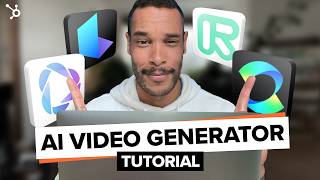
Sam walks through Runway, Cling AI, and Heygen to show how to turn text prompts into finished videos. You can generate video clips, create images, and add audio without filming anything, which cuts production time for small business content.
Chapters
You've searched for text to video AI tools and have landed in the right place because I tested the best AI tools currently out there and I'm going to walk you through step by step on how to combine them to create stunning video content. Just imagine being able to go from a simple idea to a professional looking video in a fraction of the time and cost it usually takes. And if you stick around, I'll show you exactly how you can apply these techniques to elevate your small business's content strategy. Let's do this. Let's quickly run through the top text and video AI tools currently available. The first one is Runway. This powerhouse can generate, edit and extend videos using text prompts. It's known for its high quality output and flexibility. The second one is Cling AI. Currently this is the best platform for creating super realistic text to video. Third one is Luma Dream Machine. This tool excels in creating dreamlike abstract videos from text descriptions. The fourth one is Heygen, which has the ability to create talking headstyle videos from simple text input across multiple languages. And keep an eye out for OpenAI soar, which promises to be a game changer once it's publicly released. Each of these tools has its strengths, but the real magic happens when we combine them with other AI tools in our workflow. A good place to start would be this beginner friendly guide to generative AI that expands on everything I'm covering in this tutorial. This comprehensive ebook is packed with practical tips and strategies to help you harness the power of AI in your content creation process. Whether you're looking to spark new ideas, streamline your research, or bust through that dreaded writer's block, this ebook has got you covered. There's even an entire section about prompts that I'm sure you'll love. It's like having a creative assistant right at your fingertips. I've linked this free resource in the description below for you to download. Now for the Step by step from idea to final video. Step one is generating the initial text prompt. We'll start by using an AI writing tool like ChatGPT or Claude to refine our initial idea into a compelling script or description. Here's the prompt write a 30 second text script for a promotional video about the Danley water bottle. Highlight its eco friendly materials, leak proof design and convenient carry handle. The tone should be modern and informative, targeting environmentally conscious consumers. This can be a great way to speed up ideation and come up with new ideas you may not have initially thought of. Think of it as your brainstorming Buddy. This ensures our video has a solid foundation. Step two is creating AI generated images. We'll use tools like Dall E or Midjourney to create stunning visuals based on our text. Since Dall E is linked with ChatGPT, we'll use it for this exercise. Here's the prompt. Generate images of the Danley water bottle in various settings, outdoor adventures at the gym and in everyday use. The design should highlight its eco friendly materials and sleek modern style. It'll generate several relevant images to choose from. Lets go with the outdoor adventure images. If you're enjoying this video so far, please consider hitting that like button so the algorithm shows it to more people. Step three is converting images to video. Now this is where the magic really happens. We'll use Runway to bring our static images to life. Using this prompt, animate the Danley water bottle, showcasing its features used outdoors including a leak proof cap and carry handle for comparison. Let's also look at how Cling AI and Luma Dream Machine handle this step. Keep in mind you most likely won't get the perfect output on the first couple of tries, so just continue to iterate until you do. Step four is adding audio and background music because no video is complete without captivating audio. So let's use AI voice generation tool 11 labs to create a voiceover using the script that was created in ChatGPT earlier. And for some background music that perfectly matches our video's mood. We we can use an AI music generation tool like Music FX to create copyright free tracks. Here's a good Generate calm, relaxing background music with an eco friendly natural vibe. The music should be upbeat but not overpowering and fit with a 30 second promotional video for a water bottle. Nice. So we'll download and add this file to our project folder for the final edit. One thing to note about ElevenLabs is is that it also has the ability to create sound effects which can be super useful if your content needs it. And step five is Final Touches and Editing where we'll bring all the elements together in a video editing software. Even this step can be aided by AI tools that help with pacing and transitions, but we won't get into that for this tutorial. To keep it short for this example we're using Adobe Premiere Pro to make some final edits, but you can use other editing softwares for this final step. All right, now let's take a look at our finished product.
Meet the Damley Water Bottle, your eco friendly hydration solution made from sustainable BPA free materials. It's perfect for those who care about the planet. Its leak proof design ensures no spills whether you're on the go or on your outdoor adventures. With a sturdy, convenient carry handle, taking it with you is a breeze. Choose the Damley water bottle. Better for you, better for the earth.
Pretty cool how well these AI generated elements blend together, right? The visuals really capture the eye, the voiceover flows naturally and the music really enhances the mood. Let me know what you think in the comments. It's amazing to think what has traditionally taken a team days or weeks to create we've been able to produce so quickly. The technology is not quite there yet, but the potential is pretty exciting. Now let's talk about a few ways you can use this workflow for your small business. Number one is creating eye catching social media content like for the surf shop. You can import an image of your product and cling AI and add a prompt like create a video of this surfboard spinning around like a carousel or merry. Go around and add as many other details as you like and you'll get something like this. Number two is developing engaging product demonstrations like for this clothing shop where using just an image of your hoodie and adding a prompt to show the product being worn by a model. Seeing how the product looks on someone can make a huge difference for the customer during their purchasing journey. Some additional ways are producing explainer videos for complex services, generating customer testimonial videos, and creating training materials or courses for your customers. The possibilities are truly endless. But for these last three, I want to show you what this could look like with a great AI tool called Heygin with which has been simplifying the text video process even further. As you can see, Hadrian excels at creating presenter led videos quickly and easily. You can choose from a range of preset creators, from professional to casual. Or check this out, you can clone yourself, which I've already done here. And we can take it a step further by cloning our own voice, allowing us to create an avatar of ourselves. So let's create a video using this prepared text. Hey Carl here. No, I'm not using a camera to record this. I just typed in a script and it produced the entire video for me. With just a few clicks you can create videos like this in no time. While this tool might not offer the same level of creative control as our multi tool workflow from earlier, it's an excellent option if you're a small business looking to produce straightforward, informative content at scale. Before we wrap up, I want to share some key tips and best practices to Keep in mind when you when using these AI tools, maintain brand consistency. Ensure your AI generated content aligns with your brand, voice and visual identity. Balance AI with human touch. While AI can do a lot, adding your unique insights and personality will make the content truly yours. Be transparent it's important to disclose when you're using AI generated content, especially for things like testimonials. And lastly, stay informed on legal and ethical considerations. The landscape of AI generated content is evolving rapidly, so keep up with best practices and regulations and there you have it. We've covered a lot of ground today, from the top text to video AI tools to a step by step workflow for creating professional looking content. Remember, the key is experimentation. Don't be afraid to mix and match different content tools to find the perfect combination for your content needs. I can't wait to see what you create with these techniques. If you have used any AI tools for your business you can do, let us know in the comment section what the impact was and any lessons learned. And make sure to download our free Generative AI ebook which we've created to help you master everything we've covered today. Plus more tips to boost your content creation. I've linked it in the description for you. Don't forget to like and subscribe for more marketing tips and tools to help you grow your small business. See you on the next one. Sam.
More from Patrick



A NEW BREED OF PARTNER: The Partnership Ecosystem Model Journey of Patrick Biddiscombe, Part 1








Customer Success Workspace: Never Lose Sight Of What Matters Most | HubSpot Spotlight