How To Write Effective Emails with AI (FREE Guide)
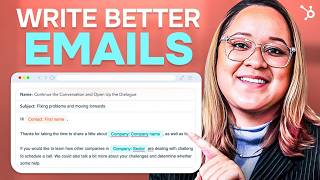
Patrick Biddiscombe shows how to use HubSpot's AI Email Writer to draft marketing emails while keeping them personal. The demo covers subject lines with merge tags, the AIDA formula for cold outreach, scheduling sends for when your audience reads, and why humans still need to handle research, tone, and final edits.
Questions this video answers
78%
6:15 AM
About 16% without follow-ups vs. 27% with at least one follow-up
February 5, 2024
Chapters
I want to reach new customers, but I'm only one person managing every aspect of my business. I know email marketing is essential for growth and AI tools can easily automate this for me. But if my candles are handcrafted, shouldn't my writing be in this video? I've shortlisted some of HubSpot's AI tools to test how well it can produce effective email copy and to see if it can turn me from skeptic into a believer. I'll walk you step by step through the process. Let's first recognize the benefits of using AI within the creative process and when we get it right, how it can do much of the heavy lifting so we have more time to create. That's where HubSpot's email writer comes in. My focus here is to use it as collaboration and not as a replacement. It's up to me to understand my customers, their challenges and what makes my brand unique. So what do I want to achieve with my email? Potential email goals include lead generation, link building, content promotion, influencer collaborations and pitching products and services. Well, I want to pitch candles to my local shops whose customers align with my brand. I've already done my prospecting, choosing who I'll target based on my buyer Persona. So why is this important if I'm using AI to help anyway? Because it'll help craft an email that's personalized, relevant and offers value. I'll get better open rates and better quality leads by sending only to prospects who want or need what I have to offer. And because any email that doesn't offer clear value or targets the wrong person is spam, let's test the effectiveness of AI writing by combining it with a proven email framework. Click on the link below to get started for free or simply sign into your HubSpot dashboard. Go to Marketing Email Create email I'll use the plain email template so it looks and feels personal. First, use a professional email address. This keeps it credible, trustworthy and gets you past the spam filters. It's also an opportunity to reinforce your brand identity. Now you're going to need a compelling subject line. This is your only chance to stand out in a crowded inbox, so give people a reason to read further. Consider teasing content to offer insight or ask a question to spark curiosity, which you can do using HubSpot's AI and use Merge tags to personalize with a name or location. HubSpot's AI will pull your subject line from your body copy, so you'll want to have that in place to best optimize results. Starting with a personalized greeting. I like to open with something authentic, relevant and to the point to show prospects how they're special to me. The primary objective is to start a conversation, so start with a compliment, something you have in common, or a mutual connection, then lead into a strong attention grabber. This means do your research, know needs and pain points, and deliver on your subject line. And don't forget to keep your message concise. Good emails contain targeted, segmented copy that addresses possible concerns, then offers a benefit or solution. And check the tone of your message so that it speaks to the brand's voice and personality. Also, be consistent with formatting. Plain text is best for straightforward communication. It offers authenticity, simplicity and a higher chance of bypassing spam filters. HTML, on the other hand, offers visual appeal, interactivity and branding opportunities, though it does come with potential deliverability concerns. Whichever you choose, stick. Stick to just one font so your message doesn't get lost, and make sure you use a web safe font to correctly display your email on different devices. Now I'll end with a simple and soft call to action and a professional signature that includes my full name, title, company name and contact info. While this all seems like a big undertaking, you can always write the first draft with AI, then customize each section further. Click on the purple information icon here for a walkthrough of the content assistant. Highlight the content you want to edit. Click the lightning bolt icon for options to rewrite, expand or summarize it, and even change the tone depending on the context. Or type a forward slash anywhere in the rich text area for options to create new content. Now do a final spelling and grammar check to do this, you can copy and paste your draft into Microsoft Word or Google Docs, or use free tools like Grammarly to automate the process. While you're drafting. Double check email addresses and use CC and BCC fields only when relevant, as the more people on an email chain, the trickier it is to navigate. For example, if you CC5 people asking for a call to action, it's likely they'll all think someone else took care of it and it gets ignored. Okay, we're in the home stretch. Time to schedule and send A scheduling strategy allows you to plan and execute a perfectly timed email. For instance, 78% of Americans check their email before they go into work. This starts up at 6am and peaks between 9am and noon. Given this information and knowing my buyer Persona is a productive early bird, let's schedule for 6:15. We'll also schedule a follow up reminder while we're here and this is a very crucial step. I learned that emails without follow ups achieve around a 16% reply rate compared to 27% for those with at least one follow up. So when someone doesn't reply, it doesn't mean they're not interested. Most people are simply too busy and forget. Give them at least two to three days to think it over. And if you're short on time to personalize each one, email writer can assist with that too. Combine it with HubSpot's free communication guide for more effective email prompts to enhance your writing and generate better results. So what do you think? Can tools like this actually make us better writers? Are their suggestions always right? I admit I'm both surprised and impressed by the results, but it did take some trial and error as I worked through etiquette for each situation. Plus, AI is only as effective as the knowledge you already have and the research you've already done, which you'll definitely need in order to create the right prompts to get content that both resonates with your audience and builds trust. Now let's revisit my email. There's definitely a distinct art to cold outreach, and if you're new to this, then I recommend getting your feet wet with a proven formula that others have already done successfully. It's called the Aida Formula and what I used as a guide when drafting my email. Here's a real life example of the Aida model in action. As you can see, it's short, it's concise, and it uses all four parts of the Aida model in a really effective way. Grab attention with a great opening line like a personalized greeting to get them to read further, then make it clear what's being offered. How can you help them? Tell them about your solution to their problem or the benefits they'll receive from you here. Sam does a great job emphasizing his deep understanding of Wealthfront's ideal customer profile and how the Hustle would be a strong fit for their demo. And a simple soft CTA is a lower friction app and therefore easier to get a positive response. And that's how he sold the Hustle's first ads, through Cold Outreach. About $100,000 worth if you ask me. This is a great formula for prospects who are a strong fit for your buyer Persona. You'll have a deeper understanding of their pain points to genuinely appeal to their desire for a solution. So take to further grow My business is a standalone campaign or a monthly newsletter. Better newsletters are a great way to connect with customers who aren't on social and it does so without the time commitment that campaigns require. Plus I'd kind of like to promote some new products. So given my time constraints, I'll try HubSpot's free Campaign Assistant to see what it can do. Choose new campaign, Create new asset then Marketing Email we'll answer a few questions about my newsletter, then a few things I want my audience to know about what I want them to do, and a few words to describe the tone of my message. Then HubSpot's content assistant will do the rest. I mean, wow, that's impressive. Copy the text and paste in a Google or Word doc or go ahead and create your email here. I can add my logo, I can customize colors, fonts and add some eye catching visuals to reinforce my brand. I'd also like to tighten up the paragraphs a little bit just so they're more conversational and align more with my audience, which I can do here. But before I hit send there is a checklist that I like to follow to avoid some of the most common mistakes that can undo all of this effort. Long paragraphs strip out unnecessary language sentiment and fluff, and trim writing down to its purpose only, including the points that support it. Bad formatting emails with too many images, all caps, excessive punctuation, colors and emojis can trigger spam filters, decrease engagement and increase your bounce rates. No copy editing Use the first pass as an opportunity to put down your thoughts, especially when using AI tools. Then make sure you go back to revise and organize too many calls to action. One or two clear CTA buttons with a header and subheaders is really all you need. And finally, hiding the unsubscribe link. It must be obvious and easy for readers to opt out. Plus, unsubscribes will help you segment your audiences to deliver hyper personalized content, and that leads to more conversions, more purchases, and happy customers. The bottom line? I think AI writing tools are great. They help brands connect with their audience while saving valuable time, and that's a pretty sweet deal for any busy business owner like me. But humans are still better. Successful communication takes more than just speedy output, and we're still responsible for the deep thinking that results in impactful content. Plus, handcrafted writing is often imperfect, and that's just what makes it so good. If you end up using AI for your next email marketing campaign, let us know your results in the comments below. And don't Forget to download HubSpot's free communication guide to get started on your journey towards becoming a better writer. As always, be sure to like, share and subscribe. If you found this video helpful and you want to learn more, I can find this client info. Have you heard of HubSpot? HubSpot is a CRM platform so it shares its data data across every application. Every team can stay aligned. No out of sync spreadsheets or dueling databases. HubSpot grow better.
More from Patrick



A NEW BREED OF PARTNER: The Partnership Ecosystem Model Journey of Patrick Biddiscombe, Part 1








Customer Success Workspace: Never Lose Sight Of What Matters Most | HubSpot Spotlight