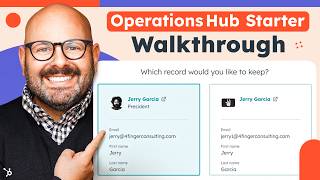
A short walkthrough of HubSpot’s Operations Hub Starter plan demonstrating how it helps keep CRM data clean and manageable. The speaker (Mark) reviews CRM properties and records (including duplicate detection and merging), checks app data sync status (e.g., Aircall), and finishes with calls-to-action to sign up or explore the Starter Customer Platform Bundle.
Questions this video answers
403 properties.
Chapters
As your company grows and scales, your data might get more complicated. The good news is Operations Hub Starter has everything you need to keep your data nice and clean. To get started, click the link in the description below and sign up for our free tools. Then when you're ready, you can upgrade to Operations Hub Starter and keep access to all the free tools. This way your data is tight and your operations are locked in. To get started, let's take a look at how the properties in your CRM are performing. As a reminder for properties are things like name, company name, city, location of a contact. These are all individual properties that you can report on as data inside HubSpot. So here we can see that we have a total of 403 properties and we can quickly see if any of them have any issues such as not using any data, they're unused or they have duplicates. If you want to get deeper to the insights, you can simply click View all property Insights and here you'll be brought to a page that actually shows you how the properties are performing and any that you need to review. As an example, here you can see we have a property called About Us. The issue is that there is no data and it's not being used. It lets you know what type of an object that is a part of. Is it a ticket, a deal, or a company or a contact? It lets you know when the property was updated, the source from which the update came, and the percent rate of it being filled and the last time it's being used in. You can see we've got some properties that need some attention here. Now let's take a look at your records. As a reminder, these are companies or contact records inside your CRM. Here we can again see that we might have two main issues that might occur when you with a record. There might be formatting issues or duplicate issues. Now HubSpot uses HubSpot AI to detect when duplicate records are being created. For example, if you go to enter somebody with the same first name and last name or the same email address, HubSpot will flag it right away and say hey, are you sure you want to add this person twice? But sometimes the unique instance might come up where it might get flagged over here in Operations Hub. So in this instance I can choose to either review or reject this duplicate. If I click review it's going to show us the two records, all the information we have gathered and ask us which record would you like to keep. It then will let us know what happens when you merge the contacts and then you can Go ahead and merge the contacts and just like that, your data is nice and clean thanks to Operations Hub. As your business grows, your needs might become more complex and you might use some of our apps for HubSpot, things like Air Call or other sales tools. Now these apps can connect data back to your CRM so you don't have to go to a million places and you can check on the health of that data by scrolling down to to where it says Data Sync. Here it will let you know if you have any apps with any sync failures or apps with no active syncs and anytime. If you want to see what kind of apps you can add to HubSpot, simply scroll up top to the App Marketplace, select App Marketplace and search for apps. For example, Aircall is a great app that many HubSpot customers use. Here we can go ahead and install the app and right away it's going to tell us to connect to our Aircall account and set up the data sync right out of the box. At any time. If you want to check on your connected apps to see how the data is syncing, you can scroll up top to the App Marketplace and scroll down to Connected Apps. Here you'll be brought to a page that shows you all the apps that are currently syncing data from the app into HubSpot. Data is like the food for your company. If you have junk food, you're going to feel like junk. But if you got good data, you'll feel great. You can use Operations Hub to make sure your data is clean and fueling your business for growth. HubSpot is built to grow with you. That's why we're the leading choice among small business, mid market and enterprise customers. To get started, click the link in the description below to to sign up for Operations Hub Starter. You can also check out our Starter Customer Platform Bundle. It's a great deal because it includes Operations Hub Starter, Sales Hub Starter, Marketing, Hub Starter and so much more to help you grow your business. As a note, HubSpot works to make updates to our customer platform every single day. We're even updating our navigation bar and beta testing with users as we speak. I'm Mark from HubSpot. Thanks for watching.