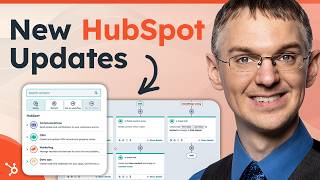
A short product spotlight video describing five recent HubSpot feature updates: new deal attribution metrics in Marketing Hub Professional; skill-based ticket routing in Service Hub Enterprise; initiating WhatsApp and email conversations from the Conversations inbox; Stripe payment processing availability for free accounts; and a redesigned Workflows canvas now the default experience. The presenter demos where to find each feature and notes availability by HubSpot subscription tier.
Chapters
Hey everyone. Welcome to another monthly product spotlight where we're bringing you the biggest updates from HubSpot in the past month. This past month, HubSpot released a bucket load of features, but we've got five we want to highlight for you that we think will be really impactful for you. Let's check it out. The first one we're going to talk about is in Marketing Hub Pro, we've created some new deal attribution metrics for your campaigns so you can measure the revenue you're producing in Marketing Hub Pro. Here I am on the performance tab of a campaign built in Marketing Hub Professional. And as you can see, there's this revenue card here with four different metrics. Associated Deal value is the new one we added this month. This is the sum total of all deals that are associated with contacts that have gone through the assets of this campaign. So this is in addition to the revenue deals with revenue and contacts with revenue metrics that we've had for a couple of months now. You now have four metrics here to measure the value of the campaigns you're creating. Again, these metrics are for Marketing Hub Professional. If you have Marketing Hub Enterprise, you have even more revenue attribution reporting for your campaigns. So. So be sure to check that out. Moving on to Service Hub, Service Hub Enterprise now has skill based ticket routing for help desk emails. Check this out. Here I am in the settings section of HubSpot in this brand new routing settings section. And first of all, let's manage our skills. So skills can be assigned to individual users. By default you get this long list of language skills, but then you can create custom skills for anything you want. To do that, click Create Skills and you have a few different categories, Main language, Secondary language and user skill by default. And then you can add new categories if you would like. So let's say we want to create a skill for shipping concerns. If you ship a physical product and people want to know the status of that, you can have a skill specifically related to that. Then if we go over and look at individual users, we can assign this skill to them. So I'll click on this user here. And on the newly redesigned users page, which released last year, we now have this skills section and you can set Main language and secondary language and you can add your new shipping concerns skill right here. Once you have your skills all assigned to users, if we go back to that routing page, we can create rule sets. We click this Create rule set button, we give the rule set a name, we select a connected email channel and then we can start building our criteria. So if we want to add a condition here, we can look at different properties in this ticket or in its related objects to route this to the person with the appropriate skills. Skill based ticket routing for Help Desk Emails is available in Service Hub Enterprise regardless of what HubSpot subscription you have, even a free one. You can you can now initiate WhatsApp and email conversations from your inbox. Check this out. Here I am in the Conversations inbox and we now have this handy compose button which opens this little module. Here you can search for the person you want to communicate with, select them and start writing an email or sending a WhatsApp message from right inside the inbox. Again, this feature is available in all HubSpot subscriptions, even free ones, so be sure to give it a try. Also available now in free accounts is the ability to use Stripe Payment Processing. Previously you had to have a starter account or above to be able to do this. Now you can access access Stripe Payment Processing even if you have a free account. Here I'm in a completely free, totally unupgraded HubSpot account and if I go to Sales and come down to the Payments menu, I can go to the Payments page and here I'm going to get a little message asking me to set up payments. And if I click on this I can use Stripe. I can connect a Stripe account to begin collecting payments inside of HubSpot. So if you have a Stripe account, go ahead and connect it to HubSpot to get your payment information inside your CRM. The final update I want to tell you about is related to Workflows. We've been working on a redesign for a while. It is now the default experience. Let me show you how it looks. This is what the Workflows canvas now looks like. All of the Action cards are a consistent size. We have some nice color coding to let you know what category they're a part of. And when you add a Workflow action, you get this entirely new experience that is so clean and so nice. You can see the different colors of categories here. You can search for things up top. If you're looking for delays or branches, go to Workflow Go to Action. These are all available right at the top and any integrations you've added will be added down at the bottom here. This is now the default experience for all Workflow users. If you haven't used Workflow Close in a while, be sure to poke around and let us know what you think. Leave some comments below to give us feedback on this video. We'll see you back next month for another Product Spotlight. And don't forget to subscribe so you can get all the updates like this one.