This is a transcript of a 2016 HubSpot product demo led by CEO Brian Halligan and marketer Ginny, introducing HubSpot’s marketing tools and platform. It describes connecting or migrating a website to HubSpot, features of HubSpot’s website platform (drag-and-drop editing, responsive pages, personalization), content creation tools (blogging, keywords tool), site optimization (Page Performance Report), and campaign/project management tools.
Chapters
Hi, I'm Brian Halligan, CEO and co founder of HubSpot. Whether you're in marketing or sales, own a business, or run an agency, one thing's probably true. It's your job to help drive growth. Since 2006, HubSpot has helped tens of thousands of companies do just that. How do we do it? By giving our customers an inbound methodology that helps them take a modern approach to marketing and sales by giving them all in one tools to get the job done and real help along the way. Today, myself and the team want to take you on a tour of our tools to show you how everything HubSpot builds helps you and your team market and sell in a way that actually matches the way a modern human shops and buys. Let's dive in.
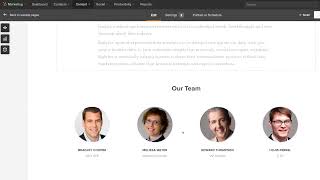
Hi, I'm Ginny, a marketer here at HubSpot, and I'm going to take you on the first part of our journey, starting with HubSpot Marketing. Let's start where almost all marketing discussions start with your website. It's one of the most important aspects your company has, and as a marketer, it's up to you to get the most out of it. With HubSpot, you can either connect your existing website to our tools through a simple setup process or move over to the HubSpot website platform. If you make the choice to move, the HubSpot website platform puts full control in your hands. Creating new pages or making updates is easy and never requires any technical work if you choose to make the move. Migrating your existing website to HubSpot is a simple process and will do most of the work for you. If you want to move to HubSpot as part of a redesign, you'll have a couple options. One option is to work with one of thousands of HubSpot partners who know our platform and will take the time to get to know your business. Or if you've got a designer or developer on your team, they'll find that they'll have full access to your website's code and robust tools to build on HubSpot's platform. Websites built on HubSpot are connected to every other tool in our platform, which means that everything you need is all in one place. Using an all in one platform also makes amazing things not only just possible, but also easy. Take personalization for example. Because my website is built out on HubSpot, I can easily personalize any block of content for a specific audience. Maybe I want to show visitors from different countries different content on my website in HubSpot, that's not hard to do for visitors who are contacts in my database. I can even target content based on granular factors. For example, I could show different content to contacts who work in different industries or change up my content based on where in the buyer's journey a contact is. Websites built in HubSpot are also modern in every way. Take viewing your website on a mobile device, for example. Every website page built on HubSpot is responsive, meaning it automatically fits to any size or type of device it's being viewed on. Creating new content is an important part of any marketing strategy, and it's a big part of inbound marketing in HubSpot. Creating new content is easy to do with the HubSpot blog tool. Blogging using HubSpot is the best way to create a steady stream of new content. But more important than helping you create content is helping you optimize that content to attract new, relevant visitors to your website. The keywords tool in HubSpot helps you uncover new keywords that are relevant to your business that real people are searching for every day. In Keywords you'll find new ideas for content and useful data on which keywords are the best ones to target back in your blog. As you type, HubSpot surfaces useful suggestions about where and how to optimize your content for the keywords you've chosen. The end result is blog content that pulls in new traffic and visitors to your website for as long as your website lives on. When it comes to optimizing the rest of your site, the Page Performance Report gives you detailed suggestions for where you can improve each and every page on your website. Your website is up running and connected to HubSpot. You're building your lead generation machine by creating a steady stream of new content. But what are some other ways to attract some of the right people to your website and your brand? This is where campaigns comes in. Marketing campaigns come in all shapes and sizes, but the Campaigns tool in HubSpot supports them all. Campaigns is a centralized home for all of the pieces that are part of your marketing campaign. Campaigns keep you organized and roll up the most important performance data all in one place. In addition to campaigns, Projects is a great way to keep your team organized around a campaign or pretty much any kind of marketing project. You can add tasks, collaborate with your team.